<?xml version="1.0" encoding="utf-8"?>
<feed xmlns="http://www.w3.org/2005/Atom">
    <id>https://www.remotion.dev/blog</id>
    <title>Remotion | Make videos programmatically Blog</title>
    <updated>2025-09-01T00:00:00.000Z</updated>
    <generator>https://github.com/jpmonette/feed</generator>
    <link rel="alternate" href="https://www.remotion.dev/blog"/>
    <subtitle>Remotion | Make videos programmatically Blog</subtitle>
    <icon>https://www.remotion.dev/img/favicon.png</icon>
    <entry>
        <title type="html"><![CDATA[Sponsoring Mediabunny]]></title>
        <id>https://www.remotion.dev/blog/mediabunny</id>
        <link href="https://www.remotion.dev/blog/mediabunny"/>
        <updated>2025-09-01T00:00:00.000Z</updated>
        <summary type="html"><![CDATA[With WebCodecs, we get an exciting new API for the browser, allowing us to bring performant multimedia workflows to the web.]]></summary>
        <content type="html"><![CDATA[<svg style="width:100%;overflow:visible" viewBox="0 0 1200 630" fill="none"><g filter="url(#filter0_f_1_2)"><circle cx="815.5" cy="173.5" r="456.5" fill="#0B84F3" fill-opacity="0.07"></circle></g><g filter="url(#filter1_f_1_2)"><circle cx="237.5" cy="526.5" r="456.5" fill="#FF57CD" fill-opacity="0.09"></circle></g><path d="M827.957 252.137C824.839 252.307 822.327 252.801 819.796 253.764C818.533 254.239 816.464 255.274 815.325 255.99C810.561 258.977 806.93 263.468 805.036 268.694C804.658 269.728 803.637 273.028 802.979 275.299C798.599 290.482 796.113 307.084 795.58 324.655C795.495 327.454 795.495 334.118 795.58 336.871C795.938 348.52 797.051 359.037 799.068 369.762C799.888 374.103 801.203 379.934 801.964 382.583C803.519 387.965 806.695 392.546 811.212 395.905C814.238 398.156 817.674 399.666 821.481 400.408C823.317 400.766 825.738 400.929 827.521 400.811C829.987 400.649 834.881 399.991 838.858 399.282C856.78 396.087 873.337 390.366 888.351 382.179C897.859 376.992 905.987 371.376 913.829 364.562C921.645 357.781 928.309 350.486 934.173 342.299C935.533 340.405 936.216 339.298 936.9 337.906C938.657 334.313 939.483 330.74 939.477 326.745C939.477 323.022 938.774 319.716 937.258 316.332C936.529 314.698 935.833 313.527 934.271 311.301C928.518 303.108 922.133 295.968 914.35 289.031C902.284 278.28 887.954 269.462 871.951 262.934C868.482 261.522 865.065 260.279 860.952 258.932C852.244 256.088 841.467 253.621 832.35 252.391C830.918 252.196 828.972 252.085 827.957 252.137Z" fill="#0B84F3" fill-opacity="0.3"></path><path d="M817.226 232.016C813.264 232.231 810.072 232.86 806.855 234.084C805.25 234.688 802.62 236.003 801.173 236.912C795.119 240.708 790.504 246.415 788.097 253.056C787.618 254.371 786.319 258.564 785.484 261.45C779.918 280.745 776.759 301.843 776.081 324.173C775.973 327.729 775.973 336.198 776.081 339.696C776.536 354.5 777.95 367.865 780.514 381.494C781.556 387.011 783.226 394.421 784.194 397.787C786.17 404.627 790.206 410.449 795.946 414.716C799.792 417.578 804.158 419.497 808.997 420.439C811.329 420.894 814.405 421.101 816.671 420.952C819.806 420.745 826.025 419.91 831.078 419.009C853.855 414.948 874.895 407.678 893.974 397.274C906.057 390.683 916.387 383.545 926.353 374.886C936.285 366.269 944.754 356.998 952.206 346.594C953.934 344.187 954.803 342.781 955.671 341.011C957.904 336.446 958.954 331.905 958.946 326.828C958.946 322.097 958.053 317.896 956.126 313.595C955.2 311.519 954.315 310.03 952.33 307.202C945.019 296.79 936.906 287.717 927.014 278.901C911.681 265.238 893.47 254.032 873.133 245.737C868.725 243.942 864.383 242.363 859.156 240.651C848.091 237.036 834.395 233.902 822.808 232.339C820.989 232.091 818.516 231.95 817.226 232.016Z" fill="#0B84F3" fill-opacity="0.1"></path><path d="M839.064 273.007C836.822 273.129 835.015 273.485 833.195 274.177C832.287 274.519 830.798 275.263 829.979 275.778C826.554 277.926 823.942 281.155 822.58 284.913C822.309 285.658 821.574 288.03 821.101 289.664C817.951 300.582 816.164 312.522 815.78 325.158C815.719 327.17 815.719 331.963 815.78 333.942C816.037 342.32 816.838 349.883 818.288 357.596C818.878 360.717 819.824 364.911 820.371 366.816C821.49 370.686 823.774 373.981 827.022 376.396C829.198 378.015 831.669 379.101 834.407 379.635C835.727 379.892 837.468 380.009 838.75 379.925C840.524 379.808 844.043 379.335 846.903 378.825C859.792 376.527 871.698 372.413 882.495 366.526C889.333 362.795 895.178 358.756 900.818 353.856C906.439 348.98 911.231 343.733 915.448 337.846C916.426 336.484 916.917 335.688 917.409 334.687C918.673 332.103 919.267 329.534 919.262 326.66C919.262 323.983 918.757 321.606 917.666 319.172C917.142 317.997 916.641 317.155 915.518 315.554C911.381 309.662 906.79 304.528 901.192 299.539C892.515 291.807 882.21 285.466 870.701 280.772C868.207 279.756 865.75 278.862 862.792 277.893C856.53 275.848 848.779 274.074 842.223 273.19C841.193 273.049 839.794 272.97 839.064 273.007Z" fill="#0B84F3"></path><g clip-path="url(#clip1_1_2)"><path d="M304.331 217.964C302.384 221.505 301.824 225.141 302.652 228.873C302.695 229.06 302.799 229.227 302.948 229.348C316.474 240.293 326.454 255.859 330.763 272.534C331.348 274.801 331.811 277.051 332.151 279.284C332.154 279.303 332.161 279.321 332.171 279.337C332.182 279.353 332.196 279.367 332.212 279.377C332.229 279.387 332.248 279.393 332.267 279.395C332.286 279.397 332.306 279.395 332.325 279.389C334.388 278.67 336.582 278.058 338.909 277.552" stroke="#7A685D" stroke-width="2"></path><path d="M338.909 277.552C342.106 276.864 345.44 276.428 348.91 276.244C350.524 276.159 352.305 276.088 354.254 276.032C354.315 276.03 354.374 276.005 354.417 275.962C354.461 275.918 354.486 275.86 354.489 275.799C354.581 273.703 354.467 271.453 354.147 269.049C352.274 254.969 346.973 242.349 338.243 231.19C334.485 226.387 330.181 222.247 325.332 218.771C322.072 216.433 317.696 214.065 313.62 213.833C313.024 213.8 312.37 213.796 311.655 213.82C308.323 213.936 305.882 215.317 304.331 217.964" stroke="#807A71" stroke-width="2"></path><path d="M338.909 277.552C337.344 271.746 335.519 266.352 333.432 261.372C329.816 252.749 324.987 244.701 318.944 237.229C315.2 232.604 312.844 229.684 311.875 228.472C309.342 225.305 306.828 221.803 304.331 217.964" stroke="#F9E2CE" stroke-width="2"></path><path d="M309.405 306.835C307.642 306.531 305.818 305.494 304.234 304.63C304.136 304.577 304.024 304.557 303.914 304.574C303.805 304.591 303.704 304.643 303.627 304.722C299.05 309.451 295.55 314.609 292.537 320.718C289.749 326.369 287.487 332.181 285.751 338.154C285.2 340.048 284.614 342.235 283.993 344.715C283.99 344.729 283.991 344.744 283.996 344.758C284.001 344.773 284.01 344.785 284.022 344.794C284.034 344.803 284.048 344.808 284.063 344.809C284.078 344.81 284.093 344.806 284.106 344.799L291.08 340.765C291.086 340.762 291.092 340.761 291.099 340.761C291.105 340.762 291.111 340.765 291.116 340.769C291.12 340.773 291.124 340.779 291.125 340.785C291.127 340.791 291.126 340.797 291.124 340.803C290.494 342.679 289.753 345.143 288.899 348.197C287.195 354.29 287.169 361.134 290.244 366.895C293.101 372.253 297.591 376.098 302.997 379.156C304.235 379.858 305.609 380.607 307.119 381.404C307.136 381.412 307.149 381.425 307.158 381.442C307.166 381.458 307.169 381.476 307.167 381.495C307.164 381.513 307.156 381.531 307.144 381.544C307.131 381.558 307.115 381.568 307.096 381.573C305.579 381.905 304.644 382.108 304.29 382.183C302.168 382.63 300.083 382.465 298.037 381.69C296.77 381.21 295.573 380.66 294.445 380.04C294.35 379.988 294.243 379.965 294.135 379.973C294.028 379.981 293.926 380.02 293.841 380.086C293.635 380.244 293.418 380.439 293.19 380.671C291.639 382.255 290.143 383.993 288.703 385.885C284.969 390.794 281.787 396.049 279.156 401.651C279.105 401.76 279.093 401.883 279.122 402C279.152 402.118 279.22 402.221 279.317 402.295C281.157 403.664 283.071 404.928 285.06 406.086" stroke="#7A685D" stroke-width="2"></path><path d="M285.06 406.086C290.383 409.148 295.923 411.766 301.68 413.939C313.169 418.276 325.014 421.104 337.215 422.424C342.669 423.015 348.118 423.327 353.56 423.359C365.962 423.434 378.146 421.564 390.113 417.749C392.64 416.943 395.115 415.998 397.537 414.913C398.321 414.562 399.025 414.186 399.649 413.784C399.737 413.727 399.804 413.643 399.84 413.545C399.876 413.447 399.88 413.34 399.851 413.239C398.216 407.619 396.025 402.344 393.276 397.415" stroke="#807A71" stroke-width="2"></path><path d="M393.276 397.415C392.103 395.53 390.98 393.666 389.909 391.825C389.246 390.688 389.003 389.546 389.717 388.338" stroke="#7A685D" stroke-width="2"></path><path d="M389.718 388.338C390.226 387.958 390.725 387.698 391.215 387.559C396.353 386.1 401.246 384.419 405.899 381.769C411.928 378.338 417.425 372.726 421.109 366.788C421.12 366.771 421.126 366.751 421.124 366.731C421.123 366.71 421.115 366.691 421.102 366.675C421.089 366.66 421.071 366.649 421.051 366.644C421.031 366.64 421.011 366.642 420.992 366.65C413.053 370.025 403.792 368.64 396.685 363.955C394.703 362.649 393.064 360.99 391.766 358.978C391.745 358.945 391.717 358.917 391.684 358.895C391.651 358.873 391.614 358.859 391.575 358.852C391.536 358.845 391.496 358.847 391.458 358.856C391.42 358.865 391.384 358.883 391.353 358.907C390.427 359.614 389.271 359.923 388.243 359.267C385.595 357.581 388.687 353.521 389.983 352.039C391.248 350.586 393.792 349.068 395.483 350.928C396.634 352.19 396.317 353.421 395.542 354.793C395.477 354.906 395.445 355.035 395.449 355.165C395.453 355.296 395.493 355.423 395.565 355.532C399.891 362.149 410.79 364.724 417.976 362.174C421.533 360.91 423.745 358.414 425.446 354.901C426.759 352.186 427.652 349.288 428.125 346.207C428.137 346.128 428.123 346.048 428.086 345.979C428.048 345.909 427.988 345.855 427.916 345.824C426.516 345.209 425.208 344.585 423.992 343.953C420.939 342.368 418.305 340.323 416.089 337.819C413.831 335.27 412.708 332.069 414.599 328.977C416.219 326.328 419.05 325.173 422.048 324.69C422.067 324.687 422.084 324.678 422.098 324.665C422.111 324.652 422.12 324.634 422.123 324.615C422.125 324.597 422.122 324.577 422.113 324.56C422.105 324.544 422.091 324.53 422.074 324.522C416.035 321.553 411.009 317.82 407.149 312.348C405.146 309.511 403.368 307.034 401.815 304.919C399.652 301.972 397.242 299.211 394.585 296.636C392.145 294.27 389.245 292.044 385.886 289.958C381.238 287.067 376.441 284.993 371.495 283.734C367.576 282.736 363.588 282.063 359.53 281.713C356.713 281.473 353.405 281.496 350.688 281.609C345.415 281.827 340.24 282.768 335.161 284.432C333.396 285.009 331.993 285.638 329.955 286.453C329.23 286.741 328.628 286.838 327.947 287.053C327.931 287.058 327.913 287.059 327.896 287.057C327.88 287.055 327.863 287.049 327.849 287.039C327.835 287.03 327.823 287.018 327.814 287.003C327.804 286.989 327.799 286.973 327.796 286.956C327.424 284.212 327.031 281.3 326.526 278.865C323.182 262.731 315.554 248.938 303.642 237.487C298.254 232.306 291.953 227.825 284.945 225.426C282.763 224.68 280.565 224.335 278.353 224.389C272.485 224.53 270.128 231.458 269.845 236.241C269.607 240.242 269.837 244.176 270.536 248.044C274.506 269.984 288.264 289.592 307.943 300.307C309.025 300.897 309.981 301.403 310.811 301.827C311.542 302.2 312.007 302.521 312.206 302.791C312.592 303.312 312.744 303.841 312.66 304.38C312.393 306.122 311.308 306.94 309.405 306.835" stroke="#807A71" stroke-width="2"></path><path d="M389.718 388.338C389 388.326 388.283 388.396 387.567 388.547C386.439 388.787 385.873 388.908 385.868 388.908C381.55 389.616 377.205 390.148 372.834 390.504C370.862 390.665 369.204 390.617 367.398 390.665C366.423 390.691 365.669 390.755 365.135 390.857C365.047 390.874 364.963 390.908 364.889 390.958C364.815 391.009 364.752 391.073 364.705 391.147C364.658 391.222 364.628 391.305 364.616 391.391C364.605 391.477 364.612 391.564 364.637 391.646C364.758 392.041 365.041 392.354 365.487 392.584C367.27 393.506 369.181 394.158 371.4 394.957C374.297 396.001 377.151 396.817 379.965 397.405C383.776 398.199 387.268 398.388 391.026 397.962C391.817 397.871 392.567 397.689 393.276 397.415" stroke="#F9E2CE" stroke-width="2"></path><path d="M285.06 406.086C285.583 405.083 286.1 404.096 286.608 403.125C288.394 399.717 290.5 396.532 292.925 393.57C295.052 390.974 297.415 388.587 300.012 386.406C300.157 386.285 300.326 386.196 300.509 386.147C300.692 386.097 300.883 386.088 301.071 386.12C302.295 386.333 303.576 386.536 304.913 386.728C308.551 387.25 312.211 387.247 315.895 386.721C317.698 386.462 319.37 386.047 320.911 385.476C320.938 385.467 320.962 385.45 320.981 385.429C321.001 385.408 321.015 385.383 321.023 385.355C321.031 385.327 321.032 385.298 321.026 385.27C321.02 385.242 321.008 385.215 320.99 385.193C320.866 385.036 320.691 384.9 320.467 384.784C317.487 383.246 315.107 382.032 313.326 381.141C307.002 377.978 301.239 374.235 297.218 368.653C294.55 364.954 292.473 361.027 292.029 356.411C291.858 354.645 291.772 353.215 291.93 351.579C292.365 347.092 293.288 342.661 294.698 338.287C294.703 338.271 294.702 338.253 294.697 338.238C294.691 338.222 294.68 338.208 294.666 338.199C294.651 338.19 294.635 338.186 294.618 338.188C294.601 338.189 294.585 338.196 294.573 338.208C293.615 339.09 292.58 339.819 291.466 340.395C291.447 340.404 291.426 340.408 291.405 340.406C291.384 340.404 291.365 340.396 291.348 340.383C291.332 340.371 291.32 340.354 291.313 340.334C291.306 340.315 291.305 340.294 291.31 340.274C292.95 333.594 295.231 327.107 298.568 320.973C301.236 316.068 304.799 311.598 309.255 307.563C309.308 307.515 309.35 307.456 309.378 307.39C309.407 307.325 309.421 307.254 309.42 307.182C309.42 307.083 309.487 307.013 309.619 306.97C309.633 306.965 309.645 306.955 309.652 306.942C309.66 306.929 309.663 306.914 309.66 306.899C309.658 306.885 309.651 306.871 309.641 306.861C309.63 306.85 309.616 306.844 309.602 306.842L309.405 306.835" stroke="#F9E2CE" stroke-width="2"></path><path d="M433.339 298.866C433.601 298.912 433.921 298.925 434.299 298.905C442.529 298.489 450.527 296.723 458.295 293.606C462.128 292.066 465.6 290.114 468.711 287.748C472.357 284.976 475.551 280.822 476.41 276.297C477.51 270.508 475.821 265.296 472.966 260.233C471.604 257.816 470.825 255.216 470.629 252.433C470.587 251.815 470.58 250.425 470.609 248.264C470.665 244.02 471.244 239.598 469.668 235.691C468.974 233.975 467.295 231.875 465.292 231.859C463.287 231.842 461.406 232.353 459.649 233.392C456.649 235.169 453.919 237.375 451.46 240.012C448.421 243.271 445.848 246.505 443.74 249.712C437.041 259.903 432.559 271.144 430.648 283.068C430.092 286.542 429.7 290.166 429.472 293.938C429.457 294.162 429.525 294.384 429.663 294.562L432.727 298.498C432.878 298.693 433.096 298.824 433.339 298.866Z" stroke="#802356" stroke-width="2"></path><path d="M419.508 287.265C418.985 287.127 418.438 287.103 417.898 287.192C417.358 287.281 416.836 287.482 416.362 287.784C415.888 288.086 415.47 288.482 415.133 288.951C414.797 289.42 414.547 289.952 414.399 290.516C414.251 291.08 414.208 291.666 414.272 292.24C414.335 292.814 414.505 293.365 414.77 293.861C415.035 294.357 415.391 294.789 415.818 295.132C416.244 295.475 416.733 295.722 417.256 295.86C417.779 295.997 418.326 296.022 418.866 295.933C419.406 295.844 419.928 295.643 420.402 295.341C420.877 295.039 421.294 294.642 421.631 294.173C421.968 293.705 422.217 293.173 422.365 292.609C422.513 292.044 422.556 291.458 422.493 290.884C422.429 290.31 422.26 289.76 421.994 289.263C421.729 288.767 421.373 288.335 420.946 287.992C420.52 287.649 420.031 287.402 419.508 287.265Z" stroke="#430D3A" stroke-width="2"></path><path d="M436.778 304.055C436.947 304.392 437.598 305.479 438.733 307.315C440.386 309.99 441.837 312.928 443.098 315.922C443.858 317.734 444.541 318.518 445.942 320.125C452.271 327.386 461.575 333.218 471.415 333.323C473.571 333.343 477.03 332.815 477.114 329.93C477.14 329.092 476.882 327.817 477.051 326.923C477.175 326.278 477.305 325.823 477.441 325.559C478.647 323.224 479.532 320.896 480.097 318.574C481.139 314.296 480.456 310.42 478.048 306.947C475.204 302.849 470.642 300.059 465.889 298.749C464.224 298.289 462.045 297.834 460.417 298.465C455.264 300.455 450.001 301.951 444.628 302.954C442.043 303.436 439.467 303.735 436.901 303.851C436.877 303.852 436.854 303.859 436.833 303.871C436.813 303.883 436.796 303.9 436.783 303.921C436.771 303.941 436.764 303.964 436.763 303.987C436.763 304.011 436.768 304.034 436.778 304.055Z" stroke="#802356" stroke-width="2"></path><path d="M424.992 298.542C424.506 299.121 423.988 299.461 423.438 299.561C423.308 299.585 423.191 299.659 423.114 299.767C423.037 299.876 423.005 300.01 423.025 300.141C423.722 304.842 425.313 309.129 427.796 313.002C430.75 317.611 435.128 322.158 439.799 325.14C439.844 325.169 439.895 325.186 439.948 325.191C440.001 325.196 440.054 325.188 440.103 325.168C440.152 325.147 440.196 325.115 440.23 325.074C440.264 325.034 440.288 324.985 440.299 324.933C440.304 324.913 440.288 324.822 440.25 324.662C439.293 320.675 437.819 316.81 435.829 313.066C433.275 308.261 430.339 304.027 427.023 300.364C426.412 299.689 425.825 299.077 425.26 298.527C425.242 298.509 425.221 298.495 425.197 298.487C425.174 298.478 425.149 298.474 425.124 298.475C425.098 298.477 425.074 298.484 425.051 298.495C425.028 298.506 425.008 298.522 424.992 298.542Z" stroke="#430D3A" stroke-width="2"></path><path d="M429.352 340.931C429.469 340.971 429.596 340.974 429.715 340.939C429.834 340.904 429.94 340.832 430.018 340.734C430.963 339.549 431.48 338.202 431.566 336.693C431.679 334.738 431.094 331.721 429.597 330.5C428.843 329.887 427.905 329.504 426.78 329.353C424.069 328.987 421.01 329.488 419.239 331.632C419.069 331.838 418.936 332.164 418.839 332.61C418.819 332.694 418.831 332.782 418.872 332.858C419.154 333.381 419.374 333.718 419.53 333.87C422.093 336.349 424.77 338.414 427.561 340.062C428.25 340.47 428.847 340.759 429.352 340.931Z" stroke="#804657" stroke-width="2"></path><path d="M319.913 297.959C320.015 297.818 320.08 297.619 320.107 297.362C320.403 294.514 320.473 291.957 320.316 289.69C319.926 284.033 318.852 278.354 316.997 272.922C314.672 266.111 311.482 259.806 307.425 254.007C303.196 247.957 298.083 242.418 292.011 238.481C289.874 237.093 287.642 236.217 285.317 235.852C282.378 235.393 279.343 236.974 279.098 240.208C278.895 242.887 279.078 245.585 279.646 248.302C282.973 264.223 291.739 278.04 304.025 288.637C308.556 292.546 313.969 296.11 319.73 298.018C319.762 298.03 319.798 298.03 319.831 298.019C319.864 298.009 319.893 297.988 319.913 297.959Z" stroke="#FFC0C8" stroke-width="2"></path><path d="M387.631 326.563C387.757 326.045 387.739 325.522 387.577 324.994C386.577 321.714 384.827 319.014 382.327 316.893C378.018 313.237 372.084 312.759 367.757 316.686C365.122 319.077 363.354 322.353 362.711 325.807C362.454 327.181 362.492 328.451 363.67 329.343C364.184 329.731 364.784 329.88 365.469 329.79C366.969 329.59 367.609 328.556 367.987 327.107C368.612 324.718 369.913 322.245 372.332 321.231C374.75 320.218 377.026 320.472 379.158 321.995C380.623 323.04 381.776 324.813 382.638 326.673C382.932 327.31 383.207 327.737 383.462 327.955C384.988 329.256 387.166 328.456 387.631 326.563Z" stroke="#807A71" stroke-width="2"></path><path d="M372.674 344.965C372.525 341.781 370.55 338.815 367.185 336.718C363.82 334.621 359.341 333.566 354.732 333.783C352.45 333.891 350.205 334.308 348.126 335.011C346.046 335.714 344.172 336.688 342.611 337.879C341.049 339.07 339.832 340.453 339.027 341.95C338.222 343.448 337.846 345.03 337.921 346.606C338.071 349.789 340.045 352.755 343.41 354.852C346.775 356.949 351.254 358.005 355.863 357.787C358.145 357.679 360.39 357.262 362.47 356.559C364.549 355.857 366.423 354.882 367.985 353.692C369.546 352.501 370.763 351.117 371.568 349.62C372.373 348.123 372.749 346.541 372.674 344.965Z" stroke="#FFD9D7" stroke-width="2"></path><path d="M463.491 266.4C463.438 266.388 463.391 266.356 463.362 266.31C463.332 266.264 463.322 266.208 463.333 266.155C463.789 264.068 464.081 261.844 464.208 259.482C464.286 258.041 464.178 256.509 463.884 254.886C463.55 253.054 462.55 250.297 460.621 249.623C457.124 248.399 453.815 249.692 451.299 252.167C449.515 253.923 447.872 255.937 446.368 258.209C441.635 265.361 438.335 273.104 436.467 281.438C435.996 283.538 435.692 285.601 435.554 287.628C435.47 288.849 435.273 291.836 436.766 292.244C437.39 292.416 438.081 292.513 438.84 292.533C446.149 292.735 452.981 289.626 459.223 285.903C461.201 284.726 462.904 283.458 464.331 282.097C467.321 279.244 468.611 275.803 468.201 271.775C467.898 268.807 466.328 267.015 463.491 266.4Z" stroke="#FF66BE" stroke-width="2"></path><path d="M446.447 308.37C446.435 308.805 446.561 309.304 446.825 309.867C449.024 314.582 452.361 318.346 456.835 321.16C461.06 323.814 467.935 325.518 471.54 320.848C473.471 318.347 474.107 314.941 472.698 312.034C470.405 307.302 465.16 305.317 460.195 305.021C455.993 304.769 451.949 305.379 448.065 306.85C447.394 307.106 446.47 307.581 446.447 308.37Z" stroke="#FF66BE" stroke-width="2"></path><path d="M445.621 327.825C445.763 329.358 446.414 330.651 445.182 332.005C443.842 333.476 442.177 332.878 440.694 331.951C438.541 330.599 436.072 329.008 434.189 327.291C434.177 327.281 434.162 327.275 434.147 327.274C434.131 327.274 434.116 327.279 434.104 327.289C434.091 327.299 434.083 327.312 434.08 327.328C434.077 327.343 434.079 327.359 434.087 327.373C437 332.125 437.832 338.936 434.245 343.537C434.007 343.842 433.859 344.267 433.801 344.812C433.068 351.679 431.204 358.353 428.209 364.834C422.586 376.995 412.507 386.171 399.858 390.729C398.812 391.106 397.702 391.428 396.527 391.697C396.502 391.703 396.479 391.715 396.459 391.731C396.439 391.747 396.423 391.767 396.412 391.79C396.401 391.813 396.395 391.838 396.395 391.864C396.395 391.889 396.401 391.915 396.412 391.938C396.636 392.416 396.82 392.773 396.963 393.008C399.885 397.77 402.154 402.545 403.769 407.333C404.495 409.484 404.971 411.185 405.195 412.437C405.833 415.976 403.917 418.173 400.922 419.524C394.304 422.508 387.498 424.735 380.503 426.205C370.918 428.221 361.326 429.13 351.581 428.985C341.97 428.842 332.511 427.656 322.439 425.725C310.79 423.492 299.689 419.793 289.134 414.627C285.074 412.639 281.241 410.431 277.636 408.002C274.22 405.703 272.582 402.701 274.513 398.626C277.473 392.382 281.166 386.5 285.593 380.98C286.894 379.357 288.32 377.813 289.871 376.348C289.907 376.314 289.928 376.268 289.93 376.219C289.931 376.17 289.914 376.122 289.881 376.085C284.373 369.918 281.873 362.666 282.384 354.328C282.465 352.99 282.629 351.7 282.876 350.46C282.881 350.439 282.88 350.417 282.873 350.397C282.867 350.376 282.855 350.357 282.839 350.342C282.824 350.327 282.804 350.316 282.783 350.31C282.762 350.305 282.739 350.305 282.718 350.31C282.335 350.404 281.702 350.621 281.21 350.639C278.804 350.729 277.728 348.708 278.161 346.521C279.41 340.228 281.295 333.727 283.817 327.02C287.256 317.871 292.226 309.009 298.706 301.595C298.724 301.574 298.738 301.549 298.746 301.522C298.754 301.495 298.757 301.467 298.753 301.439C298.75 301.411 298.74 301.385 298.725 301.361C298.71 301.337 298.691 301.317 298.667 301.301C292.711 297.311 287.395 292.536 282.718 286.976C273.991 276.607 268.195 264.719 265.329 251.311C264.329 246.631 263.893 242.051 264.02 237.572C264.209 230.881 266.538 223.083 272.957 219.831C274.534 219.031 276.295 218.633 278.24 218.638C280.45 218.645 282.429 218.874 284.18 219.325C288.494 220.437 292.805 222.309 296.726 224.736C296.743 224.747 296.762 224.752 296.782 224.752C296.802 224.753 296.821 224.748 296.838 224.738C296.855 224.728 296.869 224.714 296.879 224.697C296.888 224.68 296.893 224.661 296.892 224.642C296.824 221.98 297.29 219.453 298.29 217.062C300.407 211.993 304.229 208.93 309.688 208.202C314.165 207.606 318.47 208.336 322.605 210.394C328.814 213.485 334.325 218.153 338.963 223.313C351.815 237.615 359.885 256.462 360.209 275.84C360.21 275.936 360.246 276.028 360.309 276.1C360.372 276.172 360.459 276.218 360.553 276.231C360.784 276.262 362.073 276.437 364.418 276.757C376.258 278.379 387.473 283.121 396.47 290.993C399.644 293.767 402.577 296.913 405.269 300.43C407.629 303.511 409.509 306.222 411.492 309.198C414.915 314.336 420.785 318.222 426.408 320.505C426.426 320.514 426.447 320.515 426.466 320.51C426.485 320.505 426.502 320.493 426.514 320.477C426.526 320.461 426.531 320.441 426.53 320.421C426.529 320.401 426.521 320.382 426.508 320.368C425.535 319.249 424.67 318.089 423.913 316.888C420.949 312.187 418.821 306.998 418.05 301.551C418.037 301.46 417.994 301.376 417.928 301.312C417.862 301.248 417.777 301.208 417.686 301.199C412.772 300.657 409.03 296.718 409.101 291.659C409.139 288.951 410.206 286.818 411.813 284.68C411.885 284.584 411.929 284.47 411.94 284.351C411.95 284.232 411.928 284.112 411.874 284.005C409.351 278.919 406.69 274.121 403.047 269.961C401.401 268.083 399.54 266.541 397.465 265.335C395.44 264.157 391.133 262.903 389.363 265.128C388.702 265.955 388.697 266.891 389.475 267.637C389.553 267.71 389.651 267.759 389.756 267.776C389.862 267.794 389.97 267.779 390.067 267.734C391.059 267.269 391.957 266.998 392.904 267.731C393.659 268.315 393.962 269.146 393.812 270.222C393.686 271.121 393.122 271.898 392.121 272.552C390.98 273.295 389.195 273.257 387.919 272.723C383.768 270.986 382.475 266.441 384.674 262.581C386.812 258.83 391.69 258.135 395.583 258.994C399.891 259.942 404.07 263.089 406.984 266.487C409.56 269.491 411.775 272.739 413.627 276.231C414.632 278.127 415.604 279.832 416.543 281.348C416.725 281.643 416.971 281.794 417.28 281.803C417.304 281.804 417.327 281.8 417.349 281.791C417.371 281.782 417.392 281.77 417.409 281.753C417.426 281.737 417.439 281.717 417.449 281.695C417.458 281.674 417.463 281.65 417.464 281.627C417.508 275.16 416.635 268.886 414.844 262.805C413.168 257.118 409.081 249.559 402.468 249.058C402.451 249.057 402.433 249.061 402.418 249.07C402.404 249.079 402.392 249.092 402.385 249.108C402.378 249.124 402.376 249.142 402.379 249.159C402.383 249.176 402.392 249.192 402.404 249.204C402.627 249.412 402.844 249.666 403.055 249.968C405.489 253.445 401.162 257.198 397.891 254.226C396.662 253.11 395.95 251.117 396.065 249.431C396.216 247.217 397.321 245.592 399.379 244.557C402.545 242.962 406.387 243.992 409.443 245.928C413.568 248.539 416.471 252.602 418.395 257.075C419.796 260.34 420.825 263.756 421.482 267.322C422.385 272.233 422.791 277.218 422.699 282.278C422.696 282.408 422.722 282.537 422.773 282.657C422.825 282.776 422.901 282.883 422.997 282.97L425.094 284.892C425.099 284.896 425.104 284.898 425.11 284.899C425.116 284.901 425.122 284.9 425.128 284.899C425.133 284.897 425.138 284.893 425.142 284.889C425.145 284.885 425.147 284.879 425.148 284.874C425.643 280.625 426.393 276.369 427.515 272.289C429.784 264.045 433.215 256.196 437.809 248.741C441.975 241.981 447.105 235.648 453.458 230.827C456.976 228.157 461.606 225.93 466.139 226.374C472.025 226.951 475.257 232.697 475.885 238.021C476.145 240.225 476.23 242.141 476.14 243.767C475.979 246.644 475.443 250.573 476.224 253.966C476.734 256.191 478.459 258.8 479.242 260.491C481.513 265.391 482.571 270.107 482.023 275.324C481.181 283.305 475.9 289.771 469.369 293.948C469.348 293.962 469.332 293.98 469.322 294.003C469.311 294.025 469.307 294.05 469.311 294.074C469.314 294.099 469.324 294.122 469.34 294.141C469.355 294.161 469.376 294.175 469.4 294.183C474.065 295.72 477.984 298.31 481.158 301.955C483.737 304.916 485.388 308.677 485.885 312.512C486.057 313.835 486.033 315.35 485.814 317.057C485.373 320.494 484.26 323.73 482.474 326.767C482.334 327.008 482.275 327.288 482.309 327.564C482.5 329.212 482.576 331.271 481.898 332.814C480.117 336.872 476.525 338.714 472.181 338.885C462.382 339.278 453.067 334.079 445.761 327.753C445.748 327.742 445.732 327.735 445.716 327.732C445.699 327.73 445.681 327.733 445.666 327.741C445.651 327.748 445.638 327.761 445.63 327.776C445.622 327.791 445.619 327.808 445.621 327.825ZM304.331 217.964C302.384 221.505 301.824 225.141 302.652 228.873C302.695 229.06 302.799 229.227 302.948 229.348C316.474 240.293 326.454 255.859 330.763 272.534C331.348 274.801 331.811 277.051 332.151 279.284C332.154 279.303 332.161 279.321 332.171 279.337C332.182 279.353 332.196 279.367 332.212 279.377C332.229 279.387 332.248 279.393 332.267 279.395C332.286 279.397 332.306 279.395 332.325 279.389C334.388 278.67 336.582 278.058 338.909 277.552C342.107 276.864 345.44 276.428 348.91 276.244C350.524 276.159 352.305 276.088 354.254 276.032C354.315 276.03 354.374 276.005 354.417 275.962C354.461 275.918 354.486 275.86 354.489 275.799C354.581 273.702 354.467 271.453 354.147 269.049C352.275 254.969 346.973 242.349 338.243 231.19C334.485 226.387 330.181 222.247 325.332 218.771C322.072 216.433 317.696 214.065 313.62 213.833C313.024 213.8 312.37 213.796 311.655 213.82C308.324 213.936 305.882 215.317 304.331 217.964ZM309.405 306.835C307.642 306.531 305.818 305.494 304.234 304.63C304.136 304.577 304.024 304.557 303.915 304.574C303.805 304.591 303.704 304.643 303.627 304.722C299.05 309.451 295.55 314.609 292.537 320.718C289.75 326.369 287.488 332.181 285.751 338.154C285.2 340.048 284.614 342.235 283.993 344.715C283.99 344.729 283.991 344.744 283.996 344.758C284.001 344.772 284.01 344.785 284.022 344.794C284.034 344.803 284.048 344.808 284.063 344.809C284.078 344.81 284.093 344.806 284.106 344.799L291.08 340.765C291.086 340.762 291.092 340.761 291.099 340.761C291.105 340.762 291.111 340.765 291.116 340.769C291.12 340.773 291.124 340.779 291.125 340.785C291.127 340.791 291.126 340.797 291.124 340.803C290.494 342.679 289.753 345.143 288.899 348.197C287.195 354.29 287.169 361.134 290.244 366.895C293.101 372.253 297.591 376.098 302.997 379.156C304.235 379.858 305.609 380.607 307.119 381.404C307.136 381.412 307.149 381.425 307.158 381.442C307.166 381.458 307.169 381.476 307.167 381.495C307.164 381.513 307.156 381.531 307.144 381.544C307.131 381.558 307.115 381.568 307.096 381.573C305.579 381.905 304.644 382.108 304.29 382.183C302.168 382.63 300.083 382.465 298.037 381.69C296.77 381.21 295.573 380.66 294.445 380.04C294.35 379.988 294.243 379.965 294.135 379.973C294.028 379.981 293.926 380.02 293.841 380.086C293.635 380.244 293.418 380.439 293.19 380.671C291.639 382.255 290.143 383.993 288.703 385.885C284.97 390.794 281.787 396.049 279.156 401.651C279.105 401.76 279.093 401.883 279.122 402C279.152 402.117 279.22 402.221 279.317 402.295C281.157 403.664 283.071 404.928 285.06 406.086C290.383 409.148 295.923 411.766 301.68 413.939C313.169 418.276 325.014 421.104 337.215 422.424C342.669 423.015 348.118 423.327 353.56 423.359C365.962 423.434 378.146 421.564 390.113 417.749C392.64 416.943 395.115 415.998 397.537 414.913C398.321 414.562 399.025 414.186 399.649 413.784C399.737 413.727 399.804 413.643 399.84 413.545C399.876 413.447 399.88 413.34 399.851 413.239C398.216 407.619 396.025 402.344 393.276 397.415C392.103 395.53 390.98 393.666 389.909 391.825C389.246 390.688 389.003 389.546 389.718 388.338C390.226 387.958 390.725 387.698 391.215 387.559C396.353 386.1 401.246 384.419 405.899 381.769C411.928 378.338 417.425 372.726 421.109 366.788C421.12 366.771 421.126 366.751 421.124 366.731C421.123 366.71 421.115 366.691 421.102 366.675C421.089 366.66 421.071 366.649 421.051 366.644C421.031 366.64 421.011 366.642 420.992 366.65C413.053 370.025 403.792 368.64 396.685 363.955C394.703 362.649 393.064 360.99 391.766 358.978C391.745 358.945 391.717 358.917 391.684 358.895C391.651 358.873 391.614 358.859 391.575 358.852C391.536 358.845 391.496 358.847 391.458 358.856C391.42 358.865 391.384 358.883 391.353 358.907C390.427 359.614 389.271 359.923 388.243 359.267C385.595 357.581 388.687 353.521 389.983 352.039C391.248 350.586 393.792 349.068 395.483 350.928C396.634 352.19 396.317 353.421 395.542 354.793C395.477 354.906 395.445 355.035 395.449 355.165C395.453 355.296 395.493 355.423 395.565 355.532C399.891 362.149 410.79 364.724 417.977 362.174C421.533 360.91 423.745 358.414 425.446 354.901C426.759 352.186 427.652 349.288 428.125 346.207C428.137 346.128 428.123 346.048 428.086 345.979C428.048 345.909 427.988 345.855 427.916 345.824C426.516 345.209 425.208 344.585 423.992 343.953C420.939 342.368 418.305 340.323 416.089 337.819C413.831 335.27 412.708 332.069 414.599 328.977C416.219 326.328 419.051 325.173 422.048 324.69C422.067 324.687 422.084 324.678 422.098 324.665C422.111 324.651 422.12 324.634 422.123 324.615C422.125 324.597 422.122 324.577 422.113 324.56C422.105 324.544 422.091 324.53 422.074 324.522C416.035 321.553 411.009 317.82 407.149 312.348C405.146 309.511 403.368 307.034 401.815 304.919C399.652 301.972 397.242 299.211 394.585 296.636C392.145 294.27 389.245 292.044 385.886 289.958C381.238 287.067 376.441 284.993 371.495 283.734C367.576 282.736 363.588 282.063 359.53 281.713C356.713 281.473 353.405 281.496 350.688 281.609C345.415 281.827 340.24 282.768 335.161 284.432C333.396 285.009 331.993 285.638 329.955 286.453C329.23 286.741 328.628 286.838 327.947 287.053C327.931 287.058 327.913 287.059 327.897 287.057C327.88 287.055 327.863 287.049 327.849 287.039C327.835 287.03 327.823 287.018 327.814 287.003C327.804 286.989 327.799 286.973 327.796 286.956C327.424 284.212 327.031 281.3 326.526 278.865C323.182 262.731 315.554 248.938 303.642 237.487C298.254 232.306 291.953 227.825 284.945 225.426C282.763 224.68 280.565 224.334 278.353 224.389C272.485 224.529 270.128 231.458 269.845 236.241C269.607 240.241 269.837 244.176 270.536 248.044C274.506 269.984 288.264 289.592 307.943 300.307C309.025 300.897 309.981 301.403 310.811 301.827C311.542 302.2 312.007 302.521 312.206 302.791C312.592 303.312 312.744 303.841 312.66 304.38C312.393 306.122 311.308 306.94 309.405 306.835ZM433.339 298.866C433.601 298.912 433.921 298.925 434.299 298.905C442.529 298.489 450.527 296.723 458.295 293.606C462.128 292.066 465.6 290.114 468.711 287.748C472.357 284.976 475.551 280.822 476.41 276.297C477.51 270.508 475.821 265.296 472.966 260.233C471.604 257.816 470.825 255.216 470.629 252.433C470.587 251.815 470.58 250.425 470.609 248.264C470.665 244.02 471.244 239.598 469.668 235.691C468.974 233.975 467.295 231.875 465.292 231.859C463.287 231.842 461.406 232.353 459.649 233.392C456.649 235.169 453.919 237.375 451.46 240.012C448.421 243.271 445.848 246.505 443.74 249.712C437.041 259.903 432.559 271.144 430.648 283.068C430.092 286.542 429.7 290.166 429.472 293.938C429.457 294.162 429.525 294.384 429.663 294.562L432.727 298.498C432.878 298.693 433.096 298.824 433.339 298.866ZM419.508 287.265C418.985 287.127 418.438 287.103 417.898 287.192C417.358 287.281 416.836 287.482 416.362 287.784C415.888 288.086 415.47 288.482 415.133 288.951C414.797 289.42 414.547 289.952 414.399 290.516C414.252 291.08 414.208 291.666 414.272 292.24C414.335 292.814 414.505 293.365 414.77 293.861C415.035 294.357 415.391 294.789 415.818 295.132C416.245 295.475 416.733 295.722 417.256 295.86C417.779 295.997 418.326 296.022 418.866 295.933C419.406 295.844 419.928 295.643 420.402 295.341C420.877 295.039 421.294 294.642 421.631 294.173C421.968 293.705 422.217 293.173 422.365 292.609C422.513 292.044 422.556 291.458 422.493 290.884C422.429 290.31 422.26 289.76 421.994 289.263C421.729 288.767 421.373 288.335 420.946 287.992C420.52 287.649 420.031 287.402 419.508 287.265ZM436.778 304.055C436.947 304.392 437.598 305.479 438.733 307.315C440.386 309.99 441.837 312.928 443.098 315.922C443.858 317.734 444.542 318.518 445.942 320.125C452.271 327.386 461.575 333.218 471.415 333.323C473.571 333.343 477.03 332.814 477.114 329.93C477.14 329.092 476.882 327.817 477.051 326.923C477.175 326.278 477.305 325.823 477.441 325.559C478.647 323.224 479.532 320.896 480.097 318.574C481.139 314.296 480.456 310.42 478.048 306.947C475.204 302.849 470.642 300.059 465.889 298.749C464.224 298.289 462.045 297.834 460.417 298.465C455.264 300.455 450.001 301.951 444.628 302.954C442.043 303.436 439.467 303.735 436.901 303.851C436.877 303.852 436.854 303.859 436.833 303.871C436.813 303.883 436.796 303.9 436.783 303.921C436.771 303.941 436.764 303.964 436.763 303.987C436.763 304.011 436.768 304.034 436.778 304.055ZM424.992 298.542C424.506 299.121 423.988 299.461 423.438 299.561C423.308 299.585 423.191 299.659 423.114 299.767C423.037 299.876 423.005 300.01 423.025 300.141C423.723 304.842 425.313 309.129 427.796 313.002C430.75 317.611 435.128 322.158 439.799 325.14C439.844 325.169 439.895 325.186 439.948 325.191C440.001 325.196 440.054 325.188 440.103 325.168C440.152 325.147 440.196 325.115 440.23 325.074C440.264 325.034 440.288 324.985 440.299 324.933C440.304 324.913 440.288 324.822 440.25 324.662C439.293 320.675 437.819 316.81 435.829 313.066C433.275 308.261 430.339 304.027 427.023 300.363C426.412 299.689 425.825 299.077 425.26 298.527C425.242 298.509 425.221 298.495 425.197 298.487C425.174 298.478 425.149 298.474 425.124 298.475C425.098 298.477 425.074 298.484 425.051 298.495C425.028 298.506 425.008 298.522 424.992 298.542ZM429.352 340.931C429.469 340.971 429.596 340.974 429.715 340.939C429.834 340.904 429.94 340.832 430.018 340.734C430.964 339.549 431.48 338.202 431.566 336.693C431.679 334.738 431.094 331.721 429.597 330.5C428.844 329.887 427.905 329.504 426.78 329.353C424.069 328.987 421.01 329.488 419.239 331.632C419.069 331.838 418.936 332.164 418.839 332.61C418.819 332.694 418.831 332.782 418.872 332.858C419.154 333.381 419.374 333.718 419.53 333.87C422.093 336.349 424.77 338.414 427.561 340.062C428.25 340.47 428.847 340.759 429.352 340.931Z" fill="black"></path><path d="M338.909 277.552C337.344 271.746 335.519 266.352 333.432 261.372C329.816 252.749 324.987 244.701 318.944 237.229C315.2 232.604 312.844 229.684 311.875 228.472C309.342 225.305 306.828 221.803 304.331 217.964C305.882 215.317 308.323 213.936 311.655 213.82C312.37 213.796 313.024 213.8 313.62 213.833C317.696 214.065 322.072 216.433 325.332 218.771C330.181 222.247 334.485 226.387 338.243 231.19C346.973 242.349 352.274 254.969 354.147 269.049C354.467 271.453 354.581 273.703 354.489 275.799C354.486 275.86 354.461 275.918 354.417 275.962C354.374 276.005 354.315 276.03 354.254 276.032C352.305 276.088 350.524 276.159 348.91 276.244C345.44 276.428 342.106 276.864 338.909 277.552Z" fill="#FFF3E2"></path><path d="M304.331 217.964C306.828 221.803 309.342 225.305 311.875 228.472C312.844 229.684 315.2 232.604 318.944 237.229C324.987 244.701 329.816 252.749 333.432 261.372C335.519 266.352 337.344 271.746 338.909 277.552C336.582 278.058 334.388 278.67 332.325 279.389C332.306 279.395 332.286 279.397 332.267 279.395C332.248 279.393 332.229 279.387 332.212 279.377C332.196 279.367 332.182 279.353 332.171 279.337C332.161 279.321 332.154 279.303 332.151 279.284C331.811 277.051 331.348 274.801 330.763 272.534C326.454 255.859 316.474 240.293 302.948 229.348C302.799 229.227 302.695 229.06 302.652 228.873C301.824 225.141 302.384 221.505 304.331 217.964Z" fill="#F3D0B9"></path><path d="M389.718 388.338C389 388.326 388.283 388.396 387.567 388.547C386.439 388.788 385.873 388.908 385.868 388.908C381.55 389.616 377.205 390.148 372.834 390.504C370.862 390.665 369.204 390.617 367.398 390.665C366.423 390.691 365.669 390.755 365.135 390.857C365.047 390.874 364.963 390.908 364.889 390.958C364.815 391.009 364.752 391.073 364.705 391.147C364.658 391.222 364.628 391.305 364.616 391.391C364.605 391.477 364.612 391.564 364.637 391.646C364.758 392.041 365.041 392.354 365.487 392.584C367.27 393.506 369.181 394.158 371.4 394.957C374.297 396.001 377.151 396.817 379.965 397.405C383.776 398.199 387.268 398.388 391.026 397.962C391.817 397.872 392.567 397.689 393.276 397.415C396.025 402.344 398.216 407.619 399.851 413.239C399.88 413.34 399.876 413.447 399.84 413.545C399.804 413.643 399.737 413.727 399.649 413.784C399.025 414.186 398.321 414.562 397.537 414.913C395.115 415.998 392.64 416.943 390.113 417.749C378.146 421.564 365.962 423.434 353.56 423.359C348.118 423.327 342.669 423.015 337.215 422.424C325.014 421.104 313.169 418.276 301.68 413.939C295.923 411.766 290.383 409.148 285.06 406.086C285.583 405.083 286.1 404.096 286.608 403.125C288.394 399.717 290.5 396.532 292.925 393.57C295.052 390.974 297.415 388.587 300.012 386.406C300.157 386.285 300.326 386.196 300.509 386.147C300.692 386.097 300.883 386.088 301.071 386.12C302.295 386.333 303.576 386.536 304.913 386.728C308.551 387.25 312.211 387.247 315.895 386.721C317.698 386.462 319.37 386.047 320.911 385.476C320.938 385.467 320.962 385.45 320.981 385.429C321.001 385.408 321.015 385.383 321.023 385.355C321.031 385.327 321.032 385.298 321.026 385.27C321.02 385.242 321.008 385.215 320.99 385.193C320.866 385.036 320.691 384.9 320.467 384.784C317.487 383.246 315.107 382.032 313.326 381.141C307.002 377.978 301.239 374.235 297.218 368.653C294.55 364.954 292.473 361.027 292.029 356.411C291.858 354.645 291.772 353.215 291.93 351.579C292.365 347.092 293.288 342.661 294.698 338.287C294.703 338.271 294.702 338.253 294.697 338.238C294.691 338.222 294.68 338.208 294.666 338.199C294.651 338.19 294.635 338.186 294.618 338.188C294.601 338.189 294.585 338.196 294.573 338.208C293.615 339.09 292.58 339.819 291.466 340.395C291.447 340.404 291.426 340.408 291.405 340.406C291.384 340.404 291.365 340.396 291.348 340.383C291.332 340.371 291.32 340.354 291.313 340.334C291.306 340.315 291.305 340.294 291.31 340.275C292.95 333.594 295.231 327.107 298.568 320.973C301.236 316.068 304.799 311.598 309.255 307.563C309.308 307.515 309.35 307.456 309.378 307.39C309.407 307.325 309.421 307.254 309.42 307.182C309.42 307.083 309.487 307.013 309.619 306.97C309.633 306.965 309.645 306.955 309.652 306.942C309.66 306.929 309.663 306.914 309.66 306.899C309.658 306.885 309.652 306.871 309.641 306.861C309.63 306.85 309.616 306.844 309.602 306.842L309.405 306.835C311.308 306.94 312.393 306.122 312.66 304.38C312.744 303.841 312.592 303.312 312.206 302.791C312.007 302.521 311.542 302.2 310.811 301.827C309.981 301.403 309.025 300.897 307.943 300.307C288.264 289.592 274.506 269.984 270.536 248.044C269.837 244.176 269.607 240.242 269.845 236.241C270.128 231.458 272.485 224.53 278.353 224.389C280.565 224.335 282.763 224.68 284.945 225.426C291.953 227.825 298.254 232.306 303.642 237.487C315.554 248.938 323.182 262.731 326.526 278.865C327.031 281.3 327.424 284.212 327.796 286.956C327.799 286.973 327.804 286.989 327.814 287.003C327.823 287.018 327.835 287.03 327.849 287.039C327.863 287.049 327.88 287.055 327.896 287.057C327.913 287.059 327.931 287.058 327.947 287.053C328.628 286.838 329.23 286.741 329.955 286.453C331.993 285.638 333.396 285.009 335.161 284.432C340.24 282.768 345.415 281.827 350.688 281.609C353.405 281.496 356.713 281.473 359.53 281.713C363.588 282.063 367.576 282.736 371.495 283.734C376.441 284.993 381.238 287.067 385.886 289.958C389.245 292.044 392.145 294.27 394.585 296.636C397.242 299.211 399.652 301.972 401.815 304.919C403.368 307.034 405.146 309.511 407.149 312.348C411.009 317.82 416.035 321.553 422.074 324.522C422.091 324.53 422.105 324.544 422.113 324.56C422.122 324.577 422.125 324.597 422.123 324.615C422.12 324.634 422.111 324.652 422.098 324.665C422.084 324.678 422.067 324.687 422.048 324.69C419.05 325.173 416.219 326.328 414.599 328.977C412.708 332.069 413.831 335.27 416.089 337.819C418.305 340.323 420.939 342.368 423.992 343.953C425.208 344.585 426.516 345.209 427.916 345.824C427.988 345.855 428.048 345.909 428.086 345.979C428.123 346.048 428.137 346.128 428.125 346.207C427.652 349.288 426.759 352.186 425.446 354.901C423.745 358.414 421.533 360.91 417.976 362.174C410.79 364.724 399.891 362.149 395.565 355.532C395.493 355.423 395.453 355.296 395.449 355.165C395.445 355.035 395.477 354.906 395.542 354.793C396.317 353.421 396.634 352.19 395.483 350.928C393.792 349.068 391.248 350.586 389.983 352.039C388.687 353.521 385.595 357.581 388.243 359.267C389.271 359.923 390.427 359.614 391.353 358.907C391.384 358.883 391.42 358.865 391.458 358.856C391.496 358.847 391.536 358.845 391.575 358.852C391.614 358.859 391.651 358.873 391.684 358.895C391.717 358.917 391.745 358.945 391.766 358.978C393.064 360.99 394.703 362.649 396.685 363.955C403.792 368.64 413.053 370.025 420.992 366.65C421.011 366.642 421.031 366.64 421.051 366.644C421.071 366.649 421.089 366.66 421.102 366.675C421.115 366.691 421.123 366.71 421.124 366.731C421.126 366.751 421.12 366.771 421.109 366.788C417.425 372.726 411.928 378.338 405.899 381.769C401.246 384.419 396.353 386.1 391.215 387.559C390.725 387.698 390.226 387.958 389.718 388.338ZM319.913 297.959C320.015 297.818 320.08 297.619 320.107 297.362C320.403 294.514 320.473 291.957 320.316 289.69C319.926 284.033 318.852 278.354 316.997 272.922C314.672 266.111 311.482 259.806 307.425 254.007C303.196 247.957 298.083 242.418 292.011 238.481C289.874 237.093 287.642 236.217 285.317 235.852C282.378 235.393 279.343 236.974 279.098 240.208C278.895 242.887 279.078 245.585 279.646 248.302C282.973 264.223 291.739 278.04 304.025 288.637C308.556 292.546 313.969 296.11 319.73 298.018C319.762 298.03 319.798 298.03 319.831 298.019C319.864 298.009 319.893 297.988 319.913 297.959ZM387.631 326.563C387.757 326.045 387.739 325.522 387.577 324.994C386.577 321.714 384.827 319.014 382.327 316.893C378.018 313.237 372.084 312.759 367.757 316.686C365.122 319.077 363.354 322.353 362.711 325.807C362.454 327.181 362.492 328.451 363.67 329.343C364.184 329.731 364.784 329.88 365.469 329.79C366.969 329.59 367.609 328.556 367.987 327.107C368.612 324.718 369.913 322.245 372.332 321.231C374.75 320.218 377.026 320.472 379.158 321.995C380.623 323.04 381.776 324.813 382.638 326.673C382.932 327.31 383.207 327.737 383.462 327.955C384.988 329.256 387.166 328.456 387.631 326.563ZM372.674 344.965C372.525 341.781 370.55 338.815 367.185 336.718C363.82 334.621 359.341 333.566 354.732 333.783C352.45 333.891 350.205 334.308 348.126 335.011C346.046 335.714 344.172 336.688 342.611 337.879C341.049 339.07 339.832 340.453 339.027 341.95C338.222 343.448 337.846 345.03 337.921 346.606C338.071 349.789 340.045 352.755 343.41 354.852C346.775 356.949 351.254 358.005 355.863 357.787C358.145 357.679 360.39 357.262 362.47 356.559C364.549 355.857 366.423 354.882 367.985 353.692C369.546 352.501 370.763 351.117 371.568 349.62C372.373 348.123 372.749 346.541 372.674 344.965Z" fill="#FFF3E2"></path><path d="M433.339 298.866C433.096 298.824 432.878 298.693 432.727 298.499L429.663 294.562C429.525 294.384 429.457 294.162 429.472 293.938C429.7 290.166 430.092 286.542 430.648 283.068C432.559 271.144 437.041 259.903 443.74 249.712C445.848 246.505 448.421 243.272 451.46 240.012C453.919 237.375 456.649 235.169 459.649 233.392C461.406 232.353 463.287 231.842 465.292 231.859C467.295 231.875 468.974 233.975 469.668 235.691C471.244 239.598 470.665 244.02 470.609 248.264C470.58 250.425 470.587 251.815 470.629 252.433C470.825 255.216 471.604 257.816 472.966 260.233C475.821 265.296 477.51 270.508 476.41 276.297C475.551 280.822 472.357 284.976 468.711 287.748C465.6 290.114 462.128 292.066 458.295 293.606C450.527 296.723 442.529 298.489 434.299 298.905C433.921 298.925 433.601 298.912 433.339 298.866ZM463.491 266.4C463.438 266.388 463.391 266.356 463.362 266.31C463.332 266.264 463.322 266.208 463.333 266.155C463.789 264.068 464.081 261.844 464.208 259.482C464.286 258.041 464.178 256.509 463.884 254.886C463.55 253.054 462.55 250.297 460.621 249.623C457.124 248.399 453.815 249.692 451.299 252.167C449.515 253.923 447.872 255.937 446.368 258.209C441.635 265.361 438.335 273.104 436.467 281.438C435.996 283.538 435.692 285.601 435.554 287.628C435.47 288.849 435.273 291.836 436.766 292.244C437.39 292.416 438.081 292.513 438.84 292.533C446.149 292.735 452.981 289.626 459.223 285.903C461.201 284.726 462.904 283.458 464.331 282.097C467.321 279.244 468.611 275.803 468.201 271.775C467.898 268.807 466.328 267.015 463.491 266.4Z" fill="#FF45AC"></path><path d="M319.913 297.959C319.893 297.988 319.864 298.009 319.831 298.019C319.798 298.03 319.762 298.03 319.73 298.018C313.969 296.11 308.556 292.546 304.025 288.637C291.739 278.04 282.973 264.223 279.646 248.302C279.078 245.585 278.895 242.887 279.098 240.208C279.343 236.974 282.378 235.393 285.317 235.852C287.642 236.217 289.874 237.093 292.011 238.481C298.083 242.418 303.196 247.957 307.425 254.007C311.482 259.806 314.672 266.111 316.997 272.922C318.852 278.354 319.926 284.033 320.316 289.69C320.473 291.957 320.403 294.514 320.107 297.362C320.08 297.619 320.015 297.818 319.913 297.959Z" fill="#FF8CAE"></path><path d="M463.491 266.4C466.328 267.015 467.898 268.807 468.201 271.775C468.611 275.803 467.321 279.244 464.331 282.097C462.904 283.458 461.201 284.726 459.223 285.903C452.981 289.626 446.149 292.735 438.84 292.533C438.081 292.513 437.39 292.416 436.766 292.244C435.273 291.836 435.47 288.849 435.554 287.628C435.692 285.601 435.996 283.538 436.467 281.438C438.335 273.104 441.635 265.361 446.368 258.209C447.872 255.937 449.515 253.923 451.299 252.167C453.815 249.692 457.124 248.399 460.621 249.623C462.55 250.297 463.55 253.054 463.884 254.886C464.178 256.509 464.286 258.041 464.208 259.482C464.081 261.844 463.789 264.068 463.333 266.155C463.322 266.208 463.332 266.264 463.362 266.31C463.391 266.356 463.438 266.388 463.491 266.4Z" fill="#FF86CF"></path><path d="M422.365 292.609C422.987 290.235 421.707 287.843 419.508 287.265C417.308 286.687 415.021 288.143 414.399 290.516C413.778 292.889 415.057 295.282 417.256 295.86C419.456 296.438 421.743 294.982 422.365 292.609Z" fill="#851A73"></path><path d="M436.778 304.055C436.768 304.034 436.763 304.011 436.763 303.987C436.764 303.964 436.771 303.941 436.783 303.921C436.796 303.9 436.813 303.883 436.833 303.871C436.854 303.859 436.877 303.852 436.901 303.851C439.467 303.735 442.043 303.436 444.628 302.954C450.001 301.951 455.264 300.455 460.417 298.465C462.045 297.834 464.224 298.289 465.889 298.749C470.642 300.059 475.204 302.849 478.048 306.947C480.456 310.42 481.139 314.296 480.097 318.574C479.532 320.896 478.647 323.224 477.441 325.559C477.305 325.823 477.175 326.278 477.051 326.923C476.882 327.817 477.14 329.092 477.114 329.93C477.03 332.815 473.571 333.343 471.415 333.323C461.575 333.218 452.271 327.386 445.942 320.125C444.541 318.518 443.858 317.734 443.098 315.922C441.837 312.928 440.386 309.99 438.733 307.315C437.598 305.479 436.947 304.392 436.778 304.055ZM446.447 308.37C446.435 308.805 446.561 309.304 446.825 309.867C449.024 314.582 452.361 318.346 456.835 321.16C461.06 323.814 467.935 325.518 471.54 320.848C473.471 318.347 474.107 314.941 472.698 312.034C470.405 307.302 465.16 305.317 460.195 305.021C455.993 304.769 451.949 305.379 448.065 306.85C447.394 307.106 446.47 307.581 446.447 308.37Z" fill="#FF45AC"></path><path d="M424.992 298.542C425.008 298.522 425.028 298.506 425.051 298.495C425.074 298.484 425.098 298.477 425.123 298.475C425.149 298.474 425.174 298.478 425.197 298.487C425.221 298.495 425.242 298.509 425.26 298.527C425.825 299.077 426.412 299.689 427.023 300.364C430.339 304.027 433.275 308.261 435.829 313.066C437.819 316.81 439.293 320.675 440.25 324.662C440.288 324.822 440.304 324.913 440.299 324.933C440.288 324.985 440.264 325.034 440.23 325.074C440.196 325.115 440.152 325.147 440.103 325.168C440.054 325.188 440.001 325.196 439.948 325.191C439.895 325.186 439.844 325.169 439.799 325.14C435.128 322.158 430.75 317.611 427.796 313.002C425.313 309.129 423.722 304.842 423.025 300.141C423.005 300.01 423.037 299.876 423.114 299.767C423.191 299.659 423.308 299.585 423.438 299.561C423.988 299.461 424.506 299.121 424.992 298.542Z" fill="#851A73"></path><path d="M309.405 306.835L309.602 306.842C309.616 306.844 309.63 306.85 309.641 306.861C309.651 306.871 309.658 306.885 309.66 306.899C309.663 306.914 309.66 306.929 309.652 306.942C309.645 306.955 309.633 306.965 309.619 306.97C309.487 307.013 309.42 307.083 309.42 307.182C309.421 307.254 309.407 307.325 309.378 307.39C309.35 307.456 309.308 307.515 309.255 307.563C304.799 311.598 301.236 316.068 298.568 320.973C295.231 327.107 292.95 333.594 291.31 340.275C291.305 340.294 291.306 340.315 291.313 340.334C291.32 340.354 291.332 340.371 291.348 340.383C291.365 340.396 291.384 340.404 291.405 340.406C291.426 340.408 291.447 340.404 291.466 340.395C292.58 339.819 293.615 339.09 294.573 338.208C294.585 338.196 294.601 338.189 294.618 338.188C294.635 338.186 294.651 338.19 294.666 338.199C294.68 338.208 294.691 338.222 294.697 338.238C294.702 338.253 294.703 338.271 294.698 338.287C293.288 342.661 292.365 347.092 291.93 351.579C291.772 353.215 291.858 354.645 292.029 356.411C292.473 361.027 294.55 364.954 297.218 368.653C301.239 374.235 307.002 377.978 313.326 381.141C315.107 382.032 317.487 383.246 320.467 384.784C320.691 384.9 320.866 385.036 320.99 385.193C321.008 385.215 321.02 385.242 321.026 385.27C321.032 385.298 321.031 385.327 321.023 385.355C321.015 385.383 321.001 385.408 320.981 385.429C320.962 385.45 320.938 385.467 320.911 385.476C319.37 386.047 317.698 386.462 315.895 386.721C312.211 387.247 308.551 387.25 304.913 386.728C303.576 386.536 302.295 386.333 301.071 386.12C300.883 386.088 300.692 386.097 300.509 386.147C300.326 386.196 300.157 386.285 300.012 386.406C297.415 388.587 295.052 390.974 292.925 393.57C290.5 396.532 288.394 399.717 286.608 403.125C286.1 404.096 285.583 405.083 285.06 406.086C283.071 404.928 281.157 403.664 279.317 402.295C279.22 402.221 279.152 402.118 279.122 402C279.093 401.883 279.105 401.76 279.156 401.651C281.787 396.049 284.969 390.794 288.703 385.885C290.143 383.993 291.639 382.255 293.19 380.671C293.418 380.439 293.635 380.244 293.841 380.086C293.926 380.02 294.028 379.981 294.135 379.973C294.243 379.965 294.35 379.988 294.445 380.04C295.573 380.66 296.77 381.21 298.037 381.69C300.083 382.465 302.168 382.63 304.29 382.183C304.644 382.108 305.579 381.905 307.096 381.573C307.115 381.568 307.131 381.558 307.144 381.544C307.156 381.531 307.164 381.513 307.167 381.495C307.169 381.476 307.166 381.458 307.158 381.442C307.149 381.425 307.136 381.412 307.119 381.404C305.609 380.607 304.235 379.858 302.997 379.156C297.591 376.098 293.101 372.253 290.244 366.895C287.169 361.134 287.195 354.29 288.899 348.197C289.753 345.143 290.494 342.679 291.124 340.803C291.126 340.797 291.127 340.791 291.125 340.785C291.124 340.779 291.12 340.773 291.116 340.769C291.111 340.765 291.105 340.762 291.099 340.761C291.092 340.761 291.086 340.762 291.08 340.765L284.106 344.799C284.093 344.806 284.078 344.81 284.063 344.809C284.048 344.808 284.034 344.803 284.022 344.794C284.01 344.785 284.001 344.773 283.996 344.758C283.991 344.744 283.99 344.729 283.993 344.715C284.614 342.235 285.2 340.048 285.751 338.154C287.487 332.181 289.749 326.369 292.537 320.718C295.55 314.609 299.05 309.451 303.627 304.722C303.704 304.643 303.805 304.591 303.914 304.574C304.024 304.557 304.136 304.577 304.234 304.63C305.818 305.494 307.642 306.531 309.405 306.835Z" fill="#F3D0B9"></path><path d="M446.447 308.37C446.47 307.581 447.394 307.106 448.065 306.85C451.949 305.379 455.993 304.769 460.195 305.021C465.16 305.317 470.405 307.302 472.698 312.034C474.107 314.941 473.471 318.347 471.54 320.848C467.935 325.518 461.06 323.814 456.835 321.16C452.361 318.346 449.024 314.582 446.825 309.867C446.561 309.304 446.435 308.805 446.447 308.37Z" fill="#FF86CF"></path><path d="M387.631 326.563C387.166 328.456 384.988 329.256 383.462 327.955C383.207 327.737 382.932 327.31 382.638 326.673C381.776 324.813 380.623 323.04 379.158 321.995C377.026 320.472 374.75 320.218 372.331 321.231C369.913 322.245 368.612 324.718 367.987 327.107C367.609 328.556 366.969 329.59 365.469 329.79C364.784 329.88 364.184 329.731 363.67 329.343C362.492 328.451 362.453 327.181 362.711 325.807C363.354 322.353 365.122 319.077 367.757 316.686C372.084 312.759 378.018 313.237 382.327 316.893C384.827 319.014 386.577 321.714 387.577 324.994C387.739 325.522 387.757 326.045 387.631 326.563Z" fill="black"></path><path d="M429.352 340.931C428.847 340.759 428.25 340.47 427.561 340.062C424.77 338.414 422.093 336.35 419.53 333.87C419.374 333.718 419.154 333.381 418.872 332.858C418.831 332.782 418.819 332.694 418.839 332.61C418.936 332.164 419.069 331.838 419.239 331.632C421.01 329.488 424.069 328.987 426.78 329.353C427.905 329.504 428.843 329.887 429.597 330.5C431.094 331.721 431.679 334.738 431.566 336.693C431.48 338.202 430.963 339.549 430.018 340.734C429.94 340.832 429.834 340.904 429.715 340.939C429.596 340.974 429.469 340.971 429.352 340.931Z" fill="#FF8CAE"></path><path d="M355.863 357.787C365.46 357.334 372.987 351.593 372.674 344.965C372.362 338.336 364.329 333.33 354.732 333.783C345.135 334.237 337.609 339.977 337.921 346.606C338.233 353.234 346.266 358.24 355.863 357.787Z" fill="#FFBFCC"></path><path d="M389.717 388.338C389.003 389.546 389.246 390.688 389.909 391.825C390.98 393.666 392.103 395.53 393.276 397.415C392.567 397.689 391.817 397.872 391.026 397.962C387.268 398.388 383.776 398.199 379.964 397.405C377.151 396.817 374.297 396.001 371.4 394.957C369.181 394.158 367.27 393.506 365.487 392.584C365.041 392.354 364.758 392.041 364.637 391.646C364.612 391.564 364.605 391.477 364.616 391.391C364.628 391.305 364.658 391.222 364.705 391.147C364.752 391.073 364.815 391.009 364.889 390.958C364.963 390.908 365.047 390.874 365.135 390.857C365.669 390.755 366.423 390.691 367.398 390.665C369.204 390.617 370.862 390.665 372.834 390.504C377.205 390.148 381.55 389.616 385.868 388.908C385.873 388.908 386.439 388.788 387.567 388.547C388.283 388.396 389 388.326 389.717 388.338Z" fill="#F3D0B9"></path></g><defs><filter id="filter0_f_1_2" x="-45.5406" y="-687.541" width="1722.08" height="1722.08" filterUnits="userSpaceOnUse" color-interpolation-filters="sRGB"><feFlood flood-opacity="0" result="BackgroundImageFix"></feFlood><feBlend mode="normal" in="SourceGraphic" in2="BackgroundImageFix" result="shape"></feBlend><feGaussianBlur stdDeviation="202.27" result="effect1_foregroundBlur_1_2"></feGaussianBlur></filter><filter id="filter1_f_1_2" x="-623.541" y="-334.541" width="1722.08" height="1722.08" filterUnits="userSpaceOnUse" color-interpolation-filters="sRGB"><feFlood flood-opacity="0" result="BackgroundImageFix"></feFlood><feBlend mode="normal" in="SourceGraphic" in2="BackgroundImageFix" result="shape"></feBlend><feGaussianBlur stdDeviation="202.27" result="effect1_foregroundBlur_1_2"></feGaussianBlur></filter><clipPath id="clip1_1_2"><rect width="222" height="221" fill="white" transform="translate(264 208)"></rect></clipPath></defs></svg>
<p>With WebCodecs, we get an exciting new API for the browser, allowing us to bring performant multimedia workflows to the web.</p>
<p>There have been 2 serious efforts to create the "FFmpeg for the web", both released in 2025:</p>
<ul>
<li class=""><a class="" href="https://www.remotion.dev/docs/media-parser"><code>@remotion/media-parser</code></a> and <a class="" href="https://www.remotion.dev/docs/webcodecs"><code>@remotion/webcodecs</code></a> (our libraries)</li>
<li class=""><a href="https://mediabunny.dev/" target="_blank" rel="noopener noreferrer" class="">Mediabunny</a> (created by <a href="https://github.com/vanilagy" target="_blank" rel="noopener noreferrer" class="">Vanilagy</a>)</li>
</ul>
<p>Both have their strengths, but we acknowledge Mediabunny is the more promising project:</p>
<ul>
<li class="">Faster than Media Parser</li>
<li class="">Better architecture</li>
<li class="">Permissive license (MPL-2.0)</li>
</ul>
<p>Instead of trying to compete, we have decided to team up and push our vision even harder, together!</p>
<p>We're going to <strong>phase out Remotion Media Parser and Remotion WebCodecs and help Mediabunny become the go-to multimedia toolkit for the web</strong>.</p>
<p>This comes in 3 forms:</p>
<ul>
<li class="">Financial: Remotion is now sponsoring Mediabunny with $1000/month.</li>
<li class="">Technical: We're going to contribute code, tests and our learnings from building Media Parser.</li>
<li class="">Promotional: We're endorsing and supporting Mediabunny's success with all our means.</li>
</ul>
<p><strong>TL;DR: We're working together, not against each other, to create the best multimedia toolkit for the web we can - and it's truly open source!</strong> 🐰</p>
<h3 class="anchor anchorTargetStickyNavbar_zrKg" id="how-this-benefits-remotion">How this benefits Remotion<a href="https://www.remotion.dev/blog/mediabunny#how-this-benefits-remotion" class="hash-link" aria-label="Direct link to How this benefits Remotion" title="Direct link to How this benefits Remotion" translate="no">​</a></h3>
<p>With access to lower-level multimedia APIs in the browser, we can make more capable and faster video applications!</p>
<p>One of the first unlocks will be a faster, better <code>&lt;Video/&gt;</code> tag.<br>
<!-- -->Later on, Mediabunny will be a big puzzle piece for <a class="" href="https://www.remotion.dev/docs/miscellaneous/render-in-browser">enabling rendering videos in the browser</a>.<br>
<!-- -->APIs like <a class="" href="https://www.remotion.dev/docs/webcodecs/extract-frames"><code>extractFrames()</code></a> and <a class="" href="https://www.remotion.dev/docs/webcodecs/get-partial-audio-data"><code>getPartialAudioData()</code></a> will be converted to use Mediabunny.</p>
<h3 class="anchor anchorTargetStickyNavbar_zrKg" id="should-i-stop-using-media-parser">Should I stop using Media Parser?<a href="https://www.remotion.dev/blog/mediabunny#should-i-stop-using-media-parser" class="hash-link" aria-label="Direct link to Should I stop using Media Parser?" title="Direct link to Should I stop using Media Parser?" translate="no">​</a></h3>
<div class="theme-admonition theme-admonition-note admonition_sUpf alert alert--secondary"><div class="admonitionHeading_MjQ7"><span class="admonitionIcon_dfnK"><svg viewBox="0 0 14 16"><path fill-rule="evenodd" d="M6.3 5.69a.942.942 0 0 1-.28-.7c0-.28.09-.52.28-.7.19-.18.42-.28.7-.28.28 0 .52.09.7.28.18.19.28.42.28.7 0 .28-.09.52-.28.7a1 1 0 0 1-.7.3c-.28 0-.52-.11-.7-.3zM8 7.99c-.02-.25-.11-.48-.31-.69-.2-.19-.42-.3-.69-.31H6c-.27.02-.48.13-.69.31-.2.2-.3.44-.31.69h1v3c.02.27.11.5.31.69.2.2.42.31.69.31h1c.27 0 .48-.11.69-.31.2-.19.3-.42.31-.69H8V7.98v.01zM7 2.3c-3.14 0-5.7 2.54-5.7 5.68 0 3.14 2.56 5.7 5.7 5.7s5.7-2.55 5.7-5.7c0-3.15-2.56-5.69-5.7-5.69v.01zM7 .98c3.86 0 7 3.14 7 7s-3.14 7-7 7-7-3.12-7-7 3.14-7 7-7z"></path></svg></span>note</div><div class="admonitionContent_tG__"><p>As of February 1st 2026, Media Parser is now deprecated!<br>
<!-- -->We recommend migrating to Mediabunny.</p></div></div>
<p>For new projects, we recommend that you <a href="https://mediabunny.dev/guide/quick-start" target="_blank" rel="noopener noreferrer" class="">try out Mediabunny</a>.</p>
<p>You can continue to use Media Parser in existing projects. Media Parser is not yet deprecated.<br>
<!-- -->We have not yet published any material for how to migrate from Media Parser to Mediabunny, but we will slowly create it and update our documentation.</p>
<p><a class="" href="https://www.remotion.dev/docs/mediabunny">See in detail: Differences between Media Parser and Mediabunny</a></p>
<h3 class="anchor anchorTargetStickyNavbar_zrKg" id="what-can-i-do-with-a-multimedia-library-in-the-browser">What can I do with a multimedia library in the browser?<a href="https://www.remotion.dev/blog/mediabunny#what-can-i-do-with-a-multimedia-library-in-the-browser" class="hash-link" aria-label="Direct link to What can I do with a multimedia library in the browser?" title="Direct link to What can I do with a multimedia library in the browser?" translate="no">​</a></h3>
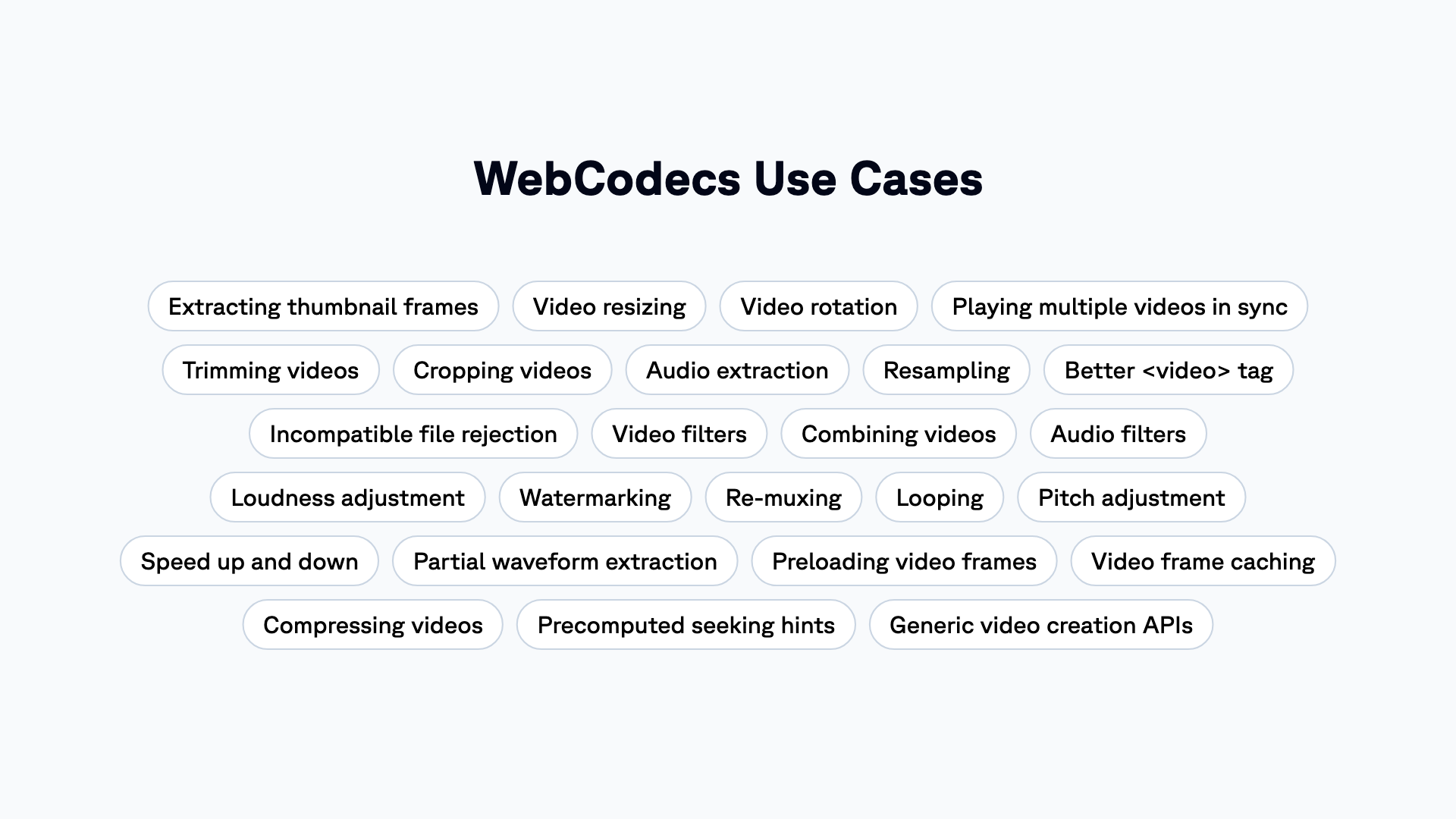
<p>Our vision remains the same: Unlocking new functionality for web developers!<br>
<!-- -->Here is our map for when we launched Remotion Media Parser:</p>
<img src="https://www.remotion.dev/img/webcodecs-use-cases.png" alt="WebCodecs use cases">
<p>Many of these use cases, Mediabunny can already do, <a href="https://mediabunny.dev/examples/media-player/" target="_blank" rel="noopener noreferrer" class="">like playing videos without <code>&lt;video&gt;</code></a> or <a href="https://mediabunny.dev/examples/file-compression/" target="_blank" rel="noopener noreferrer" class="">compressing videos</a>!</p>
<h3 class="anchor anchorTargetStickyNavbar_zrKg" id="what-happens-with-remotiondevconvert">What happens with remotion.dev/convert?<a href="https://www.remotion.dev/blog/mediabunny#what-happens-with-remotiondevconvert" class="hash-link" aria-label="Direct link to What happens with remotion.dev/convert?" title="Direct link to What happens with remotion.dev/convert?" translate="no">​</a></h3>
<p>It's not yet clear, but we both want to have a video conversion website that works fully offline, uses hardware acceleration and has no ads.</p>
<p>Stay tuned!</p>
<h3 class="anchor anchorTargetStickyNavbar_zrKg" id="how-can-i-support-mediabunny">How can I support Mediabunny?<a href="https://www.remotion.dev/blog/mediabunny#how-can-i-support-mediabunny" class="hash-link" aria-label="Direct link to How can I support Mediabunny?" title="Direct link to How can I support Mediabunny?" translate="no">​</a></h3>
<p>Give <a href="https://github.com/vanilagy/mediabunny" target="_blank" rel="noopener noreferrer" class="">Mediabunny a star on GitHub</a>!<br>
<!-- -->If you love the mission, join us in <a href="https://github.com/sponsors/vanilagy" target="_blank" rel="noopener noreferrer" class="">sponsoring Vanilagy</a> or <a href="https://github.com/Vanilagy/mediabunny#implementation--development" target="_blank" rel="noopener noreferrer" class="">contributing code</a>.</p>]]></content>
        <author>
            <name>Jonny Burger</name>
            <uri>https://github.com/JonnyBurger</uri>
        </author>
    </entry>
    <entry>
        <title type="html"><![CDATA[Remotion Editor Starter]]></title>
        <id>https://www.remotion.dev/blog/editor-starter</id>
        <link href="https://www.remotion.dev/blog/editor-starter"/>
        <updated>2025-08-21T00:00:00.000Z</updated>
        <summary type="html"><![CDATA[Today, we're launching the Editor Starter, a paid template for building your own video editor!]]></summary>
        <content type="html"><![CDATA[<p>Today, we're launching the Editor Starter, a paid template for building your own video editor!</p>
<iframe style="width:100%;aspect-ratio:16 / 9" src="https://www.youtube.com/embed/KwMMm1n3giU" title="YouTube video player" frameborder="0" allow="accelerometer; autoplay; clipboard-write; encrypted-media; gyroscope; picture-in-picture"></iframe>
<br>
<br>
<p>It puts the best pieces of Remotion together into one template.<br>
<!-- -->If you are planning to build a video editor with Remotion, this is a great starting point.<br>
<!-- -->Learn more about the Editor Starter by clicking the links below!</p>
<div><div class="containerrow__joq"><a class="link_EHWF" href="https://www.remotion.dev/docs/editor-starter/demo"><div class="item_xjCd"><strong>Demo</strong><div>A demo of the Editor Starter</div></div></a><a class="link_EHWF" href="https://www.remotion.dev/docs/editor-starter/before-you-buy"><div class="item_xjCd"><strong>Before you buy</strong><div>What to consider before buying</div></div></a><a class="link_EHWF" href="https://www.remotion.dev/docs/editor-starter/buy"><div class="item_xjCd"><strong>Buy</strong><div>How to buy the Editor Starter</div></div></a><a class="link_EHWF" href="https://www.remotion.dev/docs/editor-starter/setup"><div class="item_xjCd"><strong>Setup</strong><div>Installation and configuration guide</div></div></a><a class="link_EHWF" href="https://www.remotion.dev/docs/editor-starter/dependencies"><div class="item_xjCd"><strong>Dependencies</strong><div>Required dependencies for Editor Starter</div></div></a><a class="link_EHWF" href="https://www.remotion.dev/docs/editor-starter/features"><div class="item_xjCd"><strong>Features</strong><div>Features included in the Editor Starter</div></div></a><a class="link_EHWF" href="https://www.remotion.dev/docs/editor-starter/state-management"><div class="item_xjCd"><strong>State Management</strong><div>How state is managed in the Editor Starter</div></div></a><a class="link_EHWF" href="https://www.remotion.dev/docs/editor-starter/tracks-items-assets"><div class="item_xjCd"><strong>Tracks, Items &amp; Assets</strong><div>Managing tracks, items, and assets</div></div></a><a class="link_EHWF" href="https://www.remotion.dev/docs/editor-starter/undo-redo"><div class="item_xjCd"><strong>Undo and Redo</strong><div>Undo and Redo functionality in the Editor Starter</div></div></a><a class="link_EHWF" href="https://www.remotion.dev/docs/editor-starter/copy-paste"><div class="item_xjCd"><strong>Copy and Paste</strong><div>How it is implemented in the Editor Starter</div></div></a><a class="link_EHWF" href="https://www.remotion.dev/docs/editor-starter/cropping"><div class="item_xjCd"><strong>Cropping</strong><div>Mechanics, UI, state management</div></div></a><a class="link_EHWF" href="https://www.remotion.dev/docs/editor-starter/fonts"><div class="item_xjCd"><strong>Fonts</strong><div>How fonts work and which ones are included</div></div></a><a class="link_EHWF" href="https://www.remotion.dev/docs/editor-starter/asset-uploads"><div class="item_xjCd"><strong>Asset Uploads</strong><div>Asset upload functionality in the Editor Starter</div></div></a><a class="link_EHWF" href="https://www.remotion.dev/docs/editor-starter/asset-cleanup"><div class="item_xjCd"><strong>Asset Cleanup</strong><div>How to cleanup assets that are no longer needed</div></div></a><a class="link_EHWF" href="https://www.remotion.dev/docs/editor-starter/persistance"><div class="item_xjCd"><strong>Persistance</strong><div>How data is persisted in the Editor Starter</div></div></a><a class="link_EHWF" href="https://www.remotion.dev/docs/editor-starter/captioning"><div class="item_xjCd"><strong>Captioning</strong><div>How to setup captions and how they work</div></div></a><a class="link_EHWF" href="https://www.remotion.dev/docs/editor-starter/rendering"><div class="item_xjCd"><strong>Rendering</strong><div>How to setup exports and how they work</div></div></a><a class="link_EHWF" href="https://www.remotion.dev/docs/editor-starter/backend-routes"><div class="item_xjCd"><strong>Backend Routes</strong><div>Backend routes used by the Editor Starter</div></div></a><a class="link_EHWF" href="https://www.remotion.dev/docs/editor-starter/features-not-included"><div class="item_xjCd"><strong>Features not included</strong><div>Features not included in the Editor Starter</div></div></a><a class="link_EHWF" href="https://www.remotion.dev/docs/editor-starter/faq"><div class="item_xjCd"><strong>FAQ</strong><div>Frequently asked questions</div></div></a></div></div>]]></content>
        <author>
            <name>Jonny Burger</name>
            <uri>https://github.com/JonnyBurger</uri>
        </author>
    </entry>
    <entry>
        <title type="html"><![CDATA[Remotion Media Parser]]></title>
        <id>https://www.remotion.dev/blog/media-parser</id>
        <link href="https://www.remotion.dev/blog/media-parser"/>
        <updated>2025-05-20T00:00:00.000Z</updated>
        <summary type="html"><![CDATA[Update September 2025: We are phasing out Media Parser and are moving to Mediabunny!]]></summary>
        <content type="html"><![CDATA[<div class="theme-admonition theme-admonition-note admonition_sUpf alert alert--secondary"><div class="admonitionHeading_MjQ7"><span class="admonitionIcon_dfnK"><svg viewBox="0 0 14 16"><path fill-rule="evenodd" d="M6.3 5.69a.942.942 0 0 1-.28-.7c0-.28.09-.52.28-.7.19-.18.42-.28.7-.28.28 0 .52.09.7.28.18.19.28.42.28.7 0 .28-.09.52-.28.7a1 1 0 0 1-.7.3c-.28 0-.52-.11-.7-.3zM8 7.99c-.02-.25-.11-.48-.31-.69-.2-.19-.42-.3-.69-.31H6c-.27.02-.48.13-.69.31-.2.2-.3.44-.31.69h1v3c.02.27.11.5.31.69.2.2.42.31.69.31h1c.27 0 .48-.11.69-.31.2-.19.3-.42.31-.69H8V7.98v.01zM7 2.3c-3.14 0-5.7 2.54-5.7 5.68 0 3.14 2.56 5.7 5.7 5.7s5.7-2.55 5.7-5.7c0-3.15-2.56-5.69-5.7-5.69v.01zM7 .98c3.86 0 7 3.14 7 7s-3.14 7-7 7-7-3.12-7-7 3.14-7 7-7z"></path></svg></span>note</div><div class="admonitionContent_tG__"><p>Update September 2025: We are phasing out Media Parser and are moving to <a class="" href="https://www.remotion.dev/docs/mediabunny">Mediabunny</a>!</p></div></div>
<p>We're taking video even more seriously with our own multimedia library, designed from the ground up for JavaScript and the web!</p>
<iframe style="width:100%;aspect-ratio:16 / 9" src="https://www.youtube.com/embed/r3dUGdfVnkM" title="YouTube video player" frameborder="0" allow="accelerometer; autoplay; clipboard-write; encrypted-media; gyroscope; picture-in-picture"></iframe>
<br>
<p><a class="" href="https://www.remotion.dev/docs/media-parser"><strong>Remotion Media Parser Docs</strong></a></p>
<p>In short, what does Remotion Media Parser achieve?</p>
<h3 class="anchor anchorTargetStickyNavbar_zrKg" id="better-metadata-retrieval">Better metadata retrieval<a href="https://www.remotion.dev/blog/media-parser#better-metadata-retrieval" class="hash-link" aria-label="Direct link to Better metadata retrieval" title="Direct link to Better metadata retrieval" translate="no">​</a></h3>
<p>Get more information from more file formats, faster. An universal API that works on both the server and the client.</p>
<p>You can choose which metadata you want to retrieve, and Media Parser will choose the fastest way.</p>
<div><pre class="shiki with-title github-dark twoslash lsp" style="background-color:#24292e;color:#e1e4e8" tabindex="0"><div class="code-title">Get metadata from a video</div><code><span class="line"><span style="color:#F97583">const</span><span style="color:#79B8FF"> </span><span style="color:#79B8FF"><data-lsp lsp="const result: {
    durationInSeconds: number | null;
    dimensions: MediaParserDimensions | null;
    fps: number | null;
    slowKeyframes: MediaParserKeyframe[];
    slowVideoBitrate: number | null;
    isHdr: boolean;
    videoCodec: MediaParserVideoCodec | null;
    rotation: number | null;
    numberOfAudioChannels: number | null;
    sampleRate: number | null;
    metadata: MediaParserMetadataEntry[];
}">result</data-lsp></span><span style="color:#F97583"> =</span><span style="color:#F97583"> await</span><span style="color:#B392F0"> </span><span style="color:#B392F0"><data-lsp lsp="(alias) parseMedia<{
    durationInSeconds: true;
    dimensions: true;
    fps: true;
    slowKeyframes: true;
    slowVideoBitrate: true;
    isHdr: true;
    videoCodec: true;
    rotation: true;
    numberOfAudioChannels: true;
    sampleRate: true;
    metadata: true;
}>(options: ParseMediaOptions<{
    durationInSeconds: true;
    dimensions: true;
    fps: true;
    slowKeyframes: true;
    slowVideoBitrate: true;
    isHdr: true;
    videoCodec: true;
    rotation: true;
    numberOfAudioChannels: true;
    sampleRate: true;
    metadata: true;
}>): Promise<{
    durationInSeconds: number | null;
    dimensions: MediaParserDimensions | null;
    ... 8 more ...;
    metadata: MediaParserMetadataEntry[];
}>
import parseMedia">parseMedia</data-lsp></span><span style="color:#E1E4E8">({</span></span>
<span class="line"><span style="color:#E1E4E8">  </span><span style="color:#E1E4E8"><data-lsp lsp="(property) src: ParseMediaSrc">src</data-lsp></span><span style="color:#E1E4E8">: </span><span style="color:#9ECBFF">'https://remotion.media/video.mp4'</span><span style="color:#E1E4E8">,</span></span>
<span class="line"><span style="color:#E1E4E8">  </span><span style="color:#E1E4E8"><data-lsp lsp="(property) fields?: {
    durationInSeconds: true;
    dimensions: true;
    fps: true;
    slowKeyframes: true;
    slowVideoBitrate: true;
    isHdr: true;
    videoCodec: true;
    rotation: true;
    numberOfAudioChannels: true;
    sampleRate: true;
    metadata: true;
} | null | undefined">fields</data-lsp></span><span style="color:#E1E4E8">: {</span></span>
<span class="line"><span style="color:#E1E4E8">    </span><span style="color:#E1E4E8"><data-lsp lsp="(property) durationInSeconds: true">durationInSeconds</data-lsp></span><span style="color:#E1E4E8">: </span><span style="color:#79B8FF">true</span><span style="color:#E1E4E8">,</span></span>
<span class="line"><span style="color:#E1E4E8">    </span><span style="color:#E1E4E8"><data-lsp lsp="(property) dimensions: true">dimensions</data-lsp></span><span style="color:#E1E4E8">: </span><span style="color:#79B8FF">true</span><span style="color:#E1E4E8">,</span></span>
<span class="line"><span style="color:#E1E4E8">    </span><span style="color:#E1E4E8"><data-lsp lsp="(property) fps: true">fps</data-lsp></span><span style="color:#E1E4E8">: </span><span style="color:#79B8FF">true</span><span style="color:#E1E4E8">,</span></span>
<span class="line"><span style="color:#E1E4E8">    </span><span style="color:#E1E4E8"><data-lsp lsp="(property) slowKeyframes: true">slowKeyframes</data-lsp></span><span style="color:#E1E4E8">: </span><span style="color:#79B8FF">true</span><span style="color:#E1E4E8">,</span></span>
<span class="line"><span style="color:#E1E4E8">    </span><span style="color:#E1E4E8"><data-lsp lsp="(property) slowVideoBitrate: true">slowVideoBitrate</data-lsp></span><span style="color:#E1E4E8">: </span><span style="color:#79B8FF">true</span><span style="color:#E1E4E8">,</span></span>
<span class="line"><span style="color:#E1E4E8">    </span><span style="color:#E1E4E8"><data-lsp lsp="(property) isHdr: true">isHdr</data-lsp></span><span style="color:#E1E4E8">: </span><span style="color:#79B8FF">true</span><span style="color:#E1E4E8">,</span></span>
<span class="line"><span style="color:#E1E4E8">    </span><span style="color:#E1E4E8"><data-lsp lsp="(property) videoCodec: true">videoCodec</data-lsp></span><span style="color:#E1E4E8">: </span><span style="color:#79B8FF">true</span><span style="color:#E1E4E8">,</span></span>
<span class="line"><span style="color:#E1E4E8">    </span><span style="color:#E1E4E8"><data-lsp lsp="(property) rotation: true">rotation</data-lsp></span><span style="color:#E1E4E8">: </span><span style="color:#79B8FF">true</span><span style="color:#E1E4E8">,</span></span>
<span class="line"><span style="color:#E1E4E8">    </span><span style="color:#E1E4E8"><data-lsp lsp="(property) numberOfAudioChannels: true">numberOfAudioChannels</data-lsp></span><span style="color:#E1E4E8">: </span><span style="color:#79B8FF">true</span><span style="color:#E1E4E8">,</span></span>
<span class="line"><span style="color:#E1E4E8">    </span><span style="color:#E1E4E8"><data-lsp lsp="(property) sampleRate: true">sampleRate</data-lsp></span><span style="color:#E1E4E8">: </span><span style="color:#79B8FF">true</span><span style="color:#E1E4E8">,</span></span>
<span class="line"><span style="color:#E1E4E8">    </span><span style="color:#E1E4E8"><data-lsp lsp="(property) metadata: true">metadata</data-lsp></span><span style="color:#E1E4E8">: </span><span style="color:#79B8FF">true</span><span style="color:#E1E4E8">,</span></span>
<span class="line"><span style="color:#E1E4E8">  },</span></span>
<span class="line"><span style="color:#E1E4E8">});</span></span>
<span class="line"></span>
<span class="line"><span style="color:#E1E4E8"><data-lsp lsp="namespace console
var console: Console">console</data-lsp></span><span style="color:#E1E4E8">.</span><span style="color:#B392F0"><data-lsp lsp="(method) Console.log(message?: any, ...optionalParams: any[]): void (+1 overload)">log</data-lsp></span><span style="color:#E1E4E8">(</span><span style="color:#E1E4E8"><data-lsp lsp="const result: {
    durationInSeconds: number | null;
    dimensions: MediaParserDimensions | null;
    fps: number | null;
    slowKeyframes: MediaParserKeyframe[];
    slowVideoBitrate: number | null;
    isHdr: boolean;
    videoCodec: MediaParserVideoCodec | null;
    rotation: number | null;
    numberOfAudioChannels: number | null;
    sampleRate: number | null;
    metadata: MediaParserMetadataEntry[];
}">result</data-lsp></span><span style="color:#E1E4E8">.</span><span style="color:#E1E4E8"><data-lsp lsp="(property) durationInSeconds: number | null">durationInSeconds</data-lsp></span><span style="color:#E1E4E8">);</span></span><div class="meta-line">                          <span class="popover"><div class="arrow"></div>(property) durationInSeconds: number | null</span></div><span class="line"></span></code><button class="copy-button" aria-label="Copy code to clipboard">Copy</button></pre></div>
<h3 class="anchor anchorTargetStickyNavbar_zrKg" id="video-decoding-and-processing">Video decoding and processing<a href="https://www.remotion.dev/blog/media-parser#video-decoding-and-processing" class="hash-link" aria-label="Direct link to Video decoding and processing" title="Direct link to Video decoding and processing" translate="no">​</a></h3>
<p>Media Parser ties into the WebCodecs API – hardware-accelerated decoding, built right into the browser. Previously hard to use, now made accessible!</p>
<img src="https://www.remotion.dev/img/decoding.png" alt="Video decoding">
<div><pre class="shiki with-title github-dark twoslash lsp" style="background-color:#24292e;color:#e1e4e8" tabindex="0"><div class="code-title">Decode video frames</div><code><span class="line"><span style="color:#F97583">const</span><span style="color:#79B8FF"> </span><span style="color:#79B8FF"><data-lsp lsp="const result: Record<never, never>">result</data-lsp></span><span style="color:#F97583"> =</span><span style="color:#F97583"> await</span><span style="color:#B392F0"> </span><span style="color:#B392F0"><data-lsp lsp="(alias) parseMedia<Partial<AllOptions<ParseMediaFields>>>(options: ParseMediaOptions<Partial<AllOptions<ParseMediaFields>>>): Promise<Record<never, never>>
import parseMedia">parseMedia</data-lsp></span><span style="color:#E1E4E8">({</span></span>
<span class="line"><span style="color:#E1E4E8">  </span><span style="color:#E1E4E8"><data-lsp lsp="(property) src: ParseMediaSrc">src</data-lsp></span><span style="color:#E1E4E8">: </span><span style="color:#9ECBFF">'https://remotion.media/video.mp4'</span><span style="color:#E1E4E8">,</span></span>
<span class="line"><span style="color:#B392F0">  </span><span style="color:#B392F0"><data-lsp lsp="(property) onVideoTrack?: MediaParserOnVideoTrack | null | undefined">onVideoTrack</data-lsp></span><span style="color:#E1E4E8">: (</span><span style="color:#FFAB70"><data-lsp lsp="(parameter) track: MediaParserOnVideoTrackParams">track</data-lsp></span><span style="color:#E1E4E8">) </span><span style="color:#F97583">=&gt;</span><span style="color:#E1E4E8"> {</span></span>
<span class="line"><span style="color:#F97583">    const</span><span style="color:#79B8FF"> </span><span style="color:#79B8FF"><data-lsp lsp="const videoDecoder: VideoDecoder">videoDecoder</data-lsp></span><span style="color:#F97583"> =</span><span style="color:#F97583"> new</span><span style="color:#B392F0"> </span><span style="color:#B392F0"><data-lsp lsp="var VideoDecoder: new (init: VideoDecoderInit) => VideoDecoder">VideoDecoder</data-lsp></span><span style="color:#E1E4E8">({</span></span>
<span class="line"><span style="color:#E1E4E8">      </span><span style="color:#E1E4E8"><data-lsp lsp="(property) VideoDecoderInit.output: VideoFrameOutputCallback">output</data-lsp></span><span style="color:#E1E4E8">: </span><span style="color:#E1E4E8"><data-lsp lsp="namespace console
var console: Console">console</data-lsp></span><span style="color:#E1E4E8">.</span><span style="color:#E1E4E8"><data-lsp lsp="(method) Console.log(...data: any[]): void (+1 overload)">log</data-lsp></span><span style="color:#E1E4E8">,</span></span>
<span class="line"><span style="color:#E1E4E8">      </span><span style="color:#E1E4E8"><data-lsp lsp="(property) VideoDecoderInit.error: WebCodecsErrorCallback">error</data-lsp></span><span style="color:#E1E4E8">: </span><span style="color:#E1E4E8"><data-lsp lsp="namespace console
var console: Console">console</data-lsp></span><span style="color:#E1E4E8">.</span><span style="color:#E1E4E8"><data-lsp lsp="(method) Console.error(...data: any[]): void (+1 overload)">error</data-lsp></span><span style="color:#E1E4E8">,</span></span>
<span class="line"><span style="color:#E1E4E8">    });</span></span>
<span class="line"></span>
<span class="line"><span style="color:#F97583">    return</span><span style="color:#E1E4E8"> (</span><span style="color:#FFAB70"><data-lsp lsp="(parameter) sample: MediaParserVideoSample">sample</data-lsp></span><span style="color:#E1E4E8">) </span><span style="color:#F97583">=&gt;</span><span style="color:#E1E4E8"> {</span></span>
<span class="line"><span style="color:#E1E4E8">      </span><span style="color:#E1E4E8"><data-lsp lsp="const videoDecoder: VideoDecoder">videoDecoder</data-lsp></span><span style="color:#E1E4E8">.</span><span style="color:#B392F0"><data-lsp lsp="(method) VideoDecoder.decode(chunk: EncodedVideoChunk): void">decode</data-lsp></span><span style="color:#E1E4E8">(</span><span style="color:#F97583">new</span><span style="color:#B392F0"> </span><span style="color:#B392F0"><data-lsp lsp="var EncodedVideoChunk: new (init: EncodedVideoChunkInit) => EncodedVideoChunk">EncodedVideoChunk</data-lsp></span><span style="color:#E1E4E8">(</span><span style="color:#E1E4E8"><data-lsp lsp="(parameter) sample: MediaParserVideoSample">sample</data-lsp></span><span style="color:#E1E4E8">));</span></span>
<span class="line"><span style="color:#E1E4E8">    };</span></span>
<span class="line"><span style="color:#E1E4E8">  },</span></span>
<span class="line"><span style="color:#E1E4E8">});</span></span></code><button class="copy-button" aria-label="Copy code to clipboard">Copy</button></pre></div>
<div class="theme-admonition theme-admonition-note admonition_sUpf alert alert--secondary"><div class="admonitionHeading_MjQ7"><span class="admonitionIcon_dfnK"><svg viewBox="0 0 14 16"><path fill-rule="evenodd" d="M6.3 5.69a.942.942 0 0 1-.28-.7c0-.28.09-.52.28-.7.19-.18.42-.28.7-.28.28 0 .52.09.7.28.18.19.28.42.28.7 0 .28-.09.52-.28.7a1 1 0 0 1-.7.3c-.28 0-.52-.11-.7-.3zM8 7.99c-.02-.25-.11-.48-.31-.69-.2-.19-.42-.3-.69-.31H6c-.27.02-.48.13-.69.31-.2.2-.3.44-.31.69h1v3c.02.27.11.5.31.69.2.2.42.31.69.31h1c.27 0 .48-.11.69-.31.2-.19.3-.42.31-.69H8V7.98v.01zM7 2.3c-3.14 0-5.7 2.54-5.7 5.68 0 3.14 2.56 5.7 5.7 5.7s5.7-2.55 5.7-5.7c0-3.15-2.56-5.69-5.7-5.69v.01zM7 .98c3.86 0 7 3.14 7 7s-3.14 7-7 7-7-3.12-7-7 3.14-7 7-7z"></path></svg></span>note</div><div class="admonitionContent_tG__"><p>This is an oversimplified example - you might get performance problems running this code with longer videos because samples are being passed <a class="" href="https://www.remotion.dev/docs/media-parser/webcodecs">faster than they can be decoded</a>.</p></div></div>
<h3 class="anchor anchorTargetStickyNavbar_zrKg" id="unlock-new-use-cases">Unlock new use cases<a href="https://www.remotion.dev/blog/media-parser#unlock-new-use-cases" class="hash-link" aria-label="Direct link to Unlock new use cases" title="Direct link to Unlock new use cases" translate="no">​</a></h3>
<img src="https://www.remotion.dev/img/webcodecs-use-cases.png" alt="WebCodecs use cases">
<p>Developers need a better way to work with video on the web.</p>
<p>Media Parser is a foundational library that unlocks many upcoming improvements to Remotion and for the web in general. We will be implementing many of these ideas ourselves, but also invite you to build with Media Parser.</p>
<h3 class="anchor anchorTargetStickyNavbar_zrKg" id="we-built-the-fastest-video-converter-on-the-web">We built the fastest video converter on the web<a href="https://www.remotion.dev/blog/media-parser#we-built-the-fastest-video-converter-on-the-web" class="hash-link" aria-label="Direct link to We built the fastest video converter on the web" title="Direct link to We built the fastest video converter on the web" translate="no">​</a></h3>
<p>Try out <a href="https://remotion.dev/convert" target="_blank" rel="noopener noreferrer" class="">remotion.dev/convert</a>, our web video converter powered by Remotion Media Parser and WebCodecs. Because it works offline and the conversion is hardware-accelerated, it is faster than any other web converter we could find!</p>
<div class="theme-admonition theme-admonition-note admonition_sUpf alert alert--secondary"><div class="admonitionHeading_MjQ7"><span class="admonitionIcon_dfnK"><svg viewBox="0 0 14 16"><path fill-rule="evenodd" d="M6.3 5.69a.942.942 0 0 1-.28-.7c0-.28.09-.52.28-.7.19-.18.42-.28.7-.28.28 0 .52.09.7.28.18.19.28.42.28.7 0 .28-.09.52-.28.7a1 1 0 0 1-.7.3c-.28 0-.52-.11-.7-.3zM8 7.99c-.02-.25-.11-.48-.31-.69-.2-.19-.42-.3-.69-.31H6c-.27.02-.48.13-.69.31-.2.2-.3.44-.31.69h1v3c.02.27.11.5.31.69.2.2.42.31.69.31h1c.27 0 .48-.11.69-.31.2-.19.3-.42.31-.69H8V7.98v.01zM7 2.3c-3.14 0-5.7 2.54-5.7 5.68 0 3.14 2.56 5.7 5.7 5.7s5.7-2.55 5.7-5.7c0-3.15-2.56-5.69-5.7-5.69v.01zM7 .98c3.86 0 7 3.14 7 7s-3.14 7-7 7-7-3.12-7-7 3.14-7 7-7z"></path></svg></span>note</div><div class="admonitionContent_tG__"><p>Update, 20th October 2025: We are phasing out Media Parser and are moving to <a class="" href="https://www.remotion.dev/docs/mediabunny">Mediabunny</a>! remotion.dev/convert is now updated to use Mediabunny.</p></div></div>
<img src="https://www.remotion.dev/img/converter.webp" alt="Converter">
<hr>
<ul>
<li class=""><strong>Upvote Remotion Media Parser on <a href="https://www.producthunt.com/posts/remotion-media-parser" target="_blank" rel="noopener noreferrer" class="">Product Hunt</a></strong></li>
<li class=""><a class="" href="https://www.remotion.dev/docs/media-parser"><strong>View Docs</strong></a></li>
</ul>]]></content>
        <author>
            <name>Jonny Burger</name>
            <uri>https://github.com/JonnyBurger</uri>
        </author>
    </entry>
    <entry>
        <title type="html"><![CDATA[Lambda renders are now faster]]></title>
        <id>https://www.remotion.dev/blog/faster-lambda</id>
        <link href="https://www.remotion.dev/blog/faster-lambda"/>
        <updated>2024-03-21T00:00:00.000Z</updated>
        <summary type="html"><![CDATA[With Remotion v4.0.130, Remotion Lambda renders now complete significantly faster!]]></summary>
        <content type="html"><![CDATA[<p>With Remotion v4.0.130, <a class="" href="https://www.remotion.dev/lambda">Remotion Lambda</a> renders now complete significantly faster!<br>
<!-- -->The longer the video, the higher the speedup.</p>
<div style="width:100%;overflow-x:auto"><svg style="min-width:600px" viewBox="0 0 687 262" fill="none" xmlns="http://www.w3.org/2000/svg"><rect x="47" y="24" width="28" height="24" fill="#0B84F3"></rect><rect x="47" y="117" width="64.8" height="24" fill="#0B84F3"></rect><rect x="47" y="210" width="264.2" height="24" fill="#0B84F3"></rect><rect x="47" y="52" width="31.8" height="24" fill="#D9D9D9"></rect><rect x="47" y="145" width="134.6" height="24" fill="#D9D9D9"></rect><rect x="47" y="238" width="582.6" height="24" fill="#D9D9D9"></rect><text fill="currentcolor" xml:space="preserve" style="white-space:pre" font-family="GTPlanar" font-size="12" font-weight="500" letter-spacing="0em"><tspan x="8.52344" y="40.572">28.3s</tspan></text><text fill="currentcolor" xml:space="preserve" style="white-space:pre" font-family="GTPlanar" font-size="12" font-weight="500" letter-spacing="0em"><tspan x="7.91406" y="133.572">64.8s</tspan></text><text fill="currentcolor" xml:space="preserve" style="white-space:pre" font-family="GTPlanar" font-size="12" font-weight="500" letter-spacing="0em"><tspan x="0.660156" y="226.572">264.2s</tspan></text><text fill="currentcolor" xml:space="preserve" style="white-space:pre" font-family="GTPlanar" font-size="12" font-weight="500" letter-spacing="0em"><tspan x="9.40234" y="68.572">31.8s</tspan></text><text fill="currentcolor" xml:space="preserve" style="white-space:pre" font-family="GTPlanar" font-size="12" font-weight="500" letter-spacing="0em"><tspan x="4.29297" y="161.572">134.7s</tspan></text><text fill="currentcolor" xml:space="preserve" style="white-space:pre" font-family="GTPlanar" font-size="12" font-weight="500" letter-spacing="0em"><tspan x="1" y="254.572">582.6s</tspan></text><text fill="currentcolor" xml:space="preserve" style="white-space:pre" font-family="GTPlanar" font-size="12" font-weight="900" letter-spacing="0em"><tspan x="47" y="11.572">1 Minute video</tspan></text><text fill="currentcolor" xml:space="preserve" style="white-space:pre" font-family="GTPlanar" font-size="12" font-weight="900" letter-spacing="0em"><tspan x="47" y="11.572">1 Minute video</tspan></text><text fill="currentcolor" xml:space="preserve" style="white-space:pre" font-family="GTPlanar" font-size="12" font-weight="900" letter-spacing="0em"><tspan x="47" y="106.572">10 Minute video</tspan></text><text fill="currentcolor" xml:space="preserve" style="white-space:pre" font-family="GTPlanar" font-size="12" font-weight="900" letter-spacing="0em"><tspan x="47" y="200.572">40 Minute video</tspan></text><text fill="#A6A6A6" xml:space="preserve" style="white-space:pre" font-family="GTPlanar" font-size="12" font-weight="500" letter-spacing="0em"><tspan x="82" y="40.572">v4.0.129</tspan></text><text fill="#A6A6A6" xml:space="preserve" style="white-space:pre" font-family="GTPlanar" font-size="12" font-weight="500" letter-spacing="0em"><tspan x="86" y="68.572">v4.0.126</tspan></text><text fill="#A6A6A6" xml:space="preserve" style="white-space:pre" font-family="GTPlanar" font-size="12" font-weight="500" letter-spacing="0em"><tspan x="119" y="133.572">v4.0.129</tspan></text><text fill="#A6A6A6" xml:space="preserve" style="white-space:pre" font-family="GTPlanar" font-size="12" font-weight="500" letter-spacing="0em"><tspan x="318" y="226.572">v4.0.129</tspan></text><text fill="#A6A6A6" xml:space="preserve" style="white-space:pre" font-family="GTPlanar" font-size="12" font-weight="500" letter-spacing="0em"><tspan x="189" y="161.572">v4.0.126</tspan></text><text fill="#A6A6A6" xml:space="preserve" style="white-space:pre" font-family="GTPlanar" font-size="12" font-weight="500" letter-spacing="0em"><tspan x="637" y="254.572">v4.0.126</tspan></text></svg> </div>
<sub style="opacity:0.5;line-height:1"><p>Rendering a 1920x1080px video with an <code>&lt;OffthreadVideo&gt;</code> tag
loading a 15MB Full HD video and looping it. The Lambda function has been
given 3000MB of memory.
<br>
<br>
</p><p>Thanks to an innovative audio concatenation strategy that we implemented with help from <a href="https://github.com/maxpower15" target="_blank" rel="noopener noreferrer" class="">Max Schnur</a> from <a href="https://wistia.com/" target="_blank" rel="noopener noreferrer" class="">Wistia</a>, we can skip an audio re-encoding step at the end.</p>
<h2 class="anchor anchorTargetStickyNavbar_zrKg" id="audio-is-the-slow-part">Audio is the slow part<a href="https://www.remotion.dev/blog/faster-lambda#audio-is-the-slow-part" class="hash-link" aria-label="Direct link to Audio is the slow part" title="Direct link to Audio is the slow part" translate="no">​</a></h2>
<p>Remotion Lambda renders portions of a video in parallel and concatenates them at the end.<br>
<!-- -->The slow part is actually not the video, but the audio rendering!</p>
<p>While other codecs are possible, a <code>.mp4</code> file usually contains AAC audio.</p>
<p>Concatenating the AAC chunks is usually not possible without creating some artifacts.</p>
<h2 class="anchor anchorTargetStickyNavbar_zrKg" id="how-aac-works">How AAC works<a href="https://www.remotion.dev/blog/faster-lambda#how-aac-works" class="hash-link" aria-label="Direct link to How AAC works" title="Direct link to How AAC works" translate="no">​</a></h2>
<p>An AAC audio stream contains many packets. Each packet contains exactly 1024 samples.</p>
<svg style="width:100%" viewBox="0 0 212 42" fill="none" xmlns="http://www.w3.org/2000/svg"><line x1="1.5" y1="1.65132e-08" x2="1.5" y2="34" stroke="#E1E1E1"></line><line x1="17.5" y1="1.65132e-08" x2="17.5" y2="34" stroke="#E1E1E1"></line><line x1="33.5" y1="1.65132e-08" x2="33.5" y2="34" stroke="#E1E1E1"></line><line x1="49.5" y1="1.65132e-08" x2="49.5" y2="34" stroke="#E1E1E1"></line><line x1="65.5" y1="1.65132e-08" x2="65.5" y2="34" stroke="#E1E1E1"></line><line x1="81.5" y1="1.65132e-08" x2="81.5" y2="34" stroke="#E1E1E1"></line><line x1="97.5" y1="1.65132e-08" x2="97.5" y2="34" stroke="#E1E1E1"></line><line x1="113.5" y1="1.65132e-08" x2="113.5" y2="34" stroke="#E1E1E1"></line><line x1="129.5" y1="1.65132e-08" x2="129.5" y2="34" stroke="#E1E1E1"></line><line x1="145.5" y1="1.65132e-08" x2="145.5" y2="34" stroke="#E1E1E1"></line><line x1="161.5" y1="1.65132e-08" x2="161.5" y2="34" stroke="#E1E1E1"></line><line x1="177.5" y1="1.65132e-08" x2="177.5" y2="34" stroke="#E1E1E1"></line><line x1="193.5" y1="1.65132e-08" x2="193.5" y2="34" stroke="#E1E1E1"></line><path d="M2 16.6C4.3 21.9 6.6 27.2 9.22 27.2C11.84 27.1999 14.14 21.9 16.44 16.6C18.74 11.3 21.04 6 23.66 6C26.28 6.00009 28.58 11.3 30.88 16.6C33.18 21.9 35.48 27.2 38.1 27.2C40.72 27.2 43.02 21.9 45.32 16.6C47.62 11.3 49.92 6 52.54 6C55.16 6.00009 57.46 11.3 59.76 16.6C62.06 21.9 64.36 27.2 66.98 27.2C69.6 27.1999 71.9 21.9 74.2 16.6C76.5 11.3 78.8 6 81.42 6C84.04 6.00009 86.34 11.3 88.64 16.6C90.94 21.9 93.24 27.2 95.86 27.2C98.48 27.2 100.78 21.9 103.08 16.6C105.38 11.3 107.68 6 110.3 6C112.92 6 115.22 11.3 117.52 16.6C119.82 21.9 122.12 27.2 124.74 27.2C127.36 27.1999 129.66 21.9 131.96 16.6C134.26 11.3 136.56 6 139.18 6C141.8 6.00009 144.1 11.3 146.4 16.6C148.7 21.9 151 27.2 153.62 27.2C156.24 27.1999 158.54 21.9 160.84 16.6C163.14 11.3 165.44 6 168.06 6C170.68 6.00009 172.98 11.3 175.28 16.6C177.58 21.9 179.88 27.2 182.5 27.2C185.12 27.1999 187.42 21.9 189.72 16.6C192.02 11.3 194.32 6 196.94 6C199.56 6 201.86 11.3 204.16 16.6C206.46 21.9 208.76 27.2 211.38 27.2" stroke="#0B84F3"></path><text fill="#A6A6A6" xml:space="preserve" style="white-space:pre" font-family="GTPlanar" font-size="4" font-weight="500" letter-spacing="0em"><tspan x="0.15625" y="41.024">0</tspan></text><text fill="#A6A6A6" xml:space="preserve" style="white-space:pre" font-family="GTPlanar" font-size="4" font-weight="500" letter-spacing="0em"><tspan x="13.2324" y="41.024">1024</tspan></text><text fill="#A6A6A6" xml:space="preserve" style="white-space:pre" font-family="GTPlanar" font-size="4" font-weight="500" letter-spacing="0em"><tspan x="28.4023" y="41.024">2048</tspan></text><text fill="#A6A6A6" xml:space="preserve" style="white-space:pre" font-family="GTPlanar" font-size="4" font-weight="500" letter-spacing="0em"><tspan x="44.2383" y="41.024">3072</tspan></text><text fill="#A6A6A6" xml:space="preserve" style="white-space:pre" font-family="GTPlanar" font-size="4" font-weight="500" letter-spacing="0em"><tspan x="60.3398" y="41.024">4096</tspan></text><text fill="#A6A6A6" xml:space="preserve" style="white-space:pre" font-family="GTPlanar" font-size="4" font-weight="500" letter-spacing="0em"><tspan x="76.2949" y="41.024">5120</tspan></text><text fill="#A6A6A6" xml:space="preserve" style="white-space:pre" font-family="GTPlanar" font-size="4" font-weight="500" letter-spacing="0em"><tspan x="92.1719" y="41.024">6144</tspan></text><text fill="#A6A6A6" xml:space="preserve" style="white-space:pre" font-family="GTPlanar" font-size="4" font-weight="500" letter-spacing="0em"><tspan x="108.303" y="41.024">7168</tspan></text><text fill="#A6A6A6" xml:space="preserve" style="white-space:pre" font-family="GTPlanar" font-size="4" font-weight="500" letter-spacing="0em"><tspan x="124.314" y="41.024">8192</tspan></text><text fill="#A6A6A6" xml:space="preserve" style="white-space:pre" font-family="GTPlanar" font-size="4" font-weight="500" letter-spacing="0em"><tspan x="140.369" y="41.024">9216</tspan></text><text fill="#A6A6A6" xml:space="preserve" style="white-space:pre" font-family="GTPlanar" font-size="4" font-weight="500" letter-spacing="0em"><tspan x="155.361" y="41.024">10240</tspan></text><text fill="#A6A6A6" xml:space="preserve" style="white-space:pre" font-family="GTPlanar" font-size="4" font-weight="500" letter-spacing="0em"><tspan x="171.166" y="41.024">11264</tspan></text><text fill="#A6A6A6" xml:space="preserve" style="white-space:pre" font-family="GTPlanar" font-size="4" font-weight="500" letter-spacing="0em"><tspan x="187.021" y="41.024">12288</tspan></text></svg>
<br>
<br>
<p>The duration of the audio must be divisible by 1024 samples. If your audio does not fit, you must pad the last packet with silence!</p>
<svg style="width:100%" viewBox="0 0 212 42" fill="none" xmlns="http://www.w3.org/2000/svg"><line x1="1.5" y1="1.65132e-08" x2="1.5" y2="34" stroke="#E1E1E1"></line><line x1="17.5" y1="1.65132e-08" x2="17.5" y2="34" stroke="#E1E1E1"></line><line x1="33.5" y1="1.65132e-08" x2="33.5" y2="34" stroke="#E1E1E1"></line><line x1="49.5" y1="1.65132e-08" x2="49.5" y2="34" stroke="#E1E1E1"></line><line x1="65.5" y1="1.65132e-08" x2="65.5" y2="34" stroke="#E1E1E1"></line><line x1="81.5" y1="1.65132e-08" x2="81.5" y2="34" stroke="#E1E1E1"></line><line x1="97.5" y1="1.65132e-08" x2="97.5" y2="34" stroke="#E1E1E1"></line><line x1="113.5" y1="1.65132e-08" x2="113.5" y2="34" stroke="#F5F5F5"></line><line x1="129.5" y1="1.65132e-08" x2="129.5" y2="34" stroke="#F5F5F5"></line><line x1="145.5" y1="1.65132e-08" x2="145.5" y2="34" stroke="#F5F5F5"></line><line x1="161.5" y1="1.65132e-08" x2="161.5" y2="34" stroke="#F5F5F5"></line><line x1="177.5" y1="1.65132e-08" x2="177.5" y2="34" stroke="#F5F5F5"></line><line x1="193.5" y1="1.65132e-08" x2="193.5" y2="34" stroke="#F5F5F5"></line><rect x="88" width="9" height="34" fill="#0C87F7" fill-opacity="0.14"></rect><path d="M2 16.6C4.3 21.9 6.6 27.2 9.22 27.2C11.84 27.1999 14.14 21.9 16.44 16.6C18.74 11.3 21.04 6 23.66 6C26.28 6.00009 28.58 11.3 30.88 16.6C33.18 21.9 35.48 27.2 38.1 27.2C40.72 27.2 43.02 21.9 45.32 16.6C47.62 11.3 49.92 6 52.54 6C55.16 6.00009 57.46 11.3 59.76 16.6C62.06 21.9 64.36 27.2 66.98 27.2C69.6 27.1999 71.9 21.9 74.2 16.6C76.5 11.3 78.8 6 81.42 6C84.04 6.00009 86.2 11.2 88.5 16.5" stroke="#0B84F3" stroke-linecap="round"></path><text fill="#A6A6A6" xml:space="preserve" style="white-space:pre" font-family="GTPlanar" font-size="4" font-weight="500" letter-spacing="0em"><tspan x="0.15625" y="41.024">0</tspan></text><text fill="#A6A6A6" xml:space="preserve" style="white-space:pre" font-family="GTPlanar" font-size="4" font-weight="500" letter-spacing="0em"><tspan x="13.2324" y="41.024">1024</tspan></text><text fill="#A6A6A6" xml:space="preserve" style="white-space:pre" font-family="GTPlanar" font-size="4" font-weight="500" letter-spacing="0em"><tspan x="28.4023" y="41.024">2048</tspan></text><text fill="#A6A6A6" xml:space="preserve" style="white-space:pre" font-family="GTPlanar" font-size="4" font-weight="500" letter-spacing="0em"><tspan x="44.2383" y="41.024">3072</tspan></text><text fill="#A6A6A6" xml:space="preserve" style="white-space:pre" font-family="GTPlanar" font-size="4" font-weight="500" letter-spacing="0em"><tspan x="60.3398" y="41.024">4096</tspan></text><text fill="#A6A6A6" xml:space="preserve" style="white-space:pre" font-family="GTPlanar" font-size="4" font-weight="500" letter-spacing="0em"><tspan x="76.2949" y="41.024">5120</tspan></text><text fill="#A6A6A6" xml:space="preserve" style="white-space:pre" font-family="GTPlanar" font-size="4" font-weight="500" letter-spacing="0em"><tspan x="92.1719" y="41.024">6144</tspan></text><text fill="#F4F4F4" xml:space="preserve" style="white-space:pre" font-family="GTPlanar" font-size="4" font-weight="500" letter-spacing="0em"><tspan x="108.303" y="41.024">7168</tspan></text><text fill="#F4F4F4" xml:space="preserve" style="white-space:pre" font-family="GTPlanar" font-size="4" font-weight="500" letter-spacing="0em"><tspan x="124.314" y="41.024">8192</tspan></text><text fill="#F4F4F4" xml:space="preserve" style="white-space:pre" font-family="GTPlanar" font-size="4" font-weight="500" letter-spacing="0em"><tspan x="140.369" y="41.024">9216</tspan></text><text fill="#F4F4F4" xml:space="preserve" style="white-space:pre" font-family="GTPlanar" font-size="4" font-weight="500" letter-spacing="0em"><tspan x="155.361" y="41.024">10240</tspan></text><text fill="#F4F4F4" xml:space="preserve" style="white-space:pre" font-family="GTPlanar" font-size="4" font-weight="500" letter-spacing="0em"><tspan x="171.166" y="41.024">11264</tspan></text><text fill="#F4F4F4" xml:space="preserve" style="white-space:pre" font-family="GTPlanar" font-size="4" font-weight="500" letter-spacing="0em"><tspan x="187.021" y="41.024">12288</tspan></text><path d="M88.5 16.5H96.5" stroke="#0B84F3" stroke-opacity="0.22" stroke-linecap="round"></path></svg>
<br>
<br>
<p>When concatenating AAC audio, this padding of silence is noticeable and can be heard as a popping noise:</p>
<svg style="width:100%" viewBox="0 0 212 42" fill="none" xmlns="http://www.w3.org/2000/svg"><line x1="1.5" y1="1.65132e-08" x2="1.5" y2="34" stroke="#E1E1E1"></line><line x1="17.5" y1="1.65132e-08" x2="17.5" y2="34" stroke="#E1E1E1"></line><line x1="33.5" y1="1.65132e-08" x2="33.5" y2="34" stroke="#E1E1E1"></line><line x1="49.5" y1="1.65132e-08" x2="49.5" y2="34" stroke="#E1E1E1"></line><line x1="65.5" y1="1.65132e-08" x2="65.5" y2="34" stroke="#E1E1E1"></line><line x1="81.5" y1="1.65132e-08" x2="81.5" y2="34" stroke="#E1E1E1"></line><line x1="97.5" y1="1.65132e-08" x2="97.5" y2="34" stroke="#E1E1E1"></line><line x1="113.5" y1="1.65132e-08" x2="113.5" y2="34" stroke="#E1E1E1"></line><line x1="129.5" y1="1.65132e-08" x2="129.5" y2="34" stroke="#E1E1E1"></line><line x1="145.5" y1="1.65132e-08" x2="145.5" y2="34" stroke="#E1E1E1"></line><line x1="161.5" y1="1.65132e-08" x2="161.5" y2="34" stroke="#E1E1E1"></line><line x1="177.5" y1="1.65132e-08" x2="177.5" y2="34" stroke="#E1E1E1"></line><line x1="193.5" y1="1.65132e-08" x2="193.5" y2="34" stroke="#E1E1E1"></line><path d="M2 16.6C4.3 21.9 6.6 27.2 9.22 27.2C11.84 27.1999 14.14 21.9 16.44 16.6C18.74 11.3 21.04 6 23.66 6C26.28 6.00009 28.58 11.3 30.88 16.6C33.18 21.9 35.48 27.2 38.1 27.2C40.72 27.2 43.02 21.9 45.32 16.6C47.62 11.3 49.92 6 52.54 6C55.16 6.00009 57.46 11.3 59.76 16.6C62.06 21.9 64.36 27.2 66.98 27.2C69.6 27.1999 71.9 21.9 74.2 16.6C76.5 11.3 78.8 6 81.42 6C84.04 6.00009 86.2 11.2 88.5 16.5" stroke="#0B84F3" stroke-linecap="round"></path><path d="M98 16.6C100.3 21.9 102.6 27.2 105.22 27.2C107.84 27.1999 110.14 21.9 112.44 16.6C114.74 11.3 117.04 6 119.66 6C122.28 6.00009 124.58 11.3 126.88 16.6C129.18 21.9 131.48 27.2 134.1 27.2C136.72 27.2 139.02 21.9 141.32 16.6C143.62 11.3 145.92 6 148.54 6C151.16 6.00009 153.46 11.3 155.76 16.6C158.06 21.9 160.36 27.2 162.98 27.2C165.6 27.1999 167.9 21.9 170.2 16.6C172.5 11.3 174.8 6 177.42 6C180.04 6.00009 182.2 11.2 184.5 16.5" stroke="#0B84F3" stroke-linecap="round"></path><path d="M1.50025 41.06C1.11625 41.06 0.82825 40.936 0.63625 40.688C0.44425 40.44 0.34825 40.0773 0.34825 39.6C0.34825 39.1227 0.44425 38.76 0.63625 38.512C0.82825 38.264 1.11625 38.14 1.50025 38.14C1.88425 38.14 2.17225 38.264 2.36425 38.512C2.55625 38.76 2.65225 39.1227 2.65225 39.6C2.65225 40.0773 2.55625 40.44 2.36425 40.688C2.17225 40.936 1.88425 41.06 1.50025 41.06ZM0.84425 39.6C0.84425 39.9493 0.897583 40.2093 1.00425 40.38C1.11092 40.5507 1.27625 40.636 1.50025 40.636C1.72425 40.636 1.88958 40.5507 1.99625 40.38C2.10292 40.2093 2.15625 39.9493 2.15625 39.6C2.15625 39.2507 2.10292 38.9907 1.99625 38.82C1.88958 38.6493 1.72425 38.564 1.50025 38.564C1.27625 38.564 1.11092 38.6493 1.00425 38.82C0.897583 38.9907 0.84425 39.2507 0.84425 39.6Z" fill="#A6A6A6"></path><path d="M13.3604 40.552H14.0724V38.66H13.5844V38.2H14.5524V40.552H15.2364V41H13.3604V40.552ZM16.6116 41.06C16.2276 41.06 15.9396 40.936 15.7476 40.688C15.5556 40.44 15.4596 40.0773 15.4596 39.6C15.4596 39.1227 15.5556 38.76 15.7476 38.512C15.9396 38.264 16.2276 38.14 16.6116 38.14C16.9956 38.14 17.2836 38.264 17.4756 38.512C17.6676 38.76 17.7636 39.1227 17.7636 39.6C17.7636 40.0773 17.6676 40.44 17.4756 40.688C17.2836 40.936 16.9956 41.06 16.6116 41.06ZM15.9556 39.6C15.9556 39.9493 16.0089 40.2093 16.1156 40.38C16.2222 40.5507 16.3876 40.636 16.6116 40.636C16.8356 40.636 17.0009 40.5507 17.1076 40.38C17.2142 40.2093 17.2676 39.9493 17.2676 39.6C17.2676 39.2507 17.2142 38.9907 17.1076 38.82C17.0009 38.6493 16.8356 38.564 16.6116 38.564C16.3876 38.564 16.2222 38.6493 16.1156 38.82C16.0089 38.9907 15.9556 39.2507 15.9556 39.6ZM18.1112 40.464C18.1112 40.2133 18.1685 40.02 18.2832 39.884C18.4005 39.748 18.5738 39.6467 18.8032 39.58L19.1992 39.468C19.3432 39.428 19.4472 39.3747 19.5112 39.308C19.5778 39.2413 19.6112 39.1547 19.6112 39.048C19.6112 38.928 19.5712 38.832 19.4912 38.76C19.4112 38.6853 19.3032 38.648 19.1672 38.648H18.2472V38.2H19.1672C19.3512 38.2 19.5138 38.2347 19.6552 38.304C19.7965 38.3707 19.9072 38.468 19.9872 38.596C20.0672 38.724 20.1072 38.8733 20.1072 39.044C20.1072 39.2413 20.0445 39.4107 19.9192 39.552C19.7965 39.6907 19.6352 39.7893 19.4352 39.848L18.9392 39.996C18.8218 40.0333 18.7365 40.0827 18.6832 40.144C18.6325 40.2027 18.6072 40.2827 18.6072 40.384V40.552H20.0752V41H18.1112V40.464ZM21.7964 40.208H20.3364V39.772L21.6164 38.2H22.2764V39.772H22.7124V40.208H22.2764V41H21.7964V40.208ZM21.7964 39.772V38.612L20.8604 39.772H21.7964Z" fill="#A6A6A6"></path><path d="M28.5623 40.464C28.5623 40.2133 28.6197 40.02 28.7343 39.884C28.8517 39.748 29.025 39.6467 29.2543 39.58L29.6503 39.468C29.7943 39.428 29.8983 39.3747 29.9623 39.308C30.029 39.2413 30.0623 39.1547 30.0623 39.048C30.0623 38.928 30.0223 38.832 29.9423 38.76C29.8623 38.6853 29.7543 38.648 29.6183 38.648H28.6983V38.2H29.6183C29.8023 38.2 29.965 38.2347 30.1063 38.304C30.2477 38.3707 30.3583 38.468 30.4383 38.596C30.5183 38.724 30.5583 38.8733 30.5583 39.044C30.5583 39.2413 30.4957 39.4107 30.3703 39.552C30.2477 39.6907 30.0863 39.7893 29.8863 39.848L29.3903 39.996C29.273 40.0333 29.1877 40.0827 29.1343 40.144C29.0837 40.2027 29.0583 40.2827 29.0583 40.384V40.552H30.5263V41H28.5623V40.464ZM32.0979 41.06C31.7139 41.06 31.4259 40.936 31.2339 40.688C31.0419 40.44 30.9459 40.0773 30.9459 39.6C30.9459 39.1227 31.0419 38.76 31.2339 38.512C31.4259 38.264 31.7139 38.14 32.0979 38.14C32.4819 38.14 32.7699 38.264 32.9619 38.512C33.1539 38.76 33.2499 39.1227 33.2499 39.6C33.2499 40.0773 33.1539 40.44 32.9619 40.688C32.7699 40.936 32.4819 41.06 32.0979 41.06ZM31.4419 39.6C31.4419 39.9493 31.4952 40.2093 31.6019 40.38C31.7086 40.5507 31.8739 40.636 32.0979 40.636C32.3219 40.636 32.4872 40.5507 32.5939 40.38C32.7006 40.2093 32.7539 39.9493 32.7539 39.6C32.7539 39.2507 32.7006 38.9907 32.5939 38.82C32.4872 38.6493 32.3219 38.564 32.0979 38.564C31.8739 38.564 31.7086 38.6493 31.6019 38.82C31.4952 38.9907 31.4419 39.2507 31.4419 39.6ZM35.0288 40.208H33.5688V39.772L34.8488 38.2H35.5088V39.772H35.9448V40.208H35.5088V41H35.0288V40.208ZM35.0288 39.772V38.612L34.0928 39.772H35.0288ZM37.3229 41.06C37.0962 41.06 36.9002 41.024 36.7349 40.952C36.5722 40.88 36.4469 40.7787 36.3589 40.648C36.2735 40.5173 36.2309 40.3653 36.2309 40.192C36.2309 40.0347 36.2749 39.8947 36.3629 39.772C36.4509 39.6493 36.5655 39.5627 36.7069 39.512C36.5815 39.464 36.4842 39.3853 36.4149 39.276C36.3455 39.1667 36.3109 39.0453 36.3109 38.912C36.3109 38.76 36.3522 38.6253 36.4349 38.508C36.5202 38.3907 36.6389 38.3 36.7909 38.236C36.9429 38.172 37.1202 38.14 37.3229 38.14C37.5255 38.14 37.7029 38.172 37.8549 38.236C38.0069 38.3 38.1242 38.3907 38.2069 38.508C38.2922 38.6253 38.3349 38.76 38.3349 38.912C38.3349 39.0453 38.3002 39.1667 38.2309 39.276C38.1615 39.3853 38.0642 39.464 37.9389 39.512C38.0802 39.5627 38.1949 39.6493 38.2829 39.772C38.3709 39.8947 38.4149 40.0347 38.4149 40.192C38.4149 40.3653 38.3709 40.5173 38.2829 40.648C38.1975 40.7787 38.0722 40.88 37.9069 40.952C37.7442 41.024 37.5495 41.06 37.3229 41.06ZM36.7229 40.176C36.7229 40.3173 36.7749 40.432 36.8789 40.52C36.9855 40.6053 37.1335 40.648 37.3229 40.648C37.5122 40.648 37.6589 40.6053 37.7629 40.52C37.8695 40.432 37.9229 40.3173 37.9229 40.176C37.9229 40.0373 37.8695 39.9267 37.7629 39.844C37.6562 39.7613 37.5095 39.72 37.3229 39.72C37.1362 39.72 36.9895 39.7613 36.8829 39.844C36.7762 39.9267 36.7229 40.0373 36.7229 40.176ZM36.8029 38.94C36.8029 39.0547 36.8495 39.1467 36.9429 39.216C37.0362 39.2853 37.1629 39.32 37.3229 39.32C37.4829 39.32 37.6095 39.2853 37.7029 39.216C37.7962 39.1467 37.8429 39.0547 37.8429 38.94C37.8429 38.8227 37.7962 38.7293 37.7029 38.66C37.6122 38.588 37.4855 38.552 37.3229 38.552C37.1602 38.552 37.0322 38.588 36.9389 38.66C36.8482 38.7293 36.8029 38.8227 36.8029 38.94Z" fill="#A6A6A6"></path><path d="M44.3943 40.552H45.2983C45.4769 40.552 45.6143 40.5147 45.7103 40.44C45.8089 40.3653 45.8583 40.2613 45.8583 40.128C45.8583 40.0027 45.8103 39.904 45.7143 39.832C45.6183 39.76 45.4836 39.724 45.3103 39.724H44.8743V39.332L45.6023 38.648H44.3543V38.2H46.2423V38.648L45.4663 39.344C45.6449 39.344 45.8009 39.3773 45.9343 39.444C46.0703 39.508 46.1743 39.5987 46.2463 39.716C46.3183 39.8333 46.3543 39.9693 46.3543 40.124C46.3543 40.2973 46.3089 40.4507 46.2183 40.584C46.1303 40.7173 46.0063 40.82 45.8463 40.892C45.6863 40.964 45.5036 41 45.2983 41H44.3943V40.552ZM47.9065 41.06C47.5225 41.06 47.2345 40.936 47.0425 40.688C46.8505 40.44 46.7545 40.0773 46.7545 39.6C46.7545 39.1227 46.8505 38.76 47.0425 38.512C47.2345 38.264 47.5225 38.14 47.9065 38.14C48.2905 38.14 48.5785 38.264 48.7705 38.512C48.9625 38.76 49.0585 39.1227 49.0585 39.6C49.0585 40.0773 48.9625 40.44 48.7705 40.688C48.5785 40.936 48.2905 41.06 47.9065 41.06ZM47.2505 39.6C47.2505 39.9493 47.3038 40.2093 47.4105 40.38C47.5172 40.5507 47.6825 40.636 47.9065 40.636C48.1305 40.636 48.2958 40.5507 48.4025 40.38C48.5092 40.2093 48.5625 39.9493 48.5625 39.6C48.5625 39.2507 48.5092 38.9907 48.4025 38.82C48.2958 38.6493 48.1305 38.564 47.9065 38.564C47.6825 38.564 47.5172 38.6493 47.4105 38.82C47.3038 38.9907 47.2505 39.2507 47.2505 39.6ZM49.8963 40.404C49.8963 40.1747 49.9096 39.9787 49.9363 39.816C49.9629 39.6533 50.0163 39.4987 50.0963 39.352C50.1763 39.2027 50.2936 39.0547 50.4483 38.908L50.7163 38.648H49.3083V38.2H51.3683V38.648L50.8683 39.108C50.7483 39.22 50.6536 39.332 50.5843 39.444C50.5176 39.5533 50.4683 39.6813 50.4363 39.828C50.4069 39.9747 50.3923 40.1573 50.3923 40.376V41H49.8963V40.404ZM51.617 40.464C51.617 40.2133 51.6744 40.02 51.789 39.884C51.9064 39.748 52.0797 39.6467 52.309 39.58L52.705 39.468C52.849 39.428 52.953 39.3747 53.017 39.308C53.0837 39.2413 53.117 39.1547 53.117 39.048C53.117 38.928 53.077 38.832 52.997 38.76C52.917 38.6853 52.809 38.648 52.673 38.648H51.753V38.2H52.673C52.857 38.2 53.0197 38.2347 53.161 38.304C53.3024 38.3707 53.413 38.468 53.493 38.596C53.573 38.724 53.613 38.8733 53.613 39.044C53.613 39.2413 53.5504 39.4107 53.425 39.552C53.3024 39.6907 53.141 39.7893 52.941 39.848L52.445 39.996C52.3277 40.0333 52.2424 40.0827 52.189 40.144C52.1384 40.2027 52.113 40.2827 52.113 40.384V40.552H53.581V41H51.617V40.464Z" fill="#A6A6A6"></path><path d="M61.9038 40.208H60.4438V39.772L61.7238 38.2H62.3838V39.772H62.8198V40.208H62.3838V41H61.9038V40.208ZM61.9038 39.772V38.612L60.9678 39.772H61.9038ZM64.2737 41.06C63.8897 41.06 63.6017 40.936 63.4097 40.688C63.2177 40.44 63.1217 40.0773 63.1217 39.6C63.1217 39.1227 63.2177 38.76 63.4097 38.512C63.6017 38.264 63.8897 38.14 64.2737 38.14C64.6577 38.14 64.9457 38.264 65.1377 38.512C65.3297 38.76 65.4257 39.1227 65.4257 39.6C65.4257 40.0773 65.3297 40.44 65.1377 40.688C64.9457 40.936 64.6577 41.06 64.2737 41.06ZM63.6177 39.6C63.6177 39.9493 63.671 40.2093 63.7777 40.38C63.8844 40.5507 64.0497 40.636 64.2737 40.636C64.4977 40.636 64.663 40.5507 64.7697 40.38C64.8764 40.2093 64.9297 39.9493 64.9297 39.6C64.9297 39.2507 64.8764 38.9907 64.7697 38.82C64.663 38.6493 64.4977 38.564 64.2737 38.564C64.0497 38.564 63.8844 38.6493 63.7777 38.82C63.671 38.9907 63.6177 39.2507 63.6177 39.6ZM66.8479 38.14C67.0612 38.14 67.2505 38.1893 67.4159 38.288C67.5812 38.3867 67.7105 38.5347 67.8039 38.732C67.8972 38.9293 67.9439 39.1707 67.9439 39.456C67.9439 39.944 67.8359 40.324 67.6199 40.596C67.4065 40.8653 67.0665 41 66.5999 41H66.0359V40.552H66.5999C66.8932 40.552 67.1052 40.488 67.2359 40.36C67.3665 40.2293 67.4399 40.0293 67.4559 39.76C67.3892 39.8427 67.2985 39.9093 67.1839 39.96C67.0692 40.0107 66.9332 40.036 66.7759 40.036C66.5865 40.036 66.4172 39.996 66.2679 39.916C66.1212 39.836 66.0065 39.7253 65.9239 39.584C65.8439 39.4427 65.8039 39.2827 65.8039 39.104C65.8039 38.92 65.8479 38.756 65.9359 38.612C66.0239 38.4653 66.1465 38.3507 66.3039 38.268C66.4639 38.1827 66.6452 38.14 66.8479 38.14ZM66.2999 39.084C66.2999 39.2387 66.3519 39.364 66.4559 39.46C66.5599 39.556 66.6945 39.604 66.8599 39.604C67.0252 39.604 67.1599 39.556 67.2639 39.46C67.3679 39.364 67.4199 39.24 67.4199 39.088C67.4199 38.936 67.3679 38.812 67.2639 38.716C67.1599 38.62 67.0252 38.572 66.8599 38.572C66.6945 38.572 66.5599 38.62 66.4559 38.716C66.3519 38.8093 66.2999 38.932 66.2999 39.084ZM69.4833 41.06C69.27 41.06 69.0806 41.0107 68.9153 40.912C68.75 40.8133 68.6206 40.6653 68.5273 40.468C68.434 40.2707 68.3873 40.0293 68.3873 39.744C68.3873 39.256 68.494 38.8773 68.7073 38.608C68.9233 38.336 69.2646 38.2 69.7313 38.2H70.2953V38.648H69.7313C69.438 38.648 69.226 38.7133 69.0953 38.844C68.9646 38.972 68.8913 39.1707 68.8753 39.44C68.942 39.3573 69.0326 39.2907 69.1473 39.24C69.262 39.1893 69.398 39.164 69.5553 39.164C69.7446 39.164 69.9126 39.204 70.0593 39.284C70.2086 39.364 70.3233 39.4747 70.4033 39.616C70.486 39.7573 70.5273 39.9173 70.5273 40.096C70.5273 40.28 70.4833 40.4453 70.3953 40.592C70.3073 40.736 70.1833 40.8507 70.0233 40.936C69.866 41.0187 69.686 41.06 69.4833 41.06ZM68.9113 40.112C68.9113 40.264 68.9633 40.388 69.0673 40.484C69.1713 40.58 69.306 40.628 69.4713 40.628C69.6366 40.628 69.7713 40.5813 69.8753 40.488C69.9793 40.392 70.0313 40.268 70.0313 40.116C70.0313 39.9613 69.9793 39.836 69.8753 39.74C69.7713 39.644 69.6366 39.596 69.4713 39.596C69.306 39.596 69.1713 39.644 69.0673 39.74C68.9633 39.836 68.9113 39.96 68.9113 40.112Z" fill="#A6A6A6"></path><path d="M76.4829 40.552H77.3789C77.5309 40.552 77.6536 40.512 77.7469 40.432C77.8429 40.3493 77.8909 40.2413 77.8909 40.108C77.8909 39.9747 77.8456 39.868 77.7549 39.788C77.6643 39.7053 77.5389 39.664 77.3789 39.664H76.5509V38.2H78.2669V38.648H77.0269V39.232H77.4389C77.6256 39.232 77.7896 39.268 77.9309 39.34C78.0749 39.412 78.1856 39.5133 78.2629 39.644C78.3429 39.7747 78.3829 39.924 78.3829 40.092C78.3829 40.268 78.3403 40.4253 78.2549 40.564C78.1723 40.7027 78.0549 40.8107 77.9029 40.888C77.7509 40.9627 77.5763 41 77.3789 41H76.4829V40.552ZM78.6612 40.552H79.3732V38.66H78.8852V38.2H79.8532V40.552H80.5372V41H78.6612V40.552ZM80.826 40.464C80.826 40.2133 80.8833 40.02 80.998 39.884C81.1153 39.748 81.2887 39.6467 81.518 39.58L81.914 39.468C82.058 39.428 82.162 39.3747 82.226 39.308C82.2927 39.2413 82.326 39.1547 82.326 39.048C82.326 38.928 82.286 38.832 82.206 38.76C82.126 38.6853 82.018 38.648 81.882 38.648H80.962V38.2H81.882C82.066 38.2 82.2287 38.2347 82.37 38.304C82.5113 38.3707 82.622 38.468 82.702 38.596C82.782 38.724 82.822 38.8733 82.822 39.044C82.822 39.2413 82.7593 39.4107 82.634 39.552C82.5113 39.6907 82.35 39.7893 82.15 39.848L81.654 39.996C81.5367 40.0333 81.4513 40.0827 81.398 40.144C81.3473 40.2027 81.322 40.2827 81.322 40.384V40.552H82.79V41H80.826V40.464ZM84.3616 41.06C83.9776 41.06 83.6896 40.936 83.4976 40.688C83.3056 40.44 83.2096 40.0773 83.2096 39.6C83.2096 39.1227 83.3056 38.76 83.4976 38.512C83.6896 38.264 83.9776 38.14 84.3616 38.14C84.7456 38.14 85.0336 38.264 85.2256 38.512C85.4176 38.76 85.5136 39.1227 85.5136 39.6C85.5136 40.0773 85.4176 40.44 85.2256 40.688C85.0336 40.936 84.7456 41.06 84.3616 41.06ZM83.7056 39.6C83.7056 39.9493 83.7589 40.2093 83.8656 40.38C83.9722 40.5507 84.1376 40.636 84.3616 40.636C84.5856 40.636 84.7509 40.5507 84.8576 40.38C84.9642 40.2093 85.0176 39.9493 85.0176 39.6C85.0176 39.2507 84.9642 38.9907 84.8576 38.82C84.7509 38.6493 84.5856 38.564 84.3616 38.564C84.1376 38.564 83.9722 38.6493 83.8656 38.82C83.7589 38.9907 83.7056 39.2507 83.7056 39.6Z" fill="#A6A6A6"></path><path d="M93.4599 41.06C93.2465 41.06 93.0572 41.0107 92.8919 40.912C92.7265 40.8133 92.5972 40.6653 92.5039 40.468C92.4105 40.2707 92.3639 40.0293 92.3639 39.744C92.3639 39.256 92.4705 38.8773 92.6839 38.608C92.8999 38.336 93.2412 38.2 93.7079 38.2H94.2719V38.648H93.7079C93.4145 38.648 93.2025 38.7133 93.0719 38.844C92.9412 38.972 92.8679 39.1707 92.8519 39.44C92.9185 39.3573 93.0092 39.2907 93.1239 39.24C93.2385 39.1893 93.3745 39.164 93.5319 39.164C93.7212 39.164 93.8892 39.204 94.0359 39.284C94.1852 39.364 94.2999 39.4747 94.3799 39.616C94.4625 39.7573 94.5039 39.9173 94.5039 40.096C94.5039 40.28 94.4599 40.4453 94.3719 40.592C94.2839 40.736 94.1599 40.8507 93.9999 40.936C93.8425 41.0187 93.6625 41.06 93.4599 41.06ZM92.8879 40.112C92.8879 40.264 92.9399 40.388 93.0439 40.484C93.1479 40.58 93.2825 40.628 93.4479 40.628C93.6132 40.628 93.7479 40.5813 93.8519 40.488C93.9559 40.392 94.0079 40.268 94.0079 40.116C94.0079 39.9613 93.9559 39.836 93.8519 39.74C93.7479 39.644 93.6132 39.596 93.4479 39.596C93.2825 39.596 93.1479 39.644 93.0439 39.74C92.9399 39.836 92.8879 39.96 92.8879 40.112ZM94.7452 40.552H95.4572V38.66H94.9692V38.2H95.9372V40.552H96.6212V41H94.7452V40.552ZM98.2203 40.208H96.7603V39.772L98.0403 38.2H98.7003V39.772H99.1363V40.208H98.7003V41H98.2203V40.208ZM98.2203 39.772V38.612L97.2843 39.772H98.2203ZM100.857 40.208H99.397V39.772L100.677 38.2H101.337V39.772H101.773V40.208H101.337V41H100.857V40.208ZM100.857 39.772V38.612L99.921 39.772H100.857Z" fill="#A6A6A6"></path><path d="M109.043 40.404C109.043 40.1747 109.056 39.9787 109.083 39.816C109.109 39.6533 109.163 39.4987 109.243 39.352C109.323 39.2027 109.44 39.0547 109.595 38.908L109.863 38.648H108.455V38.2H110.515V38.648L110.015 39.108C109.895 39.22 109.8 39.332 109.731 39.444C109.664 39.5533 109.615 39.6813 109.583 39.828C109.553 39.9747 109.539 40.1573 109.539 40.376V41H109.043V40.404ZM110.712 40.552H111.424V38.66H110.936V38.2H111.904V40.552H112.588V41H110.712V40.552ZM113.907 41.06C113.694 41.06 113.504 41.0107 113.339 40.912C113.174 40.8133 113.044 40.6653 112.951 40.468C112.858 40.2707 112.811 40.0293 112.811 39.744C112.811 39.256 112.918 38.8773 113.131 38.608C113.347 38.336 113.688 38.2 114.155 38.2H114.719V38.648H114.155C113.862 38.648 113.65 38.7133 113.519 38.844C113.388 38.972 113.315 39.1707 113.299 39.44C113.366 39.3573 113.456 39.2907 113.571 39.24C113.686 39.1893 113.822 39.164 113.979 39.164C114.168 39.164 114.336 39.204 114.483 39.284C114.632 39.364 114.747 39.4747 114.827 39.616C114.91 39.7573 114.951 39.9173 114.951 40.096C114.951 40.28 114.907 40.4453 114.819 40.592C114.731 40.736 114.607 40.8507 114.447 40.936C114.29 41.0187 114.11 41.06 113.907 41.06ZM113.335 40.112C113.335 40.264 113.387 40.388 113.491 40.484C113.595 40.58 113.73 40.628 113.895 40.628C114.06 40.628 114.195 40.5813 114.299 40.488C114.403 40.392 114.455 40.268 114.455 40.116C114.455 39.9613 114.403 39.836 114.299 39.74C114.195 39.644 114.06 39.596 113.895 39.596C113.73 39.596 113.595 39.644 113.491 39.74C113.387 39.836 113.335 39.96 113.335 40.112ZM116.422 41.06C116.196 41.06 116 41.024 115.834 40.952C115.672 40.88 115.546 40.7787 115.458 40.648C115.373 40.5173 115.33 40.3653 115.33 40.192C115.33 40.0347 115.374 39.8947 115.462 39.772C115.55 39.6493 115.665 39.5627 115.806 39.512C115.681 39.464 115.584 39.3853 115.514 39.276C115.445 39.1667 115.41 39.0453 115.41 38.912C115.41 38.76 115.452 38.6253 115.534 38.508C115.62 38.3907 115.738 38.3 115.89 38.236C116.042 38.172 116.22 38.14 116.422 38.14C116.625 38.14 116.802 38.172 116.954 38.236C117.106 38.3 117.224 38.3907 117.306 38.508C117.392 38.6253 117.434 38.76 117.434 38.912C117.434 39.0453 117.4 39.1667 117.33 39.276C117.261 39.3853 117.164 39.464 117.038 39.512C117.18 39.5627 117.294 39.6493 117.382 39.772C117.47 39.8947 117.514 40.0347 117.514 40.192C117.514 40.3653 117.47 40.5173 117.382 40.648C117.297 40.7787 117.172 40.88 117.006 40.952C116.844 41.024 116.649 41.06 116.422 41.06ZM115.822 40.176C115.822 40.3173 115.874 40.432 115.978 40.52C116.085 40.6053 116.233 40.648 116.422 40.648C116.612 40.648 116.758 40.6053 116.862 40.52C116.969 40.432 117.022 40.3173 117.022 40.176C117.022 40.0373 116.969 39.9267 116.862 39.844C116.756 39.7613 116.609 39.72 116.422 39.72C116.236 39.72 116.089 39.7613 115.982 39.844C115.876 39.9267 115.822 40.0373 115.822 40.176ZM115.902 38.94C115.902 39.0547 115.949 39.1467 116.042 39.216C116.136 39.2853 116.262 39.32 116.422 39.32C116.582 39.32 116.709 39.2853 116.802 39.216C116.896 39.1467 116.942 39.0547 116.942 38.94C116.942 38.8227 116.896 38.7293 116.802 38.66C116.712 38.588 116.585 38.552 116.422 38.552C116.26 38.552 116.132 38.588 116.038 38.66C115.948 38.7293 115.902 38.8227 115.902 38.94Z" fill="#A6A6A6"></path><path d="M125.59 41.06C125.364 41.06 125.168 41.024 125.002 40.952C124.84 40.88 124.714 40.7787 124.626 40.648C124.541 40.5173 124.498 40.3653 124.498 40.192C124.498 40.0347 124.542 39.8947 124.63 39.772C124.718 39.6493 124.833 39.5627 124.974 39.512C124.849 39.464 124.752 39.3853 124.682 39.276C124.613 39.1667 124.578 39.0453 124.578 38.912C124.578 38.76 124.62 38.6253 124.702 38.508C124.788 38.3907 124.906 38.3 125.058 38.236C125.21 38.172 125.388 38.14 125.59 38.14C125.793 38.14 125.97 38.172 126.122 38.236C126.274 38.3 126.392 38.3907 126.474 38.508C126.56 38.6253 126.602 38.76 126.602 38.912C126.602 39.0453 126.568 39.1667 126.498 39.276C126.429 39.3853 126.332 39.464 126.206 39.512C126.348 39.5627 126.462 39.6493 126.55 39.772C126.638 39.8947 126.682 40.0347 126.682 40.192C126.682 40.3653 126.638 40.5173 126.55 40.648C126.465 40.7787 126.34 40.88 126.174 40.952C126.012 41.024 125.817 41.06 125.59 41.06ZM124.99 40.176C124.99 40.3173 125.042 40.432 125.146 40.52C125.253 40.6053 125.401 40.648 125.59 40.648C125.78 40.648 125.926 40.6053 126.03 40.52C126.137 40.432 126.19 40.3173 126.19 40.176C126.19 40.0373 126.137 39.9267 126.03 39.844C125.924 39.7613 125.777 39.72 125.59 39.72C125.404 39.72 125.257 39.7613 125.15 39.844C125.044 39.9267 124.99 40.0373 124.99 40.176ZM125.07 38.94C125.07 39.0547 125.117 39.1467 125.21 39.216C125.304 39.2853 125.43 39.32 125.59 39.32C125.75 39.32 125.877 39.2853 125.97 39.216C126.064 39.1467 126.11 39.0547 126.11 38.94C126.11 38.8227 126.064 38.7293 125.97 38.66C125.88 38.588 125.753 38.552 125.59 38.552C125.428 38.552 125.3 38.588 125.206 38.66C125.116 38.7293 125.07 38.8227 125.07 38.94ZM126.966 40.552H127.678V38.66H127.19V38.2H128.158V40.552H128.842V41H126.966V40.552ZM130.1 38.14C130.313 38.14 130.502 38.1893 130.668 38.288C130.833 38.3867 130.962 38.5347 131.056 38.732C131.149 38.9293 131.196 39.1707 131.196 39.456C131.196 39.944 131.088 40.324 130.872 40.596C130.658 40.8653 130.318 41 129.852 41H129.288V40.552H129.852C130.145 40.552 130.357 40.488 130.488 40.36C130.618 40.2293 130.692 40.0293 130.708 39.76C130.641 39.8427 130.55 39.9093 130.436 39.96C130.321 40.0107 130.185 40.036 130.028 40.036C129.838 40.036 129.669 39.996 129.52 39.916C129.373 39.836 129.258 39.7253 129.176 39.584C129.096 39.4427 129.056 39.2827 129.056 39.104C129.056 38.92 129.1 38.756 129.188 38.612C129.276 38.4653 129.398 38.3507 129.556 38.268C129.716 38.1827 129.897 38.14 130.1 38.14ZM129.552 39.084C129.552 39.2387 129.604 39.364 129.708 39.46C129.812 39.556 129.946 39.604 130.112 39.604C130.277 39.604 130.412 39.556 130.516 39.46C130.62 39.364 130.672 39.24 130.672 39.088C130.672 38.936 130.62 38.812 130.516 38.716C130.412 38.62 130.277 38.572 130.112 38.572C129.946 38.572 129.812 38.62 129.708 38.716C129.604 38.8093 129.552 38.932 129.552 39.084ZM131.541 40.464C131.541 40.2133 131.598 40.02 131.713 39.884C131.83 39.748 132.004 39.6467 132.233 39.58L132.629 39.468C132.773 39.428 132.877 39.3747 132.941 39.308C133.008 39.2413 133.041 39.1547 133.041 39.048C133.041 38.928 133.001 38.832 132.921 38.76C132.841 38.6853 132.733 38.648 132.597 38.648H131.677V38.2H132.597C132.781 38.2 132.944 38.2347 133.085 38.304C133.226 38.3707 133.337 38.468 133.417 38.596C133.497 38.724 133.537 38.8733 133.537 39.044C133.537 39.2413 133.474 39.4107 133.349 39.552C133.226 39.6907 133.065 39.7893 132.865 39.848L132.369 39.996C132.252 40.0333 132.166 40.0827 132.113 40.144C132.062 40.2027 132.037 40.2827 132.037 40.384V40.552H133.505V41H131.541V40.464Z" fill="#A6A6A6"></path><path d="M141.545 38.14C141.758 38.14 141.948 38.1893 142.113 38.288C142.278 38.3867 142.408 38.5347 142.501 38.732C142.594 38.9293 142.641 39.1707 142.641 39.456C142.641 39.944 142.533 40.324 142.317 40.596C142.104 40.8653 141.764 41 141.297 41H140.733V40.552H141.297C141.59 40.552 141.802 40.488 141.933 40.36C142.064 40.2293 142.137 40.0293 142.153 39.76C142.086 39.8427 141.996 39.9093 141.881 39.96C141.766 40.0107 141.63 40.036 141.473 40.036C141.284 40.036 141.114 39.996 140.965 39.916C140.818 39.836 140.704 39.7253 140.621 39.584C140.541 39.4427 140.501 39.2827 140.501 39.104C140.501 38.92 140.545 38.756 140.633 38.612C140.721 38.4653 140.844 38.3507 141.001 38.268C141.161 38.1827 141.342 38.14 141.545 38.14ZM140.997 39.084C140.997 39.2387 141.049 39.364 141.153 39.46C141.257 39.556 141.392 39.604 141.557 39.604C141.722 39.604 141.857 39.556 141.961 39.46C142.065 39.364 142.117 39.24 142.117 39.088C142.117 38.936 142.065 38.812 141.961 38.716C141.857 38.62 141.722 38.572 141.557 38.572C141.392 38.572 141.257 38.62 141.153 38.716C141.049 38.8093 140.997 38.932 140.997 39.084ZM142.986 40.464C142.986 40.2133 143.044 40.02 143.158 39.884C143.276 39.748 143.449 39.6467 143.678 39.58L144.074 39.468C144.218 39.428 144.322 39.3747 144.386 39.308C144.453 39.2413 144.486 39.1547 144.486 39.048C144.486 38.928 144.446 38.832 144.366 38.76C144.286 38.6853 144.178 38.648 144.042 38.648H143.122V38.2H144.042C144.226 38.2 144.389 38.2347 144.53 38.304C144.672 38.3707 144.782 38.468 144.862 38.596C144.942 38.724 144.982 38.8733 144.982 39.044C144.982 39.2413 144.92 39.4107 144.794 39.552C144.672 39.6907 144.51 39.7893 144.31 39.848L143.814 39.996C143.697 40.0333 143.612 40.0827 143.558 40.144C143.508 40.2027 143.482 40.2827 143.482 40.384V40.552H144.95V41H142.986V40.464ZM145.259 40.552H145.971V38.66H145.483V38.2H146.451V40.552H147.135V41H145.259V40.552ZM148.454 41.06C148.241 41.06 148.051 41.0107 147.886 40.912C147.721 40.8133 147.591 40.6653 147.498 40.468C147.405 40.2707 147.358 40.0293 147.358 39.744C147.358 39.256 147.465 38.8773 147.678 38.608C147.894 38.336 148.235 38.2 148.702 38.2H149.266V38.648H148.702C148.409 38.648 148.197 38.7133 148.066 38.844C147.935 38.972 147.862 39.1707 147.846 39.44C147.913 39.3573 148.003 39.2907 148.118 39.24C148.233 39.1893 148.369 39.164 148.526 39.164C148.715 39.164 148.883 39.204 149.03 39.284C149.179 39.364 149.294 39.4747 149.374 39.616C149.457 39.7573 149.498 39.9173 149.498 40.096C149.498 40.28 149.454 40.4453 149.366 40.592C149.278 40.736 149.154 40.8507 148.994 40.936C148.837 41.0187 148.657 41.06 148.454 41.06ZM147.882 40.112C147.882 40.264 147.934 40.388 148.038 40.484C148.142 40.58 148.277 40.628 148.442 40.628C148.607 40.628 148.742 40.5813 148.846 40.488C148.95 40.392 149.002 40.268 149.002 40.116C149.002 39.9613 148.95 39.836 148.846 39.74C148.742 39.644 148.607 39.596 148.442 39.596C148.277 39.596 148.142 39.644 148.038 39.74C147.934 39.836 147.882 39.96 147.882 40.112Z" fill="#A6A6A6"></path><path d="M155.489 40.552H156.201V38.66H155.713V38.2H156.681V40.552H157.365V41H155.489V40.552ZM158.74 41.06C158.356 41.06 158.068 40.936 157.876 40.688C157.684 40.44 157.588 40.0773 157.588 39.6C157.588 39.1227 157.684 38.76 157.876 38.512C158.068 38.264 158.356 38.14 158.74 38.14C159.124 38.14 159.412 38.264 159.604 38.512C159.796 38.76 159.892 39.1227 159.892 39.6C159.892 40.0773 159.796 40.44 159.604 40.688C159.412 40.936 159.124 41.06 158.74 41.06ZM158.084 39.6C158.084 39.9493 158.138 40.2093 158.244 40.38C158.351 40.5507 158.516 40.636 158.74 40.636C158.964 40.636 159.13 40.5507 159.236 40.38C159.343 40.2093 159.396 39.9493 159.396 39.6C159.396 39.2507 159.343 38.9907 159.236 38.82C159.13 38.6493 158.964 38.564 158.74 38.564C158.516 38.564 158.351 38.6493 158.244 38.82C158.138 38.9907 158.084 39.2507 158.084 39.6ZM160.24 40.464C160.24 40.2133 160.297 40.02 160.412 39.884C160.529 39.748 160.703 39.6467 160.932 39.58L161.328 39.468C161.472 39.428 161.576 39.3747 161.64 39.308C161.707 39.2413 161.74 39.1547 161.74 39.048C161.74 38.928 161.7 38.832 161.62 38.76C161.54 38.6853 161.432 38.648 161.296 38.648H160.376V38.2H161.296C161.48 38.2 161.643 38.2347 161.784 38.304C161.925 38.3707 162.036 38.468 162.116 38.596C162.196 38.724 162.236 38.8733 162.236 39.044C162.236 39.2413 162.173 39.4107 162.048 39.552C161.925 39.6907 161.764 39.7893 161.564 39.848L161.068 39.996C160.951 40.0333 160.865 40.0827 160.812 40.144C160.761 40.2027 160.736 40.2827 160.736 40.384V40.552H162.204V41H160.24V40.464ZM163.925 40.208H162.465V39.772L163.745 38.2H164.405V39.772H164.841V40.208H164.405V41H163.925V40.208ZM163.925 39.772V38.612L162.989 39.772H163.925ZM166.295 41.06C165.911 41.06 165.623 40.936 165.431 40.688C165.239 40.44 165.143 40.0773 165.143 39.6C165.143 39.1227 165.239 38.76 165.431 38.512C165.623 38.264 165.911 38.14 166.295 38.14C166.679 38.14 166.967 38.264 167.159 38.512C167.351 38.76 167.447 39.1227 167.447 39.6C167.447 40.0773 167.351 40.44 167.159 40.688C166.967 40.936 166.679 41.06 166.295 41.06ZM165.639 39.6C165.639 39.9493 165.693 40.2093 165.799 40.38C165.906 40.5507 166.071 40.636 166.295 40.636C166.519 40.636 166.685 40.5507 166.791 40.38C166.898 40.2093 166.951 39.9493 166.951 39.6C166.951 39.2507 166.898 38.9907 166.791 38.82C166.685 38.6493 166.519 38.564 166.295 38.564C166.071 38.564 165.906 38.6493 165.799 38.82C165.693 38.9907 165.639 39.2507 165.639 39.6Z" fill="#A6A6A6"></path><path d="M171.294 40.552H172.006V38.66H171.518V38.2H172.486V40.552H173.17V41H171.294V40.552ZM173.454 40.552H174.166V38.66H173.678V38.2H174.646V40.552H175.33V41H173.454V40.552ZM175.619 40.464C175.619 40.2133 175.676 40.02 175.791 39.884C175.908 39.748 176.082 39.6467 176.311 39.58L176.707 39.468C176.851 39.428 176.955 39.3747 177.019 39.308C177.086 39.2413 177.119 39.1547 177.119 39.048C177.119 38.928 177.079 38.832 176.999 38.76C176.919 38.6853 176.811 38.648 176.675 38.648H175.755V38.2H176.675C176.859 38.2 177.022 38.2347 177.163 38.304C177.304 38.3707 177.415 38.468 177.495 38.596C177.575 38.724 177.615 38.8733 177.615 39.044C177.615 39.2413 177.552 39.4107 177.427 39.552C177.304 39.6907 177.143 39.7893 176.943 39.848L176.447 39.996C176.33 40.0333 176.244 40.0827 176.191 40.144C176.14 40.2027 176.115 40.2827 176.115 40.384V40.552H177.583V41H175.619V40.464ZM179.075 41.06C178.862 41.06 178.672 41.0107 178.507 40.912C178.342 40.8133 178.212 40.6653 178.119 40.468C178.026 40.2707 177.979 40.0293 177.979 39.744C177.979 39.256 178.086 38.8773 178.299 38.608C178.515 38.336 178.856 38.2 179.323 38.2H179.887V38.648H179.323C179.03 38.648 178.818 38.7133 178.687 38.844C178.556 38.972 178.483 39.1707 178.467 39.44C178.534 39.3573 178.624 39.2907 178.739 39.24C178.854 39.1893 178.99 39.164 179.147 39.164C179.336 39.164 179.504 39.204 179.651 39.284C179.8 39.364 179.915 39.4747 179.995 39.616C180.078 39.7573 180.119 39.9173 180.119 40.096C180.119 40.28 180.075 40.4453 179.987 40.592C179.899 40.736 179.775 40.8507 179.615 40.936C179.458 41.0187 179.278 41.06 179.075 41.06ZM178.503 40.112C178.503 40.264 178.555 40.388 178.659 40.484C178.763 40.58 178.898 40.628 179.063 40.628C179.228 40.628 179.363 40.5813 179.467 40.488C179.571 40.392 179.623 40.268 179.623 40.116C179.623 39.9613 179.571 39.836 179.467 39.74C179.363 39.644 179.228 39.596 179.063 39.596C178.898 39.596 178.763 39.644 178.659 39.74C178.555 39.836 178.503 39.96 178.503 40.112ZM181.863 40.208H180.403V39.772L181.683 38.2H182.343V39.772H182.779V40.208H182.343V41H181.863V40.208ZM181.863 39.772V38.612L180.927 39.772H181.863Z" fill="#A6A6A6"></path><path d="M187.149 40.552H187.861V38.66H187.373V38.2H188.341V40.552H189.025V41H187.149V40.552ZM189.314 40.464C189.314 40.2133 189.372 40.02 189.486 39.884C189.604 39.748 189.777 39.6467 190.006 39.58L190.402 39.468C190.546 39.428 190.65 39.3747 190.714 39.308C190.781 39.2413 190.814 39.1547 190.814 39.048C190.814 38.928 190.774 38.832 190.694 38.76C190.614 38.6853 190.506 38.648 190.37 38.648H189.45V38.2H190.37C190.554 38.2 190.717 38.2347 190.858 38.304C191 38.3707 191.11 38.468 191.19 38.596C191.27 38.724 191.31 38.8733 191.31 39.044C191.31 39.2413 191.248 39.4107 191.122 39.552C191 39.6907 190.838 39.7893 190.638 39.848L190.142 39.996C190.025 40.0333 189.94 40.0827 189.886 40.144C189.836 40.2027 189.81 40.2827 189.81 40.384V40.552H191.278V41H189.314V40.464ZM191.631 40.464C191.631 40.2133 191.688 40.02 191.803 39.884C191.92 39.748 192.093 39.6467 192.323 39.58L192.719 39.468C192.863 39.428 192.967 39.3747 193.031 39.308C193.097 39.2413 193.131 39.1547 193.131 39.048C193.131 38.928 193.091 38.832 193.011 38.76C192.931 38.6853 192.823 38.648 192.687 38.648H191.767V38.2H192.687C192.871 38.2 193.033 38.2347 193.175 38.304C193.316 38.3707 193.427 38.468 193.507 38.596C193.587 38.724 193.627 38.8733 193.627 39.044C193.627 39.2413 193.564 39.4107 193.439 39.552C193.316 39.6907 193.155 39.7893 192.955 39.848L192.459 39.996C192.341 40.0333 192.256 40.0827 192.203 40.144C192.152 40.2027 192.127 40.2827 192.127 40.384V40.552H193.595V41H191.631V40.464ZM195.075 41.06C194.848 41.06 194.652 41.024 194.487 40.952C194.324 40.88 194.199 40.7787 194.111 40.648C194.025 40.5173 193.983 40.3653 193.983 40.192C193.983 40.0347 194.027 39.8947 194.115 39.772C194.203 39.6493 194.317 39.5627 194.459 39.512C194.333 39.464 194.236 39.3853 194.167 39.276C194.097 39.1667 194.063 39.0453 194.063 38.912C194.063 38.76 194.104 38.6253 194.187 38.508C194.272 38.3907 194.391 38.3 194.543 38.236C194.695 38.172 194.872 38.14 195.075 38.14C195.277 38.14 195.455 38.172 195.607 38.236C195.759 38.3 195.876 38.3907 195.959 38.508C196.044 38.6253 196.087 38.76 196.087 38.912C196.087 39.0453 196.052 39.1667 195.983 39.276C195.913 39.3853 195.816 39.464 195.691 39.512C195.832 39.5627 195.947 39.6493 196.035 39.772C196.123 39.8947 196.167 40.0347 196.167 40.192C196.167 40.3653 196.123 40.5173 196.035 40.648C195.949 40.7787 195.824 40.88 195.659 40.952C195.496 41.024 195.301 41.06 195.075 41.06ZM194.475 40.176C194.475 40.3173 194.527 40.432 194.631 40.52C194.737 40.6053 194.885 40.648 195.075 40.648C195.264 40.648 195.411 40.6053 195.515 40.52C195.621 40.432 195.675 40.3173 195.675 40.176C195.675 40.0373 195.621 39.9267 195.515 39.844C195.408 39.7613 195.261 39.72 195.075 39.72C194.888 39.72 194.741 39.7613 194.635 39.844C194.528 39.9267 194.475 40.0373 194.475 40.176ZM194.555 38.94C194.555 39.0547 194.601 39.1467 194.695 39.216C194.788 39.2853 194.915 39.32 195.075 39.32C195.235 39.32 195.361 39.2853 195.455 39.216C195.548 39.1467 195.595 39.0547 195.595 38.94C195.595 38.8227 195.548 38.7293 195.455 38.66C195.364 38.588 195.237 38.552 195.075 38.552C194.912 38.552 194.784 38.588 194.691 38.66C194.6 38.7293 194.555 38.8227 194.555 38.94ZM197.704 41.06C197.477 41.06 197.281 41.024 197.116 40.952C196.953 40.88 196.828 40.7787 196.74 40.648C196.654 40.5173 196.612 40.3653 196.612 40.192C196.612 40.0347 196.656 39.8947 196.744 39.772C196.832 39.6493 196.946 39.5627 197.088 39.512C196.962 39.464 196.865 39.3853 196.796 39.276C196.726 39.1667 196.692 39.0453 196.692 38.912C196.692 38.76 196.733 38.6253 196.816 38.508C196.901 38.3907 197.02 38.3 197.172 38.236C197.324 38.172 197.501 38.14 197.704 38.14C197.906 38.14 198.084 38.172 198.236 38.236C198.388 38.3 198.505 38.3907 198.588 38.508C198.673 38.6253 198.716 38.76 198.716 38.912C198.716 39.0453 198.681 39.1667 198.612 39.276C198.542 39.3853 198.445 39.464 198.32 39.512C198.461 39.5627 198.576 39.6493 198.664 39.772C198.752 39.8947 198.796 40.0347 198.796 40.192C198.796 40.3653 198.752 40.5173 198.664 40.648C198.578 40.7787 198.453 40.88 198.288 40.952C198.125 41.024 197.93 41.06 197.704 41.06ZM197.104 40.176C197.104 40.3173 197.156 40.432 197.26 40.52C197.366 40.6053 197.514 40.648 197.704 40.648C197.893 40.648 198.04 40.6053 198.144 40.52C198.25 40.432 198.304 40.3173 198.304 40.176C198.304 40.0373 198.25 39.9267 198.144 39.844C198.037 39.7613 197.89 39.72 197.704 39.72C197.517 39.72 197.37 39.7613 197.264 39.844C197.157 39.9267 197.104 40.0373 197.104 40.176ZM197.184 38.94C197.184 39.0547 197.23 39.1467 197.324 39.216C197.417 39.2853 197.544 39.32 197.704 39.32C197.864 39.32 197.99 39.2853 198.084 39.216C198.177 39.1467 198.224 39.0547 198.224 38.94C198.224 38.8227 198.177 38.7293 198.084 38.66C197.993 38.588 197.866 38.552 197.704 38.552C197.541 38.552 197.413 38.588 197.32 38.66C197.229 38.7293 197.184 38.8227 197.184 38.94Z" fill="#A6A6A6"></path><path d="M88.5 16.5H98" stroke="#0B84F3" stroke-linecap="round"></path><path d="M184.5 16.5H193.5" stroke="#0B84F3" stroke-linecap="round"></path><rect x="88" width="9" height="34" fill="#FF3232" fill-opacity="0.08"></rect><rect x="184" width="9" height="34" fill="#FF3232" fill-opacity="0.08"></rect></svg>
<br>
<br>
<p>To avoid this artifact, the whole audio needs to be re-encoded at the end. The longer the audio, the worse the problem!</p>
<h2 class="anchor anchorTargetStickyNavbar_zrKg" id="a-packet-has-dependencies">A packet has dependencies<a href="https://www.remotion.dev/blog/faster-lambda#a-packet-has-dependencies" class="hash-link" aria-label="Direct link to A packet has dependencies" title="Direct link to A packet has dependencies" translate="no">​</a></h2>
<p>Making the problem harder, an AAC packet is not self-contained. The waveform also depends on the previous and next packets!</p>
<svg style="width:100%" viewBox="0 0 212 42" fill="none" xmlns="http://www.w3.org/2000/svg"><line x1="1.5" y1="1.65132e-08" x2="1.5" y2="34" stroke="#E1E1E1"></line><line x1="17.5" y1="1.65132e-08" x2="17.5" y2="34" stroke="#E1E1E1"></line><line x1="33.5" y1="1.65132e-08" x2="33.5" y2="34" stroke="#E1E1E1"></line><line x1="49.5" y1="1.65132e-08" x2="49.5" y2="34" stroke="#E1E1E1"></line><line x1="65.5" y1="1.65132e-08" x2="65.5" y2="34" stroke="#E1E1E1"></line><line x1="81.5" y1="1.65132e-08" x2="81.5" y2="34" stroke="#E1E1E1"></line><line x1="97.5" y1="1.65132e-08" x2="97.5" y2="34" stroke="#E1E1E1"></line><line x1="113.5" y1="1.65132e-08" x2="113.5" y2="34" stroke="#E1E1E1"></line><line x1="129.5" y1="1.65132e-08" x2="129.5" y2="34" stroke="#E1E1E1"></line><line x1="145.5" y1="1.65132e-08" x2="145.5" y2="34" stroke="#E1E1E1"></line><line x1="161.5" y1="1.65132e-08" x2="161.5" y2="34" stroke="#E1E1E1"></line><line x1="177.5" y1="1.65132e-08" x2="177.5" y2="34" stroke="#E1E1E1"></line><line x1="193.5" y1="1.65132e-08" x2="193.5" y2="34" stroke="#E1E1E1"></line><path d="M2 16.6C4.3 21.9 6.6 27.2 9.22 27.2C11.84 27.1999 14.14 21.9 16.44 16.6C18.74 11.3 21.04 6 23.66 6C26.28 6.00009 28.58 11.3 30.88 16.6C33.18 21.9 35.48 27.2 38.1 27.2C40.72 27.2 43.02 21.9 45.32 16.6C47.62 11.3 49.92 6 52.54 6C55.16 6.00009 57.46 11.3 59.76 16.6C62.06 21.9 64.36 27.2 66.98 27.2C69.6 27.1999 71.9 21.9 74.2 16.6C76.5 11.3 78.8 6 81.42 6C84.04 6.00009 86.34 11.3 88.64 16.6C90.94 21.9 93.24 27.2 95.86 27.2C98.48 27.2 100.78 21.9 103.08 16.6C105.38 11.3 107.68 6 110.3 6C112.92 6 115.22 11.3 117.52 16.6C119.82 21.9 122.12 27.2 124.74 27.2C127.36 27.1999 129.66 21.9 131.96 16.6C134.26 11.3 136.56 6 139.18 6C141.8 6.00009 144.1 11.3 146.4 16.6C148.7 21.9 151 27.2 153.62 27.2C156.24 27.1999 158.54 21.9 160.84 16.6C163.14 11.3 165.44 6 168.06 6C170.68 6.00009 172.98 11.3 175.28 16.6C177.58 21.9 179.88 27.2 182.5 27.2C185.12 27.1999 187.42 21.9 189.72 16.6C192.02 11.3 194.32 6 196.94 6C199.56 6 201.86 11.3 204.16 16.6C206.46 21.9 208.76 27.2 211.38 27.2" stroke="#0B84F3" stroke-linecap="round"></path><text fill="#A6A6A6" xml:space="preserve" style="white-space:pre" font-family="GTPlanar" font-size="4" font-weight="500" letter-spacing="0em"><tspan x="0.15625" y="41.024">0</tspan></text><text fill="#A6A6A6" xml:space="preserve" style="white-space:pre" font-family="GTPlanar" font-size="4" font-weight="500" letter-spacing="0em"><tspan x="13.2324" y="41.024">1024</tspan></text><text fill="#A6A6A6" xml:space="preserve" style="white-space:pre" font-family="GTPlanar" font-size="4" font-weight="500" letter-spacing="0em"><tspan x="28.4023" y="41.024">2048</tspan></text><text fill="#A6A6A6" xml:space="preserve" style="white-space:pre" font-family="GTPlanar" font-size="4" font-weight="500" letter-spacing="0em"><tspan x="44.2383" y="41.024">3072</tspan></text><text fill="#A6A6A6" xml:space="preserve" style="white-space:pre" font-family="GTPlanar" font-size="4" font-weight="500" letter-spacing="0em"><tspan x="60.3398" y="41.024">4096</tspan></text><text fill="#A6A6A6" xml:space="preserve" style="white-space:pre" font-family="GTPlanar" font-size="4" font-weight="500" letter-spacing="0em"><tspan x="76.2949" y="41.024">5120</tspan></text><text fill="#A6A6A6" xml:space="preserve" style="white-space:pre" font-family="GTPlanar" font-size="4" font-weight="500" letter-spacing="0em"><tspan x="92.1719" y="41.024">6144</tspan></text><text fill="#A6A6A6" xml:space="preserve" style="white-space:pre" font-family="GTPlanar" font-size="4" font-weight="500" letter-spacing="0em"><tspan x="108.303" y="41.024">7168</tspan></text><text fill="#A6A6A6" xml:space="preserve" style="white-space:pre" font-family="GTPlanar" font-size="4" font-weight="500" letter-spacing="0em"><tspan x="124.314" y="41.024">8192</tspan></text><text fill="#A6A6A6" xml:space="preserve" style="white-space:pre" font-family="GTPlanar" font-size="4" font-weight="500" letter-spacing="0em"><tspan x="140.369" y="41.024">9216</tspan></text><text fill="#A6A6A6" xml:space="preserve" style="white-space:pre" font-family="GTPlanar" font-size="4" font-weight="500" letter-spacing="0em"><tspan x="155.361" y="41.024">10240</tspan></text><text fill="#A6A6A6" xml:space="preserve" style="white-space:pre" font-family="GTPlanar" font-size="4" font-weight="500" letter-spacing="0em"><tspan x="171.166" y="41.024">11264</tspan></text><text fill="#A6A6A6" xml:space="preserve" style="white-space:pre" font-family="GTPlanar" font-size="4" font-weight="500" letter-spacing="0em"><tspan x="187.021" y="41.024">12288</tspan></text><rect x="65" width="65" height="34" fill="#0C87F7" fill-opacity="0.14"></rect><rect x="33" width="32" height="34" fill="#14F145" fill-opacity="0.09"></rect><rect x="130" width="32" height="34" fill="#14F145" fill-opacity="0.09"></rect></svg>
<br>
<br>
<p>This means we cannot create packet-sized audio slices and concatenate them because we'd have to include their padding as well.</p>
<h2 class="anchor anchorTargetStickyNavbar_zrKg" id="who-can-solve-this-problem">Who can solve this problem?<a href="https://www.remotion.dev/blog/faster-lambda#who-can-solve-this-problem" class="hash-link" aria-label="Direct link to Who can solve this problem?" title="Direct link to Who can solve this problem?" translate="no">​</a></h2>
<p>Online resources such as Stack Overflow were quickly exhausted.</p>
<p>I went to the <a href="https://rtcon.live/" target="_blank" rel="noopener noreferrer" class="">RTC.on</a> multimedia conference and talked about this problem in my talk.</p>
<p>A few listeners came up to me afterwards and gave me a few ideas. I did a session with <a href="https://github.com/mickel8" target="_blank" rel="noopener noreferrer" class="">Michał Śledź</a> from <a href="https://swmansion.com/" target="_blank" rel="noopener noreferrer" class="">Software Mansion</a>, all of which helped me even understand the problem we are facing in the first place.</p>
<p>No immediate solution was found, but the problem was put aside when we realized that the <a href="https://github.com/mstorsjo/fdk-aac" target="_blank" rel="noopener noreferrer" class=""><code>libfdk-aac</code></a> encoder is twice as fast as FFmpeg's native encoder, softened the problem for the moment.</p>
<h2 class="anchor anchorTargetStickyNavbar_zrKg" id="an-innovative-way-to-concatenate-aac">An innovative way to concatenate AAC<a href="https://www.remotion.dev/blog/faster-lambda#an-innovative-way-to-concatenate-aac" class="hash-link" aria-label="Direct link to An innovative way to concatenate AAC" title="Direct link to An innovative way to concatenate AAC" translate="no">​</a></h2>
<p>Out of the blue, <a href="https://github.com/maxpower15" target="_blank" rel="noopener noreferrer" class="">Max Schnur</a> from <a href="https://wistia.com/" target="_blank" rel="noopener noreferrer" class="">Wistia</a> appeared with a solution and posted it on the <a href="https://remotion.dev/discord" target="_blank" rel="noopener noreferrer" class="">Remotion Discord</a>!</p>
<p>To seamlessly concatenate AAC:</p>
<ul>
<li class="">Each audio segment needs to have a sample count divisible by 1024</li>
<li class="">Each segment should have extra packets at the beginning and the end to not lose the keyframes.</li>
<li class="">The extra padding will be removed when concatenating them together.</li>
</ul>
<svg style="width:100%" viewBox="0 0 212 134" fill="none" xmlns="http://www.w3.org/2000/svg"><line x1="1.5" y1="1.65132e-08" x2="1.5" y2="34" stroke="#E1E1E1"></line><line x1="17.5" y1="1.65132e-08" x2="17.5" y2="34" stroke="#E1E1E1"></line><line x1="33.5" y1="1.65132e-08" x2="33.5" y2="34" stroke="#E1E1E1"></line><line x1="49.5" y1="1.65132e-08" x2="49.5" y2="34" stroke="#E1E1E1"></line><line x1="65.5" y1="1.65132e-08" x2="65.5" y2="34" stroke="#E1E1E1"></line><line x1="81.5" y1="1.65132e-08" x2="81.5" y2="34" stroke="#E1E1E1"></line><line x1="97.5" y1="1.65132e-08" x2="97.5" y2="34" stroke="#E1E1E1"></line><line x1="113.5" y1="1.65132e-08" x2="113.5" y2="34" stroke="#E1E1E1"></line><line x1="129.5" y1="1.65132e-08" x2="129.5" y2="34" stroke="#E1E1E1"></line><line x1="145.5" y1="1.65132e-08" x2="145.5" y2="34" stroke="#E1E1E1"></line><line x1="161.5" y1="1.65132e-08" x2="161.5" y2="34" stroke="#E1E1E1"></line><line x1="177.5" y1="1.65132e-08" x2="177.5" y2="34" stroke="#E1E1E1"></line><line x1="193.5" y1="1.65132e-08" x2="193.5" y2="34" stroke="#E1E1E1"></line><path d="M2 16.6C4.3 21.9 6.6 27.2 9.22 27.2C11.84 27.1999 14.14 21.9 16.44 16.6C18.74 11.3 21.04 6 23.66 6C26.28 6.00009 28.58 11.3 30.88 16.6C33.18 21.9 35.48 27.2 38.1 27.2C40.72 27.2 43.02 21.9 45.32 16.6C47.62 11.3 49.92 6 52.54 6C55.16 6.00009 57.46 11.3 59.76 16.6C62.06 21.9 64.36 27.2 66.98 27.2C69.6 27.1999 71.9 21.9 74.2 16.6C76.5 11.3 78.8 6 81.42 6C84.04 6.00009 86.34 11.3 88.64 16.6C90.94 21.9 94.38 27.2 97 27.2" stroke="#0B84F3" stroke-linecap="round"></path><mask id="mask0_45_269" style="mask-type:alpha" maskUnits="userSpaceOnUse" x="1" y="5" width="97" height="23"><path d="M2 16.6C4.3 21.9 6.6 27.2 9.22 27.2C11.84 27.1999 14.14 21.9 16.44 16.6C18.74 11.3 21.04 6 23.66 6C26.28 6.00009 28.58 11.3 30.88 16.6C33.18 21.9 35.48 27.2 38.1 27.2C40.72 27.2 43.02 21.9 45.32 16.6C47.62 11.3 49.92 6 52.54 6C55.16 6.00009 57.46 11.3 59.76 16.6C62.06 21.9 64.36 27.2 66.98 27.2C69.6 27.1999 71.9 21.9 74.2 16.6C76.5 11.3 78.8 6 81.42 6C84.04 6.00009 86.34 11.3 88.64 16.6C90.94 21.9 94.38 27.2 97 27.2" stroke="#0B84F3" stroke-linecap="round"></path></mask><g mask="url(#mask0_45_269)"><rect x="66" width="31" height="34" fill="#D9D9D9"></rect></g><text fill="#A6A6A6" xml:space="preserve" style="white-space:pre" font-family="GTPlanar" font-size="4" font-weight="500" letter-spacing="0em"><tspan x="0.15625" y="41.024">0</tspan></text><text fill="#A6A6A6" xml:space="preserve" style="white-space:pre" font-family="GTPlanar" font-size="4" font-weight="500" letter-spacing="0em"><tspan x="13.2324" y="41.024">1024</tspan></text><text fill="#A6A6A6" xml:space="preserve" style="white-space:pre" font-family="GTPlanar" font-size="4" font-weight="500" letter-spacing="0em"><tspan x="28.4023" y="41.024">2048</tspan></text><text fill="#A6A6A6" xml:space="preserve" style="white-space:pre" font-family="GTPlanar" font-size="4" font-weight="500" letter-spacing="0em"><tspan x="44.2383" y="41.024">3072</tspan></text><text fill="#A6A6A6" xml:space="preserve" style="white-space:pre" font-family="GTPlanar" font-size="4" font-weight="500" letter-spacing="0em"><tspan x="60.3398" y="41.024">4096</tspan></text><text fill="#A6A6A6" xml:space="preserve" style="white-space:pre" font-family="GTPlanar" font-size="4" font-weight="500" letter-spacing="0em"><tspan x="76.2949" y="41.024">5120</tspan></text><text fill="#A6A6A6" xml:space="preserve" style="white-space:pre" font-family="GTPlanar" font-size="4" font-weight="500" letter-spacing="0em"><tspan x="92.1719" y="41.024">6144</tspan></text><text fill="#A6A6A6" xml:space="preserve" style="white-space:pre" font-family="GTPlanar" font-size="4" font-weight="500" letter-spacing="0em"><tspan x="108.303" y="41.024">7168</tspan></text><text fill="#A6A6A6" xml:space="preserve" style="white-space:pre" font-family="GTPlanar" font-size="4" font-weight="500" letter-spacing="0em"><tspan x="124.314" y="41.024">8192</tspan></text><text fill="#A6A6A6" xml:space="preserve" style="white-space:pre" font-family="GTPlanar" font-size="4" font-weight="500" letter-spacing="0em"><tspan x="140.369" y="41.024">9216</tspan></text><text fill="#A6A6A6" xml:space="preserve" style="white-space:pre" font-family="GTPlanar" font-size="4" font-weight="500" letter-spacing="0em"><tspan x="155.361" y="41.024">10240</tspan></text><text fill="#A6A6A6" xml:space="preserve" style="white-space:pre" font-family="GTPlanar" font-size="4" font-weight="500" letter-spacing="0em"><tspan x="171.166" y="41.024">11264</tspan></text><text fill="#A6A6A6" xml:space="preserve" style="white-space:pre" font-family="GTPlanar" font-size="4" font-weight="500" letter-spacing="0em"><tspan x="187.021" y="41.024">12288</tspan></text><rect x="2" width="63" height="34" fill="#0C87F7" fill-opacity="0.14"></rect><rect x="65" width="32" height="34" fill="#14F145" fill-opacity="0.09"></rect><line x1="1.5" y1="46" x2="1.5" y2="80" stroke="#E1E1E1"></line><line x1="17.5" y1="46" x2="17.5" y2="80" stroke="#E1E1E1"></line><line x1="33.5" y1="46" x2="33.5" y2="80" stroke="#E1E1E1"></line><line x1="49.5" y1="46" x2="49.5" y2="80" stroke="#E1E1E1"></line><line x1="65.5" y1="46" x2="65.5" y2="80" stroke="#E1E1E1"></line><line x1="81.5" y1="46" x2="81.5" y2="80" stroke="#E1E1E1"></line><line x1="97.5" y1="46" x2="97.5" y2="80" stroke="#E1E1E1"></line><line x1="113.5" y1="46" x2="113.5" y2="80" stroke="#E1E1E1"></line><line x1="129.5" y1="46" x2="129.5" y2="80" stroke="#E1E1E1"></line><line x1="145.5" y1="46" x2="145.5" y2="80" stroke="#E1E1E1"></line><line x1="161.5" y1="46" x2="161.5" y2="80" stroke="#E1E1E1"></line><line x1="177.5" y1="46" x2="177.5" y2="80" stroke="#E1E1E1"></line><line x1="193.5" y1="46" x2="193.5" y2="80" stroke="#E1E1E1"></line><text fill="#A6A6A6" xml:space="preserve" style="white-space:pre" font-family="GTPlanar" font-size="4" font-weight="500" letter-spacing="0em"><tspan x="0.15625" y="87.024">0</tspan></text><text fill="#A6A6A6" xml:space="preserve" style="white-space:pre" font-family="GTPlanar" font-size="4" font-weight="500" letter-spacing="0em"><tspan x="13.2324" y="87.024">1024</tspan></text><text fill="#A6A6A6" xml:space="preserve" style="white-space:pre" font-family="GTPlanar" font-size="4" font-weight="500" letter-spacing="0em"><tspan x="28.4023" y="87.024">2048</tspan></text><text fill="#A6A6A6" xml:space="preserve" style="white-space:pre" font-family="GTPlanar" font-size="4" font-weight="500" letter-spacing="0em"><tspan x="44.2383" y="87.024">3072</tspan></text><text fill="#A6A6A6" xml:space="preserve" style="white-space:pre" font-family="GTPlanar" font-size="4" font-weight="500" letter-spacing="0em"><tspan x="60.3398" y="87.024">4096</tspan></text><text fill="#A6A6A6" xml:space="preserve" style="white-space:pre" font-family="GTPlanar" font-size="4" font-weight="500" letter-spacing="0em"><tspan x="76.2949" y="87.024">5120</tspan></text><text fill="#A6A6A6" xml:space="preserve" style="white-space:pre" font-family="GTPlanar" font-size="4" font-weight="500" letter-spacing="0em"><tspan x="92.1719" y="87.024">6144</tspan></text><text fill="#A6A6A6" xml:space="preserve" style="white-space:pre" font-family="GTPlanar" font-size="4" font-weight="500" letter-spacing="0em"><tspan x="108.303" y="87.024">7168</tspan></text><text fill="#A6A6A6" xml:space="preserve" style="white-space:pre" font-family="GTPlanar" font-size="4" font-weight="500" letter-spacing="0em"><tspan x="124.314" y="87.024">8192</tspan></text><text fill="#A6A6A6" xml:space="preserve" style="white-space:pre" font-family="GTPlanar" font-size="4" font-weight="500" letter-spacing="0em"><tspan x="140.369" y="87.024">9216</tspan></text><text fill="#A6A6A6" xml:space="preserve" style="white-space:pre" font-family="GTPlanar" font-size="4" font-weight="500" letter-spacing="0em"><tspan x="155.361" y="87.024">10240</tspan></text><text fill="#A6A6A6" xml:space="preserve" style="white-space:pre" font-family="GTPlanar" font-size="4" font-weight="500" letter-spacing="0em"><tspan x="171.166" y="87.024">11264</tspan></text><text fill="#A6A6A6" xml:space="preserve" style="white-space:pre" font-family="GTPlanar" font-size="4" font-weight="500" letter-spacing="0em"><tspan x="187.021" y="87.024">12288</tspan></text><rect x="66" y="46" width="63" height="34" fill="#0C87F7" fill-opacity="0.14"></rect><rect x="34" y="46" width="32" height="34" fill="#14F145" fill-opacity="0.09"></rect><rect x="129" y="46" width="32" height="34" fill="#14F145" fill-opacity="0.09"></rect><mask id="mask1_45_269" style="mask-type:alpha" maskUnits="userSpaceOnUse" x="33" y="51" width="132" height="23"><path d="M33.88 62.6C36.18 67.9 38.48 73.2 41.1 73.2C43.72 73.2 46.02 67.9 48.32 62.6C50.62 57.3 52.92 52 55.54 52C58.16 52.0001 60.46 57.3 62.76 62.6C65.06 67.9 67.36 73.2 69.98 73.2C72.6 73.1999 74.9 67.9 77.2 62.6C79.5 57.3 81.8 52 84.42 52C87.04 52.0001 89.34 57.3 91.64 62.6C93.94 67.9 96.24 73.2 98.86 73.2C101.48 73.2 103.78 67.9 106.08 62.6C108.38 57.3 110.68 52 113.3 52C115.92 52 118.22 57.3 120.52 62.6C122.82 67.9 125.12 73.2 127.74 73.2C130.36 73.1999 132.66 67.9 134.96 62.6C137.26 57.3 139.56 52 142.18 52C144.8 52.0001 147.1 57.3 149.4 62.6C151.7 67.9 154 73.2 156.62 73.2C159.24 73.1999 161.54 67.9 163.84 62.6" stroke="#0B84F3"></path></mask><g mask="url(#mask1_45_269)"><rect x="34" y="49" width="127" height="25" fill="#0B84F3"></rect></g><mask id="mask2_45_269" style="mask-type:alpha" maskUnits="userSpaceOnUse" x="33" y="51" width="132" height="23"><path d="M33.88 62.6C36.18 67.9 38.48 73.2 41.1 73.2C43.72 73.2 46.02 67.9 48.32 62.6C50.62 57.3 52.92 52 55.54 52C58.16 52.0001 60.46 57.3 62.76 62.6C65.06 67.9 67.36 73.2 69.98 73.2C72.6 73.1999 74.9 67.9 77.2 62.6C79.5 57.3 81.8 52 84.42 52C87.04 52.0001 89.34 57.3 91.64 62.6C93.94 67.9 96.24 73.2 98.86 73.2C101.48 73.2 103.78 67.9 106.08 62.6C108.38 57.3 110.68 52 113.3 52C115.92 52 118.22 57.3 120.52 62.6C122.82 67.9 125.12 73.2 127.74 73.2C130.36 73.1999 132.66 67.9 134.96 62.6C137.26 57.3 139.56 52 142.18 52C144.8 52.0001 147.1 57.3 149.4 62.6C151.7 67.9 154 73.2 156.62 73.2C159.24 73.1999 161.54 67.9 163.84 62.6" stroke="#0B84F3"></path></mask><g mask="url(#mask2_45_269)"><rect x="34" y="49" width="31" height="25" fill="#CCCCCC"></rect></g><mask id="mask3_45_269" style="mask-type:alpha" maskUnits="userSpaceOnUse" x="33" y="51" width="132" height="23"><path d="M33.88 62.6C36.18 67.9 38.48 73.2 41.1 73.2C43.72 73.2 46.02 67.9 48.32 62.6C50.62 57.3 52.92 52 55.54 52C58.16 52.0001 60.46 57.3 62.76 62.6C65.06 67.9 67.36 73.2 69.98 73.2C72.6 73.1999 74.9 67.9 77.2 62.6C79.5 57.3 81.8 52 84.42 52C87.04 52.0001 89.34 57.3 91.64 62.6C93.94 67.9 96.24 73.2 98.86 73.2C101.48 73.2 103.78 67.9 106.08 62.6C108.38 57.3 110.68 52 113.3 52C115.92 52 118.22 57.3 120.52 62.6C122.82 67.9 125.12 73.2 127.74 73.2C130.36 73.1999 132.66 67.9 134.96 62.6C137.26 57.3 139.56 52 142.18 52C144.8 52.0001 147.1 57.3 149.4 62.6C151.7 67.9 154 73.2 156.62 73.2C159.24 73.1999 161.54 67.9 163.84 62.6" stroke="#0B84F3"></path></mask><g mask="url(#mask3_45_269)"><rect x="130" y="49" width="31" height="25" fill="#CCCCCC"></rect></g><line x1="1.5" y1="92" x2="1.5" y2="126" stroke="#E1E1E1"></line><line x1="17.5" y1="92" x2="17.5" y2="126" stroke="#E1E1E1"></line><line x1="33.5" y1="92" x2="33.5" y2="126" stroke="#E1E1E1"></line><line x1="49.5" y1="92" x2="49.5" y2="126" stroke="#E1E1E1"></line><line x1="65.5" y1="92" x2="65.5" y2="126" stroke="#E1E1E1"></line><line x1="81.5" y1="92" x2="81.5" y2="126" stroke="#E1E1E1"></line><line x1="97.5" y1="92" x2="97.5" y2="126" stroke="#E1E1E1"></line><line x1="113.5" y1="92" x2="113.5" y2="126" stroke="#E1E1E1"></line><line x1="129.5" y1="92" x2="129.5" y2="126" stroke="#E1E1E1"></line><line x1="145.5" y1="92" x2="145.5" y2="126" stroke="#E1E1E1"></line><line x1="161.5" y1="92" x2="161.5" y2="126" stroke="#E1E1E1"></line><line x1="177.5" y1="92" x2="177.5" y2="126" stroke="#E1E1E1"></line><line x1="193.5" y1="92" x2="193.5" y2="126" stroke="#E1E1E1"></line><text fill="#A6A6A6" xml:space="preserve" style="white-space:pre" font-family="GTPlanar" font-size="4" font-weight="500" letter-spacing="0em"><tspan x="0.15625" y="133.024">0</tspan></text><text fill="#A6A6A6" xml:space="preserve" style="white-space:pre" font-family="GTPlanar" font-size="4" font-weight="500" letter-spacing="0em"><tspan x="13.2324" y="133.024">1024</tspan></text><text fill="#A6A6A6" xml:space="preserve" style="white-space:pre" font-family="GTPlanar" font-size="4" font-weight="500" letter-spacing="0em"><tspan x="28.4023" y="133.024">2048</tspan></text><text fill="#A6A6A6" xml:space="preserve" style="white-space:pre" font-family="GTPlanar" font-size="4" font-weight="500" letter-spacing="0em"><tspan x="44.2383" y="133.024">3072</tspan></text><text fill="#A6A6A6" xml:space="preserve" style="white-space:pre" font-family="GTPlanar" font-size="4" font-weight="500" letter-spacing="0em"><tspan x="60.3398" y="133.024">4096</tspan></text><text fill="#A6A6A6" xml:space="preserve" style="white-space:pre" font-family="GTPlanar" font-size="4" font-weight="500" letter-spacing="0em"><tspan x="76.2949" y="133.024">5120</tspan></text><text fill="#A6A6A6" xml:space="preserve" style="white-space:pre" font-family="GTPlanar" font-size="4" font-weight="500" letter-spacing="0em"><tspan x="92.1719" y="133.024">6144</tspan></text><text fill="#A6A6A6" xml:space="preserve" style="white-space:pre" font-family="GTPlanar" font-size="4" font-weight="500" letter-spacing="0em"><tspan x="108.303" y="133.024">7168</tspan></text><text fill="#A6A6A6" xml:space="preserve" style="white-space:pre" font-family="GTPlanar" font-size="4" font-weight="500" letter-spacing="0em"><tspan x="124.314" y="133.024">8192</tspan></text><text fill="#A6A6A6" xml:space="preserve" style="white-space:pre" font-family="GTPlanar" font-size="4" font-weight="500" letter-spacing="0em"><tspan x="140.369" y="133.024">9216</tspan></text><text fill="#A6A6A6" xml:space="preserve" style="white-space:pre" font-family="GTPlanar" font-size="4" font-weight="500" letter-spacing="0em"><tspan x="155.361" y="133.024">10240</tspan></text><text fill="#A6A6A6" xml:space="preserve" style="white-space:pre" font-family="GTPlanar" font-size="4" font-weight="500" letter-spacing="0em"><tspan x="171.166" y="133.024">11264</tspan></text><text fill="#A6A6A6" xml:space="preserve" style="white-space:pre" font-family="GTPlanar" font-size="4" font-weight="500" letter-spacing="0em"><tspan x="187.021" y="133.024">12288</tspan></text><rect x="130" y="92" width="63" height="34" fill="#0C87F7" fill-opacity="0.14"></rect><rect x="97" y="92" width="32" height="34" fill="#14F145" fill-opacity="0.09"></rect><mask id="mask4_45_269" style="mask-type:alpha" maskUnits="userSpaceOnUse" x="1" y="97" width="211" height="23"><path d="M2 108.6C4.3 113.9 6.6 119.2 9.22 119.2C11.84 119.2 14.14 113.9 16.44 108.6C18.74 103.3 21.04 98 23.66 98C26.28 98.0001 28.58 103.3 30.88 108.6C33.18 113.9 35.48 119.2 38.1 119.2C40.72 119.2 43.02 113.9 45.32 108.6C47.62 103.3 49.92 98 52.54 98C55.16 98.0001 57.46 103.3 59.76 108.6C62.06 113.9 64.36 119.2 66.98 119.2C69.6 119.2 71.9 113.9 74.2 108.6C76.5 103.3 78.8 98 81.42 98C84.04 98.0001 86.34 103.3 88.64 108.6C90.94 113.9 93.24 119.2 95.86 119.2C98.48 119.2 100.78 113.9 103.08 108.6C105.38 103.3 107.68 98 110.3 98C112.92 98 115.22 103.3 117.52 108.6C119.82 113.9 122.12 119.2 124.74 119.2C127.36 119.2 129.66 113.9 131.96 108.6C134.26 103.3 136.56 98 139.18 98C141.8 98.0001 144.1 103.3 146.4 108.6C148.7 113.9 151 119.2 153.62 119.2C156.24 119.2 158.54 113.9 160.84 108.6C163.14 103.3 165.44 98 168.06 98C170.68 98.0001 172.98 103.3 175.28 108.6C177.58 113.9 179.88 119.2 182.5 119.2C185.12 119.2 187.42 113.9 189.72 108.6C192.02 103.3 194.32 98 196.94 98C199.56 98 201.86 103.3 204.16 108.6C206.46 113.9 208.76 119.2 211.38 119.2" stroke="#0B84F3"></path></mask><g mask="url(#mask4_45_269)"><rect x="98" y="92" width="95" height="34" fill="#0B84F3"></rect></g><mask id="mask5_45_269" style="mask-type:alpha" maskUnits="userSpaceOnUse" x="1" y="97" width="211" height="23"><path d="M2 108.6C4.3 113.9 6.6 119.2 9.22 119.2C11.84 119.2 14.14 113.9 16.44 108.6C18.74 103.3 21.04 98 23.66 98C26.28 98.0001 28.58 103.3 30.88 108.6C33.18 113.9 35.48 119.2 38.1 119.2C40.72 119.2 43.02 113.9 45.32 108.6C47.62 103.3 49.92 98 52.54 98C55.16 98.0001 57.46 103.3 59.76 108.6C62.06 113.9 64.36 119.2 66.98 119.2C69.6 119.2 71.9 113.9 74.2 108.6C76.5 103.3 78.8 98 81.42 98C84.04 98.0001 86.34 103.3 88.64 108.6C90.94 113.9 93.24 119.2 95.86 119.2C98.48 119.2 100.78 113.9 103.08 108.6C105.38 103.3 107.68 98 110.3 98C112.92 98 115.22 103.3 117.52 108.6C119.82 113.9 122.12 119.2 124.74 119.2C127.36 119.2 129.66 113.9 131.96 108.6C134.26 103.3 136.56 98 139.18 98C141.8 98.0001 144.1 103.3 146.4 108.6C148.7 113.9 151 119.2 153.62 119.2C156.24 119.2 158.54 113.9 160.84 108.6C163.14 103.3 165.44 98 168.06 98C170.68 98.0001 172.98 103.3 175.28 108.6C177.58 113.9 179.88 119.2 182.5 119.2C185.12 119.2 187.42 113.9 189.72 108.6C192.02 103.3 194.32 98 196.94 98C199.56 98 201.86 103.3 204.16 108.6C206.46 113.9 208.76 119.2 211.38 119.2" stroke="#0B84F3"></path></mask><g mask="url(#mask5_45_269)"><rect x="98" y="92" width="31" height="34" fill="#CCCCCC"></rect></g></svg>
<br>
<br>
<p>There are many tricky aspects to implementing this correctly:</p>
<ul>
<li class="">Each audio segment needs to be a bit longer than previously and they need to be slightly overlapping. Extra frames need to be evaluated, but they don't need to be screenshotted.</li>
<li class="">Video chunks should not contain the padding, hence audio and video need to be separated.</li>
<li class="">Depending on the rounding and the position in the audio, between 1 and 3 extra packets are required.</li>
<li class="">The <code>inpoint</code> and <code>outpoint</code> FFmpeg filters need to be nano-second precise for correct trimming.</li>
<li class="">All audio layers should be resampled to be the same sample rate (we decided for 48000 Hz)</li>
<li class="">Our timeline positioning, volume curves, pitch correction, playback rate capabilities need to continue working.</li>
<li class="">Rendering only a portion of the timeline will shift the start timestamp, which changes the math for each chunk.</li>
<li class="">The video frame rate of (commonly 30fps) and the audio sample rate of (commonly 48000Hz) do seldomly align. By capturing extra frames, we get too much padding which needs to be trimmed off again for each chunk.</li>
<li class="">The FFmpeg <code>atempo</code> filter is imprecise: For example, speeding up 80.000 audio samples by 2x will lead to 40.014 audio samples. Tiny imperfections will lead to seamless concatenation not working at all. To fix this, we had to flip the order of trimming and speeding up audio.</li>
<li class="">Not pictured above, each AAC file has a silence of 512 samples at the beginning of the file. This delays all audio slightly, but by adding a negative offset to the MP4 container, this is usually balanced out.</li>
</ul>
<p>If all of these factors are accounted for, concatenating AAC chunks will be completely seamless!</p>
<svg style="width:100%" viewBox="0 0 212 42" fill="none" xmlns="http://www.w3.org/2000/svg"><line x1="1.5" y1="1.65132e-08" x2="1.5" y2="34" stroke="#E1E1E1"></line><line x1="17.5" y1="1.65132e-08" x2="17.5" y2="34" stroke="#E1E1E1"></line><line x1="33.5" y1="1.65132e-08" x2="33.5" y2="34" stroke="#E1E1E1"></line><line x1="49.5" y1="1.65132e-08" x2="49.5" y2="34" stroke="#E1E1E1"></line><line x1="65.5" y1="1.65132e-08" x2="65.5" y2="34" stroke="#E1E1E1"></line><line x1="81.5" y1="1.65132e-08" x2="81.5" y2="34" stroke="#E1E1E1"></line><line x1="97.5" y1="1.65132e-08" x2="97.5" y2="34" stroke="#E1E1E1"></line><line x1="113.5" y1="1.65132e-08" x2="113.5" y2="34" stroke="#E1E1E1"></line><line x1="129.5" y1="1.65132e-08" x2="129.5" y2="34" stroke="#E1E1E1"></line><line x1="145.5" y1="1.65132e-08" x2="145.5" y2="34" stroke="#E1E1E1"></line><line x1="161.5" y1="1.65132e-08" x2="161.5" y2="34" stroke="#E1E1E1"></line><line x1="177.5" y1="1.65132e-08" x2="177.5" y2="34" stroke="#E1E1E1"></line><line x1="193.5" y1="1.65132e-08" x2="193.5" y2="34" stroke="#E1E1E1"></line><path d="M2 16.6C4.3 21.9 6.6 27.2 9.22 27.2C11.84 27.1999 14.14 21.9 16.44 16.6C18.74 11.3 21.04 6 23.66 6C26.28 6.00009 28.58 11.3 30.88 16.6C33.18 21.9 35.48 27.2 38.1 27.2C40.72 27.2 43.02 21.9 45.32 16.6C47.62 11.3 49.92 6 52.54 6C55.16 6.00009 57.46 11.3 59.76 16.6C62.06 21.9 64.36 27.2 66.98 27.2C69.6 27.1999 71.9 21.9 74.2 16.6C76.5 11.3 78.8 6 81.42 6C84.04 6.00009 86.34 11.3 88.64 16.6C90.94 21.9 93.24 27.2 95.86 27.2C98.48 27.2 100.78 21.9 103.08 16.6C105.38 11.3 107.68 6 110.3 6C112.92 6 115.22 11.3 117.52 16.6C119.82 21.9 122.12 27.2 124.74 27.2C127.36 27.1999 129.66 21.9 131.96 16.6C134.26 11.3 136.56 6 139.18 6C141.8 6.00009 144.1 11.3 146.4 16.6C148.7 21.9 151 27.2 153.62 27.2C156.24 27.1999 158.54 21.9 160.84 16.6C163.14 11.3 165.44 6 168.06 6C170.68 6.00009 172.98 11.3 175.28 16.6C177.58 21.9 179.88 27.2 182.5 27.2C185.12 27.1999 187.42 21.9 189.72 16.6C192.02 11.3 194.32 6 196.94 6C199.56 6 201.86 11.3 204.16 16.6C206.46 21.9 208.76 27.2 211.38 27.2" stroke="#0B84F3"></path><text fill="#A6A6A6" xml:space="preserve" style="white-space:pre" font-family="GTPlanar" font-size="4" font-weight="500" letter-spacing="0em"><tspan x="0.15625" y="41.024">0</tspan></text><text fill="#A6A6A6" xml:space="preserve" style="white-space:pre" font-family="GTPlanar" font-size="4" font-weight="500" letter-spacing="0em"><tspan x="13.2324" y="41.024">1024</tspan></text><text fill="#A6A6A6" xml:space="preserve" style="white-space:pre" font-family="GTPlanar" font-size="4" font-weight="500" letter-spacing="0em"><tspan x="28.4023" y="41.024">2048</tspan></text><text fill="#A6A6A6" xml:space="preserve" style="white-space:pre" font-family="GTPlanar" font-size="4" font-weight="500" letter-spacing="0em"><tspan x="44.2383" y="41.024">3072</tspan></text><text fill="#A6A6A6" xml:space="preserve" style="white-space:pre" font-family="GTPlanar" font-size="4" font-weight="500" letter-spacing="0em"><tspan x="60.3398" y="41.024">4096</tspan></text><text fill="#A6A6A6" xml:space="preserve" style="white-space:pre" font-family="GTPlanar" font-size="4" font-weight="500" letter-spacing="0em"><tspan x="76.2949" y="41.024">5120</tspan></text><text fill="#A6A6A6" xml:space="preserve" style="white-space:pre" font-family="GTPlanar" font-size="4" font-weight="500" letter-spacing="0em"><tspan x="92.1719" y="41.024">6144</tspan></text><text fill="#A6A6A6" xml:space="preserve" style="white-space:pre" font-family="GTPlanar" font-size="4" font-weight="500" letter-spacing="0em"><tspan x="108.303" y="41.024">7168</tspan></text><text fill="#A6A6A6" xml:space="preserve" style="white-space:pre" font-family="GTPlanar" font-size="4" font-weight="500" letter-spacing="0em"><tspan x="124.314" y="41.024">8192</tspan></text><text fill="#A6A6A6" xml:space="preserve" style="white-space:pre" font-family="GTPlanar" font-size="4" font-weight="500" letter-spacing="0em"><tspan x="140.369" y="41.024">9216</tspan></text><text fill="#A6A6A6" xml:space="preserve" style="white-space:pre" font-family="GTPlanar" font-size="4" font-weight="500" letter-spacing="0em"><tspan x="155.361" y="41.024">10240</tspan></text><text fill="#A6A6A6" xml:space="preserve" style="white-space:pre" font-family="GTPlanar" font-size="4" font-weight="500" letter-spacing="0em"><tspan x="171.166" y="41.024">11264</tspan></text><text fill="#A6A6A6" xml:space="preserve" style="white-space:pre" font-family="GTPlanar" font-size="4" font-weight="500" letter-spacing="0em"><tspan x="187.021" y="41.024">12288</tspan></text></svg>
<br>
<br>
<p>Upgrade to Remotion 4.0.130 or later to benefit from the faster rendering on Lambda.<br>
<!-- -->We look forward to engineer even more performance improvements in the future for lower costs and better user experience!</p></sub>]]></content>
        <author>
            <name>Jonny Burger</name>
            <uri>https://github.com/JonnyBurger</uri>
        </author>
    </entry>
    <entry>
        <title type="html"><![CDATA[You can now deploy the Remotion Studio]]></title>
        <id>https://www.remotion.dev/blog/deployable-studio</id>
        <link href="https://www.remotion.dev/blog/deployable-studio"/>
        <updated>2024-03-05T00:00:00.000Z</updated>
        <summary type="html"><![CDATA[We now make it possible to export the Remotion Studio as a static website and deploy it to any hosting provider.]]></summary>
        <content type="html"><![CDATA[<p>We now make it possible to export the Remotion Studio as a static website and deploy it to any hosting provider.</p>
<p>You can share the resulting URLs with your team, clients or friends. They can preview the video, and change the parameters to customize the video.</p>
<p>You can also pass the URL to any Remotion rendering API, such as <a class="" href="https://www.remotion.dev/docs/cli/render"><code>npx remotion render</code></a> and <a class="" href="https://www.remotion.dev/docs/renderer/render-media"><code>renderMedia()</code></a>, without having to clone the code.</p>
<p align="center"><img src="https://pub-646d808d9cb240cea53bedc76dd3cd0c.r2.dev/deployed-studio.png"></p><p align="center" style="font-size:0.8em"><a href="https://watercolor-map.vercel.app/"><em>watercolor-map.vercel.app</em></a> <a href="https://www.remotion.pro/watercolor-map">(Template)</a></p><p></p>
<h2 class="anchor anchorTargetStickyNavbar_zrKg" id="deploy-as-a-static-website">Deploy as a static website<a href="https://www.remotion.dev/blog/deployable-studio#deploy-as-a-static-website" class="hash-link" aria-label="Direct link to Deploy as a static website" title="Direct link to Deploy as a static website" translate="no">​</a></h2>
<p>Use <a class="" href="https://www.remotion.dev/docs/cli/bundle"><code>npx remotion bundle</code></a> to export the Remotion Studio as a static website. Enter this build command on Vercel, Netlify or another provider to continuously deploy the Studio.</p>
<p align="center"><img src="https://www.remotion.dev/img/deploy-logs.png"></p><p align="center" style="font-size:0.8em;margin-top:-30px"></p><p>Deploy a template to Vercel in 15 seconds</p><p></p><p></p>
<h2 class="anchor anchorTargetStickyNavbar_zrKg" id="render-from-a-url">Render from a URL<a href="https://www.remotion.dev/blog/deployable-studio#render-from-a-url" class="hash-link" aria-label="Direct link to Render from a URL" title="Direct link to Render from a URL" translate="no">​</a></h2>
<p>You may use the URL to render:</p>
<div><pre class="shiki github-dark" style="background-color:#24292e;color:#e1e4e8" tabindex="0"><code><span class="line"><span style="color:#B392F0">npx</span><span style="color:#9ECBFF"> remotion</span><span style="color:#9ECBFF"> render</span><span style="color:#9ECBFF"> https://watercolor-map.vercel.app</span></span></code><button class="copy-button" aria-label="Copy code to clipboard">Copy</button></pre></div>
<p>You can use <a class="" href="https://www.remotion.dev/docs/cli/render#--props"><code>--props</code></a> to parameterize the video.</p>
<p>All render APIs support this: <a class="" href="https://www.remotion.dev/docs/renderer/render-media"><code>renderMedia()</code></a>, <a class="" href="https://www.remotion.dev/docs/renderer/render-still"><code>renderStill()</code></a>, <a class="" href="https://www.remotion.dev/docs/renderer/get-compositions"><code>getCompositions()</code></a>, <a class="" href="https://www.remotion.dev/docs/lambda/rendermediaonlambda"><code>renderMediaOnLambda()</code></a>, <a class="" href="https://www.remotion.dev/docs/renderer/render-frames"><code>renderFrames()</code></a>, <a class="" href="https://www.remotion.dev/docs/lambda/renderstillonlambda"><code>renderStillOnLambda()</code></a>, <a class="" href="https://www.remotion.dev/docs/lambda/getcompositionsonlambda"><code>getCompositionsOnLambda()</code></a>, <a class="" href="https://www.remotion.dev/docs/cloudrun/rendermediaoncloudrun"><code>renderMediaOnCloudRun()</code></a>, <a class="" href="https://www.remotion.dev/docs/cloudrun/renderstilloncloudrun"><code>renderStillOnCloudRun()</code></a>, <a class="" href="https://www.remotion.dev/docs/cli/render"><code>npx remotion render</code></a>, <a class="" href="https://www.remotion.dev/docs/cli/still"><code>npx remotion still</code></a>, <a class="" href="https://www.remotion.dev/docs/cli/compositions"><code>npx remotion compositions</code></a>, <a class="" href="https://www.remotion.dev/docs/lambda/cli/render"><code>npx remotion lambda render</code></a>, <a class="" href="https://www.remotion.dev/docs/lambda/cli/still"><code>npx remotion lambda still</code></a>, <a class="" href="https://www.remotion.dev/docs/lambda/cli/compositions"><code>npx remotion lambda compositions</code></a>, <a class="" href="https://www.remotion.dev/docs/cloudrun/cli/render"><code>npx remotion cloudrun render</code></a> and <a class="" href="https://www.remotion.dev/docs/cloudrun/cli/still"><code>npx remotion cloudrun still</code></a>.</p>
<h2 class="anchor anchorTargetStickyNavbar_zrKg" id="explore-code-visually">Explore code visually<a href="https://www.remotion.dev/blog/deployable-studio#explore-code-visually" class="hash-link" aria-label="Direct link to Explore code visually" title="Direct link to Explore code visually" translate="no">​</a></h2>
<p>Sequences are mapped back to the original source code. Click on them in the deployed Studio to jump to the source code on GitHub.com!</p>
<p align="center"><img src="https://www.remotion.dev/img/click-stack.png"></p><p align="center" style="font-size:0.8em;margin-top:-30px"><a href="https://watercolor-map.vercel.app/"><em>watercolor-map.vercel.app</em></a> <a href="https://www.remotion.pro/watercolor-map">(Template)</a></p><p></p>
<h2 class="anchor anchorTargetStickyNavbar_zrKg" id="deployed-templates">Deployed templates<a href="https://www.remotion.dev/blog/deployable-studio#deployed-templates" class="hash-link" aria-label="Direct link to Deployed templates" title="Direct link to Deployed templates" translate="no">​</a></h2>
<p>Our templates and examples are deployed as a Studio:</p>
<ul>
<li class="">Hello World (TypeScript) (<a href="https://github.com/remotion-dev/template-helloworld" target="_blank" rel="noopener noreferrer" class="">Source code</a>, <a href="https://remotion-helloworld.vercel.app/" target="_blank" rel="noopener noreferrer" class="">Preview</a>)</li>
<li class="">Hello World (JavaScript) (<a href="https://github.com/remotion-dev/template-helloworld-javascript" target="_blank" rel="noopener noreferrer" class="">Source code</a>, <a href="https://template-helloworld-javascript.vercel.app/" target="_blank" rel="noopener noreferrer" class="">Preview</a>)</li>
<li class="">Blank (<a href="https://github.com/remotion-dev/template-empty" target="_blank" rel="noopener noreferrer" class="">Source code</a>, <a href="https://template-empty.vercel.app/" target="_blank" rel="noopener noreferrer" class="">Preview</a>)</li>
<li class="">React Three Fiber (<a href="https://github.com/remotion-dev/template-three" target="_blank" rel="noopener noreferrer" class="">Source code</a>, <a href="https://template-three-remotion.vercel.app/" target="_blank" rel="noopener noreferrer" class="">Preview</a>)</li>
<li class="">Stills (<a href="https://github.com/remotion-dev/template-still" target="_blank" rel="noopener noreferrer" class="">Source code</a>, <a href="https://template-still.vercel.app/" target="_blank" rel="noopener noreferrer" class="">Preview</a>)</li>
<li class="">Tailwind (<a href="https://github.com/remotion-dev/template-tailwind" target="_blank" rel="noopener noreferrer" class="">Source code</a>, <a href="https://template-tailwind-remotion.vercel.app/" target="_blank" rel="noopener noreferrer" class="">Preview</a>)</li>
</ul>
<h2 class="anchor anchorTargetStickyNavbar_zrKg" id="deployed-examples">Deployed examples<a href="https://www.remotion.dev/blog/deployable-studio#deployed-examples" class="hash-link" aria-label="Direct link to Deployed examples" title="Direct link to Deployed examples" translate="no">​</a></h2>
<ul>
<li class="">Music with Tone.JS (<a href="https://github.com/remotion-dev/tone-js-example" target="_blank" rel="noopener noreferrer" class="">Source code</a>, <a href="https://tone-js-example.vercel.app/" target="_blank" rel="noopener noreferrer" class="">Preview</a>)</li>
<li class="">Animate .glb models (<a href="https://github.com/remotion-dev/glb-example" target="_blank" rel="noopener noreferrer" class="">Source code</a>, <a href="https://glb-example.vercel.app/" target="_blank" rel="noopener noreferrer" class="">Preview</a>)</li>
<li class="">Typewriter effect (<a href="https://github.com/remotion-dev/typewriter" target="_blank" rel="noopener noreferrer" class="">Source code</a>, <a href="https://typewriter-remotion.vercel.app/" target="_blank" rel="noopener noreferrer" class="">Preview</a>)</li>
<li class="">D3.js example (<a href="https://github.com/remotion-dev/d3-example" target="_blank" rel="noopener noreferrer" class="">Source code</a>, <a href="https://d3-example-remotion.vercel.app/" target="_blank" rel="noopener noreferrer" class="">Preview</a>)</li>
<li class="">3D Text (<a href="https://github.com/remotion-dev/3d-text" target="_blank" rel="noopener noreferrer" class="">Source code</a>, <a href="https://3d-text-remotion.vercel.app/" target="_blank" rel="noopener noreferrer" class="">Preview</a>)</li>
<li class="">Apple "Spring loaded" animation (<a href="https://github.com/JonnyBurger/spring-loaded" target="_blank" rel="noopener noreferrer" class="">Source code</a>, <a href="https://spring-editor.vercel.app/" target="_blank" rel="noopener noreferrer" class="">Preview</a>)</li>
<li class="">Three.js particles animation (<a href="https://github.com/JonnyBurger/three-particles" target="_blank" rel="noopener noreferrer" class="">Source code</a>, <a href="https://three-particles-remotion.vercel.app/" target="_blank" rel="noopener noreferrer" class="">Preview</a>)</li>
<li class="">Text morphing (<a href="https://github.com/remotion-dev/morph-text" target="_blank" rel="noopener noreferrer" class="">Source code</a>, <a href="https://morph-text-remotion.vercel.app/" target="_blank" rel="noopener noreferrer" class="">Preview</a>)</li>
<li class="">Text warping (<a href="https://github.com/remotion-dev/text-warping" target="_blank" rel="noopener noreferrer" class="">Source code</a>, <a href="https://text-warping.vercel.app/" target="_blank" rel="noopener noreferrer" class="">Preview</a>)</li>
<li class="">Animate GLTF models (<a href="https://github.com/remotion-dev/remotion-three-gltf-example" target="_blank" rel="noopener noreferrer" class="">Source code</a>, <a href="https://remotion-three-gltf-example.vercel.app/" target="_blank" rel="noopener noreferrer" class="">Preview</a>)</li>
<li class="">OpenGL transitions (<a href="https://github.com/remotion-dev/remotion-gl-transitions" target="_blank" rel="noopener noreferrer" class="">Source code</a>, <a href="https://remotion-gl-transitions.vercel.app/" target="_blank" rel="noopener noreferrer" class="">Preview</a>)</li>
<li class="">Anime.js example (<a href="https://github.com/remotion-dev/anime-example" target="_blank" rel="noopener noreferrer" class="">Source code</a>, <a href="https://anime-example-remotion.vercel.app/" target="_blank" rel="noopener noreferrer" class="">Preview</a>)</li>
<li class="">Jump cuts without re-mounting (<a href="https://github.com/remotion-dev/video-with-jump-cuts" target="_blank" rel="noopener noreferrer" class="">Source code</a>, <a href="https://video-with-jump-cuts.vercel.app/" target="_blank" rel="noopener noreferrer" class="">Preview</a>)</li>
<li class="">CSS animations (<a href="https://github.com/remotion-dev/css-animation-play-state" target="_blank" rel="noopener noreferrer" class="">Source code</a>, <a href="https://css-animation-play-state.vercel.app/" target="_blank" rel="noopener noreferrer" class="">Preview</a>)</li>
<li class="">Measuring the size of a DOM node (<a href="https://github.com/remotion-dev/measure-item" target="_blank" rel="noopener noreferrer" class="">Source code</a>, <a href="https://measure-item.vercel.app/" target="_blank" rel="noopener noreferrer" class="">Preview</a>)</li>
<li class="">Light-leak Transition (<a href="https://github.com/remotion-dev/light-leak-example" target="_blank" rel="noopener noreferrer" class="">Source code</a>, <a href="https://light-leak-example.vercel.app/" target="_blank" rel="noopener noreferrer" class="">Preview</a>)</li>
</ul>
<h2 class="anchor anchorTargetStickyNavbar_zrKg" id="deploy-the-studio-to-a-server">Deploy the Studio to a server<a href="https://www.remotion.dev/blog/deployable-studio#deploy-the-studio-to-a-server" class="hash-link" aria-label="Direct link to Deploy the Studio to a server" title="Direct link to Deploy the Studio to a server" translate="no">​</a></h2>
<p>You may also deploy the Remotion Studio as a long-running server, for example on Fly.io or Render.com.<br>
<!-- -->The advantage is that the Render Button stays active, meaning you can render and download videos!</p>
<p><a class="" href="https://www.remotion.dev/docs/studio/deploy-server">Read here how to deploy the Remotion Studio to a server</a>.</p>]]></content>
        <author>
            <name>Jonny Burger</name>
            <uri>https://github.com/JonnyBurger</uri>
        </author>
    </entry>
    <entry>
        <title type="html"><![CDATA[Remotion 4.0]]></title>
        <id>https://www.remotion.dev/blog/4-0</id>
        <link href="https://www.remotion.dev/blog/4-0"/>
        <updated>2023-07-03T00:00:00.000Z</updated>
        <summary type="html"><![CDATA[Introducing visual editing, Rust-powered architecture, and the Render Button.]]></summary>
        <content type="html"><![CDATA[<p>Welcome to the biggest Remotion update ever!<br>
<!-- -->With Remotion 4.0, we offer significant improvements to every workflow.</p>
<iframe style="width:100%;aspect-ratio:16 / 9" src="https://www.youtube.com/embed/S3C9wlPNhkQ" title="YouTube video player" frameborder="0" allow="accelerometer; autoplay; clipboard-write; encrypted-media; gyroscope; picture-in-picture"></iframe>
<br>
<br>
<h2 class="anchor anchorTargetStickyNavbar_zrKg" id="introducing-the-remotion-studio">Introducing the Remotion Studio<a href="https://www.remotion.dev/blog/4-0#introducing-the-remotion-studio" class="hash-link" aria-label="Direct link to Introducing the Remotion Studio" title="Direct link to Introducing the Remotion Studio" translate="no">​</a></h2>
<p>We added handy features to the Remotion Preview - as a result, it's more than just a preview! Therefore, we renamed it: Say hello to the Remotion Studio.</p>
<h3 class="anchor anchorTargetStickyNavbar_zrKg" id="interactive-editing-of-props">Interactive editing of props<a href="https://www.remotion.dev/blog/4-0#interactive-editing-of-props" class="hash-link" aria-label="Direct link to Interactive editing of props" title="Direct link to Interactive editing of props" translate="no">​</a></h3>
<p>The props of a composition can now be defined as a <a href="https://zod.dev/" target="_blank" rel="noopener noreferrer" class="">Zod</a> schema.<br>
<!-- -->Doing this will not only make your <code>defaultProps</code> typesafe, but also allow you to edit them in the Remotion Studio.</p>
<p>Edit numbers, strings, arrays, objects, enums and dates directly using a graphical interface. Even nested data structures can be visualized and edited.</p>
<p>Once you are happy with the changes you've made, you can even save the props back to your project. This works with arbitrary JSON data.</p>
<p><strong>Read more</strong>: <a class="" href="https://www.remotion.dev/docs/visual-editing">Visual editing</a></p>
<h3 class="anchor anchorTargetStickyNavbar_zrKg" id="render-button">Render Button<a href="https://www.remotion.dev/blog/4-0#render-button" class="hash-link" aria-label="Direct link to Render Button" title="Direct link to Render Button" translate="no">​</a></h3>
<p>Instead of typing in a CLI command, you can now simply press a button to render an asset.</p>
<p>A graphical interface allows you to discover and tweak all options of a render. You can follow the progress of a render in the Remotion Studio, queue multiple renders, and reveal the output in the file explorer.</p>
<p>Every render triggered through the UI is also trackable in the CLI as usual and synchronizes to other instances of the Remotion Studio.<br>
<!-- -->Failed renders show the stack trace and allow for retries with the same configuration.</p>
<p>Edited props in the Remotion Studio can be used to render a video using the Render Button as well - which means you can now render a parameterized video by filling out a form and not having to touch any code.</p>
<h2 class="anchor anchorTargetStickyNavbar_zrKg" id="rust-powered-architecture">Rust-powered architecture<a href="https://www.remotion.dev/blog/4-0#rust-powered-architecture" class="hash-link" aria-label="Direct link to Rust-powered architecture" title="Direct link to Rust-powered architecture" translate="no">​</a></h2>
<p>Remotion 4.0 ships with a Rust binary that speeds up current and future features.</p>
<h3 class="anchor anchorTargetStickyNavbar_zrKg" id="ffmpeg-is-baked-in">FFmpeg is baked in<a href="https://www.remotion.dev/blog/4-0#ffmpeg-is-baked-in" class="hash-link" aria-label="Direct link to FFmpeg is baked in" title="Direct link to FFmpeg is baked in" translate="no">​</a></h3>
<p>Installing FFmpeg is now superfluous, as each Remotion project comes with a tiny version of FFmpeg baked into it.</p>
<p>We eliminate the our burden of having to support multiple versions of FFmpeg, and you don't have to worry about installing it anymore.</p>
<p>We ship a custom build of FFmpeg 6.0, which is much smaller than a version that you would download. On Lambda, it decreases the cold start time of your functions.</p>
<p>We also get access to the low-level C API that allows us to do things that were not possible before.</p>
<h3 class="anchor anchorTargetStickyNavbar_zrKg" id="faster-offthreadvideo">Faster <code>&lt;OffthreadVideo&gt;</code><a href="https://www.remotion.dev/blog/4-0#faster-offthreadvideo" class="hash-link" aria-label="Direct link to faster-offthreadvideo" title="Direct link to faster-offthreadvideo" translate="no">​</a></h3>
<p>The <a class="" href="https://www.remotion.dev/docs/offthreadvideo"><code>&lt;OffthreadVideo&gt;</code></a> component is the preferred way to embed an existing video into a Remotion project.</p>
<p>While previously, frames were extracted using the FFmpeg CLI, we now use the FFmpeg C API to extract frames. Because we can keep the video open between extractions, this is much faster than before</p>
<p>Unnecessary redundant decoding work can now be skipped, which makes the component up to <a href="https://github.com/remotion-dev/4-0-benchmark" target="_blank" rel="noopener noreferrer" class="">twice as fast</a> during rendering!</p>
<h2 class="anchor anchorTargetStickyNavbar_zrKg" id="support-for-webp-and-pdf-generation">Support for WebP and PDF generation<a href="https://www.remotion.dev/blog/4-0#support-for-webp-and-pdf-generation" class="hash-link" aria-label="Direct link to Support for WebP and PDF generation" title="Direct link to Support for WebP and PDF generation" translate="no">​</a></h2>
<p>Previously you could generate PNGs and JPEGs using Remotion - now we support WebP and PDF as well!</p>
<p>There are plenty of ways you can render stills: the new <a class="" href="https://www.remotion.dev/docs/render">Render button</a>, the <a class="" href="https://www.remotion.dev/docs/cli/still"><code>npx remotion still</code></a> command, the <a class="" href="https://www.remotion.dev/docs/renderer/render-still"><code>renderStill()</code></a> Node.JS API, render on Lambda with <a class="" href="https://www.remotion.dev/docs/lambda/renderstillonlambda"><code>renderStillOnLambda()</code></a> or on Google Cloud Run using <a href="https://cloudrun.remotion.dev/docs/cloudrun/renderstilloncloudrun" target="_blank" rel="noopener noreferrer" class=""><code>renderStillOnCloudrun()</code></a>!</p>
<h2 class="anchor anchorTargetStickyNavbar_zrKg" id="easier-data-driven-videos">Easier data-driven videos<a href="https://www.remotion.dev/blog/4-0#easier-data-driven-videos" class="hash-link" aria-label="Direct link to Easier data-driven videos" title="Direct link to Easier data-driven videos" translate="no">​</a></h2>
<p>We are introducing a new <a class="" href="https://www.remotion.dev/docs/composition#calculatemetadata"><code>calculateMetadata()</code></a> API for the <code>&lt;Composition&gt;</code> component. It helps if you want to:</p>
<p><a id="1" style="margin-right:7px;display:inline-block;position:relative;margin-top:4px;margin-bottom:4px;cursor:pointer;text-decoration:none" href="https://www.remotion.dev/blog/4-0#1"></a></p><div style="background-color:var(--ifm-color-primary);height:24px;width:24px;display:inline-flex;color:white;justify-content:center;align-items:center;border-radius:12px;font-size:13px;font-weight:bold;vertical-align:top;font-feature-settings:&quot;ss03&quot; on"><a id="1" style="margin-right:7px;display:inline-block;position:relative;margin-top:4px;margin-bottom:4px;cursor:pointer;text-decoration:none" href="https://www.remotion.dev/blog/4-0#1">1</a></div><a id="1" style="margin-right:7px;display:inline-block;position:relative;margin-top:4px;margin-bottom:4px;cursor:pointer;text-decoration:none" href="https://www.remotion.dev/blog/4-0#1"> </a> Adjust the duration or resolution based on the props of the React component <br>
<a id="2" style="margin-right:7px;display:inline-block;position:relative;margin-top:4px;margin-bottom:4px;cursor:pointer;text-decoration:none" href="https://www.remotion.dev/blog/4-0#2"><div style="background-color:var(--ifm-color-primary);height:24px;width:24px;display:inline-flex;color:white;justify-content:center;align-items:center;border-radius:12px;font-size:13px;font-weight:bold;vertical-align:top;font-feature-settings:&quot;ss03&quot; on">2</div> </a> Perform data fetching before the video renders <br>
<a id="3" style="margin-right:7px;display:inline-block;position:relative;margin-top:4px;margin-bottom:4px;cursor:pointer;text-decoration:none" href="https://www.remotion.dev/blog/4-0#3"><div style="background-color:var(--ifm-color-primary);height:24px;width:24px;display:inline-flex;color:white;justify-content:center;align-items:center;border-radius:12px;font-size:13px;font-weight:bold;vertical-align:top;font-feature-settings:&quot;ss03&quot; on">3</div> </a> Precalculate props before mounting the React component <br><p></p>
<br>
<p>To demonstrate the possibilities of the new API, we made a new section in the docs entirely dedicated to data-driven videos. See: <a class="" href="https://www.remotion.dev/docs/parameterized-rendering">Parameterized rendering</a>.</p>
<h2 class="anchor anchorTargetStickyNavbar_zrKg" id="upgraded-templates">Upgraded templates<a href="https://www.remotion.dev/blog/4-0#upgraded-templates" class="hash-link" aria-label="Direct link to Upgraded templates" title="Direct link to Upgraded templates" translate="no">​</a></h2>
<p>All of our <a class="" href="https://www.remotion.dev/templates">templates</a> have been upgraded to use Remotion 4.0. Many of them make use of the new features.</p>
<p>We also introduce new templates, such as [<a href="https://www.remotion.dev/templates/stargazer" target="_blank" rel="noopener noreferrer" class="">https://www.remotion.dev/templates/stargazer</a>]<!-- --> which is a popular template for celebrating GitHub star milestones and can now be initialized using <code>npm init video</code>.</p>
<h2 class="anchor anchorTargetStickyNavbar_zrKg" id="more-features">More features<a href="https://www.remotion.dev/blog/4-0#more-features" class="hash-link" aria-label="Direct link to More features" title="Direct link to More features" translate="no">​</a></h2>
<p>These features added inbetween v3.3 and v4.0 are worth highlighting:</p>
<h3 class="anchor anchorTargetStickyNavbar_zrKg" id="remotionrive-package"><code>@remotion/rive</code> package<a href="https://www.remotion.dev/blog/4-0#remotionrive-package" class="hash-link" aria-label="Direct link to remotionrive-package" title="Direct link to remotionrive-package" translate="no">​</a></h3>
<p><a href="https://rive.app/" target="_blank" rel="noopener noreferrer" class="">Rive</a> is a faster and smaller alternative to Lottie.<br>
<!-- -->With the new <a class="" href="https://www.remotion.dev/docs/rive"><code>@remotion/rive</code></a> package, you can include Rive animations in your project.</p>
<h3 class="anchor anchorTargetStickyNavbar_zrKg" id="remotionshapes-package"><code>@remotion/shapes</code> package<a href="https://www.remotion.dev/blog/4-0#remotionshapes-package" class="hash-link" aria-label="Direct link to remotionshapes-package" title="Direct link to remotionshapes-package" translate="no">​</a></h3>
<p><a class="" href="https://www.remotion.dev/docs/shapes"><code>@remotion/shapes</code></a> is a handy package for including geometric shapes like <a class="" href="https://www.remotion.dev/docs/shapes/triangle"><code>&lt;Triangle&gt;</code></a>, <a class="" href="https://www.remotion.dev/docs/shapes/star"><code>&lt;Star&gt;</code></a> or <a class="" href="https://www.remotion.dev/docs/shapes/pie"><code>&lt;Pie&gt;</code></a> in your components!</p>
<p>Those components are easy to animate, pure, dependency-free and work well with <a class="" href="https://www.remotion.dev/docs/paths"><code>@remotion/paths</code></a>.</p>
<p>Each shape can be used as a React component <a class="" href="https://www.remotion.dev/docs/shapes/star"><code>&lt;Star&gt;</code></a> or as a pure function that returns an SVG path <a class="" href="https://www.remotion.dev/docs/shapes/make-star"><code>makeStar()</code></a>.</p>
<h3 class="anchor anchorTargetStickyNavbar_zrKg" id="remotiontailwind-package"><code>@remotion/tailwind</code> package<a href="https://www.remotion.dev/blog/4-0#remotiontailwind-package" class="hash-link" aria-label="Direct link to remotiontailwind-package" title="Direct link to remotiontailwind-package" translate="no">​</a></h3>
<p>The new <a class="" href="https://www.remotion.dev/docs/tailwind/tailwind">Tailwind</a> package allows you to install Tailwind more easily in any Remotion project.</p>
<h3 class="anchor anchorTargetStickyNavbar_zrKg" id="finetuned-audio-codec">Finetuned Audio codec<a href="https://www.remotion.dev/blog/4-0#finetuned-audio-codec" class="hash-link" aria-label="Direct link to Finetuned Audio codec" title="Direct link to Finetuned Audio codec" translate="no">​</a></h3>
<p>Instead of the audio codec being tied to the video codec, you can now <a class="" href="https://www.remotion.dev/docs/encoding#audio-codec">choose the audio codec independently</a>.</p>
<h3 class="anchor anchorTargetStickyNavbar_zrKg" id="lambda-improvements">Lambda improvements<a href="https://www.remotion.dev/blog/4-0#lambda-improvements" class="hash-link" aria-label="Direct link to Lambda improvements" title="Direct link to Lambda improvements" translate="no">​</a></h3>
<ul>
<li class="">Support for <a class="" href="https://www.remotion.dev/docs/lambda/region-selection">more regions</a> has been added, 20 regions are now supported.</li>
<li class="">The <a class="" href="https://www.remotion.dev/docs/lambda/speculatefunctionname"><code>speculateFunctionName()</code></a> API allows for faster launches of a render.</li>
<li class="">VP9 videos are now supported.</li>
<li class=""><a class="" href="https://www.remotion.dev/docs/lambda/cli/compositions"><code>npx remotion lambda compositions</code></a> and <a class="" href="https://www.remotion.dev/docs/lambda/getcompositionsonlambda"><code>getCompositionsOnLambda()</code></a> APIs have now been added.</li>
<li class="">New <a class="" href="https://www.remotion.dev/docs/lambda/php">PHP</a> and <a class="" href="https://www.remotion.dev/docs/lambda/go">Go</a> SDKs</li>
<li class="">New examples for <a class="" href="https://www.remotion.dev/docs/lambda/serverless-framework-integration">Serverless</a> and <a class="" href="https://www.remotion.dev/docs/lambda/sqs">SQS</a> integration.</li>
</ul>
<h3 class="anchor anchorTargetStickyNavbar_zrKg" id="player-improvements">Player improvements<a href="https://www.remotion.dev/blog/4-0#player-improvements" class="hash-link" aria-label="Direct link to Player improvements" title="Direct link to Player improvements" translate="no">​</a></h3>
<ul>
<li class="">The Player UI now has an optional <a class="" href="https://www.remotion.dev/docs/player/player#showplaybackratecontrol">Playback rate control</a>.</li>
<li class="">The Player now is marked as <code>"use client"</code> to support import in React Server Components.</li>
<li class="">New <a class="" href="https://www.remotion.dev/docs/player/player#mutechange"><code>mutechange</code></a>, <a class="" href="https://www.remotion.dev/docs/player/player#scalechange"><code>scalechange</code></a>, <a class="" href="https://www.remotion.dev/docs/player/player#volumechange"><code>volumechange</code></a> events</li>
</ul>
<h3 class="anchor anchorTargetStickyNavbar_zrKg" id="es-module-support">ES Module support<a href="https://www.remotion.dev/blog/4-0#es-module-support" class="hash-link" aria-label="Direct link to ES Module support" title="Direct link to ES Module support" translate="no">​</a></h3>
<p>All APIs that can be imported in the browser now have an ES Module version.</p>
<h3 class="anchor anchorTargetStickyNavbar_zrKg" id="font-picker">Font Picker<a href="https://www.remotion.dev/blog/4-0#font-picker" class="hash-link" aria-label="Direct link to Font Picker" title="Direct link to Font Picker" translate="no">​</a></h3>
<p>In your apps, you can now display a <a class="" href="https://www.remotion.dev/docs/font-picker">font picker</a> and load fonts dynamically only when they are needed.</p>
<h3 class="anchor anchorTargetStickyNavbar_zrKg" id="new-core-apis">New Core APIs<a href="https://www.remotion.dev/blog/4-0#new-core-apis" class="hash-link" aria-label="Direct link to New Core APIs" title="Direct link to New Core APIs" translate="no">​</a></h3>
<p>The <a class="" href="https://www.remotion.dev/docs/remotion"><code>remotion</code></a> package has had the following improvements:</p>
<ul>
<li class=""><a class="" href="https://www.remotion.dev/docs/getstaticfiles"><code>getStaticFiles()</code></a> allows you get get a list of files in the <code>public/</code> folder.</li>
<li class=""><a class="" href="https://www.remotion.dev/docs/cancel-render"><code>cancelRender()</code></a> allows you to abort a render should you run into an error.</li>
<li class="">New Rust-accelerated components: <a class="" href="https://www.remotion.dev/docs/clipper"><code>&lt;Experimental.Clipper&gt;</code></a> and <a class="" href="https://www.remotion.dev/docs/null"><code>&lt;Experimental.Null&gt;</code></a></li>
<li class=""><a class="" href="https://www.remotion.dev/docs/series"><code>&lt;Series.Sequence&gt;</code></a> and <a class="" href="https://www.remotion.dev/docs/loop"><code>&lt;Loop&gt;</code></a> now support <code>style</code> and <code>ref</code>.</li>
</ul>
<h2 class="anchor anchorTargetStickyNavbar_zrKg" id="join-the-cloud-run-alpha">Join the Cloud Run Alpha<a href="https://www.remotion.dev/blog/4-0#join-the-cloud-run-alpha" class="hash-link" aria-label="Direct link to Join the Cloud Run Alpha" title="Direct link to Join the Cloud Run Alpha" translate="no">​</a></h2>
<p>As a counterpart for Lambda, we are developing a Google Cloud Run package.<br>
<!-- -->The alpha is now available, <a href="https://cloudrun.remotion.dev/docs" target="_blank" rel="noopener noreferrer" class="">help us test it by becoming an early adopter</a>.</p>
<h2 class="anchor anchorTargetStickyNavbar_zrKg" id="full-changelog">Full Changelog<a href="https://www.remotion.dev/blog/4-0#full-changelog" class="hash-link" aria-label="Direct link to Full Changelog" title="Direct link to Full Changelog" translate="no">​</a></h2>
<p>See the GitHub release to see the <a href="https://github.com/remotion-dev/remotion/releases/tag/v4.0.0" target="_blank" rel="noopener noreferrer" class="">full changelog</a>.</p>
<h2 class="anchor anchorTargetStickyNavbar_zrKg" id="breaking-changes">Breaking changes<a href="https://www.remotion.dev/blog/4-0#breaking-changes" class="hash-link" aria-label="Direct link to Breaking changes" title="Direct link to Breaking changes" translate="no">​</a></h2>
<p>See the <a class="" href="https://www.remotion.dev/docs/4-0-migration">Migration Guide</a> for a full list of breaking changes.</p>]]></content>
        <author>
            <name>Jonny Burger</name>
            <uri>https://github.com/JonnyBurger</uri>
        </author>
    </entry>
    <entry>
        <title type="html"><![CDATA[Remotion 3.3]]></title>
        <id>https://www.remotion.dev/blog/3-3</id>
        <link href="https://www.remotion.dev/blog/3-3"/>
        <updated>2022-11-17T00:00:00.000Z</updated>
        <summary type="html"><![CDATA[No more FFmpeg installation!]]></summary>
        <content type="html"><![CDATA[<h2 class="anchor anchorTargetStickyNavbar_zrKg" id="no-more-ffmpeg-installation">No more FFmpeg installation!<a href="https://www.remotion.dev/blog/3-3#no-more-ffmpeg-installation" class="hash-link" aria-label="Direct link to No more FFmpeg installation!" title="Direct link to No more FFmpeg installation!" translate="no">​</a></h2>
<p>Now, when you are rendering a video and don't have FFmpeg installed, Remotion will download a copy for you.
Previously, installing FFmpeg required 7 steps on Windows and took several minutes when using Homebrew on macOS.</p>
<video src="/img/ffmpegauto.mp4" autoplay="" muted="" playsinline="" loop=""></video>
<p>When deploying Remotion on a server, you can now also let Remotion install FFmpeg for you using the <a class="" href="https://www.remotion.dev/docs/renderer/ensure-ffmpeg"><code>ensureFfmpeg()</code></a> API or the <a class="" href="https://www.remotion.dev/docs/cli/install"><code>npx remotion install ffmpeg</code></a> command. Learn more about <a class="" href="https://www.remotion.dev/docs/ffmpeg">FFmpeg auto-install</a> here.</p>
<h2 class="anchor anchorTargetStickyNavbar_zrKg" id="new-remotiongoogle-fonts-package">New <code>@remotion/google-fonts</code> package<a href="https://www.remotion.dev/blog/3-3#new-remotiongoogle-fonts-package" class="hash-link" aria-label="Direct link to new-remotiongoogle-fonts-package" title="Direct link to new-remotiongoogle-fonts-package" translate="no">​</a></h2>
<p>It is now easy to import Google Fonts into Remotion! <a class="" href="https://www.remotion.dev/docs/google-fonts"><code>@remotion/google-fonts</code></a> takes care of correct loading, and is fully type-safe!</p>
<video src="/img/google-fonts.mp4" autoplay="" loop="" muted="" playsinline=""></video>
<h2 class="anchor anchorTargetStickyNavbar_zrKg" id="new-remotionmotion-blur-package">New <code>@remotion/motion-blur</code> package<a href="https://www.remotion.dev/blog/3-3#new-remotionmotion-blur-package" class="hash-link" aria-label="Direct link to new-remotionmotion-blur-package" title="Direct link to new-remotionmotion-blur-package" translate="no">​</a></h2>
<p>This package contains two components: <a class="" href="https://www.remotion.dev/docs/motion-blur/trail"><code>&lt;Trail&gt;</code></a> and <a class="" href="https://www.remotion.dev/docs/motion-blur/camera-motion-blur"><code>&lt;CameraMotionBlur&gt;</code></a>, assisting you with achieving awesome motion blur effects!</p>
<p>A quick demo of what is now called <a class="" href="https://www.remotion.dev/docs/motion-blur/trail"><code>&lt;Trail&gt;</code></a>:</p>
<!-- -->
<h2 class="anchor anchorTargetStickyNavbar_zrKg" id="new-remotionnoise-package">New <code>@remotion/noise</code> package<a href="https://www.remotion.dev/blog/3-3#new-remotionnoise-package" class="hash-link" aria-label="Direct link to new-remotionnoise-package" title="Direct link to new-remotionnoise-package" translate="no">​</a></h2>
<p>This package offers easy, type-safe, pure functions for getting creative with noise. Check out <a class="" href="https://www.remotion.dev/docs/noise-visualization">our playground</a> to see what you can do with it!</p>
<p>A video demo of how you can create interesting effects with noise:</p>
<!-- -->
<h2 class="anchor anchorTargetStickyNavbar_zrKg" id="new-remotionpaths-package">New <code>@remotion/paths</code> package<a href="https://www.remotion.dev/blog/3-3#new-remotionpaths-package" class="hash-link" aria-label="Direct link to new-remotionpaths-package" title="Direct link to new-remotionpaths-package" translate="no">​</a></h2>
<p>This package offers utilities for animating and manipulating SVG paths! With 9 pure, type-safe functions, we cover many common needs while working with SVG paths:</p>
<div><div class="containerrow__joq"><a class="link_EHWF" href="https://www.remotion.dev/docs/paths/get-length"><div class="item_xjCd"><strong>getLength()</strong><div>Obtain length of an SVG path</div></div></a><a class="link_EHWF" href="https://www.remotion.dev/docs/paths/cut-path"><div class="item_xjCd"><strong>cutPath()</strong><div>Cut an SVG path at a specified length</div></div></a><a class="link_EHWF" href="https://www.remotion.dev/docs/paths/get-point-at-length"><div class="item_xjCd"><strong>getPointAtLength()</strong><div>Get coordinates at a certain point of an SVG path</div></div></a><a class="link_EHWF" href="https://www.remotion.dev/docs/paths/get-tangent-at-length"><div class="item_xjCd"><strong>getTangentAtLength()</strong><div>Gets tangents <code>x</code> and <code>y</code> of a point which is on an SVG path</div></div></a><a class="link_EHWF" href="https://www.remotion.dev/docs/paths/reverse-path"><div class="item_xjCd"><strong>reversePath()</strong><div>Switch direction of an SVG path</div></div></a><a class="link_EHWF" href="https://www.remotion.dev/docs/paths/normalize-path"><div class="item_xjCd"><strong>normalizePath()</strong><div>Replace relative with absolute coordinates</div></div></a><a class="link_EHWF" href="https://www.remotion.dev/docs/paths/interpolate-path"><div class="item_xjCd"><strong>interpolatePath()</strong><div>Interpolates between two SVG paths</div></div></a><a class="link_EHWF" href="https://www.remotion.dev/docs/paths/evolve-path"><div class="item_xjCd"><strong>evolvePath()</strong><div>Animate an SVG path</div></div></a><a class="link_EHWF" href="https://www.remotion.dev/docs/paths/translate-path"><div class="item_xjCd"><strong>translatePath()</strong><div>Translates the position of an path against X/Y coordinates</div></div></a><a class="link_EHWF" href="https://www.remotion.dev/docs/paths/warp-path"><div class="item_xjCd"><strong>warpPath()</strong><div>Remap the coordinates of a path</div></div></a><a class="link_EHWF" href="https://www.remotion.dev/docs/paths/scale-path"><div class="item_xjCd"><strong>scalePath()</strong><div>Grow or shrink the size of the path</div></div></a><a class="link_EHWF" href="https://www.remotion.dev/docs/paths/get-bounding-box"><div class="item_xjCd"><strong>getBoundingBox()</strong><div>Get the bounding box of a SVG path</div></div></a><a class="link_EHWF" href="https://www.remotion.dev/docs/paths/reset-path"><div class="item_xjCd"><strong>resetPath()</strong><div>Translates an SVG path to <code>(0, 0)</code></div></div></a><a class="link_EHWF" href="https://www.remotion.dev/docs/paths/extend-viewbox"><div class="item_xjCd"><strong>extendViewBox()</strong><div>Widen an SVG viewBox in all directions</div></div></a><a class="link_EHWF" href="https://www.remotion.dev/docs/paths/get-subpaths"><div class="item_xjCd"><strong>getSubpaths()</strong><div>Split SVG path into its parts</div></div></a><a class="link_EHWF" href="https://www.remotion.dev/docs/paths/parse-path"><div class="item_xjCd"><strong>parsePath()</strong><div>Parse a string into an array of instructions</div></div></a><a class="link_EHWF" href="https://www.remotion.dev/docs/paths/serialize-instructions"><div class="item_xjCd"><strong>serializeInstructions()</strong><div>Turn an array of instructions into a SVG path</div></div></a> <a class="link_EHWF" href="https://www.remotion.dev/docs/paths/reduce-instructions"><div class="item_xjCd"><strong>reduceInstructions()</strong><div>Reduce the amount of instruction types</div></div></a> </div></div>
<h2 class="anchor anchorTargetStickyNavbar_zrKg" id="quick-switcher">Quick Switcher<a href="https://www.remotion.dev/blog/3-3#quick-switcher" class="hash-link" aria-label="Direct link to Quick Switcher" title="Direct link to Quick Switcher" translate="no">​</a></h2>
<p>By pressing <kbd>Cmd+K</kbd>, you can trigger a new Quick Switcher. It has three functions:</p>
<ul>
<li class="">Fuzzy-search for a composition to jump to that composition.</li>
<li class="">Type <code>&gt; </code> followed by an item in the menu bar to trigger that action.</li>
<li class="">Type <code>? </code> followed by a search term to query the docs.</li>
</ul>
<!-- -->
<h2 class="anchor anchorTargetStickyNavbar_zrKg" id="remotion-core">Remotion Core<a href="https://www.remotion.dev/blog/3-3#remotion-core" class="hash-link" aria-label="Direct link to Remotion Core" title="Direct link to Remotion Core" translate="no">​</a></h2>
<h3 class="anchor anchorTargetStickyNavbar_zrKg" id="sequence-makes-from-optional-accepts-style-and-ref"><code>&lt;Sequence&gt;</code> makes <code>from</code> optional, accepts style and ref<a href="https://www.remotion.dev/blog/3-3#sequence-makes-from-optional-accepts-style-and-ref" class="hash-link" aria-label="Direct link to sequence-makes-from-optional-accepts-style-and-ref" title="Direct link to sequence-makes-from-optional-accepts-style-and-ref" translate="no">​</a></h3>
<p><a class="" href="https://www.remotion.dev/docs/sequence"><code>&lt;Sequence from={0}&gt;</code></a> can now be shortened to <a class="" href="https://www.remotion.dev/docs/sequence"><code>&lt;Sequence&gt;</code></a>. Our ESLint plugin was updated to suggest this refactor automatically.</p>
<video src="/img/eslint-from-0.mp4" autoplay="" loop="" muted="" playsinline=""></video>
<p>You can now also <code>style</code> a sequence if you did not pass <code>layout="none"</code>.</p>
<p>A <code>ref</code> can be attached to <code>&lt;Sequence&gt;</code> and <a class="" href="https://www.remotion.dev/docs/absolute-fill"><code>&lt;AbsoluteFill&gt;</code></a>.</p>
<h3 class="anchor anchorTargetStickyNavbar_zrKg" id="video-and-audio-support-loop-prop">Video and Audio support <code>loop</code> prop<a href="https://www.remotion.dev/blog/3-3#video-and-audio-support-loop-prop" class="hash-link" aria-label="Direct link to video-and-audio-support-loop-prop" title="Direct link to video-and-audio-support-loop-prop" translate="no">​</a></h3>
<p>The <a class="" href="https://www.remotion.dev/docs/html5-video"><code>&lt;Video&gt;</code></a> and <a class="" href="https://www.remotion.dev/docs/html5-audio"><code>&lt;Audio&gt;</code></a> components now support the <a class="" href="https://www.remotion.dev/docs/html5-video#loop"><code>loop</code></a> property.</p>
<h2 class="anchor anchorTargetStickyNavbar_zrKg" id="preview">Preview<a href="https://www.remotion.dev/blog/3-3#preview" class="hash-link" aria-label="Direct link to Preview" title="Direct link to Preview" translate="no">​</a></h2>
<h3 class="anchor anchorTargetStickyNavbar_zrKg" id="new-cli-output">New CLI output<a href="https://www.remotion.dev/blog/3-3#new-cli-output" class="hash-link" aria-label="Direct link to New CLI output" title="Direct link to New CLI output" translate="no">​</a></h3>
<p>When starting the Remotion Preview, it now shows on which URL the preview is running. The Webpack output is now also cleaner.</p>
<img src="https://www.remotion.dev/img/cli-output.png">
<h3 class="anchor anchorTargetStickyNavbar_zrKg" id="pinch-to-zoom">Pinch to Zoom<a href="https://www.remotion.dev/blog/3-3#pinch-to-zoom" class="hash-link" aria-label="Direct link to Pinch to Zoom" title="Direct link to Pinch to Zoom" translate="no">​</a></h3>
<p>If your device supports multitouch, you can now pinch to zoom the composition. Alternatively, you can hold <kbd>Ctrl</kbd>/<kbd>Cmd</kbd> and use your scrollwheel to zoom.</p>
<p>Using two fingers, you can move the canvas around and pressing <kbd>0</kbd> will reset the canvas. For the latter, there is also a button in the top-right corner that you can click.</p>
<!-- -->
<h3 class="anchor anchorTargetStickyNavbar_zrKg" id="search-the-docs-from-the-remotion-preview">Search the docs from the Remotion Preview<a href="https://www.remotion.dev/blog/3-3#search-the-docs-from-the-remotion-preview" class="hash-link" aria-label="Direct link to Search the docs from the Remotion Preview" title="Direct link to Search the docs from the Remotion Preview" translate="no">​</a></h3>
<p>Pressing <kbd>?</kbd> to reveal the keyboard shortcuts now has a secondary function: You can type in any term to search the Remotion documentation!</p>
<h3 class="anchor anchorTargetStickyNavbar_zrKg" id="shorter-commands">Shorter commands<a href="https://www.remotion.dev/blog/3-3#shorter-commands" class="hash-link" aria-label="Direct link to Shorter commands" title="Direct link to Shorter commands" translate="no">​</a></h3>
<p>Previously, a Remotion CLI command looked like this:</p>
<div><pre class="shiki github-dark" style="background-color:#24292e;color:#e1e4e8" tabindex="0"><code><span class="line"><span style="color:#B392F0">npx</span><span style="color:#9ECBFF"> remotion</span><span style="color:#9ECBFF"> render</span><span style="color:#9ECBFF"> src/index.tsx</span><span style="color:#9ECBFF"> my-comp</span><span style="color:#9ECBFF"> output.mp4</span></span></code><button class="copy-button" aria-label="Copy code to clipboard">Copy</button></pre></div>
<p>We now allow you to skip the output name, in this case the render would land in <code>out/my-comp.mp4</code> by default:</p>
<div><pre class="shiki github-dark" style="background-color:#24292e;color:#e1e4e8" tabindex="0"><code><span class="line"><span style="color:#B392F0">npx</span><span style="color:#9ECBFF"> remotion</span><span style="color:#9ECBFF"> render</span><span style="color:#9ECBFF"> src/index.tsx</span><span style="color:#9ECBFF"> my-comp</span></span></code><button class="copy-button" aria-label="Copy code to clipboard">Copy</button></pre></div>
<p>You can also omit the composition name and Remotion will ask which composition to render:</p>
<div><pre class="shiki github-dark" style="background-color:#24292e;color:#e1e4e8" tabindex="0"><code><span class="line"><span style="color:#B392F0">npx</span><span style="color:#9ECBFF"> remotion</span><span style="color:#9ECBFF"> render</span><span style="color:#9ECBFF"> src/index.tsx</span></span></code><button class="copy-button" aria-label="Copy code to clipboard">Copy</button></pre></div>
<div class="theme-admonition theme-admonition-note admonition_sUpf alert alert--secondary"><div class="admonitionHeading_MjQ7"><span class="admonitionIcon_dfnK"><svg viewBox="0 0 14 16"><path fill-rule="evenodd" d="M6.3 5.69a.942.942 0 0 1-.28-.7c0-.28.09-.52.28-.7.19-.18.42-.28.7-.28.28 0 .52.09.7.28.18.19.28.42.28.7 0 .28-.09.52-.28.7a1 1 0 0 1-.7.3c-.28 0-.52-.11-.7-.3zM8 7.99c-.02-.25-.11-.48-.31-.69-.2-.19-.42-.3-.69-.31H6c-.27.02-.48.13-.69.31-.2.2-.3.44-.31.69h1v3c.02.27.11.5.31.69.2.2.42.31.69.31h1c.27 0 .48-.11.69-.31.2-.19.3-.42.31-.69H8V7.98v.01zM7 2.3c-3.14 0-5.7 2.54-5.7 5.68 0 3.14 2.56 5.7 5.7 5.7s5.7-2.55 5.7-5.7c0-3.15-2.56-5.69-5.7-5.69v.01zM7 .98c3.86 0 7 3.14 7 7s-3.14 7-7 7-7-3.12-7-7 3.14-7 7-7z"></path></svg></span>note</div><div class="admonitionContent_tG__"><p>Experimental: We might change the behavior to rendering all compositions in the future.</p></div></div>
<p>Finally, you can also omit the entry point and Remotion will take an educated guess!</p>
<div><pre class="shiki github-dark" style="background-color:#24292e;color:#e1e4e8" tabindex="0"><code><span class="line"><span style="color:#B392F0">npx</span><span style="color:#9ECBFF"> remotion</span><span style="color:#9ECBFF"> render</span></span></code><button class="copy-button" aria-label="Copy code to clipboard">Copy</button></pre></div>
<p>If you deviate from the defaults of our templates, you can set an <a class="" href="https://www.remotion.dev/docs/config#setentrypoint">entry point</a> in your config file and leave it out from Remotion commands.</p>
<h3 class="anchor anchorTargetStickyNavbar_zrKg" id="auto-reload-environment-variables">Auto-reload environment variables<a href="https://www.remotion.dev/blog/3-3#auto-reload-environment-variables" class="hash-link" aria-label="Direct link to Auto-reload environment variables" title="Direct link to Auto-reload environment variables" translate="no">​</a></h3>
<p>If you change values in your <code>.env</code> file, the Remotion Preview will reload and pick them up without having to restart.</p>
<h3 class="anchor anchorTargetStickyNavbar_zrKg" id="signal-that-remotion-preview-disconnected">Signal that Remotion Preview disconnected<a href="https://www.remotion.dev/blog/3-3#signal-that-remotion-preview-disconnected" class="hash-link" aria-label="Direct link to Signal that Remotion Preview disconnected" title="Direct link to Signal that Remotion Preview disconnected" translate="no">​</a></h3>
<p>When quitting the Remotion Preview using <code>Ctrl+C</code>, for example to render a video, A new popup will signalize that Fast Refresh will not work anymore.</p>
<img src="https://www.remotion.dev/img/disconnected.png" style="border-radius:5px">
<h2 class="anchor anchorTargetStickyNavbar_zrKg" id="rendering">Rendering<a href="https://www.remotion.dev/blog/3-3#rendering" class="hash-link" aria-label="Direct link to Rendering" title="Direct link to Rendering" translate="no">​</a></h2>
<h3 class="anchor anchorTargetStickyNavbar_zrKg" id="--muted-render"><code>--muted</code> render<a href="https://www.remotion.dev/blog/3-3#--muted-render" class="hash-link" aria-label="Direct link to --muted-render" title="Direct link to --muted-render" translate="no">​</a></h3>
<p>This new flag can be passed to a render to ignore the audio. If you know that your video has no audio, this can make your render faster.</p>
<h3 class="anchor anchorTargetStickyNavbar_zrKg" id="--enforce-audio-track"><code>--enforce-audio-track</code><a href="https://www.remotion.dev/blog/3-3#--enforce-audio-track" class="hash-link" aria-label="Direct link to --enforce-audio-track" title="Direct link to --enforce-audio-track" translate="no">​</a></h3>
<p>When no audio was detected in your video, the audio will now be dropped (except on Lambda). With this new flag, you can enforce that a silent audio track is added.</p>
<h3 class="anchor anchorTargetStickyNavbar_zrKg" id="--audio-bitrate-and---video-bitrate"><code>--audio-bitrate</code> and <code>--video-bitrate</code><a href="https://www.remotion.dev/blog/3-3#--audio-bitrate-and---video-bitrate" class="hash-link" aria-label="Direct link to --audio-bitrate-and---video-bitrate" title="Direct link to --audio-bitrate-and---video-bitrate" translate="no">​</a></h3>
<p>These flags allow you to set a target bitrate for audio or video. Those flags are not recommended though, use <code>--crf</code> instead.</p>
<h3 class="anchor anchorTargetStickyNavbar_zrKg" id="--height-and---width-flags"><code>--height</code> and <code>--width</code> flags<a href="https://www.remotion.dev/blog/3-3#--height-and---width-flags" class="hash-link" aria-label="Direct link to --height-and---width-flags" title="Direct link to --height-and---width-flags" translate="no">​</a></h3>
<p>Using these flags, you can ignore the width and height you have defined for your output, and override it. The difference to <code>--scale</code> is that the viewport and therefore the layout may actually change.</p>
<h3 class="anchor anchorTargetStickyNavbar_zrKg" id="obtain-slowest-frames">Obtain slowest frames<a href="https://www.remotion.dev/blog/3-3#obtain-slowest-frames" class="hash-link" aria-label="Direct link to Obtain slowest frames" title="Direct link to Obtain slowest frames" translate="no">​</a></h3>
<p>If you add <code>--log=verbose</code>, the slowest frames are shown in order, so you can optimize them. Slowest frames are also available for <a class="" href="https://www.remotion.dev/docs/renderer/render-media"><code>renderMedia()</code></a> using the <a class="" href="https://www.remotion.dev/docs/renderer/render-media#onslowestframes"><code>onSlowestFrames</code></a> callback.</p>
<h3 class="anchor anchorTargetStickyNavbar_zrKg" id="negative-numbers-when-rendering-a-still">Negative numbers when rendering a still<a href="https://www.remotion.dev/blog/3-3#negative-numbers-when-rendering-a-still" class="hash-link" aria-label="Direct link to Negative numbers when rendering a still" title="Direct link to Negative numbers when rendering a still" translate="no">​</a></h3>
<p>When rendering a still, you may now pass a negative frame number to refer to frames from the back of the video. <code>-1</code> is the last frame of a video, <code>-2</code> the second last, and so on.</p>
<h3 class="anchor anchorTargetStickyNavbar_zrKg" id="override-ffmpeg-command">Override FFmpeg command<a href="https://www.remotion.dev/blog/3-3#override-ffmpeg-command" class="hash-link" aria-label="Direct link to Override FFmpeg command" title="Direct link to Override FFmpeg command" translate="no">​</a></h3>
<p>The FFmpeg command that Remotion executes under the hood can <a class="" href="https://www.remotion.dev/docs/config#overrideffmpegcommand">now be overriden reducer-style</a>.</p>
<h2 class="anchor anchorTargetStickyNavbar_zrKg" id="server-side-rendering">Server-side rendering<a href="https://www.remotion.dev/blog/3-3#server-side-rendering" class="hash-link" aria-label="Direct link to Server-side rendering" title="Direct link to Server-side rendering" translate="no">​</a></h2>
<h3 class="anchor anchorTargetStickyNavbar_zrKg" id="resuming-renders-if-they-crash">Resuming renders if they crash<a href="https://www.remotion.dev/blog/3-3#resuming-renders-if-they-crash" class="hash-link" aria-label="Direct link to Resuming renders if they crash" title="Direct link to Resuming renders if they crash" translate="no">​</a></h3>
<p>If a render crashes due to being resource-intensive (see: <a class="" href="https://www.remotion.dev/docs/target-closed">Target closed</a>), Remotion will now retry each failed frame once, to prevent long renders from failing on low-resource machines.</p>
<h3 class="anchor anchorTargetStickyNavbar_zrKg" id="getting-the-overall-progress-from-rendermedia">Getting the overall progress from <code>renderMedia()</code><a href="https://www.remotion.dev/blog/3-3#getting-the-overall-progress-from-rendermedia" class="hash-link" aria-label="Direct link to getting-the-overall-progress-from-rendermedia" title="Direct link to getting-the-overall-progress-from-rendermedia" translate="no">​</a></h3>
<p>Previously, the progress for rendering and encoding was reported individually. There is a new field, simply named <code>progress</code>, in the <a class="" href="https://www.remotion.dev/docs/renderer/render-media#onprogress"><code>onProgress</code></a> callback that you can use to display progress without calculating it yourself.</p>
<h3 class="anchor anchorTargetStickyNavbar_zrKg" id="easier-function-signature-for-bundle">Easier function signature for bundle()<a href="https://www.remotion.dev/blog/3-3#easier-function-signature-for-bundle" class="hash-link" aria-label="Direct link to Easier function signature for bundle()" title="Direct link to Easier function signature for bundle()" translate="no">​</a></h3>
<p>Previously, <a class="" href="https://www.remotion.dev/docs/bundle"><code>bundle()</code></a> accepted three arguments: <code>entryPoint</code>, <code>onProgress</code> and <code>options</code>.</p>
<div><pre class="shiki with-title github-dark twoslash lsp" style="background-color:#24292e;color:#e1e4e8" tabindex="0"><div class="code-title">Old bundle() signature</div><code><span class="line"><span style="color:#F97583">import</span><span style="color:#E1E4E8"> {</span><span style="color:#E1E4E8"><data-lsp lsp="(alias) function bundle(...args: Arguments): Promise<string>
import bundle">bundle</data-lsp></span><span style="color:#E1E4E8">} </span><span style="color:#F97583">from</span><span style="color:#9ECBFF"> '@remotion/bundler'</span><span style="color:#E1E4E8">;</span></span>
<span class="line"></span>
<span class="line"><span style="color:#B392F0"><data-lsp lsp="(alias) bundle(...args: Arguments): Promise<string>
import bundle">bundle</data-lsp></span><span style="color:#E1E4E8">(</span><span style="color:#9ECBFF">'./src/index.ts'</span><span style="color:#E1E4E8">, (</span><span style="color:#FFAB70"><data-lsp lsp="(parameter) progress: number">progress</data-lsp></span><span style="color:#E1E4E8">) </span><span style="color:#F97583">=&gt;</span><span style="color:#E1E4E8"> </span><span style="color:#E1E4E8"><data-lsp lsp="namespace console
var console: Console">console</data-lsp></span><span style="color:#E1E4E8">.</span><span style="color:#B392F0"><data-lsp lsp="(method) Console.log(message?: any, ...optionalParams: any[]): void (+1 overload)">log</data-lsp></span><span style="color:#E1E4E8">(</span><span style="color:#E1E4E8"><data-lsp lsp="(parameter) progress: number">progress</data-lsp></span><span style="color:#E1E4E8">), {</span></span>
<span class="line"><span style="color:#E1E4E8">  </span><span style="color:#E1E4E8"><data-lsp lsp="(property) publicDir?: string | null | undefined">publicDir</data-lsp></span><span style="color:#E1E4E8">: </span><span style="color:#E1E4E8"><data-lsp lsp="var process: NodeJS.Process">process</data-lsp></span><span style="color:#E1E4E8">.</span><span style="color:#B392F0"><data-lsp lsp="(method) NodeJS.Process.cwd(): string">cwd</data-lsp></span><span style="color:#E1E4E8">() </span><span style="color:#F97583">+</span><span style="color:#9ECBFF"> '/public'</span><span style="color:#E1E4E8">,</span></span>
<span class="line"><span style="color:#E1E4E8">});</span></span></code><button class="copy-button" aria-label="Copy code to clipboard">Copy</button></pre></div>
<p>Since getting the progress was less important than some of the options, <code>bundle()</code> now accepts an object with options, progress callback and entryPoint altogether:</p>
<div><pre class="shiki with-title github-dark twoslash lsp" style="background-color:#24292e;color:#e1e4e8" tabindex="0"><div class="code-title">New bundle() signature</div><code><span class="line"><span style="color:#F97583">import</span><span style="color:#E1E4E8"> {</span><span style="color:#E1E4E8"><data-lsp lsp="(alias) function bundle(...args: Arguments): Promise<string>
import bundle">bundle</data-lsp></span><span style="color:#E1E4E8">} </span><span style="color:#F97583">from</span><span style="color:#9ECBFF"> '@remotion/bundler'</span><span style="color:#E1E4E8">;</span></span>
<span class="line"></span>
<span class="line"><span style="color:#B392F0"><data-lsp lsp="(alias) bundle(...args: Arguments): Promise<string>
import bundle">bundle</data-lsp></span><span style="color:#E1E4E8">({</span></span>
<span class="line"><span style="color:#E1E4E8">  </span><span style="color:#E1E4E8"><data-lsp lsp="(property) entryPoint: string">entryPoint</data-lsp></span><span style="color:#E1E4E8">: </span><span style="color:#9ECBFF">'./src/index.ts'</span><span style="color:#E1E4E8">,</span></span>
<span class="line"><span style="color:#B392F0">  </span><span style="color:#B392F0"><data-lsp lsp="(property) onProgress?: ((progress: number) => void) | undefined">onProgress</data-lsp></span><span style="color:#E1E4E8">: (</span><span style="color:#FFAB70"><data-lsp lsp="(parameter) progress: number">progress</data-lsp></span><span style="color:#E1E4E8">) </span><span style="color:#F97583">=&gt;</span><span style="color:#E1E4E8"> </span><span style="color:#E1E4E8"><data-lsp lsp="namespace console
var console: Console">console</data-lsp></span><span style="color:#E1E4E8">.</span><span style="color:#B392F0"><data-lsp lsp="(method) Console.log(message?: any, ...optionalParams: any[]): void (+1 overload)">log</data-lsp></span><span style="color:#E1E4E8">(</span><span style="color:#E1E4E8"><data-lsp lsp="(parameter) progress: number">progress</data-lsp></span><span style="color:#E1E4E8">),</span></span>
<span class="line"><span style="color:#E1E4E8">  </span><span style="color:#E1E4E8"><data-lsp lsp="(property) publicDir?: string | null | undefined">publicDir</data-lsp></span><span style="color:#E1E4E8">: </span><span style="color:#E1E4E8"><data-lsp lsp="var process: NodeJS.Process">process</data-lsp></span><span style="color:#E1E4E8">.</span><span style="color:#B392F0"><data-lsp lsp="(method) NodeJS.Process.cwd(): string">cwd</data-lsp></span><span style="color:#E1E4E8">() </span><span style="color:#F97583">+</span><span style="color:#9ECBFF"> '/public'</span><span style="color:#E1E4E8">,</span></span>
<span class="line"><span style="color:#E1E4E8">});</span></span></code><button class="copy-button" aria-label="Copy code to clipboard">Copy</button></pre></div>
<p>The previous signature is still supported.</p>
<h2 class="anchor anchorTargetStickyNavbar_zrKg" id="player">Player<a href="https://www.remotion.dev/blog/3-3#player" class="hash-link" aria-label="Direct link to Player" title="Direct link to Player" translate="no">​</a></h2>
<h3 class="anchor anchorTargetStickyNavbar_zrKg" id="thumbnail-component"><code>&lt;Thumbnail&gt;</code> component<a href="https://www.remotion.dev/blog/3-3#thumbnail-component" class="hash-link" aria-label="Direct link to thumbnail-component" title="Direct link to thumbnail-component" translate="no">​</a></h3>
<p>The new <a class="" href="https://www.remotion.dev/docs/player/thumbnail"><code>&lt;Thumbnail&gt;</code></a> component is like the <a class="" href="https://www.remotion.dev/docs/player/player"><code>&lt;Player&gt;</code></a>, but for rendering a preview of a still. You can use it to display a specific frame of a video without having to render it.</p>
<div><pre class="shiki github-dark twoslash lsp" style="background-color:#24292e;color:#e1e4e8" tabindex="0"><code><span class="line"><span style="color:#F97583">import</span><span style="color:#E1E4E8"> {</span><span style="color:#E1E4E8"><data-lsp lsp="(alias) const Thumbnail: <Schema extends AnyZodObject, Props extends Record<string, unknown>>(props: ThumbnailProps<Schema, Props> &amp; React.RefAttributes<ThumbnailMethods>) => React.ReactElement<unknown, string | React.JSXElementConstructor<any>> | null
import Thumbnail">Thumbnail</data-lsp></span><span style="color:#E1E4E8">} </span><span style="color:#F97583">from</span><span style="color:#9ECBFF"> '@remotion/player'</span><span style="color:#E1E4E8">;</span></span>
<span class="line"></span>
<span class="line"><span style="color:#F97583">const</span><span style="color:#B392F0"> </span><span style="color:#B392F0"><data-lsp lsp="const MyApp: React.FC<{}>">MyApp</data-lsp></span><span style="color:#F97583">:</span><span style="color:#B392F0"> </span><span style="color:#B392F0"><data-lsp lsp="(alias) namespace React
import React">React</data-lsp></span><span style="color:#E1E4E8">.</span><span style="color:#B392F0"><data-lsp lsp="type React.FC<P = {}> = React.FunctionComponent<P>">FC</data-lsp></span><span style="color:#F97583"> =</span><span style="color:#E1E4E8"> () </span><span style="color:#F97583">=&gt;</span><span style="color:#E1E4E8"> {</span></span>
<span class="line"><span style="color:#F97583">  return</span><span style="color:#E1E4E8"> (</span></span>
<span class="line"><span style="color:#E1E4E8">    &lt;</span><span style="color:#79B8FF"><data-lsp lsp="(alias) const Thumbnail: <Schema extends AnyZodObject, Props extends Record<string, unknown>>(props: ThumbnailProps<Schema, Props> &amp; React.RefAttributes<ThumbnailMethods>) => React.ReactElement<unknown, string | React.JSXElementConstructor<any>> | null
import Thumbnail">Thumbnail</data-lsp></span></span>
<span class="line"><span style="color:#B392F0">      </span><span style="color:#B392F0"><data-lsp lsp="(property) component: LooseComponentType<{}>">component</data-lsp></span><span style="color:#F97583">=</span><span style="color:#E1E4E8">{</span><span style="color:#E1E4E8"><data-lsp lsp="const MyComp: React.FC<{}>">MyComp</data-lsp></span><span style="color:#E1E4E8">}</span></span>
<span class="line"><span style="color:#B392F0">      </span><span style="color:#B392F0"><data-lsp lsp="(property) compositionWidth: number">compositionWidth</data-lsp></span><span style="color:#F97583">=</span><span style="color:#E1E4E8">{</span><span style="color:#79B8FF">1920</span><span style="color:#E1E4E8">}</span></span>
<span class="line"><span style="color:#B392F0">      </span><span style="color:#B392F0"><data-lsp lsp="(property) compositionHeight: number">compositionHeight</data-lsp></span><span style="color:#F97583">=</span><span style="color:#E1E4E8">{</span><span style="color:#79B8FF">1080</span><span style="color:#E1E4E8">}</span></span>
<span class="line"><span style="color:#B392F0">      </span><span style="color:#B392F0"><data-lsp lsp="(property) frameToDisplay: number">frameToDisplay</data-lsp></span><span style="color:#F97583">=</span><span style="color:#E1E4E8">{</span><span style="color:#79B8FF">30</span><span style="color:#E1E4E8">}</span></span>
<span class="line"><span style="color:#B392F0">      </span><span style="color:#B392F0"><data-lsp lsp="(property) durationInFrames: number">durationInFrames</data-lsp></span><span style="color:#F97583">=</span><span style="color:#E1E4E8">{</span><span style="color:#79B8FF">120</span><span style="color:#E1E4E8">}</span></span>
<span class="line"><span style="color:#B392F0">      </span><span style="color:#B392F0"><data-lsp lsp="(property) fps: number">fps</data-lsp></span><span style="color:#F97583">=</span><span style="color:#E1E4E8">{</span><span style="color:#79B8FF">30</span><span style="color:#E1E4E8">}</span></span>
<span class="line"><span style="color:#B392F0">      </span><span style="color:#B392F0"><data-lsp lsp="(property) style?: React.CSSProperties | undefined">style</data-lsp></span><span style="color:#F97583">=</span><span style="color:#E1E4E8">{{</span></span>
<span class="line"><span style="color:#E1E4E8">        </span><span style="color:#E1E4E8"><data-lsp lsp="(property) StandardLonghandProperties<string | number, string &amp; {}>.width?: Property.Width<string | number> | undefined">width</data-lsp></span><span style="color:#E1E4E8">: </span><span style="color:#79B8FF">200</span><span style="color:#E1E4E8">,</span></span>
<span class="line"><span style="color:#E1E4E8">      }}</span></span>
<span class="line"><span style="color:#E1E4E8">    /&gt;</span></span>
<span class="line"><span style="color:#E1E4E8">  );</span></span>
<span class="line"><span style="color:#E1E4E8">};</span></span></code><button class="copy-button" aria-label="Copy code to clipboard">Copy</button></pre></div>
<h3 class="anchor anchorTargetStickyNavbar_zrKg" id="player-frameupdate-event">Player <code>frameupdate</code> event<a href="https://www.remotion.dev/blog/3-3#player-frameupdate-event" class="hash-link" aria-label="Direct link to player-frameupdate-event" title="Direct link to player-frameupdate-event" translate="no">​</a></h3>
<p>In addition to <code>timeupdate</code>, you can subscribe to <a class="" href="https://www.remotion.dev/docs/player/player#frameupdate"><code>frameupdate</code></a>, which fires whenever the current frame changes. You can use it for example to render a custom frame-accurate time display.</p>
<h3 class="anchor anchorTargetStickyNavbar_zrKg" id="player-volume-slider-is-responsive">Player volume slider is responsive<a href="https://www.remotion.dev/blog/3-3#player-volume-slider-is-responsive" class="hash-link" aria-label="Direct link to Player volume slider is responsive" title="Direct link to Player volume slider is responsive" translate="no">​</a></h3>
<p>If the Player is displayed in a narrow container, the volume control now goes upwards instead of to the right, in order to save some space.</p>
<video src="https://pub-646d808d9cb240cea53bedc76dd3cd0c.r2.dev/responsivevolume.mov" autoplay="" loop="" muted="" playsinline=""></video>
<h3 class="anchor anchorTargetStickyNavbar_zrKg" id="get-the-scale-of-the-player">Get the scale of the Player<a href="https://www.remotion.dev/blog/3-3#get-the-scale-of-the-player" class="hash-link" aria-label="Direct link to Get the scale of the Player" title="Direct link to Get the scale of the Player" translate="no">​</a></h3>
<p>Using the imperative <a class="" href="https://www.remotion.dev/docs/player/player#getscale"><code>getScale()</code></a> method, you can now see how big the displayed size is in comparison to the canvas width of the component.</p>
<h3 class="anchor anchorTargetStickyNavbar_zrKg" id="controls-are-initially-shown">Controls are initially shown<a href="https://www.remotion.dev/blog/3-3#controls-are-initially-shown" class="hash-link" aria-label="Direct link to Controls are initially shown" title="Direct link to Controls are initially shown" translate="no">​</a></h3>
<p>On YouTube, the video always starts with controls shown and then they fade out after a few seconds. We have made this the default behavior in Remotion as well, because users would often not realize that the Player is interactive otherwise. You can control the behavior using <a class="" href="https://www.remotion.dev/docs/player/player#initiallyshowcontrols"><code>initiallyShowControls</code></a>.</p>
<video src="/img/controlsinitiallyshown.mov" style="max-width:400px;width:100%" autoplay="" loop="" muted="" playsinline=""></video>
<h3 class="anchor anchorTargetStickyNavbar_zrKg" id="play-a-section-of-a-video">Play a section of a video<a href="https://www.remotion.dev/blog/3-3#play-a-section-of-a-video" class="hash-link" aria-label="Direct link to Play a section of a video" title="Direct link to Play a section of a video" translate="no">​</a></h3>
<p>Using the <a class="" href="https://www.remotion.dev/docs/player/player#inframe"><code>inFrame</code></a> and <a class="" href="https://www.remotion.dev/docs/player/player#outframe"><code>outFrame</code></a> props, you can force the Remotion Player to only play a certain section of a video. The rest of the seek bar will be greyed out.</p>
<img src="https://www.remotion.dev/img/inout.png">
<h3 class="anchor anchorTargetStickyNavbar_zrKg" id="customize-play-button-and-fullscreen-button">Customize Play button and Fullscreen button<a href="https://www.remotion.dev/blog/3-3#customize-play-button-and-fullscreen-button" class="hash-link" aria-label="Direct link to Customize Play button and Fullscreen button" title="Direct link to Customize Play button and Fullscreen button" translate="no">​</a></h3>
<p>Using <a class="" href="https://www.remotion.dev/docs/player/player#renderplaypausebutton"><code>renderPlayPauseButton</code></a> and <a class="" href="https://www.remotion.dev/docs/player/player#renderfullscreenbutton"><code>renderFullscreenButton</code></a>, you can customize the appearance of the Player more granularly.</p>
<h3 class="anchor anchorTargetStickyNavbar_zrKg" id="start-player-from-an-offset">Start player from an offset<a href="https://www.remotion.dev/blog/3-3#start-player-from-an-offset" class="hash-link" aria-label="Direct link to Start player from an offset" title="Direct link to Start player from an offset" translate="no">​</a></h3>
<p>You can define the <a class="" href="https://www.remotion.dev/docs/player/player#initialframe"><code>initialFrame</code></a> on which your component gets mounted on. This will be the default position of the video, however, it will not clamp the playback range like the <code>inFrame</code> prop.</p>
<h2 class="anchor anchorTargetStickyNavbar_zrKg" id="new-prefetch-api">New <code>prefetch()</code> API<a href="https://www.remotion.dev/blog/3-3#new-prefetch-api" class="hash-link" aria-label="Direct link to new-prefetch-api" title="Direct link to new-prefetch-api" translate="no">​</a></h2>
<p>In addition to the <a class="" href="https://www.remotion.dev/docs/preload"><code>Preload APIs</code></a>, <a class="" href="https://www.remotion.dev/docs/prefetch"><code>prefetch()</code></a> presents another way of preloading an asset so it is ready to display when it is supposed to appear in the Remotion Player.</p>
<div><pre class="shiki with-title github-dark twoslash lsp" style="background-color:#24292e;color:#e1e4e8" tabindex="0"><div class="code-title">Prefetching API</div><code><span class="line"><span style="color:#F97583">import</span><span style="color:#E1E4E8"> {</span><span style="color:#E1E4E8"><data-lsp lsp="(alias) const prefetch: (src: string, options?: {
    method?: &quot;base64&quot; | &quot;blob-url&quot; | undefined;
    contentType?: string | undefined;
    onProgress?: PrefetchOnProgress | undefined;
    credentials?: RequestCredentials | undefined;
    logLevel?: &quot;error&quot; | &quot;info&quot; | &quot;trace&quot; | &quot;verbose&quot; | &quot;warn&quot; | undefined;
} | undefined) => FetchAndPreload
import prefetch">prefetch</data-lsp></span><span style="color:#E1E4E8">} </span><span style="color:#F97583">from</span><span style="color:#9ECBFF"> 'remotion'</span><span style="color:#E1E4E8">;</span></span>
<span class="line"></span>
<span class="line"><span style="color:#F97583">const</span><span style="color:#E1E4E8"> {</span><span style="color:#79B8FF"><data-lsp lsp="const free: () => void">free</data-lsp></span><span style="color:#E1E4E8">, </span><span style="color:#79B8FF"><data-lsp lsp="const waitUntilDone: () => Promise<string>">waitUntilDone</data-lsp></span><span style="color:#E1E4E8">} </span><span style="color:#F97583">=</span><span style="color:#B392F0"> </span><span style="color:#B392F0"><data-lsp lsp="(alias) prefetch(src: string, options?: {
    method?: &quot;base64&quot; | &quot;blob-url&quot; | undefined;
    contentType?: string | undefined;
    onProgress?: PrefetchOnProgress | undefined;
    credentials?: RequestCredentials | undefined;
    logLevel?: &quot;error&quot; | &quot;info&quot; | &quot;trace&quot; | &quot;verbose&quot; | &quot;warn&quot; | undefined;
} | undefined): FetchAndPreload
import prefetch">prefetch</data-lsp></span><span style="color:#E1E4E8">(</span><span style="color:#9ECBFF">'https://example.com/video.mp4'</span><span style="color:#E1E4E8">);</span></span>
<span class="line"></span>
<span class="line"><span style="color:#B392F0"><data-lsp lsp="const waitUntilDone: () => Promise<string>">waitUntilDone</data-lsp></span><span style="color:#E1E4E8">().</span><span style="color:#B392F0"><data-lsp lsp="(method) Promise<string>.then<void, never>(onfulfilled?: ((value: string) => void | PromiseLike<void>) | null | undefined, onrejected?: ((reason: any) => PromiseLike<never>) | null | undefined): Promise<void>">then</data-lsp></span><span style="color:#E1E4E8">(() </span><span style="color:#F97583">=&gt;</span><span style="color:#E1E4E8"> {</span></span>
<span class="line"><span style="color:#E1E4E8">  </span><span style="color:#E1E4E8"><data-lsp lsp="namespace console
var console: Console">console</data-lsp></span><span style="color:#E1E4E8">.</span><span style="color:#B392F0"><data-lsp lsp="(method) Console.log(message?: any, ...optionalParams: any[]): void (+1 overload)">log</data-lsp></span><span style="color:#E1E4E8">(</span><span style="color:#9ECBFF">'Video has finished loading'</span><span style="color:#E1E4E8">);</span></span>
<span class="line"><span style="color:#B392F0">  </span><span style="color:#B392F0"><data-lsp lsp="const free: () => void">free</data-lsp></span><span style="color:#E1E4E8">(); </span><span style="color:#6A737D">// Free up memory</span></span>
<span class="line"><span style="color:#E1E4E8">});</span></span></code><button class="copy-button" aria-label="Copy code to clipboard">Copy</button></pre></div>
<p>Video and audio tags will automatically use the prefetched asset if it is available. See <a class="" href="https://www.remotion.dev/docs/player/player#renderfullscreenbutton"><code>@remotion/preload</code> vs. <code>prefetch()</code></a> for a comparison.</p>
<h2 class="anchor anchorTargetStickyNavbar_zrKg" id="remix-template">Remix template<a href="https://www.remotion.dev/blog/3-3#remix-template" class="hash-link" aria-label="Direct link to Remix template" title="Direct link to Remix template" translate="no">​</a></h2>
<p>The Remix template is our first SaaS template! It includes the Remotion Preview, the Player and Remotion Lambda out of the box to jumpstart you with everything you need to create your app that offers customized video generation.</p>
<img src="https://www.remotion.dev/img/remix-template.png">
<br>
<br>
<p>Get started by running:</p>
<div class="theme-tabs-container tabs-container tabList_iv6T"><ul role="tablist" aria-orientation="horizontal" class="tabs"><li role="tab" tabindex="0" aria-selected="true" class="tabs__item tabItem_wlVs tabs__item--active">npm</li><li role="tab" tabindex="-1" aria-selected="false" class="tabs__item tabItem_wlVs">yarn</li><li role="tab" tabindex="-1" aria-selected="false" class="tabs__item tabItem_wlVs">pnpm</li></ul><div class="margin-top--md"><div role="tabpanel" class="tabItem_osxV"><div><pre class="shiki github-dark" style="background-color:#24292e;color:#e1e4e8" tabindex="0"><code><span class="line"><span style="color:#B392F0">npx</span><span style="color:#9ECBFF"> create-video</span><span style="color:#79B8FF"> --remix</span></span></code><button class="copy-button" aria-label="Copy code to clipboard">Copy</button></pre></div></div><div role="tabpanel" class="tabItem_osxV" hidden=""><div><pre class="shiki github-dark" style="background-color:#24292e;color:#e1e4e8" tabindex="0"><code><span class="line"><span style="color:#B392F0">yarn</span><span style="color:#9ECBFF"> create</span><span style="color:#9ECBFF"> video</span><span style="color:#79B8FF"> --remix</span></span></code><button class="copy-button" aria-label="Copy code to clipboard">Copy</button></pre></div></div><div role="tabpanel" class="tabItem_osxV" hidden=""><div><pre class="shiki github-dark" style="background-color:#24292e;color:#e1e4e8" tabindex="0"><code><span class="line"><span style="color:#B392F0">pnpm</span><span style="color:#9ECBFF"> create</span><span style="color:#9ECBFF"> video</span><span style="color:#79B8FF"> --remix</span></span></code><button class="copy-button" aria-label="Copy code to clipboard">Copy</button></pre></div></div></div></div>
<h2 class="anchor anchorTargetStickyNavbar_zrKg" id="lambda-improvements">Lambda improvements<a href="https://www.remotion.dev/blog/3-3#lambda-improvements" class="hash-link" aria-label="Direct link to Lambda improvements" title="Direct link to Lambda improvements" translate="no">​</a></h2>
<h3 class="anchor anchorTargetStickyNavbar_zrKg" id="webhook-support">Webhook support<a href="https://www.remotion.dev/blog/3-3#webhook-support" class="hash-link" aria-label="Direct link to Webhook support" title="Direct link to Webhook support" translate="no">​</a></h3>
<p>You can now <a class="" href="https://www.remotion.dev/docs/lambda/webhooks">send and receive a webhook</a> when a Lambda render is done or has failed. Examples for Next.js and Express apps have been added and our documentation page features a way to send a test webhook.</p>
<h3 class="anchor anchorTargetStickyNavbar_zrKg" id="payload-limit-lifted">Payload limit lifted<a href="https://www.remotion.dev/blog/3-3#payload-limit-lifted" class="hash-link" aria-label="Direct link to Payload limit lifted" title="Direct link to Payload limit lifted" translate="no">​</a></h3>
<p>Previously, the input props passed to a Lambda render could not be bigger than 256KB when serialized. Now, this limit is lifted, since if the payload is big, it will be stored to S3 instead being passed directly to the Lambda function.</p>
<h3 class="anchor anchorTargetStickyNavbar_zrKg" id="lambda-artifact-can-be-saved-to-another-cloud">Lambda artifact can be saved to another cloud<a href="https://www.remotion.dev/blog/3-3#lambda-artifact-can-be-saved-to-another-cloud" class="hash-link" aria-label="Direct link to Lambda artifact can be saved to another cloud" title="Direct link to Lambda artifact can be saved to another cloud" translate="no">​</a></h3>
<p>The output videos generated by Lambda can <a class="" href="https://www.remotion.dev/docs/lambda/custom-destination#saving-to-another-cloud">now be saved to other S3-compatible protocols</a> such as DigitalOcean Spaces or Cloudflare R2.</p>
<h3 class="anchor anchorTargetStickyNavbar_zrKg" id="deleting-a-render-from-lambda">Deleting a render from Lambda<a href="https://www.remotion.dev/blog/3-3#deleting-a-render-from-lambda" class="hash-link" aria-label="Direct link to Deleting a render from Lambda" title="Direct link to Deleting a render from Lambda" translate="no">​</a></h3>
<p>The new <a class="" href="https://www.remotion.dev/docs/lambda/deleterender"><code>deleteRender()</code></a> API will delete the output video from the S3 bucket, which you previously had to do through the console or with the AWS SDK.</p>
<h3 class="anchor anchorTargetStickyNavbar_zrKg" id="make-rendermediaonlambda-params-optional">Make <code>renderMediaOnLambda()</code> params optional<a href="https://www.remotion.dev/blog/3-3#make-rendermediaonlambda-params-optional" class="hash-link" aria-label="Direct link to make-rendermediaonlambda-params-optional" title="Direct link to make-rendermediaonlambda-params-optional" translate="no">​</a></h3>
<p>The following options are now optional:</p>
<ul>
<li class=""><a class="" href="https://www.remotion.dev/docs/lambda/rendermediaonlambda#imageformat"><code>imageFormat</code></a>: (defaulting to <code>jpeg</code>)</li>
<li class=""><a class="" href="https://www.remotion.dev/docs/lambda/rendermediaonlambda#privacy"><code>privacy</code></a> (defaulting to <code>public</code>)</li>
<li class=""><a class="" href="https://www.remotion.dev/docs/lambda/rendermediaonlambda#maxretries"><code>maxRetries</code></a> (defaulting to 1)</li>
</ul>
<h2 class="anchor anchorTargetStickyNavbar_zrKg" id="benchmark-command">Benchmark command<a href="https://www.remotion.dev/blog/3-3#benchmark-command" class="hash-link" aria-label="Direct link to Benchmark command" title="Direct link to Benchmark command" translate="no">​</a></h2>
<p>The new <a class="" href="https://www.remotion.dev/docs/cli/benchmark"><code>npx remotion benchmark</code></a> helps you compare different render configurations and find out which one is the fastest. Currently, you can compare different codecs, compositions and concurrency values. Each configuration is run multiple times in order to increase confidence in the results.</p>
<img src="https://www.remotion.dev/img/benchmark.png" style="border-radius:5px;max-width:600px;width:100%">
<h2 class="anchor anchorTargetStickyNavbar_zrKg" id="new-guides">New guides<a href="https://www.remotion.dev/blog/3-3#new-guides" class="hash-link" aria-label="Direct link to New guides" title="Direct link to New guides" translate="no">​</a></h2>
<p>We have added new guides that document interesting workflows for Remotion:</p>
<ul>
<li class=""><a class="" href="https://www.remotion.dev/docs/figma">Import designs from Figma</a></li>
<li class=""><a class="" href="https://www.remotion.dev/docs/spline">Import designs from Spline</a></li>
<li class=""><a class="" href="https://www.remotion.dev/docs/noise-visualization#noise-dot-grid-demo">Noise visualizations</a></li>
<li class=""><a class="" href="https://www.remotion.dev/docs/lambda/custom-destination">Customizing Lambda output destinations</a></li>
<li class=""><a class="" href="https://www.remotion.dev/docs/animation-math">Adding and subtracting animations</a></li>
<li class=""><a class="" href="https://www.remotion.dev/docs/miscellaneous/snippets/accelerated-video">Change the speed of a video over time</a></li>
</ul>
<p>We try to avoid jargon, but we have also created a <a class="" href="https://www.remotion.dev/docs/terminology">Remotion Terminology</a> page to define some commonly used terms. When using these terms, we will from now link to the terminology page for you to read about it.</p>
<h2 class="anchor anchorTargetStickyNavbar_zrKg" id="better-structure-and-naming-in-templates">Better structure and naming in templates<a href="https://www.remotion.dev/blog/3-3#better-structure-and-naming-in-templates" class="hash-link" aria-label="Direct link to Better structure and naming in templates" title="Direct link to Better structure and naming in templates" translate="no">​</a></h2>
<p>The file that was previously called <code>src/Video.tsx</code> in templates is now called <code>src/Root.tsx</code>, because it did not contain a video, but a list of compositions. That component was also renamed from <code>RemotionVideo</code> to <code>RemotionRoot</code>. The new naming makes more sense, because that component is passed into <a class="" href="https://www.remotion.dev/docs/register-root"><code>registerRoot()</code></a>.</p>
<h2 class="anchor anchorTargetStickyNavbar_zrKg" id="notable-improvements">Notable improvements<a href="https://www.remotion.dev/blog/3-3#notable-improvements" class="hash-link" aria-label="Direct link to Notable improvements" title="Direct link to Notable improvements" translate="no">​</a></h2>
<h3 class="anchor anchorTargetStickyNavbar_zrKg" id="get-the-duration-of-a-gif">Get the duration of a GIF<a href="https://www.remotion.dev/blog/3-3#get-the-duration-of-a-gif" class="hash-link" aria-label="Direct link to Get the duration of a GIF" title="Direct link to Get the duration of a GIF" translate="no">​</a></h3>
<p>The new function <a class="" href="https://www.remotion.dev/docs/gif/get-gif-duration-in-seconds"><code>getGifDurationInSeconds()</code></a> allows you to get the duration of a GIF.</p>
<h3 class="anchor anchorTargetStickyNavbar_zrKg" id="lottie-animation-direction">Lottie animation direction<a href="https://www.remotion.dev/blog/3-3#lottie-animation-direction" class="hash-link" aria-label="Direct link to Lottie animation direction" title="Direct link to Lottie animation direction" translate="no">​</a></h3>
<p>Using the new <a class="" href="https://www.remotion.dev/docs/lottie/lottie#direction"><code>direction</code></a> prop, you can play a Lottie animation backwards.</p>
<h3 class="anchor anchorTargetStickyNavbar_zrKg" id="lottie-embedded-images">Lottie embedded images<a href="https://www.remotion.dev/blog/3-3#lottie-embedded-images" class="hash-link" aria-label="Direct link to Lottie embedded images" title="Direct link to Lottie embedded images" translate="no">​</a></h3>
<p>Should a Lottie animation contain an embedded image, it will now be properly awaited.</p>
<h3 class="anchor anchorTargetStickyNavbar_zrKg" id="temporary-directory-cleanup">Temporary directory Cleanup<a href="https://www.remotion.dev/blog/3-3#temporary-directory-cleanup" class="hash-link" aria-label="Direct link to Temporary directory Cleanup" title="Direct link to Temporary directory Cleanup" translate="no">​</a></h3>
<p>The temporary directory that Remotion creates is now completely cleaned up after every render.</p>
<h3 class="anchor anchorTargetStickyNavbar_zrKg" id="parallel-encoding-turned-off-if-memory-is-low">Parallel encoding turned off if memory is low<a href="https://www.remotion.dev/blog/3-3#parallel-encoding-turned-off-if-memory-is-low" class="hash-link" aria-label="Direct link to Parallel encoding turned off if memory is low" title="Direct link to Parallel encoding turned off if memory is low" translate="no">​</a></h3>
<p><a class="" href="https://www.remotion.dev/blog/3-0#parallel-rendering-and-encoding">Parallel encoding</a> will not be used when a machine has little free RAM. You can also force-disable it using <a class="" href="https://www.remotion.dev/docs/renderer/render-media#disallowparallelencoding"><code>disallowParallelEncoding</code></a>.</p>
<h2 class="anchor anchorTargetStickyNavbar_zrKg" id="thank-you">Thank you<a href="https://www.remotion.dev/blog/3-3#thank-you" class="hash-link" aria-label="Direct link to Thank you" title="Direct link to Thank you" translate="no">​</a></h2>
<p>Thank you to these contributors that implemented these awesome features:</p>
<ul>
<li class=""><a href="https://github.com/ayatko" target="_blank" rel="noopener noreferrer" class="">ayatko</a> for implementing the <code>@remotion/google-fonts</code> package</li>
<li class=""><a href="https://twitter.com/Slashgear_" target="_blank" rel="noopener noreferrer" class="">Antoine Caron</a> for implementing the <code>&lt;Thumbnail&gt;</code> component, for reloading the page when the environment variables change and implementing negative frame indices</li>
<li class=""><a href="https://github.com/uragirii" target="_blank" rel="noopener noreferrer" class="">Apoorv Kansal</a> for implementing the documentation search in the Quick Switcher, the benchmark command and the option to customize Play button and fullscreen button in the Player</li>
<li class=""><a href="https://github.com/exitflynn" target="_blank" rel="noopener noreferrer" class="">Akshit Tyagi</a> for implementing the <code>--height</code> and <code>--width</code> CLI flags</li>
<li class=""><a href="https://github.com/iboshkov" target="_blank" rel="noopener noreferrer" class="">Ilija Boshkov</a>, <a href="https://github.com/marcusstenbeck" target="_blank" rel="noopener noreferrer" class="">Marcus Stenbeck</a> and <a href="https://github.com/umungobungo" target="_blank" rel="noopener noreferrer" class="">UmungoBongo</a> for implementing the Motion Blur package</li>
<li class=""><a href="https://github.com/JRavi2" target="_blank" rel="noopener noreferrer" class="">Ravi Jain</a> for removing the need to pass the entry point to the CLI</li>
<li class=""><a href="https://github.com/pabloescoder" target="_blank" rel="noopener noreferrer" class="">Dhroov Makwana</a> for writing a tutorial on how to import assets from Spline</li>
<li class=""><a href="https://github.com/Uzunov-Stefan" target="_blank" rel="noopener noreferrer" class="">Stefan Uzunov</a> for implementing a composition selector if no composition is passed</li>
<li class=""><a href="https://github.com/florentpergoud" target="_blank" rel="noopener noreferrer" class="">Florent Pergoud</a> for implementing the Remix template</li>
<li class=""><a href="https://github.com/DerrykBoyd" target="_blank" rel="noopener noreferrer" class="">Derryk Boyd</a> for implementing the <code>loop</code> prop for Video and Audio</li>
<li class=""><a href="https://github.com/paulkuhle" target="_blank" rel="noopener noreferrer" class="">Paul Kuhle</a> for implementing Lambda Webhooks</li>
<li class=""><a href="https://github.com/danmana" target="_blank" rel="noopener noreferrer" class="">Dan Manastireau</a> for implementing a warning when using an Intel version of Node.JS under Rosetta</li>
<li class=""><a href="https://github.com/Pompette" target="_blank" rel="noopener noreferrer" class="">Pompette</a> for making the volume slider responsive</li>
<li class=""><a href="https://github.com/LoganArnett" target="_blank" rel="noopener noreferrer" class="">Logan Arnett</a> for making the composition ID optional in the render command</li>
<li class=""><a href="https://github.com/patsalv" target="_blank" rel="noopener noreferrer" class="">Patric Salvisberg</a> for making the FFmpeg auto-install feature</li>
<li class=""><a href="https://github.com/arthurdenner" target="_blank" rel="noopener noreferrer" class="">Arthur Denner</a> for implementing the <code>direction</code> property for the Lottie component</li>
</ul>
<p>Many of these contributions came during Hacktoberfest where we put bounties on GitHub issues. We also want to thank <a href="https://codechem.com/" target="_blank" rel="noopener noreferrer" class="">CodeChem</a> for sponsoring a part of those bounties!</p>]]></content>
        <author>
            <name>Jonny Burger</name>
            <uri>https://github.com/JonnyBurger</uri>
        </author>
    </entry>
    <entry>
        <title type="html"><![CDATA[We raised CHF 180k to simplify programmatic video!]]></title>
        <id>https://www.remotion.dev/blog/seed-funding</id>
        <link href="https://www.remotion.dev/blog/seed-funding"/>
        <updated>2022-11-09T00:00:00.000Z</updated>
        <summary type="html"><![CDATA[We are delighted to announce that we have raised 180'000 Swiss Francs from Remotion users and customers!]]></summary>
        <content type="html"><![CDATA[<p>We are delighted to announce that we have raised 180'000 Swiss Francs from Remotion users and customers!</p>
<iframe style="width:100%;aspect-ratio:16 / 9" src="https://www.youtube.com/embed/AZinzRlATJo" title="YouTube video player" frameborder="0" allow="accelerometer; autoplay; clipboard-write; encrypted-media; gyroscope; picture-in-picture"></iframe>
<p>With our first funding, we will make it easier for you to programmatically create videos and video apps. We'll introduce new components, templates and tools to help you build more with less code.</p>
<h2 class="anchor anchorTargetStickyNavbar_zrKg" id="our-investors-use-remotion">Our investors use Remotion<a href="https://www.remotion.dev/blog/seed-funding#our-investors-use-remotion" class="hash-link" aria-label="Direct link to Our investors use Remotion" title="Direct link to Our investors use Remotion" translate="no">​</a></h2>
<p>Our line-up of investors consists of companies and people that use Remotion for fun or to build their businesses.</p>
<p>We are so happy to partner with investors who understand our vision and can help us with relevant connections.</p>
<style>.investor-grid{grid-template-columns:repeat(5,1fr);gap:20px;display:grid}@media (width<=768px){.investor-grid{grid-template-columns:repeat(3,1fr);gap:12px}}</style><div class="investor-grid"><div><img style="width:100%" src="https://www.remotion.dev/img/investors/foronered.png"><h3 style="color:var(--ifm-color-primary);margin-bottom:0;font-size:14px">For One Red</h3><div style="color:var(--light-text-color);font-size:12px;line-height:1.25">Design Studio</div></div><div><img style="width:100%" src="https://www.remotion.dev/img/investors/heiko.jpeg"><h3 style="color:var(--ifm-color-primary);margin-bottom:0;font-size:14px">Heiko Hubertz</h3><div style="color:var(--light-text-color);font-size:12px;line-height:1.25">Founder &amp; CEO, Oxolo</div></div><div><img style="width:100%" src="https://www.remotion.dev/img/investors/simon.jpeg"><h3 style="color:var(--ifm-color-primary);margin-bottom:0;font-size:14px">Simon Schmid</h3><div style="color:var(--light-text-color);font-size:12px;line-height:1.25">Product, iubenda</div></div><div><img style="width:100%" src="https://www.remotion.dev/img/investors/william.jpeg"><h3 style="color:var(--ifm-color-primary);margin-bottom:0;font-size:14px">William Candillon</h3><div style="color:var(--light-text-color);font-size:12px;line-height:1.25">Can it be done in React Native?</div></div><div><img style="width:100%" src="https://www.remotion.dev/img/investors/sebastien.jpeg"><h3 style="color:var(--ifm-color-primary);margin-bottom:0;font-size:14px">Sébastien Lorber</h3><div style="color:var(--light-text-color);font-size:12px;line-height:1.25">This Week in React, Docusaurus</div></div><div><img style="width:100%" src="https://www.remotion.dev/img/investors/nick.jpeg"><h3 style="color:var(--ifm-color-primary);margin-bottom:0;font-size:14px">Nick Dima</h3><div style="color:var(--light-text-color);font-size:12px;line-height:1.25">Senior Engineering Manager, Musixmatch</div></div><div><img style="width:100%" src="https://www.remotion.dev/img/investors/steven.jpeg"><h3 style="color:var(--ifm-color-primary);margin-bottom:0;font-size:14px">Stephen Sullivan</h3><div style="color:var(--light-text-color);font-size:12px;line-height:1.25">Founder, Middy.com</div></div><div><img style="width:100%" src="https://www.remotion.dev/img/investors/dominic.jpeg"><h3 style="color:var(--ifm-color-primary);margin-bottom:0;font-size:14px">Dominic Monn</h3><div style="color:var(--light-text-color);font-size:12px;line-height:1.25">Founder, MentorCruise</div></div><div><img style="width:100%" src="https://www.remotion.dev/img/investors/jeremy.jpeg"><h3 style="color:var(--ifm-color-primary);margin-bottom:0;font-size:14px">Jeremy Toeman</h3><div style="color:var(--light-text-color);font-size:12px;line-height:1.25">Founder, augxlabs.com</div></div><div><img style="width:100%" src="https://www.remotion.dev/img/investors/robbie.jpeg"><h3 style="color:var(--ifm-color-primary);margin-bottom:0;font-size:14px">Robbie Zhang-Smitheran</h3><div style="color:var(--light-text-color);font-size:12px;line-height:1.25">Cameo.com</div></div><div><img style="width:100%" src="https://www.remotion.dev/img/investors/ilya.jpeg"><h3 style="color:var(--ifm-color-primary);margin-bottom:0;font-size:14px">Ilya Lyamkin</h3><div style="color:var(--light-text-color);font-size:12px;line-height:1.25">Senior Software Engineer, Spotify</div></div><div><img style="width:100%" src="https://www.remotion.dev/img/investors/lucas.jpeg"><h3 style="color:var(--ifm-color-primary);margin-bottom:0;font-size:14px">Lucas Pelloni</h3><div style="color:var(--light-text-color);font-size:12px;line-height:1.25">Co-Founder, Nestermind</div></div><div><img style="width:100%" src="https://www.remotion.dev/img/investors/michiel.jpeg"><h3 style="color:var(--ifm-color-primary);margin-bottom:0;font-size:14px">Michiel Westerbeek</h3><div style="color:var(--light-text-color);font-size:12px;line-height:1.25">Co-Founder, Tella</div></div><div><img style="width:100%" src="https://www.remotion.dev/img/investors/vjeux.jpg"><h3 style="color:var(--ifm-color-primary);margin-bottom:0;font-size:14px">Christopher Chedeau</h3><div style="color:var(--light-text-color);font-size:12px;line-height:1.25">Co-Creator of Excalidraw and React Native</div></div><div><img style="width:100%" src="https://www.remotion.dev/img/investors/david.jpeg"><h3 style="color:var(--ifm-color-primary);margin-bottom:0;font-size:14px">David Salib</h3><div style="color:var(--light-text-color);font-size:12px;line-height:1.25">Co-Founder, Momento</div></div></div>
<h2 class="anchor anchorTargetStickyNavbar_zrKg" id="making-remotion-easier-for-creatives">Making Remotion easier for creatives<a href="https://www.remotion.dev/blog/seed-funding#making-remotion-easier-for-creatives" class="hash-link" aria-label="Direct link to Making Remotion easier for creatives" title="Direct link to Making Remotion easier for creatives" translate="no">​</a></h2>
<p>The number one feedback that we have heard is that being able to write videos in React is powerful, but simple things can be hard. Fortunately, almost any complexity in React can be abstracted, packaged up, released to NPM and shared with others.</p>
<p>While our low-level primitives will always be here, we will also develop higher-level components solving common needs that people face. This will allow more developers, not just React experts, to use Remotion.</p>
<p>We also encourage our community to create building blocks for Remotion and will sponsor developers as well as help them monetize their work.</p>
<h2 class="anchor anchorTargetStickyNavbar_zrKg" id="enabling-new-business-opportunities">Enabling new business opportunities<a href="https://www.remotion.dev/blog/seed-funding#enabling-new-business-opportunities" class="hash-link" aria-label="Direct link to Enabling new business opportunities" title="Direct link to Enabling new business opportunities" translate="no">​</a></h2>
<p>With the <a class="" href="https://www.remotion.dev/player">Remotion Player</a> and <a class="" href="https://www.remotion.dev/player">Remotion Lambda</a>, we provide APIs that allow you to build apps that produce videos for end users.</p>
<p>We have tons of opportunities to make it easier to build an app with Remotion. We are going to release UI elements, SaaS templates and even best practices for payment integration, so companies can realize Remotion solutions faster and with fewer resources.</p>
<h2 class="anchor anchorTargetStickyNavbar_zrKg" id="why-did-we-only-raise-180000-chf">Why did we "only" raise 180‘000 CHF?<a href="https://www.remotion.dev/blog/seed-funding#why-did-we-only-raise-180000-chf" class="hash-link" aria-label="Direct link to Why did we &quot;only&quot; raise 180‘000 CHF?" title="Direct link to Why did we &quot;only&quot; raise 180‘000 CHF?" translate="no">​</a></h2>
<p>We recognize that startups usually raise more money than we do at an earlier stage. At the same time, they are entering a high risk of failure due to running out of money.</p>
<p>With the amount we have raised, we are not only able to continue but accelerate our operation and grow our <a href="https://companies.remotion.dev/" target="_blank" rel="noopener noreferrer" class="">company license</a> revenue to confidently stay here for a long time.</p>
<p>Remotion is a thriving community of business customers, creative coders, professional Remotion freelancers and indie hackers whose interest is our long-term success. Our aim is to grow in a healthy way together with our community!</p>
<h2 class="anchor anchorTargetStickyNavbar_zrKg" id="thank-you">Thank you…<a href="https://www.remotion.dev/blog/seed-funding#thank-you" class="hash-link" aria-label="Direct link to Thank you…" title="Direct link to Thank you…" translate="no">​</a></h2>
<p>To everybody who tried out Remotion, sent a pull request, tweeted about it or filed a bug. It is a huge thrill to see people believe in the ideas that we put out and we are very privileged to able to continue working on them.</p>
<div><a style="text-decoration:none;font-weight:bold;flex-direction:row;display:inline-flex;align-items:center;margin-bottom:15px" href="https://www.remotion.dev/documents/RemotionSeedFundingPressRelease.pdf" download="remotion-press-release.pdf"><svg style="height:20px;margin-right:10px;margin-top:-3px" xmlns="http://www.w3.org/2000/svg" viewBox="0 0 512 512"><path fill="currentcolor" d="M512 416c0 35.3-28.7 64-64 64H64c-35.3 0-64-28.7-64-64V96C0 60.7 28.7 32 64 32H181.5c17 0 33.3 6.7 45.3 18.7l26.5 26.5c12 12 28.3 18.7 45.3 18.7H448c35.3 0 64 28.7 64 64V416zM280 200c0-13.3-10.7-24-24-24s-24 10.7-24 24V302.1l-31-31c-9.4-9.4-24.6-9.4-33.9 0s-9.4 24.6 0 33.9l72 72c9.4 9.4 24.6 9.4 33.9 0l72-72c9.4-9.4 9.4-24.6 0-33.9s-24.6-9.4-33.9 0l-31 31V200z"></path></svg> <div>Download Press Release</div></a></div><div><a style="text-decoration:none;font-weight:bold;flex-direction:row;display:inline-flex;align-items:center;margin-bottom:15px" href="https://www.remotion.dev/documents/RemotionSeedFundingPressKit.zip" download="remotion-press-kit.zip"><svg style="height:20px;margin-right:10px;margin-top:-3px" xmlns="http://www.w3.org/2000/svg" viewBox="0 0 512 512"><path fill="currentcolor" d="M512 416c0 35.3-28.7 64-64 64H64c-35.3 0-64-28.7-64-64V96C0 60.7 28.7 32 64 32H181.5c17 0 33.3 6.7 45.3 18.7l26.5 26.5c12 12 28.3 18.7 45.3 18.7H448c35.3 0 64 28.7 64 64V416zM280 200c0-13.3-10.7-24-24-24s-24 10.7-24 24V302.1l-31-31c-9.4-9.4-24.6-9.4-33.9 0s-9.4 24.6 0 33.9l72 72c9.4 9.4 24.6 9.4 33.9 0l72-72c9.4-9.4 9.4-24.6 0-33.9s-24.6-9.4-33.9 0l-31 31V200z"></path></svg> <div>Download Press Kit</div></a></div>]]></content>
        <author>
            <name>Jonny Burger</name>
            <uri>https://github.com/JonnyBurger</uri>
        </author>
    </entry>
    <entry>
        <title type="html"><![CDATA[Remotion 3.2]]></title>
        <id>https://www.remotion.dev/blog/3-2</id>
        <link href="https://www.remotion.dev/blog/3-2"/>
        <updated>2022-08-10T00:00:00.000Z</updated>
        <summary type="html"><![CDATA[Up in this release: More ways to create videos and better workflow!]]></summary>
        <content type="html"><![CDATA[<br>
<p>Up in this release: More ways to create videos and better workflow!</p>
<h2 class="anchor anchorTargetStickyNavbar_zrKg" id="lottie-support">Lottie support<a href="https://www.remotion.dev/blog/3-2#lottie-support" class="hash-link" aria-label="Direct link to Lottie support" title="Direct link to Lottie support" translate="no">​</a></h2>
<p>Announcing the official <a class="" href="https://www.remotion.dev/docs/lottie"><code>@remotion/lottie</code></a> package, including a <a class="" href="https://www.remotion.dev/docs/lottie/lottie">typesafe component</a> and extensive <a class="" href="https://www.remotion.dev/docs/lottie">documentation</a>.
With Lottie, you can import thousands of premade animations from <a class="" href="https://www.remotion.dev/docs/lottie/lottiefiles">LottieFiles</a> and we even made a guide on <a class="" href="https://www.remotion.dev/docs/after-effects">how to import animations created in After Effects</a>!</p>
<p align="center"><sub></sub></p><p>Animations from Lottiefiles embedded in Remotion: <a href="https://lottiefiles.com/106683-gold">1</a>, <a href="https://lottiefiles.com/112208-smiling-face-with-halo">2</a>, <a href="https://lottiefiles.com/111529-rocket">3</a></p><p></p>
<p>To get started, install <code>@remotion/lottie</code> into your Remotion project and import the <a class="" href="https://www.remotion.dev/docs/lottie"><code>&lt;Lottie&gt;</code></a> component:</p>
<div class="theme-tabs-container tabs-container tabList_iv6T"><ul role="tablist" aria-orientation="horizontal" class="tabs"><li role="tab" tabindex="0" aria-selected="true" class="tabs__item tabItem_wlVs tabs__item--active">npm</li><li role="tab" tabindex="-1" aria-selected="false" class="tabs__item tabItem_wlVs">pnpm</li><li role="tab" tabindex="-1" aria-selected="false" class="tabs__item tabItem_wlVs">yarn</li></ul><div class="margin-top--md"><div role="tabpanel" class="tabItem_osxV"><div><pre class="shiki github-dark" style="background-color:#24292e;color:#e1e4e8" tabindex="0"><code><span class="line"><span style="color:#B392F0">npm</span><span style="color:#9ECBFF"> i</span><span style="color:#9ECBFF"> @remotion/lottie</span></span></code><button class="copy-button" aria-label="Copy code to clipboard">Copy</button></pre></div></div><div role="tabpanel" class="tabItem_osxV" hidden=""><div><pre class="shiki github-dark" style="background-color:#24292e;color:#e1e4e8" tabindex="0"><code><span class="line"><span style="color:#B392F0">pnpm</span><span style="color:#9ECBFF"> i</span><span style="color:#9ECBFF"> @remotion/lottie</span></span></code><button class="copy-button" aria-label="Copy code to clipboard">Copy</button></pre></div></div><div role="tabpanel" class="tabItem_osxV" hidden=""><div><pre class="shiki github-dark" style="background-color:#24292e;color:#e1e4e8" tabindex="0"><code><span class="line"><span style="color:#B392F0">yarn</span><span style="color:#9ECBFF"> add</span><span style="color:#9ECBFF"> @remotion/lottie</span></span></code><button class="copy-button" aria-label="Copy code to clipboard">Copy</button></pre></div></div></div></div>
<p>Thanks to <a href="https://github.com/arthurdenner" target="_blank" rel="noopener noreferrer" class="">Arthur Denner</a> for implementing this feature!</p>
<h2 class="anchor anchorTargetStickyNavbar_zrKg" id="react-native-skia-support">React Native Skia support<a href="https://www.remotion.dev/blog/3-2#react-native-skia-support" class="hash-link" aria-label="Direct link to React Native Skia support" title="Direct link to React Native Skia support" translate="no">​</a></h2>
<p>Using the <a class="" href="https://www.remotion.dev/docs/skia"><code>@remotion/skia</code></a> package, you can now use <a href="https://shopify.github.io/react-native-skia/" target="_blank" rel="noopener noreferrer" class="">React Native Skia</a> in Remotion! Thanks to our collaborators <a href="https://youtube.com/wcandillon" target="_blank" rel="noopener noreferrer" class="">William Candillon</a> and <a href="https://twitter.com/chrfalch" target="_blank" rel="noopener noreferrer" class="">Christian Falch</a>, Remotion is now a first-class target for React Native Skia.</p>
<img src="https://pub-646d808d9cb240cea53bedc76dd3cd0c.r2.dev/skia.gif">
<p>Check out the <a href="https://www.youtube.com/watch?v=uvLQ5f3KDXk&amp;t=24s" target="_blank" rel="noopener noreferrer" class="">epic announcement video</a>, <a class="" href="https://www.remotion.dev/docs/skia">read the docs</a> and make your first video using:</p>
<div class="theme-tabs-container tabs-container tabList_iv6T"><ul role="tablist" aria-orientation="horizontal" class="tabs"><li role="tab" tabindex="0" aria-selected="true" class="tabs__item tabItem_wlVs tabs__item--active">npm</li><li role="tab" tabindex="-1" aria-selected="false" class="tabs__item tabItem_wlVs">pnpm</li><li role="tab" tabindex="-1" aria-selected="false" class="tabs__item tabItem_wlVs">yarn</li></ul><div class="margin-top--md"><div role="tabpanel" class="tabItem_osxV"><div><pre class="shiki github-dark" style="background-color:#24292e;color:#e1e4e8" tabindex="0"><code><span class="line"><span style="color:#B392F0">npx</span><span style="color:#9ECBFF"> create-video</span><span style="color:#79B8FF"> --skia</span></span></code><button class="copy-button" aria-label="Copy code to clipboard">Copy</button></pre></div></div><div role="tabpanel" class="tabItem_osxV" hidden=""><div><pre class="shiki github-dark" style="background-color:#24292e;color:#e1e4e8" tabindex="0"><code><span class="line"><span style="color:#B392F0">pnpm</span><span style="color:#9ECBFF"> create</span><span style="color:#9ECBFF"> video</span><span style="color:#79B8FF"> --skia</span></span></code><button class="copy-button" aria-label="Copy code to clipboard">Copy</button></pre></div></div><div role="tabpanel" class="tabItem_osxV" hidden=""><div><pre class="shiki github-dark" style="background-color:#24292e;color:#e1e4e8" tabindex="0"><code><span class="line"><span style="color:#B392F0">yarn</span><span style="color:#9ECBFF"> create</span><span style="color:#9ECBFF"> video</span><span style="color:#79B8FF"> --skia</span></span></code><button class="copy-button" aria-label="Copy code to clipboard">Copy</button></pre></div></div></div></div>
<h2 class="anchor anchorTargetStickyNavbar_zrKg" id="zoomable-timeline">Zoomable timeline<a href="https://www.remotion.dev/blog/3-2#zoomable-timeline" class="hash-link" aria-label="Direct link to Zoomable timeline" title="Direct link to Zoomable timeline" translate="no">​</a></h2>
<p>Our timeline has some new features that make it behave more like traditional video editors. You can now zoom in and out of the timeline to better focus on a certain section of a video. When playing the video, the timeline moves along with the cursor. Scrubbing with the cursor or keyboard will also scroll the timeline so the cursor is always in the viewport.</p>
<p>The other new timeline feature is that there are now ticks that appear every second, and when zoomed in, smaller ticks that denote the positions of a single frame. This should help you orient yourself when you are asking yourselves at which point of the video you are at.</p>
<img src="https://pub-646d808d9cb240cea53bedc76dd3cd0c.r2.dev/scroll-timeline.gif">
<h2 class="anchor anchorTargetStickyNavbar_zrKg" id="improvements-to-audio-only-and-video-only-rendering">Improvements to audio-only and video-only rendering<a href="https://www.remotion.dev/blog/3-2#improvements-to-audio-only-and-video-only-rendering" class="hash-link" aria-label="Direct link to Improvements to audio-only and video-only rendering" title="Direct link to Improvements to audio-only and video-only rendering" translate="no">​</a></h2>
<p>You can now explicitly drop the audio of a video by passing <a class="" href="https://www.remotion.dev/docs/cli/render#--muted"><code>--muted</code></a> in the render. Videos that include no audio are now faster because we don't include a silent audio track anymore (use <a class="" href="https://www.remotion.dev/docs/cli/render#--enforce-audio-track"><code>--enforce-audio-track</code></a> to get the old behavior).</p>
<p>Renders that are audio only are now faster because Remotion will not wait for the video tags to seek.</p>
<p>Renders that are only video are now faster because no assets need to be downloaded to be included in the audio track.</p>
<h2 class="anchor anchorTargetStickyNavbar_zrKg" id="handy-features">Handy features<a href="https://www.remotion.dev/blog/3-2#handy-features" class="hash-link" aria-label="Direct link to Handy features" title="Direct link to Handy features" translate="no">​</a></h2>
<ul>
<li class="">The back and forwards button now work in the preview.</li>
<li class="">Chrome 104 is now available on Remotion Lambda which means you can use the <a href="https://twitter.com/JNYBGR/status/1555055938008223744" target="_blank" rel="noopener noreferrer" class="">handy transform shorthands</a>!</li>
<li class="">You can now render ProRes on Remotion Lambda.</li>
<li class="">Remotion Lambda now has a <a class="" href="https://www.remotion.dev/docs/lambda/rendermediaonlambda#privacy"><code>privacy: "no-acl"</code></a> option if you are rendering into a bucket that has the ACL feature disabled.</li>
<li class="">Remotion Lambda now supports a <a class="" href="https://www.remotion.dev/docs/lambda/rendermediaonlambda#downloadbehavior"><code>downloadBehavior</code></a> prop which makes it that when a output file link gets clicked in the browser, it will download instead of play in the browser.</li>
<li class="">Adding an output filename to the <a class="" href="https://www.remotion.dev/docs/cli/render"><code>npx remotion render</code></a> command is not necessary anymore, it will default to <code>out/{composition-id}.{extension}</code> now.</li>
<li class="">The <code>&lt;Player&gt;</code> has a new <a class="" href="https://www.remotion.dev/docs/player/player#movetobeginningwhenended"><code>moveToBeginningWhenEnded</code></a> prop that determines if the player moves back to the beginning when the video has reached the end and is not looping.</li>
<li class="">The <code>&lt;Player&gt;</code> has a new <a class="" href="https://www.remotion.dev/docs/player/player#fullscreenchange"><code>fullscreenchange</code></a> event that allows you to</li>
<li class="">You can now assign a <code>className</code> to the <a class="" href="https://www.remotion.dev/docs/player/player"><code>&lt;Player&gt;</code></a>.</li>
</ul>
<h2 class="anchor anchorTargetStickyNavbar_zrKg" id="developer-experience">Developer experience<a href="https://www.remotion.dev/blog/3-2#developer-experience" class="hash-link" aria-label="Direct link to Developer experience" title="Direct link to Developer experience" translate="no">​</a></h2>
<ul>
<li class="">New ESLint rule that warns you if you are passing a relative path or remote URL to staticFile: <code>staticFile("../my-file.png")</code> or <code>staticFile("https://example.com")</code></li>
<li class="">Better error message on Remotion Lambda when the <code>s3:ListBucket</code> permission for the bucket you are rendering into is missing.</li>
<li class="">ESLint warning when passing a file ending in <code>.gif</code> to the <code>&lt;Img&gt;</code> component.</li>
<li class="">Better error message and <a class="" href="https://www.remotion.dev/docs/lambda/troubleshooting/unrecognizedclientexception">help page</a> when calling <code>renderMediaOnLambda()</code> inside another serverless function and AWS credentials are conflicting</li>
<li class="">Better error message and <a class="" href="https://www.remotion.dev/docs/lambda/troubleshooting/bucket-disallows-acl">help page</a> when rendering into a bucket that has ACL disabled but you are setting the privacy to <code>public</code> or <code>private</code>.</li>
</ul>
<h2 class="anchor anchorTargetStickyNavbar_zrKg" id="notable-bug-fixes">Notable bug fixes<a href="https://www.remotion.dev/blog/3-2#notable-bug-fixes" class="hash-link" aria-label="Direct link to Notable bug fixes" title="Direct link to Notable bug fixes" translate="no">​</a></h2>
<ul>
<li class="">The <code>&lt;Player&gt;</code> now works correctly in React 18 strict mode.</li>
<li class="">The preview server should not crash anymore in any scenario.</li>
<li class="">Remotion now cleans up any temporarily created files and does not pollute the hard drive.</li>
<li class="">Executing <code>npx remotion</code> commands outside of the project root now works.</li>
<li class=""><code>Open in VS Code</code> now works if the <code>code</code> command is not installed.</li>
<li class="">Remotion Lambda now uses less memory and is less prone to crashing when using <code>&lt;Video&gt;</code>'s.</li>
</ul>
<h2 class="anchor anchorTargetStickyNavbar_zrKg" id="internals">Internals<a href="https://www.remotion.dev/blog/3-2#internals" class="hash-link" aria-label="Direct link to Internals" title="Direct link to Internals" translate="no">​</a></h2>
<ul>
<li class="">The CLI configuration code has moved from <code>remotion</code> to <code>@remotion/cli</code>, which makes the <code>remotion</code> package 30% smaller.</li>
<li class="">We moved from <code>jest</code> to <code>vitest</code> for some packages.</li>
<li class=""><code>puppeteer-core</code> and <code>chalk</code> dependencies have been inlined.</li>
<li class="">We adopted Node.JS Corepack.</li>
</ul>]]></content>
        <author>
            <name>Jonny Burger</name>
            <uri>https://github.com/JonnyBurger</uri>
        </author>
    </entry>
    <entry>
        <title type="html"><![CDATA[Remotion 3.1]]></title>
        <id>https://www.remotion.dev/blog/3-1</id>
        <link href="https://www.remotion.dev/blog/3-1"/>
        <updated>2022-07-14T00:00:00.000Z</updated>
        <summary type="html"><![CDATA[This release brings support for GIF as an output format, official support for Tailwind and makes springs and sequences easier! Plus we recap the best features from v3.0.1 until v3.0.31! 🎉]]></summary>
        <content type="html"><![CDATA[<p>This release brings support for GIF as an output format, official support for Tailwind and makes springs and sequences easier! Plus we recap the best features from v3.0.1 until v3.0.31! 🎉</p>
<h2 class="anchor anchorTargetStickyNavbar_zrKg" id="render-as-gif">Render as GIF<a href="https://www.remotion.dev/blog/3-1#render-as-gif" class="hash-link" aria-label="Direct link to Render as GIF" title="Direct link to Render as GIF" translate="no">​</a></h2>
<p><a class="" href="https://www.remotion.dev/docs/render-as-gif">To render a GIF instead of a video</a>, pass the <code>--codec=gif</code> flag during a render. We tweaked Remotion's rendering process to adapt for the speciality that are GIFs:</p>
<ul>
<li class="">
<p>Commonly, a GIF has a framerate in the range of 10-15, and so that you don't have to refactor your video, you can use the <a class="" href="https://www.remotion.dev/docs/cli/render#--every-nth-frame"><code>--every-nth-frame</code></a> flag.</p>
</li>
<li class="">
<p>GIFs are loopable - using the <a class="" href="https://www.remotion.dev/docs/cli/render#--number-of-gif-loops"><code>--number-of-gif-loops</code></a> flag you have control over the GIFs looping behavior!</p>
</li>
<li class="">
<p>You can even render your GIF distributed across many small VMs using Remotion Lambda!</p>
</li>
</ul>
<img style="width:100%" src="https://pub-646d808d9cb240cea53bedc76dd3cd0c.r2.dev/render-as-gif.gif">
<p style="text-align:center"><em></em></p><p><em>You can put <a href="https://www.remotion.dev/docs/gif">&lt;Gif&gt;</a>'s in your GIF!</em></p><p></p>
<h2 class="anchor anchorTargetStickyNavbar_zrKg" id="tailwindcss-support">TailwindCSS support<a href="https://www.remotion.dev/blog/3-1#tailwindcss-support" class="hash-link" aria-label="Direct link to TailwindCSS support" title="Direct link to TailwindCSS support" translate="no">​</a></h2>
<p>After being broken for a while, <a class="" href="https://www.remotion.dev/docs/tailwind">TailwindCSS support</a> is now stable, and we even made a starter template for it! To get started, <a href="https://remotion.dev/" target="_blank" rel="noopener noreferrer" class="">visit our homepage</a>, generate a <a href="https://github.com/remotion-dev/template-tailwind" target="_blank" rel="noopener noreferrer" class="">GitHub repo from a template</a>, try it out <a href="https://stackblitz.com/github/remotion-dev/template-tailwind" target="_blank" rel="noopener noreferrer" class="">online via StackBlitz</a>, or type the following into your terminal:</p>
<div class="theme-tabs-container tabs-container tabList_iv6T"><ul role="tablist" aria-orientation="horizontal" class="tabs"><li role="tab" tabindex="0" aria-selected="true" class="tabs__item tabItem_wlVs tabs__item--active">npm</li><li role="tab" tabindex="-1" aria-selected="false" class="tabs__item tabItem_wlVs">yarn</li><li role="tab" tabindex="-1" aria-selected="false" class="tabs__item tabItem_wlVs">pnpm</li></ul><div class="margin-top--md"><div role="tabpanel" class="tabItem_osxV"><div><pre class="shiki github-dark" style="background-color:#24292e;color:#e1e4e8" tabindex="0"><code><span class="line"><span style="color:#B392F0">npx</span><span style="color:#9ECBFF"> create-video</span><span style="color:#79B8FF"> --tailwind</span></span></code><button class="copy-button" aria-label="Copy code to clipboard">Copy</button></pre></div></div><div role="tabpanel" class="tabItem_osxV" hidden=""><div><pre class="shiki github-dark" style="background-color:#24292e;color:#e1e4e8" tabindex="0"><code><span class="line"><span style="color:#B392F0">pnpm</span><span style="color:#9ECBFF"> create</span><span style="color:#9ECBFF"> video</span><span style="color:#79B8FF"> --tailwind</span></span></code><button class="copy-button" aria-label="Copy code to clipboard">Copy</button></pre></div></div><div role="tabpanel" class="tabItem_osxV" hidden=""><div><pre class="shiki github-dark" style="background-color:#24292e;color:#e1e4e8" tabindex="0"><code><span class="line"><span style="color:#B392F0">yarn</span><span style="color:#9ECBFF"> create</span><span style="color:#9ECBFF"> video</span><span style="color:#79B8FF"> --tailwind</span></span></code><button class="copy-button" aria-label="Copy code to clipboard">Copy</button></pre></div></div></div></div>
<img style="width:100%" src="https://www.remotion.dev/img/tailwind.gif">
<p style="text-align:center"><em>Yes, you can write a GIF in Tailwind now.</em></p>
<h2 class="anchor anchorTargetStickyNavbar_zrKg" id="springs-with-durations">Springs with durations<a href="https://www.remotion.dev/blog/3-1#springs-with-durations" class="hash-link" aria-label="Direct link to Springs with durations" title="Direct link to Springs with durations" translate="no">​</a></h2>
<p>You can now do this:</p>
<div><pre class="shiki github-dark twoslash lsp" style="background-color:#24292e;color:#e1e4e8" tabindex="0"><code><span class="line"><span style="color:#F97583">const</span><span style="color:#79B8FF"> </span><span style="color:#79B8FF"><data-lsp lsp="const fps: 30">fps</data-lsp></span><span style="color:#F97583"> =</span><span style="color:#79B8FF"> 30</span><span style="color:#E1E4E8">;</span></span>
<span class="line"></span>
<span class="line"><span style="color:#F97583">const</span><span style="color:#79B8FF"> </span><span style="color:#79B8FF"><data-lsp lsp="const value: number">value</data-lsp></span><span style="color:#F97583"> =</span><span style="color:#B392F0"> </span><span style="color:#B392F0"><data-lsp lsp="(alias) spring({ frame: passedFrame, fps, config, from, to, durationInFrames: passedDurationInFrames, durationRestThreshold, delay, reverse }: {
    frame: number;
    fps: number;
    config?: Partial<SpringConfig>;
    from?: number;
    to?: number;
    durationInFrames?: number;
    durationRestThreshold?: number;
    delay?: number;
    reverse?: boolean;
}): number
import spring">spring</data-lsp></span><span style="color:#E1E4E8">({</span></span>
<span class="line"><span style="color:#E1E4E8">  </span><span style="color:#E1E4E8"><data-lsp lsp="(property) fps: number">fps</data-lsp></span><span style="color:#E1E4E8">,</span></span>
<span class="line"><span style="color:#E1E4E8">  </span><span style="color:#E1E4E8"><data-lsp lsp="(property) frame: number">frame</data-lsp></span><span style="color:#E1E4E8">,</span></span>
<span class="line"><span style="color:#E1E4E8">  </span><span style="color:#E1E4E8"><data-lsp lsp="(property) config?: Partial<SpringConfig> | undefined">config</data-lsp></span><span style="color:#E1E4E8">: {</span></span>
<span class="line"><span style="color:#E1E4E8">    </span><span style="color:#E1E4E8"><data-lsp lsp="(property) damping?: number | undefined">damping</data-lsp></span><span style="color:#E1E4E8">: </span><span style="color:#79B8FF">200</span><span style="color:#E1E4E8">,</span></span>
<span class="line"><span style="color:#E1E4E8">  },</span></span>
<span class="line"><span style="color:#E1E4E8">  </span><span style="color:#E1E4E8"><data-lsp lsp="(property) durationInFrames?: number | undefined">durationInFrames</data-lsp></span><span style="color:#E1E4E8">: </span><span style="color:#79B8FF">300</span><span style="color:#E1E4E8">,</span></span>
<span class="line"><span style="color:#E1E4E8">});</span></span></code><button class="copy-button" aria-label="Copy code to clipboard">Copy</button></pre></div>
<p>The result will be a spring animation that will take 10 seconds!</p>
<p>Why is this such a game changer? Normally, a spring animation curve is not defined by timing, but by physical parameters. It complicates planning quite a bit, as the duration of a spring is not well-defined. Theoretically, a spring animation is never finished, it keeps on going forever (even though after some time the movement is barely noticeable).</p>
<p>We introduced <a class="" href="https://www.remotion.dev/docs/measure-spring">measureSpring()</a> a while ago which allows you to calculate the duration of a spring by allowing you to set a threshold.</p>
<p>But to change the duration of a spring, you had to change the physics parameters which then in turn change the animation curve!</p>
<p>Until now - if you pass a duration to a spring, we will detect the trajectory of the curve and stretch it so it fits your duration.</p>
<video src="/img/springs-light.mp4" loop="" muted="" autoplay="" playsinline=""></video>
<h2 class="anchor anchorTargetStickyNavbar_zrKg" id="offthreadvideo-component"><code>&lt;OffthreadVideo&gt;</code> component<a href="https://www.remotion.dev/blog/3-1#offthreadvideo-component" class="hash-link" aria-label="Direct link to offthreadvideo-component" title="Direct link to offthreadvideo-component" translate="no">​</a></h2>
<p><a class="" href="https://www.remotion.dev/docs/offthreadvideo">This component</a> is an alternative to the <a class="" href="https://www.remotion.dev/docs/html5-video"><code>&lt;Html5Video&gt;</code></a> component that extracts frames using FFMPEG and renders them inside an <a class="" href="https://www.remotion.dev/docs/img"><code>&lt;Img&gt;</code></a> tag.</p>
<p>We made the <code>&lt;OffthreadVideo&gt;</code> component in order to counteract problems with seeking and throttling that users were reporting with the <code>&lt;Video&gt;</code> tag. The new way improves reliability but has it's tradeoffs - read <a class="" href="https://www.remotion.dev/docs/video-tags"><code>&lt;OffthreadVideo&gt; vs &lt;Html5Video&gt;</code></a> or check out our <a href="https://www.instagram.com/p/CftaiHpMM-L/" target="_blank" rel="noopener noreferrer" class="">visual explanation on Instagram</a>!</p>
<a href="https://www.instagram.com/p/CftaiHpMM-L/"><img src="https://www.remotion.dev/img/offthreadvideo-all.png"><p style="text-align:center"><em>Follow us on Instagram where we explain concepts visually!</em></p></a>
<h2 class="anchor anchorTargetStickyNavbar_zrKg" id="rendermedia-returns-a-buffer"><code>renderMedia()</code> returns a buffer<a href="https://www.remotion.dev/blog/3-1#rendermedia-returns-a-buffer" class="hash-link" aria-label="Direct link to rendermedia-returns-a-buffer" title="Direct link to rendermedia-returns-a-buffer" translate="no">​</a></h2>
<p>Previously you could only save your video to a file when using the <a class="" href="https://www.remotion.dev/docs/renderer/render-media"><code>renderMedia()</code></a> and <a class="" href="https://www.remotion.dev/docs/renderer/stitch-frames-to-video"><code>stitchFramesToVideo()</code></a> APIs. Now it can also return a Node.JS <a href="https://nodejs.org/api/buffer.html" target="_blank" rel="noopener noreferrer" class=""><code>Buffer</code></a>!</p>
<h2 class="anchor anchorTargetStickyNavbar_zrKg" id="remotionpreload-package"><code>@remotion/preload</code> package<a href="https://www.remotion.dev/blog/3-1#remotionpreload-package" class="hash-link" aria-label="Direct link to remotionpreload-package" title="Direct link to remotionpreload-package" translate="no">​</a></h2>
<p>This <a class="" href="https://www.remotion.dev/docs/preload">new package</a> offers three APIs that are handy for preloading assets
before they appear in the <a class="" href="https://www.remotion.dev/docs/player"><code>&lt;Player&gt;</code></a>: <a class="" href="https://www.remotion.dev/docs/preload/resolve-redirect"><code>resolveRedirect()</code></a>, <a class="" href="https://www.remotion.dev/docs/preload/preload-audio"><code>preloadAudio()</code></a> and <a class="" href="https://www.remotion.dev/docs/preload/preload-video"><code>preloadVideo()</code></a>.</p>
<a href="https://twitter.com/remotion/status/1538809909965357056"><img src="https://www.remotion.dev/img/preload-all.png"><p style="text-align:center"><em>We first announce and explain new features on Twitter!</em></p></a>
<h2 class="anchor anchorTargetStickyNavbar_zrKg" id="sidebar-improvements">Sidebar improvements<a href="https://www.remotion.dev/blog/3-1#sidebar-improvements" class="hash-link" aria-label="Direct link to Sidebar improvements" title="Direct link to Sidebar improvements" translate="no">​</a></h2>
<p>If your screen real estate is tight, you may also hide the left sidebar now!</p>
<video playsinline="" src="/img/sidebar.mp4" autoplay="" muted="" loop=""></video>
<h2 class="anchor anchorTargetStickyNavbar_zrKg" id="built-in-color-picker">Built-in color picker<a href="https://www.remotion.dev/blog/3-1#built-in-color-picker" class="hash-link" aria-label="Direct link to Built-in color picker" title="Direct link to Built-in color picker" translate="no">​</a></h2>
<p>In the preview, go to <code>Tools</code> -&gt; <code>Color picker</code> to trigger an eye dropper that allows you to pick any color from the screen! Only Chrome has this feature enabled for now.</p>
<video playsinline="" src="/img/colorpicker.mp4" autoplay="" muted="" loop=""></video>
<h2 class="anchor anchorTargetStickyNavbar_zrKg" id="for-power-users">For power users<a href="https://www.remotion.dev/blog/3-1#for-power-users" class="hash-link" aria-label="Direct link to For power users" title="Direct link to For power users" translate="no">​</a></h2>
<ul>
<li class="">Previously you could not wrap your <code>&lt;Composition&gt;</code>'s in a React context (e.g. Redux), but this is supported now!</li>
<li class="">If you add <code>--log=verbose</code> to a Lambda render, you'll see which frames took the longest to render.</li>
<li class="">If you provide a file for <code>--props</code> during the preview, it will now reload the preview if the props have changed.</li>
<li class="">Pressing <kbd>A</kbd> in the preview goes to the beginning of the video, pressing <kbd>E</kbd> goes to the end.</li>
<li class="">Pressing play in the preview, then pressing <kbd>Enter</kbd> pauses the video and goes back to the point where the video started playing.</li>
<li class=""><code>&lt;Sequence&gt;</code>'s can now have a <code>style</code> prop if the <code>layout="none"</code> is not set!</li>
<li class="">You can <a class="" href="https://www.remotion.dev/docs/lambda/custom-layers">customize the binaries for Remotion Lambda renders</a>, for example to switch out the Emoji font used.</li>
<li class="">The <code>registerRoot()</code> call can now be deferred using <code>delayRender()</code>, so asynchronous loading tasks can be completed first.</li>
</ul>
<h2 class="anchor anchorTargetStickyNavbar_zrKg" id="behind-the-scenes">Behind the scenes<a href="https://www.remotion.dev/blog/3-1#behind-the-scenes" class="hash-link" aria-label="Direct link to Behind the scenes" title="Direct link to Behind the scenes" translate="no">​</a></h2>
<p>We welcome Patric as our intern! As you can see on our <a class="" href="https://www.remotion.dev/about">new team page</a>, we are now a team of three and are in the preparations of our first fundraising round.</p>
<video playsinline="" src="/img/patric.mp4" autoplay="" muted="" loop=""></video>
<p style="text-align:center"><em>Patric's first Remotion video!</em></p>
<p>Remotion won the "Most Exciting use of Technology Award" at React Summit - we owe it all to you!</p>
<img src="https://www.remotion.dev/img/award.jpeg">
<p>Going forward, we want to make Remotion even easier to use through new tools, templates and tips!</p>
<p>And wouldn't it be nice if Remotion was faster - I'm exploring multiple options from an alternative concurrency model to a C++ based rendering solution - stay tuned for what's about to come 🚀</p>]]></content>
        <author>
            <name>Jonny Burger</name>
            <uri>https://github.com/JonnyBurger</uri>
        </author>
    </entry>
    <entry>
        <title type="html"><![CDATA[Remotion 3.0]]></title>
        <id>https://www.remotion.dev/blog/3-0</id>
        <link href="https://www.remotion.dev/blog/3-0"/>
        <updated>2022-04-26T00:00:00.000Z</updated>
        <summary type="html"><![CDATA[After more than 10 months in development and 1400 commits, it feels so good to announce Remotion 3.0!]]></summary>
        <content type="html"><![CDATA[<p>After more than 10 months in development and 1400 commits, it feels so good to announce Remotion 3.0!</p>
<p>I am convinced that Remotion Lambda is the best piece of software that I have ever written. It is the final puzzle piece needed to complete our vision: A full stack for developing video apps! Enjoy the changelog, and if you haven't, <a href="https://www.youtube.com/watch?v=GN2jkJphR5M" target="_blank" rel="noopener noreferrer" class="">check out the Remotion 3.0 Trailer</a>.</p>
<h2 class="anchor anchorTargetStickyNavbar_zrKg" id="announcing-remotion-lambda">Announcing Remotion Lambda<a href="https://www.remotion.dev/blog/3-0#announcing-remotion-lambda" class="hash-link" aria-label="Direct link to Announcing Remotion Lambda" title="Direct link to Announcing Remotion Lambda" translate="no">​</a></h2>
<p><a class="" href="https://www.remotion.dev/lambda">Remotion Lambda</a> is a distributed video renderer based on AWS Lambda. It is made for self-hosting, so you deploy it to your AWS account. Once your Lambda function is up, you can give it rendering tasks, which it will split up into many small units of work that get processed in parallel by spawning itself many times.</p>
<p>Lambda is the best of all worlds:</p>
<ul>
<li class="">
<p><strong>Fast</strong>: Lambda can render a video up to many times faster than the fastest consumer computers. The longer the video, the higher the speed gain. The Remotion Lambda trailer was rendered in 15 seconds instead of 60 seconds, and a 2 hour video was rendered in just 12 minutes<sup>[1]</sup>.</p>
</li>
<li class="">
<p><strong>Cheap</strong>: You only pay for when you are rendering. The Lambda functions use ARM architecture for best price-performance efficiency.</p>
</li>
<li class="">
<p><strong>Scalable</strong>: You can render many multiple videos at the same time. Lambda <a class="" href="https://www.remotion.dev/docs/lambda/troubleshooting/rate-limit">concurrency limits</a> apply, but can be increased.</p>
</li>
<li class="">
<p><strong>Easy</strong>: Chromium and FFMPEG are already pre-installed, and we handled all the edge cases. You only need to code your video, follow the steps to deploy a function and invoke a render.</p>
</li>
</ul>
<p>All functionality is available via CLI commands and Node.JS functions. We've written 45 pages of documentation, released over 50 alpha versions to testers, and written many tests from unit to end-to-end. Lambda is mature and used in production by companies like <a href="https://joincombo.com/" target="_blank" rel="noopener noreferrer" class="">Combo</a> and <a href="https://jupitrr.com/" target="_blank" rel="noopener noreferrer" class="">Jupitrr</a>.</p>
<h2 class="anchor anchorTargetStickyNavbar_zrKg" id="parallel-rendering-and-encoding">Parallel rendering and encoding<a href="https://www.remotion.dev/blog/3-0#parallel-rendering-and-encoding" class="hash-link" aria-label="Direct link to Parallel rendering and encoding" title="Direct link to Parallel rendering and encoding" translate="no">​</a></h2>
<p>Previously, rendering frames, and stitching them together to a video has been a sequential process where one step can start once the other has finished. In Remotion 3.0, stitching can start while rendering is still in progress! This will result on average in a 10-15% speedup.</p>
<p>Additionally, downloading audio assets now happens earlier in the rendering pipeline and if you rely on remote audio, you should see a handsome speedup as well.</p>
<video src="/img/renderandencode.mp4" muted="" autoplay="" loop="" playsinline=""></video>
<h2 class="anchor anchorTargetStickyNavbar_zrKg" id="new-rendermedia-api">New <code>renderMedia()</code> API<a href="https://www.remotion.dev/blog/3-0#new-rendermedia-api" class="hash-link" aria-label="Direct link to new-rendermedia-api" title="Direct link to new-rendermedia-api" translate="no">​</a></h2>
<p>A new function has been added to <code>@remotion/renderer</code> called <a class="" href="https://www.remotion.dev/docs/renderer/render-media"><code>renderMedia()</code></a>. It combines already existing functions <a class="" href="https://www.remotion.dev/docs/renderer/render-frames">renderFrames()</a> and <a class="" href="https://www.remotion.dev/docs/renderer/stitch-frames-to-video">stitchFramesToVideo()</a> but takes advantage of the new parallel rendering pipeline. It can render videos as well as audio and requires fewer arguments, so it's a win for speed and ease of use!</p>
<h2 class="anchor anchorTargetStickyNavbar_zrKg" id="new-openbrowser-api">New <code>openBrowser()</code> API<a href="https://www.remotion.dev/blog/3-0#new-openbrowser-api" class="hash-link" aria-label="Direct link to new-openbrowser-api" title="Direct link to new-openbrowser-api" translate="no">​</a></h2>
<p>Since opening and closing a browser instance can take time, we introduce a new API called <a class="" href="https://www.remotion.dev/docs/renderer/open-browser"><code>openBrowser()</code></a> for opening an instance of Puppeteer that you can use across the SSR APIs: <a class="" href="https://www.remotion.dev/docs/renderer/render-media"><code>renderMedia()</code></a>, <a class="" href="https://www.remotion.dev/docs/renderer/render-still"><code>renderStill()</code></a>, <a class="" href="https://www.remotion.dev/docs/renderer/get-compositions"><code>getCompositions()</code></a>, and <a class="" href="https://www.remotion.dev/docs/renderer/render-frames"><code>renderFrames()</code></a>.</p>
<h2 class="anchor anchorTargetStickyNavbar_zrKg" id="better-error-reporting">Better error reporting<a href="https://www.remotion.dev/blog/3-0#better-error-reporting" class="hash-link" aria-label="Direct link to Better error reporting" title="Direct link to Better error reporting" translate="no">​</a></h2>
<p>We are taking an initiative to make error easier to understand. While much of error handling has been handled by third-party libraries until now, we've inlined the logic, allowing us to streamline it. Minified errors are being symbolicated, we've implemented a new error overlay, and timeout errors are more descriptive. Let us know what you think!</p>
<img src="https://www.remotion.dev/img/stacktrace.png">
<p align="center"><sup>A minified error that happened inside a Chrome browser inside a remote Lambda function displays a proper stacktrace!</sup></p>
<img src="https://www.remotion.dev/img/browserstacktrace.png">
<p align="center"><sup>Our custom error overlay has the ability to open the troublesome file in your default editor, and look for similar GitHub issues.</sup></p>
<h2 class="anchor anchorTargetStickyNavbar_zrKg" id="config-file-can-now-import-other-files">Config file can now import other files.<a href="https://www.remotion.dev/blog/3-0#config-file-can-now-import-other-files" class="hash-link" aria-label="Direct link to Config file can now import other files." title="Direct link to Config file can now import other files." translate="no">​</a></h2>
<p>In the <code>remotion.config.ts</code> file, you can now import other files. Under the hood, we use ESBuild instead of Typescript to read the file. This was a paint point before: Node.JS APIs don't read from the config file and require you to specify the options explicitly. Configuration such as a <a class="" href="https://www.remotion.dev/docs/webpack">Webpack config override</a> could not be shared in a good way between CLI and Node.JS renders so far, which we address with this change.</p>
<h2 class="anchor anchorTargetStickyNavbar_zrKg" id="react-18-supported">React 18 supported<a href="https://www.remotion.dev/blog/3-0#react-18-supported" class="hash-link" aria-label="Direct link to React 18 supported" title="Direct link to React 18 supported" translate="no">​</a></h2>
<p>React 18 is now supported and we recommend that you upgrade to it. See our <a class="" href="https://www.remotion.dev/docs/react-18">React 18 upgrade guide</a> on how to do it!</p>
<h2 class="anchor anchorTargetStickyNavbar_zrKg" id="node-14-eslint-8">Node 14, ESLint 8<a href="https://www.remotion.dev/blog/3-0#node-14-eslint-8" class="hash-link" aria-label="Direct link to Node 14, ESLint 8" title="Direct link to Node 14, ESLint 8" translate="no">​</a></h2>
<p>Keeping our stack modern allows us to move faster and also, eliminate dependencies.</p>
<p>With Remotion 3.0, support for Node 12 is dropped, and we officially support Node 18.
Our ESLint config has been updated to take advantage of ESLint 8, which is now also officially supported.</p>
<h2 class="anchor anchorTargetStickyNavbar_zrKg" id="how-to-update">How to update<a href="https://www.remotion.dev/blog/3-0#how-to-update" class="hash-link" aria-label="Direct link to How to update" title="Direct link to How to update" translate="no">​</a></h2>
<p>Read the <a class="" href="https://www.remotion.dev/docs/3-0-migration">migration guide</a> to update to Remotion 3.0. The most severe breaking changes revolve around server-side rendering in an attempt to make it faster and simpler. Other than SSR changes and the Node 14 requirement, nothing should break.</p>
<hr>
<p>[1] See <a href="https://github.com/remotion-dev/trailer-lambda" target="_blank" rel="noopener noreferrer" class="">the trailer repository</a> for instructions on how to reproduce.</p>
<p>[2] Rendering the composition <code>2hrvideo</code> in the <code>example</code> folder in the Remotion repository with <code>--frames-per-lambda=1080</code>, a Lambda function running on the <code>arm64</code> architecture with 2048MB RAM, on warm Lambdas in the us-east-1 region.</p>]]></content>
        <author>
            <name>Jonny Burger</name>
            <uri>https://github.com/JonnyBurger</uri>
        </author>
    </entry>
    <entry>
        <title type="html"><![CDATA[Remotion 2.6]]></title>
        <id>https://www.remotion.dev/blog/2-6</id>
        <link href="https://www.remotion.dev/blog/2-6"/>
        <updated>2022-01-05T00:00:00.000Z</updated>
        <summary type="html"><![CDATA[The biggest announcement of this release is that the @remotion/player package is now generally available - but not just that, we have some other sweet new features too!]]></summary>
        <content type="html"><![CDATA[<p>The biggest announcement of this release is that the <a class="" href="https://www.remotion.dev/player"><code>@remotion/player</code></a> package is now generally available - but not just that, we have some other sweet new features too!</p>
<h2 class="anchor anchorTargetStickyNavbar_zrKg" id="player-is-now-stable"><code>&lt;Player/&gt;</code> is now stable<a href="https://www.remotion.dev/blog/2-6#player-is-now-stable" class="hash-link" aria-label="Direct link to player-is-now-stable" title="Direct link to player-is-now-stable" translate="no">​</a></h2>
<img src="https://www.remotion.dev/img/player-demo.jpg">
<br>
<br>
<p>With the <code>&lt;Player/&gt;</code> component, you can embed a Remotion Video inside a React app without rendering the video. The API is modeled after the native HTML <code>&lt;video&gt;</code> tag that many developers are already familiar with.</p>
<p>The API allows you to use our predefined controls, or build your own. Familiar UI patterns like volume slider, fullscreen button, as well as gesture mechanics such as click to play/pause are supported.</p>
<p>You can dynamically update the props of the video at runtime, which creates an experience that stuns user: videos that react to their user input!</p>
<p>On mobile, restrictive policies prevent auto-play of audio content. <a class="" href="https://www.remotion.dev/docs/player/autoplay">We help you</a> architect your player so it can play audio in as many cases as possible while still respecting the browser policies. This includes the option to mount silent audio tags, activate them while the user interacts with the page and use them later to play audio.</p>
<p>In this release, we added a new <a class="" href="https://www.remotion.dev/docs/player/player#renderloading"><code>renderLoading</code></a> prop and wrote docs for how to <a class="" href="https://www.remotion.dev/docs/player/scaling">scale your player</a>, <a class="" href="https://www.remotion.dev/docs/player/integration">code-sharing between Remotion and Create React App/Next.JS</a> and <a class="" href="https://www.remotion.dev/docs/player/preloading">preloading assets</a>.</p>
<p><a class="" href="https://www.remotion.dev/player">See the landing page for <code>@remotion/player</code></a><br>
<a class="" href="https://www.remotion.dev/docs/player">Demo and Documentation</a></p>
<h2 class="anchor anchorTargetStickyNavbar_zrKg" id="new-error-overlay">New error overlay<a href="https://www.remotion.dev/blog/2-6#new-error-overlay" class="hash-link" aria-label="Direct link to New error overlay" title="Direct link to New error overlay" translate="no">​</a></h2>
<p>Recently, we broke the error overlay that pops up when your code contains an error. This is now fixed and we went deeper than ever before!</p>
<img src="https://www.remotion.dev/img/error-overlay.png">
<br>
<br>
<p>The Fast Refresh and error overlay is now inlined in our codebase and allows for customization that makes sense for Remotion. The overlay now matches the dark theme of the Remotion Preview and includes handy links such as opening a file in the editor, looking for the error in our GitHub issues and
our Discord community.</p>
<h2 class="anchor anchorTargetStickyNavbar_zrKg" id="support-for-public-folder">Support for <code>/public</code> folder<a href="https://www.remotion.dev/blog/2-6#support-for-public-folder" class="hash-link" aria-label="Direct link to support-for-public-folder" title="Direct link to support-for-public-folder" translate="no">​</a></h2>
<p>You can now put static files inside a <code>/public</code> folder in your Remotion project and load it using the new <a class="" href="https://www.remotion.dev/docs/staticfile"><code>staticFile()</code></a> API.
If you include the new <code>&lt;Player /&gt;</code> component in a Create React App or Next.JS project, the folder can be shared across Remotion and the framework you are using.</p>
<h2 class="anchor anchorTargetStickyNavbar_zrKg" id="audio--or-video--now-support-data-urls"><code>&lt;Audio /&gt;</code> or <code>&lt;Video /&gt;</code> now support <code>data:</code> URLs<a href="https://www.remotion.dev/blog/2-6#audio--or-video--now-support-data-urls" class="hash-link" aria-label="Direct link to audio--or-video--now-support-data-urls" title="Direct link to audio--or-video--now-support-data-urls" translate="no">​</a></h2>
<p>Data URLs are now valid sources for <a class="" href="https://www.remotion.dev/docs/html5-audio"><code>&lt;Html5Audio /&gt;</code></a> and <a class="" href="https://www.remotion.dev/docs/html5-video"><code>&lt;Html5Video /&gt;</code></a> tags. This is useful for example for tones that are programmatically generated. To help with development of such projects, a new API was added to the <code>@remotion/media-utils</code> project: <a class="" href="https://www.remotion.dev/docs/audio-buffer-to-data-url"><code>audioBufferToDataUrl()</code></a>. See our festive <a href="https://github.com/remotion-dev/tone-js-example" target="_blank" rel="noopener noreferrer" class="">Tone.js</a> sample project for an example!</p>
<h2 class="anchor anchorTargetStickyNavbar_zrKg" id="new-audiogram-template">New audiogram template<a href="https://www.remotion.dev/blog/2-6#new-audiogram-template" class="hash-link" aria-label="Direct link to New audiogram template" title="Direct link to New audiogram template" translate="no">​</a></h2>
<img src="https://www.remotion.dev/img/audiogram.png">
<p>When running <code>npm init video</code>, there's a new template to choose from: "Audiogram"! This one allows you to convert podcast clips to clean visualizations that you can post on social media.</p>
<h2 class="anchor anchorTargetStickyNavbar_zrKg" id="getcompositions-now-returns-defaultprops"><code>getCompositions()</code> now returns <code>defaultProps</code><a href="https://www.remotion.dev/blog/2-6#getcompositions-now-returns-defaultprops" class="hash-link" aria-label="Direct link to getcompositions-now-returns-defaultprops" title="Direct link to getcompositions-now-returns-defaultprops" translate="no">​</a></h2>
<p>The <a class="" href="https://www.remotion.dev/docs/renderer/get-compositions"><code>getCompositions()</code></a> API has been updated to return a new field for each composition: The <code>defaultProps</code> that you have specified for that composition.</p>
<h2 class="anchor anchorTargetStickyNavbar_zrKg" id="miscellaneous">Miscellaneous<a href="https://www.remotion.dev/blog/2-6#miscellaneous" class="hash-link" aria-label="Direct link to Miscellaneous" title="Direct link to Miscellaneous" translate="no">​</a></h2>
<ul>
<li class="">Fixed videos playing in the <code>&lt;Player /&gt;</code> after they should have ended.</li>
<li class="">Fixed <code>ended</code> event in the <code>&lt;Player /&gt;</code> not firing correctly.</li>
<li class="">Fixed certain vulnerability messages that would show up during installation.</li>
<li class="">Updated <code>@remotion/three</code> to use React Three Fiber v7.</li>
</ul>
<h2 class="anchor anchorTargetStickyNavbar_zrKg" id="whats-next">What's next<a href="https://www.remotion.dev/blog/2-6#whats-next" class="hash-link" aria-label="Direct link to What's next" title="Direct link to What's next" translate="no">​</a></h2>
<p>The next release is finally going to be our new major new release containing a refactor of our rendering pipeline and serverless rendering support. Look out as we release the missing puzzle piece in our vision of programmatic video!</p>]]></content>
        <author>
            <name>Jonny Burger</name>
            <uri>https://github.com/JonnyBurger</uri>
        </author>
    </entry>
    <entry>
        <title type="html"><![CDATA[Remotion 2.5]]></title>
        <id>https://www.remotion.dev/blog/2-5</id>
        <link href="https://www.remotion.dev/blog/2-5"/>
        <updated>2021-10-26T00:00:00.000Z</updated>
        <summary type="html"><![CDATA[We are excited to announce a packed October release!]]></summary>
        <content type="html"><![CDATA[<p>We are excited to announce a packed October release!
We did work in many areas and these improvements will surely boost your productivity!</p>
<h2 class="anchor anchorTargetStickyNavbar_zrKg" id="inout-markers">In/Out markers<a href="https://www.remotion.dev/blog/2-5#inout-markers" class="hash-link" aria-label="Direct link to In/Out markers" title="Direct link to In/Out markers" translate="no">​</a></h2>
<p>You may know this feature from programs like After Effects and Davinci Resolve already. It is as simple as it is useful: You can set an “In” mark and an “Out” mark and the preview will only play whatever is in-between those timestamps. This makes it much easier to visually “debug” a section of the video without having to watch the whole thing.</p>
<img src="https://www.remotion.dev/img/inout.gif">
<p><em>Thanks to <a href="https://github.com/remotion-dev/remotion/pull/631" target="_blank" rel="noopener noreferrer" class="">Ankesh</a> for implementing this feature!</em></p>
<h2 class="anchor anchorTargetStickyNavbar_zrKg" id="loop-component"><code>&lt;Loop&gt;</code> component<a href="https://www.remotion.dev/blog/2-5#loop-component" class="hash-link" aria-label="Direct link to loop-component" title="Direct link to loop-component" translate="no">​</a></h2>
<p>Previously, in order to repeat content, you had to manually create a bunch of sequences and calculate the timestamps yourself. We added a helper called <a class="" href="https://www.remotion.dev/docs/loop"><code>&lt;Loop /&gt;</code></a> which will repeat it’s children either indefinitely or for a fixed number of times.
Another benefit is that we display the loop component cleanly in our timeline.</p>
<p><em>Thanks to <a href="https://github.com/remotion-dev/remotion/pull/638" target="_blank" rel="noopener noreferrer" class="">Brian Pederson</a> for implementing this feature!</em></p>
<h2 class="anchor anchorTargetStickyNavbar_zrKg" id="support-for-different-playback-rates">Support for different playback rates<a href="https://www.remotion.dev/blog/2-5#support-for-different-playback-rates" class="hash-link" aria-label="Direct link to Support for different playback rates" title="Direct link to Support for different playback rates" translate="no">​</a></h2>
<p>You can now change the playback rate in the editor and play a video in slow-motion, in fast-forward, and even in reverse! We support speeds between -4x and 4x. This makes debugging animations that don’t look clean much easier.</p>
<p>It also works in the <code>&lt;Player /&gt;</code>! See the new <a class="" href="https://www.remotion.dev/docs/player/player#playbackrate"><code>playbackRate</code></a> prop and we also added a <a class="" href="https://www.remotion.dev/docs/player/player#ratechange"><code>ratechange</code></a> event - just like the native HTML5 Video element.</p>
<img src="https://pub-646d808d9cb240cea53bedc76dd3cd0c.r2.dev/playbackrate.gif">
<p><em>Thanks to <a href="https://github.com/remotion-dev/remotion/pull/656" target="_blank" rel="noopener noreferrer" class="">Brian Pederson</a> for implementing this feature!</em></p>
<h2 class="anchor anchorTargetStickyNavbar_zrKg" id="support-for-j-k-l-keyboard-shortcuts">Support for <kbd>J</kbd>, <kbd>K</kbd>, <kbd>L</kbd> keyboard shortcuts<a href="https://www.remotion.dev/blog/2-5#support-for-j-k-l-keyboard-shortcuts" class="hash-link" aria-label="Direct link to support-for-j-k-l-keyboard-shortcuts" title="Direct link to support-for-j-k-l-keyboard-shortcuts" translate="no">​</a></h2>
<p>These new shortcuts are super handy for navigating through a timeline. With the <kbd>L</kbd> key, you play the video as normal. Pressing the <kbd>L</kbd> key again will increase the speed to <code>2x</code>, and pressing <kbd>L</kbd> three times in total will play the video in <code>4x</code>.</p>
<p>The <kbd>J</kbd> key works the same, but plays the video backwards. Now you can reach any point in the video easily with just those two keys, even if the video is playing, without using the mouse.</p>
<p>Once you have reached the point where you want to pause the video and continue to code it, the <kbd>K</kbd> key will reset the playback rate to <code>1x</code> and pause the video.</p>
<img src="https://pub-646d808d9cb240cea53bedc76dd3cd0c.r2.dev/jkl.gif">
<p>Once you learn how to navigate using JKL keys, you'll never use your mouse for scrubbing again!</p>
<p><em>Thanks to <a href="https://github.com/remotion-dev/remotion/pull/656" target="_blank" rel="noopener noreferrer" class="">Brian Pederson</a> for implementing this feature!</em></p>
<div class="theme-admonition theme-admonition-tip admonition_sUpf alert alert--success"><div class="admonitionHeading_MjQ7"><span class="admonitionIcon_dfnK"><svg viewBox="0 0 12 16"><path fill-rule="evenodd" d="M6.5 0C3.48 0 1 2.19 1 5c0 .92.55 2.25 1 3 1.34 2.25 1.78 2.78 2 4v1h5v-1c.22-1.22.66-1.75 2-4 .45-.75 1-2.08 1-3 0-2.81-2.48-5-5.5-5zm3.64 7.48c-.25.44-.47.8-.67 1.11-.86 1.41-1.25 2.06-1.45 3.23-.02.05-.02.11-.02.17H5c0-.06 0-.13-.02-.17-.2-1.17-.59-1.83-1.45-3.23-.2-.31-.42-.67-.67-1.11C2.44 6.78 2 5.65 2 5c0-2.2 2.02-4 4.5-4 1.22 0 2.36.42 3.22 1.19C10.55 2.94 11 3.94 11 5c0 .66-.44 1.78-.86 2.48zM4 14h5c-.23 1.14-1.3 2-2.5 2s-2.27-.86-2.5-2z"></path></svg></span>tip</div><div class="admonitionContent_tG__"><p>Press the <kbd>?</kbd> button to learn about all keyboard shortcuts!</p></div></div>
<h2 class="anchor anchorTargetStickyNavbar_zrKg" id="durationinframesinfinity-is-now-optional"><code>durationInFrames={Infinity}</code> is now optional<a href="https://www.remotion.dev/blog/2-5#durationinframesinfinity-is-now-optional" class="hash-link" aria-label="Direct link to durationinframesinfinity-is-now-optional" title="Direct link to durationinframesinfinity-is-now-optional" translate="no">​</a></h2>
<p>If you wanted to delay an element but not cap it’s duration, you had to explicitly specify <code>durationInFrames={Infinity}</code> . Not anymore! This is now the default and may be omitted.
If you upgrade the <code>@remotion/eslint-config</code> package as well, we will even automatically remove the prop when you have autofix enabled!</p>
<p><em>Thanks to <a href="https://github.com/remotion-dev/remotion/pull/621" target="_blank" rel="noopener noreferrer" class="">Khalid Ansari</a> for implementing this feature!</em></p>
<h2 class="anchor anchorTargetStickyNavbar_zrKg" id="fig-autocomplete">Fig autocomplete<a href="https://www.remotion.dev/blog/2-5#fig-autocomplete" class="hash-link" aria-label="Direct link to Fig autocomplete" title="Direct link to Fig autocomplete" translate="no">​</a></h2>
<p>In case you don’t know <a href="https://fig.io/" target="_blank" rel="noopener noreferrer" class="">Fig</a>, it is a free macOS application that provides autocomplete for the terminal. What sounds like a gimmick, actually works surprisingly well and I personally would miss it a lot if I didn’t have it!
The Remotion CLI that you can invoke using <code>npx remotion</code> now has full autocomplete support in Fig! You have to do nothing except install Fig.</p>
<img src="https://www.remotion.dev/img/fig.gif">
<p><em>Thanks to <a href="https://github.com/withfig/autocomplete/pull/633" target="_blank" rel="noopener noreferrer" class="">Mattèo Gauthier</a> for implementing this feature!</em></p>
<h2 class="anchor anchorTargetStickyNavbar_zrKg" id="nodejs-17-support">Node.JS 17 support<a href="https://www.remotion.dev/blog/2-5#nodejs-17-support" class="hash-link" aria-label="Direct link to Node.JS 17 support" title="Direct link to Node.JS 17 support" translate="no">​</a></h2>
<p>This version came out recently and broke almost every Webpack project because legacy crypto functions were removed.</p>
<p>We added the necessary modifications to our default Webpack config, and <a href="https://github.com/webpack/webpack/pull/14557" target="_blank" rel="noopener noreferrer" class="">even contributed a pull request to Webpack</a> to fix the last remaining bug that would break Remotion with Node 17! If you are upgrading Node, definitely make sure get this new version of Remotion.</p>
<h2 class="anchor anchorTargetStickyNavbar_zrKg" id="monorepo-migrated-to-pnpm">Monorepo migrated to <code>pnpm</code><a href="https://www.remotion.dev/blog/2-5#monorepo-migrated-to-pnpm" class="hash-link" aria-label="Direct link to monorepo-migrated-to-pnpm" title="Direct link to monorepo-migrated-to-pnpm" translate="no">​</a></h2>
<p>Contributors to Remotion would previously often struggle to correctly set up our monorepo. Indeed it was hard to correctly link all the packages and too easy to mess it up and run into error messages.</p>
<p>This is why we are happy to <a href="https://github.com/remotion-dev/remotion/pull/627" target="_blank" rel="noopener noreferrer" class="">have migrated to <code>pnpm</code></a>, which gets rid of the linking problems and also speeds up installation significantly. In your CI systems, we saw build times go down by 40%, which allows to iterate much more faster.</p>
<p><em>Thanks to <a href="https://github.com/remotion-dev/remotion/pull/627" target="_blank" rel="noopener noreferrer" class="">Sergio Moreno</a> for implementing this migration!</em></p>
<h2 class="anchor anchorTargetStickyNavbar_zrKg" id="empty-template">“Empty” template<a href="https://www.remotion.dev/blog/2-5#empty-template" class="hash-link" aria-label="Direct link to “Empty” template" title="Direct link to “Empty” template" translate="no">​</a></h2>
<p><a href="https://github.com/remotion-dev/template-empty" target="_blank" rel="noopener noreferrer" class="">A new template</a> has been added to <code>npm init video</code> / <code>yarn create video</code>: The blank template.
This template contains only the bare minimum Remotion boilerplate and a completely empty canvas. It is especially useful for people already familiar with Remotion who would like to skip deleting the Hello World project every time.</p>
<p><em>Thanks to <a href="https://github.com/remotion-dev/remotion/pull/620" target="_blank" rel="noopener noreferrer" class="">Aneesh Relan</a> for creating this template!</em></p>
<h2 class="anchor anchorTargetStickyNavbar_zrKg" id="render-video-to-out-folder">Render video to <code>out</code> folder<a href="https://www.remotion.dev/blog/2-5#render-video-to-out-folder" class="hash-link" aria-label="Direct link to render-video-to-out-folder" title="Direct link to render-video-to-out-folder" translate="no">​</a></h2>
<p>Previously by default, a video would be rendered to <code>out.mp4</code> in the root directory of your project. This also meant that in order to ignore it from Git, we had a complicated <code>.gitignore</code> by default that would ignore video files in the root but inverse-ignore other video files.
Time to simplify: From now on, we render a file into an <code>out</code> folder by default and simply ignore that folder.</p>
<p><em>Thanks to <a href="https://github.com/remotion-dev/remotion/pull/618" target="_blank" rel="noopener noreferrer" class="">ahmadrosid</a> for implementing this feature!</em></p>
<h2 class="anchor anchorTargetStickyNavbar_zrKg" id="updates-to-remotionthree">Updates to <code>@remotion/three</code><a href="https://www.remotion.dev/blog/2-5#updates-to-remotionthree" class="hash-link" aria-label="Direct link to updates-to-remotionthree" title="Direct link to updates-to-remotionthree" translate="no">​</a></h2>
<p>A few interesting updates for users of <code>@remotion/three</code>:</p>
<ul>
<li class="">The Three Canvas is now wrapped in <code>&lt;Suspense&gt;</code> and the render is delayed until the content has been loaded (unsuspended). This works better with the React Three.JS ecosystem and now components such as <code>drei</code>’s <code>&lt;Environment /&gt;</code> component will work out of the box.</li>
<li class="">We now default to the <code>angle</code> OpenGL engine for Google Chrome, which we, through empirical testing, have found to have the best overall support for Three.JS content across platforms.</li>
</ul>
<h2 class="anchor anchorTargetStickyNavbar_zrKg" id="more-updates">More updates<a href="https://www.remotion.dev/blog/2-5#more-updates" class="hash-link" aria-label="Direct link to More updates" title="Direct link to More updates" translate="no">​</a></h2>
<ul>
<li class="">Added support for OTF fonts - <em>Thanks <a href="https://github.com/remotion-dev/remotion/pull/637" target="_blank" rel="noopener noreferrer" class="">William Candillon</a></em>!</li>
<li class="">Added possibility to customize <code>&lt;Player&gt;</code> error message - <em>Thanks <a href="https://github.com/remotion-dev/remotion/pull/654" target="_blank" rel="noopener noreferrer" class="">AudreyKj</a></em>!</li>
<li class="">Windows Node.JS 14 cleanup bug fixed - <em>Thanks <a href="https://github.com/remotion-dev/remotion/pull/634" target="_blank" rel="noopener noreferrer" class="">Raznov</a></em>!</li>
<li class="">Upgraded Docusaurus to the newest version, obtaining the newest features and layouts</li>
</ul>
<h2 class="anchor anchorTargetStickyNavbar_zrKg" id="hacktoberfest-roundup">Hacktoberfest Roundup<a href="https://www.remotion.dev/blog/2-5#hacktoberfest-roundup" class="hash-link" aria-label="Direct link to Hacktoberfest Roundup" title="Direct link to Hacktoberfest Roundup" translate="no">​</a></h2>
<p>We opted into participating in Hacktoberfest, and put $100 bounties on <a href="https://github.com/remotion-dev/remotion/issues?q=+label%3A%22%F0%9F%A5%A8++hacktoberfest%22+" target="_blank" rel="noopener noreferrer" class="">11 issues</a> as an extra incentive!
Every single of those issue has been picked up and solved! Every contributor did a great job, many greatly surpassing our expectations!</p>
<p>Thank you everybody who participated and contributed to this release!</p>]]></content>
        <author>
            <name>Jonny Burger</name>
            <uri>https://github.com/JonnyBurger</uri>
        </author>
    </entry>
    <entry>
        <title type="html"><![CDATA[Remotion 2.4]]></title>
        <id>https://www.remotion.dev/blog/2-4</id>
        <link href="https://www.remotion.dev/blog/2-4"/>
        <updated>2021-09-27T00:00:00.000Z</updated>
        <summary type="html"><![CDATA[In this release, we are revamping the Remotion Preview interface to make it easier on the eyes and add new features. While Remotion will always be about leveraging code instead of clicking buttons, we want to add complementary helpers to help you get your videos done faster!]]></summary>
        <content type="html"><![CDATA[<p>In this release, we are revamping the Remotion Preview interface to make it easier on the eyes and add new features. While Remotion will always be about leveraging code instead of clicking buttons, we want to add complementary helpers to help you get your videos done faster!</p>
<h2 class="anchor anchorTargetStickyNavbar_zrKg" id="new-toolbar">New toolbar<a href="https://www.remotion.dev/blog/2-4#new-toolbar" class="hash-link" aria-label="Direct link to New toolbar" title="Direct link to New toolbar" translate="no">​</a></h2>
<p>All the actions that can be performed in the editor are now organized in a toolbar at the top, plus we added quick links to resources such as Documentation, Changelog, GitHub, Support options and our social media accounts (<a href="https://instagram.com/remotion" target="_blank" rel="noopener noreferrer" class="">follow us over there!</a>).</p>
<p align="center"><img src="https://www.remotion.dev/img/toolbar.gif" style="max-width:500px"></p>
<h2 class="anchor anchorTargetStickyNavbar_zrKg" id="new-composition-helper">"New composition" helper<a href="https://www.remotion.dev/blog/2-4#new-composition-helper" class="hash-link" aria-label="Direct link to &quot;New composition&quot; helper" title="Direct link to &quot;New composition&quot; helper" translate="no">​</a></h2>
<p>You can press <kbd>N</kbd> to bring up a modal that helps you generate code for creating a new <code>&lt;Composition /&gt;</code> or <code>&lt;Still /&gt;</code>. Drag the sliders to quickly adjust the dimensions and duration of the video. Lock or unlock the aspect ratio. Click the numbers to enter an exact value. Receive warnings on invalid configuration. Once you are happy with the code, you can click the copy button and paste it in your <code>src/Root.tsx</code> file.</p>
<p align="center"><img src="https://www.remotion.dev/img/newcomp.png" style="max-width:650px"></p>
<h2 class="anchor anchorTargetStickyNavbar_zrKg" id="keyboard-shortcuts-pane">"Keyboard shortcuts" pane<a href="https://www.remotion.dev/blog/2-4#keyboard-shortcuts-pane" class="hash-link" aria-label="Direct link to &quot;Keyboard shortcuts&quot; pane" title="Direct link to &quot;Keyboard shortcuts&quot; pane" translate="no">​</a></h2>
<p>To get an overview of all keyboard shortcuts, you can now press <kbd>?</kbd> to bring up a list of all shortcuts.</p>
<p align="center"><img src="https://www.remotion.dev/img/keyboard-shortcuts.png" style="max-width:450px"></p>
<h2 class="anchor anchorTargetStickyNavbar_zrKg" id="improved-keyboard-navigation">Improved keyboard navigation<a href="https://www.remotion.dev/blog/2-4#improved-keyboard-navigation" class="hash-link" aria-label="Direct link to Improved keyboard navigation" title="Direct link to Improved keyboard navigation" translate="no">​</a></h2>
<p>For those true hackers that don't use mouses, we optimized the whole new UI to be usable with just the keyboard. Use the <kbd>Tab</kbd> key to focus items, the arrow keys to navigate through menus. Press <kbd>Enter</kbd> or <kbd>Space</kbd> to click on items. Use <kbd>Escape</kbd> to quit modals and menus.</p>
<p align="center"><img src="https://pub-646d808d9cb240cea53bedc76dd3cd0c.r2.dev/keyboard-navigation.gif" style="max-width:600px"></p>
<h2 class="anchor anchorTargetStickyNavbar_zrKg" id="built-with-0-dependencies">Built with 0 dependencies<a href="https://www.remotion.dev/blog/2-4#built-with-0-dependencies" class="hash-link" aria-label="Direct link to Built with 0 dependencies" title="Direct link to Built with 0 dependencies" translate="no">​</a></h2>
<p>We want to add new features to the Preview, but not bloat Remotion by adding tons of third-party packages that increase startup time and at some point will cause you to fight with your package manager. So we carefully crafted the editor with no dependencies except React and Remotion (which also only has <code>react</code> and <code>react-dom</code> as it's only dependencies).</p>
<h2 class="anchor anchorTargetStickyNavbar_zrKg" id="other-improvements">Other improvements<a href="https://www.remotion.dev/blog/2-4#other-improvements" class="hash-link" aria-label="Direct link to Other improvements" title="Direct link to Other improvements" translate="no">​</a></h2>
<ul>
<li class="">
<p><strong>New <code>&lt;Series /&gt;</code> component</strong>: Introduced in 2.3.2, we added a new <a class="" href="https://www.remotion.dev/docs/series"><code>&lt;Series /&gt;</code></a> component that helps you layout many sequences in a row. See this post (<a href="https://www.instagram.com/p/CTMCMX1q-Lm/" target="_blank" rel="noopener noreferrer" class="">Instagram</a> | <a href="https://twitter.com/JNYBGR/status/1432225492116123651" target="_blank" rel="noopener noreferrer" class="">Twitter</a>) for additional infographic explanation!</p>
</li>
<li class="">
<p><strong>Better handling for browser autoplay policies</strong>: If you use the <a class="" href="https://www.remotion.dev/docs/player"><code>&lt;Player /&gt;</code></a> and include audio in it, you might hit a browser limitation where audio cannot be played because of a browsers autoplay policy. Remotion can now avoid some of those scenarios by playing some silent audio when the user actively triggers a play on the Remotion Player. If you then later in the video want to play some audio, Remotion will route that audio to an <code>&lt;audio /&gt;</code> tag that was already playing silent audio and was already freed from the playback restrictions of the browser. You can control the amount of silent audio tags that Remotion should place using the <a class="" href="https://www.remotion.dev/docs/player/autoplay#using-the-numberofsharedaudiotags-prop"><code>numberOfSharedAudioTags</code></a> prop.</p>
</li>
<li class="">
<p><strong>Better handling of invalid dimensions</strong>: It turns out that MP4s can only have even dimensions. So while a 1000x1000px MP4 is completely fine, a 999x999px MP4 is not possible according to the spec. Instead of erroring out when rendering, we now warn you early using a new ESLint rule, and also when you use the "New composition" dialog.</p>
</li>
<li class="">
<p><strong>Bug fixed when using <code>frameRange</code>:</strong> A one-off error would cause the wrong frames being rendered when using the <code>frameRange</code> option. If you specified a frame range of <code>0-20</code>, the frames <code>-1</code> until <code>19</code> would be rendered. This is now rectified, if you were reliant on this option, please make sure your video renders as intended after the update!</p>
</li>
<li class="">
<p><strong>Component mounts directly at desired frame</strong>:
During rendering, previously the browser would always mount the React component at frame <code>0</code>, and then update the component with the initial frame that should be rendered. This is now changed, so if you are e.g. using the <code>frameRange</code> option to render frames <code>20-39</code>, your component will now never mount at frame <code>0</code> after this update.</p>
</li>
</ul>
<h2 class="anchor anchorTargetStickyNavbar_zrKg" id="up-next">Up next<a href="https://www.remotion.dev/blog/2-4#up-next" class="hash-link" aria-label="Direct link to Up next" title="Direct link to Up next" translate="no">​</a></h2>
<p>We are working on revamping the rendering pipeline and adding more ways to render a Remotion video and plan to release this as a major version bump (v3.0) with some breaking changes. Stay tuned for announcements on how we make Remotion much easier to scale.</p>]]></content>
        <author>
            <name>Jonny Burger</name>
            <uri>https://github.com/JonnyBurger</uri>
        </author>
    </entry>
    <entry>
        <title type="html"><![CDATA[Remotion 2.3]]></title>
        <id>https://www.remotion.dev/blog/2-3</id>
        <link href="https://www.remotion.dev/blog/2-3"/>
        <updated>2021-08-11T00:00:00.000Z</updated>
        <summary type="html"><![CDATA[Remotion 2.3 is out and features first-class support for still images!]]></summary>
        <content type="html"><![CDATA[<p>Remotion 2.3 is out and features <a class="" href="https://www.remotion.dev/docs/stills">first-class support for still images</a>!</p>
<p>So far we focused on streamlining the workflow for making videos. While it was always possible to render out a single image instead of an encoded video, we have optimized this use-case in this release.</p>
<h2 class="anchor anchorTargetStickyNavbar_zrKg" id="new-still--component">New <code>&lt;Still /&gt;</code> component<a href="https://www.remotion.dev/blog/2-3#new-still--component" class="hash-link" aria-label="Direct link to new-still--component" title="Direct link to new-still--component" translate="no">​</a></h2>
<p><a class="" href="https://www.remotion.dev/docs/still">This new component</a> is the same as <a class="" href="https://www.remotion.dev/docs/composition"><code>&lt;Composition /&gt;</code></a> but is meant for defining a compositions that output a still image. Since it's already implied, you don't have to define the <code>fps</code> and <code>durationInFrames</code> properties.</p>
<div><pre class="shiki github-dark twoslash lsp" style="background-color:#24292e;color:#e1e4e8" tabindex="0"><code><span class="line"><span style="color:#E1E4E8">&lt;</span><span style="color:#79B8FF"><data-lsp lsp="(alias) const Still: <Schema extends AnyZodObject, Props extends Record<string, unknown>>(props: StillProps<Schema, Props>) => React.DetailedReactHTMLElement<React.InputHTMLAttributes<HTMLInputElement>, HTMLInputElement>
import Still">Still</data-lsp></span></span>
<span class="line"><span style="color:#B392F0">  </span><span style="color:#B392F0"><data-lsp lsp="(property) id: string">id</data-lsp></span><span style="color:#F97583">=</span><span style="color:#9ECBFF">"Thumbnail"</span></span>
<span class="line"><span style="color:#B392F0">  </span><span style="color:#B392F0"><data-lsp lsp="(property) component: LooseComponentType<{}>">component</data-lsp></span><span style="color:#F97583">=</span><span style="color:#E1E4E8">{</span><span style="color:#E1E4E8"><data-lsp lsp="const Thumbnail: React.FC<{}>">Thumbnail</data-lsp></span><span style="color:#E1E4E8">}</span></span>
<span class="line"><span style="color:#B392F0">  </span><span style="color:#B392F0"><data-lsp lsp="(property) width: number">width</data-lsp></span><span style="color:#F97583">=</span><span style="color:#E1E4E8">{</span><span style="color:#79B8FF">1200</span><span style="color:#E1E4E8">}</span></span>
<span class="line"><span style="color:#B392F0">  </span><span style="color:#B392F0"><data-lsp lsp="(property) height: number">height</data-lsp></span><span style="color:#F97583">=</span><span style="color:#E1E4E8">{</span><span style="color:#79B8FF">627</span><span style="color:#E1E4E8">}</span></span>
<span class="line"><span style="color:#B392F0">  </span><span style="color:#B392F0"><data-lsp lsp="(property) defaultProps?: {} | undefined">defaultProps</data-lsp></span><span style="color:#F97583">=</span><span style="color:#E1E4E8">{{</span></span>
<span class="line"><span style="color:#E1E4E8">    </span><span style="color:#E1E4E8"><data-lsp lsp="(property) title: string">title</data-lsp></span><span style="color:#E1E4E8">: </span><span style="color:#9ECBFF">'Welcome to Remotion'</span><span style="color:#E1E4E8">,</span></span>
<span class="line"><span style="color:#E1E4E8">    </span><span style="color:#E1E4E8"><data-lsp lsp="(property) description: string">description</data-lsp></span><span style="color:#E1E4E8">: </span><span style="color:#9ECBFF">'Edit Video.tsx to change template'</span><span style="color:#E1E4E8">,</span></span>
<span class="line"><span style="color:#E1E4E8">    </span><span style="color:#E1E4E8"><data-lsp lsp="(property) slogan: string">slogan</data-lsp></span><span style="color:#E1E4E8">: </span><span style="color:#9ECBFF">'Write videos</span><span style="color:#79B8FF">\n</span><span style="color:#9ECBFF">in React'</span><span style="color:#E1E4E8">,</span></span>
<span class="line"><span style="color:#E1E4E8">  }}</span></span>
<span class="line"><span style="color:#E1E4E8">/&gt;;</span></span></code><button class="copy-button" aria-label="Copy code to clipboard">Copy</button></pre></div>
<h2 class="anchor anchorTargetStickyNavbar_zrKg" id="optimized-editor-for-stills">Optimized editor for stills<a href="https://www.remotion.dev/blog/2-3#optimized-editor-for-stills" class="hash-link" aria-label="Direct link to Optimized editor for stills" title="Direct link to Optimized editor for stills" translate="no">​</a></h2>
<p>There are now icons in the sidebar for compositions, and those who are stills have an image icon.</p>
<p align="center"><img style="max-width:300px" src="https://www.remotion.dev/img/still-thumbnail.png"><br><em><sub>Now still images (compositions with a duration of 1 frame) are marked with a special icon.</sub></em></p>
<p>For still images, you don't need the timeline, so it will hide itself and give you a bigger canvas.</p>
<p align="center"><img style="max-width:600px" src="https://www.remotion.dev/img/notimeline.png"><br></p>
<h2 class="anchor anchorTargetStickyNavbar_zrKg" id="new-remotion-still-command">New <code>remotion still</code> command<a href="https://www.remotion.dev/blog/2-3#new-remotion-still-command" class="hash-link" aria-label="Direct link to new-remotion-still-command" title="Direct link to new-remotion-still-command" translate="no">​</a></h2>
<p>Rendering stills has become easier as well. The new <code>remotion still</code> command allows you to quickly generate a PNG or JPEG on the command line.</p>
<div><pre class="shiki github-dark" style="background-color:#24292e;color:#e1e4e8" tabindex="0"><code><span class="line"><span>npx remotion still --props='{"custom": "data"}'  my-comp out.png</span></span></code><button class="copy-button" aria-label="Copy code to clipboard">Copy</button></pre></div>
<h2 class="anchor anchorTargetStickyNavbar_zrKg" id="new-renderstill-api">New <code>renderStill()</code> API<a href="https://www.remotion.dev/blog/2-3#new-renderstill-api" class="hash-link" aria-label="Direct link to new-renderstill-api" title="Direct link to new-renderstill-api" translate="no">​</a></h2>
<p>If you render using the Node.JS APIs, we have a new equivalent API for rendering stills as well.</p>
<div><pre class="shiki github-dark twoslash lsp" style="background-color:#24292e;color:#e1e4e8" tabindex="0"><code><span class="line"></span>
<span class="line"><span style="color:#F97583">await</span><span style="color:#B392F0"> </span><span style="color:#B392F0"><data-lsp lsp="(alias) renderStill(options: RenderStillOptions): Promise<RenderStillReturnValue>
import renderStill">renderStill</data-lsp></span><span style="color:#E1E4E8">({</span></span>
<span class="line"><span style="color:#E1E4E8">  </span><span style="color:#E1E4E8"><data-lsp lsp="(property) composition: VideoConfig">composition</data-lsp></span><span style="color:#E1E4E8">,</span></span>
<span class="line"><span style="color:#E1E4E8">  </span><span style="color:#E1E4E8"><data-lsp lsp="(property) serveUrl: string">serveUrl</data-lsp></span><span style="color:#E1E4E8">: </span><span style="color:#E1E4E8"><data-lsp lsp="const bundleLocation: string">bundleLocation</data-lsp></span><span style="color:#E1E4E8">,</span></span>
<span class="line"><span style="color:#E1E4E8">  </span><span style="color:#E1E4E8"><data-lsp lsp="(property) output?: string | null | undefined">output</data-lsp></span><span style="color:#E1E4E8">: </span><span style="color:#9ECBFF">'/tmp/still.png'</span><span style="color:#E1E4E8">,</span></span>
<span class="line"><span style="color:#E1E4E8">  </span><span style="color:#E1E4E8"><data-lsp lsp="(property) inputProps?: Record<string, unknown> | undefined">inputProps</data-lsp></span><span style="color:#E1E4E8">: {</span></span>
<span class="line"><span style="color:#E1E4E8">    </span><span style="color:#E1E4E8"><data-lsp lsp="(property) custom: string">custom</data-lsp></span><span style="color:#E1E4E8">: </span><span style="color:#9ECBFF">'data'</span><span style="color:#E1E4E8">,</span></span>
<span class="line"><span style="color:#E1E4E8">  },</span></span>
<span class="line"><span style="color:#E1E4E8">});</span></span></code><button class="copy-button" aria-label="Copy code to clipboard">Copy</button></pre></div>
<h2 class="anchor anchorTargetStickyNavbar_zrKg" id="new-stills-template-with-server-rendering">New Stills template with server rendering<a href="https://www.remotion.dev/blog/2-3#new-stills-template-with-server-rendering" class="hash-link" aria-label="Direct link to New Stills template with server rendering" title="Direct link to New Stills template with server rendering" translate="no">​</a></h2>
<p><a href="https://github.com/remotion-dev/template-still" target="_blank" rel="noopener noreferrer" class="">We have made a new template</a> that includes a social media preview card and a server that you can customize and easily deploy to the cloud. We have tested it on DigitalOcean and Heroku and have added instructions on how to deploy it.</p>
<p>The server includes different caching options, rate limiting and limits to 1 render at a time, so hopefully it's ready for production. We put the URL out there for you play around with it, should there be any unexpected problems, we'll fix the template.</p>
<h2 class="anchor anchorTargetStickyNavbar_zrKg" id="-serverless-in-the-works">🔜 Serverless in the works<a href="https://www.remotion.dev/blog/2-3#-serverless-in-the-works" class="hash-link" aria-label="Direct link to 🔜 Serverless in the works" title="Direct link to 🔜 Serverless in the works" translate="no">​</a></h2>
<p>We are also working on getting still image rendering working in a serverless environment and providing a framework for it. We aim to launch it this fall - if you are interested in testing an early version, <a href="https://remotion.dev/discord" target="_blank" rel="noopener noreferrer" class="">write us a message in our Discord</a>.</p>
<h2 class="anchor anchorTargetStickyNavbar_zrKg" id="yarn-create-video-now-has-multiple-templates"><code>yarn create video</code> now has multiple templates<a href="https://www.remotion.dev/blog/2-3#yarn-create-video-now-has-multiple-templates" class="hash-link" aria-label="Direct link to yarn-create-video-now-has-multiple-templates" title="Direct link to yarn-create-video-now-has-multiple-templates" translate="no">​</a></h2>
<p>When creating a new video, you now get to choose between different templates, that give you a great starting point for your usecase.</p>
<p align="center"><img style="max-width:600px" src="https://www.remotion.dev/img/yarncreatetemplate.png"><br></p>
<p>In addition to the default template and the previously announced Three.JS template, there now is also a plain-JS template, a text-to-speech template and the above mentioned Stills template.</p>
<h2 class="anchor anchorTargetStickyNavbar_zrKg" id="player-now-supports-space-key-to-playpause">Player now supports space key to play/pause<a href="https://www.remotion.dev/blog/2-3#player-now-supports-space-key-to-playpause" class="hash-link" aria-label="Direct link to Player now supports space key to play/pause" title="Direct link to Player now supports space key to play/pause" translate="no">​</a></h2>
<p>The <code>&lt;Player /&gt;</code> component now supports the new <a href="https://www.remotion.dev/docs/player/#spacekeytoplayorpause" target="_blank" rel="noopener noreferrer" class=""><code>spaceKeyToPlayOrPause</code></a> prop to toggle the video playback. We designed it with focus management in mind so it behaves well when multiple players are on the same page. This prop is by default <code>true</code>.</p>]]></content>
        <author>
            <name>Jonny Burger</name>
            <uri>https://github.com/JonnyBurger</uri>
        </author>
    </entry>
    <entry>
        <title type="html"><![CDATA[Remotion 2.2]]></title>
        <id>https://www.remotion.dev/blog/2-2</id>
        <link href="https://www.remotion.dev/blog/2-2"/>
        <updated>2021-07-09T00:00:00.000Z</updated>
        <summary type="html"><![CDATA[Welcome to the release notes of Remotion 2.2! It's been a while since v2.1, but in the meanwhile we had a dozen smaller releases inbetween. This post summarizes the highlights of the past 2 months 🎉.]]></summary>
        <content type="html"><![CDATA[<p>Welcome to the release notes of Remotion 2.2! It's been a while since v2.1, but in the meanwhile we had a dozen smaller releases inbetween. This post summarizes the highlights of the past 2 months 🎉.</p>
<h2 class="anchor anchorTargetStickyNavbar_zrKg" id="environment-variable-support">Environment variable support<a href="https://www.remotion.dev/blog/2-2#environment-variable-support" class="hash-link" aria-label="Direct link to Environment variable support" title="Direct link to Environment variable support" translate="no">​</a></h2>
<p>We developers use environment variables extensively to manage configuration, secrets and other stuff you don't want to commit to a GitHub repo. If you write videos with code, environment variables are useful too!</p>
<p>We added support for environment variables from the CLI, using a <code>.env</code> file, and allowing you to pass environment variables via our Node.JS APIs too. <a class="" href="https://www.remotion.dev/docs/env-variables">Click here to learn more.</a></p>
<h2 class="anchor anchorTargetStickyNavbar_zrKg" id="freeze--component"><code>&lt;Freeze /&gt;</code> component<a href="https://www.remotion.dev/blog/2-2#freeze--component" class="hash-link" aria-label="Direct link to freeze--component" title="Direct link to freeze--component" translate="no">​</a></h2>
<p>This new core component will freeze all of it's children and make them think that the video is paused at a certain time.</p>
<p>You can use it for example to display a still frame from a video:</p>
<div><pre class="shiki with-title github-dark twoslash lsp" style="background-color:#24292e;color:#e1e4e8" tabindex="0"><div class="code-title">MyVideo.tsx</div><code><span class="line"><span style="color:#F97583">import</span><span style="color:#E1E4E8"> {</span><span style="color:#E1E4E8"><data-lsp lsp="(alias) const Freeze: React.FC<FreezeProps>
import Freeze">Freeze</data-lsp></span><span style="color:#E1E4E8">, </span><span style="color:#E1E4E8"><data-lsp lsp="(alias) const Html5Video: React.ForwardRefExoticComponent<Omit<NativeVideoProps &amp; {
    name?: string | undefined;
    volume?: import(&quot;/vercel/path0/packages/core/dist/cjs/volume-prop&quot;).VolumeProp | undefined;
    playbackRate?: number | undefined;
    acceptableTimeShiftInSeconds?: number | undefined;
    allowAmplificationDuringRender?: boolean | undefined;
    useWebAudioApi?: boolean | undefined;
    toneFrequency?: number | undefined;
    pauseWhenBuffering?: boolean | undefined;
    showInTimeline?: boolean | undefined;
    delayRenderTimeoutInMilliseconds?: number | undefined;
    loopVolumeCurveBehavior?: import(&quot;/vercel/path0/packages/core/dist/cjs/index&quot;).LoopVolumeCurveBehavior | undefined;
    delayRenderRetries?: number | undefined;
    onError?: ((err: Error) => void) | undefined;
    onAutoPlayError?: (() => void) | null | undefined;
    audioStreamIndex?: number | undefined;
} &amp; Partial<...> &amp; {
    ...;
}, &quot;ref&quot;> &amp; React.RefAttributes<...>>
import Html5Video">Html5Video</data-lsp></span><span style="color:#E1E4E8">} </span><span style="color:#F97583">from</span><span style="color:#9ECBFF"> 'remotion'</span><span style="color:#E1E4E8">;</span></span>
<span class="line"><span style="color:#F97583">import</span><span style="color:#E1E4E8"> </span><span style="color:#E1E4E8"><data-lsp lsp="(alias) const myVid: string
import myVid">myVid</data-lsp></span><span style="color:#E1E4E8"> </span><span style="color:#F97583">from</span><span style="color:#9ECBFF"> './vid.mp4'</span><span style="color:#E1E4E8">;</span></span>
<span class="line"></span>
<span class="line"><span style="color:#F97583">export</span><span style="color:#F97583"> const</span><span style="color:#B392F0"> </span><span style="color:#B392F0"><data-lsp lsp="const MyVideo: () => JSX.Element">MyVideo</data-lsp></span><span style="color:#F97583"> =</span><span style="color:#E1E4E8"> () </span><span style="color:#F97583">=&gt;</span><span style="color:#E1E4E8"> {</span></span>
<span class="line"><span style="color:#F97583">  return</span><span style="color:#E1E4E8"> (</span></span>
<span class="line"><span style="color:#E1E4E8">    &lt;</span><span style="color:#79B8FF"><data-lsp lsp="(alias) const Freeze: React.FC<FreezeProps>
import Freeze">Freeze</data-lsp></span><span style="color:#B392F0"> </span><span style="color:#B392F0"><data-lsp lsp="(property) frame: number">frame</data-lsp></span><span style="color:#F97583">=</span><span style="color:#E1E4E8">{</span><span style="color:#79B8FF">30</span><span style="color:#E1E4E8">}&gt;</span></span>
<span class="line"><span style="color:#E1E4E8">      &lt;</span><span style="color:#79B8FF"><data-lsp lsp="(alias) const Html5Video: React.ForwardRefExoticComponent<Omit<NativeVideoProps &amp; {
    name?: string | undefined;
    volume?: import(&quot;/vercel/path0/packages/core/dist/cjs/volume-prop&quot;).VolumeProp | undefined;
    playbackRate?: number | undefined;
    acceptableTimeShiftInSeconds?: number | undefined;
    allowAmplificationDuringRender?: boolean | undefined;
    useWebAudioApi?: boolean | undefined;
    toneFrequency?: number | undefined;
    pauseWhenBuffering?: boolean | undefined;
    showInTimeline?: boolean | undefined;
    delayRenderTimeoutInMilliseconds?: number | undefined;
    loopVolumeCurveBehavior?: import(&quot;/vercel/path0/packages/core/dist/cjs/index&quot;).LoopVolumeCurveBehavior | undefined;
    delayRenderRetries?: number | undefined;
    onError?: ((err: Error) => void) | undefined;
    onAutoPlayError?: (() => void) | null | undefined;
    audioStreamIndex?: number | undefined;
} &amp; Partial<...> &amp; {
    ...;
}, &quot;ref&quot;> &amp; React.RefAttributes<...>>
import Html5Video">Html5Video</data-lsp></span><span style="color:#B392F0"> </span><span style="color:#B392F0"><data-lsp lsp="(property) src?: string | undefined">src</data-lsp></span><span style="color:#F97583">=</span><span style="color:#E1E4E8">{</span><span style="color:#E1E4E8"><data-lsp lsp="(alias) const myVid: string
import myVid">myVid</data-lsp></span><span style="color:#E1E4E8">} /&gt;</span></span>
<span class="line"><span style="color:#E1E4E8">    &lt;/</span><span style="color:#79B8FF"><data-lsp lsp="(alias) const Freeze: React.FC<FreezeProps>
import Freeze">Freeze</data-lsp></span><span style="color:#E1E4E8">&gt;</span></span>
<span class="line"><span style="color:#E1E4E8">  );</span></span>
<span class="line"><span style="color:#E1E4E8">};</span></span></code><button class="copy-button" aria-label="Copy code to clipboard">Copy</button></pre></div>
<p>However, it works for any content. As you can see the API is dead simple! You can combine it with the <a class="" href="https://www.remotion.dev/docs/sequence"><code>&lt;Sequence&gt;</code></a> API to make any content play, pause and then continue again.</p>
<p><a class="" href="https://www.remotion.dev/docs/freeze">Read the docs for the <code>&lt;Freeze /&gt;</code> component here.</a></p>
<h2 class="anchor anchorTargetStickyNavbar_zrKg" id="video--audio-playbackrate">Video + Audio <code>playbackRate</code><a href="https://www.remotion.dev/blog/2-2#video--audio-playbackrate" class="hash-link" aria-label="Direct link to video--audio-playbackrate" title="Direct link to video--audio-playbackrate" translate="no">​</a></h2>
<p>This prop allows you to slow down or speed up video and audio elements! Now you can import a video in normal speed and play it in slow motion or timelapse without re-rendering the video.</p>
<div><pre class="shiki with-title github-dark twoslash lsp" style="background-color:#24292e;color:#e1e4e8" tabindex="0"><div class="code-title">LightningSpeed.tsx</div><code><span class="line"><span style="color:#F97583">import</span><span style="color:#E1E4E8"> {</span><span style="color:#E1E4E8"><data-lsp lsp="(alias) const Html5Video: React.ForwardRefExoticComponent<Omit<NativeVideoProps &amp; {
    name?: string | undefined;
    volume?: import(&quot;/vercel/path0/packages/core/dist/cjs/volume-prop&quot;).VolumeProp | undefined;
    playbackRate?: number | undefined;
    acceptableTimeShiftInSeconds?: number | undefined;
    allowAmplificationDuringRender?: boolean | undefined;
    useWebAudioApi?: boolean | undefined;
    toneFrequency?: number | undefined;
    pauseWhenBuffering?: boolean | undefined;
    showInTimeline?: boolean | undefined;
    delayRenderTimeoutInMilliseconds?: number | undefined;
    loopVolumeCurveBehavior?: import(&quot;/vercel/path0/packages/core/dist/cjs/index&quot;).LoopVolumeCurveBehavior | undefined;
    delayRenderRetries?: number | undefined;
    onError?: ((err: Error) => void) | undefined;
    onAutoPlayError?: (() => void) | null | undefined;
    audioStreamIndex?: number | undefined;
} &amp; Partial<...> &amp; {
    ...;
}, &quot;ref&quot;> &amp; React.RefAttributes<...>>
import Html5Video">Html5Video</data-lsp></span><span style="color:#E1E4E8">} </span><span style="color:#F97583">from</span><span style="color:#9ECBFF"> 'remotion'</span><span style="color:#E1E4E8">;</span></span>
<span class="line"><span style="color:#F97583">import</span><span style="color:#E1E4E8"> </span><span style="color:#E1E4E8"><data-lsp lsp="(alias) const myVid: string
import myVid">myVid</data-lsp></span><span style="color:#E1E4E8"> </span><span style="color:#F97583">from</span><span style="color:#9ECBFF"> './vid.mp4'</span><span style="color:#E1E4E8">;</span></span>
<span class="line"></span>
<span class="line"><span style="color:#F97583">export</span><span style="color:#F97583"> const</span><span style="color:#B392F0"> </span><span style="color:#B392F0"><data-lsp lsp="const MyVideo: () => JSX.Element">MyVideo</data-lsp></span><span style="color:#F97583"> =</span><span style="color:#E1E4E8"> () </span><span style="color:#F97583">=&gt;</span><span style="color:#E1E4E8"> {</span></span>
<span class="line"><span style="color:#F97583">  return</span><span style="color:#E1E4E8"> &lt;</span><span style="color:#79B8FF"><data-lsp lsp="(alias) const Html5Video: React.ForwardRefExoticComponent<Omit<NativeVideoProps &amp; {
    name?: string | undefined;
    volume?: import(&quot;/vercel/path0/packages/core/dist/cjs/volume-prop&quot;).VolumeProp | undefined;
    playbackRate?: number | undefined;
    acceptableTimeShiftInSeconds?: number | undefined;
    allowAmplificationDuringRender?: boolean | undefined;
    useWebAudioApi?: boolean | undefined;
    toneFrequency?: number | undefined;
    pauseWhenBuffering?: boolean | undefined;
    showInTimeline?: boolean | undefined;
    delayRenderTimeoutInMilliseconds?: number | undefined;
    loopVolumeCurveBehavior?: import(&quot;/vercel/path0/packages/core/dist/cjs/index&quot;).LoopVolumeCurveBehavior | undefined;
    delayRenderRetries?: number | undefined;
    onError?: ((err: Error) => void) | undefined;
    onAutoPlayError?: (() => void) | null | undefined;
    audioStreamIndex?: number | undefined;
} &amp; Partial<...> &amp; {
    ...;
}, &quot;ref&quot;> &amp; React.RefAttributes<...>>
import Html5Video">Html5Video</data-lsp></span><span style="color:#B392F0"> </span><span style="color:#B392F0"><data-lsp lsp="(property) src?: string | undefined">src</data-lsp></span><span style="color:#F97583">=</span><span style="color:#E1E4E8">{</span><span style="color:#E1E4E8"><data-lsp lsp="(alias) const myVid: string
import myVid">myVid</data-lsp></span><span style="color:#E1E4E8">} </span><span style="color:#B392F0"><data-lsp lsp="(property) playbackRate?: number | undefined">playbackRate</data-lsp></span><span style="color:#F97583">=</span><span style="color:#E1E4E8">{</span><span style="color:#79B8FF">4</span><span style="color:#E1E4E8">} /&gt;;</span></span>
<span class="line"><span style="color:#E1E4E8">};</span></span></code><button class="copy-button" aria-label="Copy code to clipboard">Copy</button></pre></div>
<p>While previewing, we are using the HTML5 <code>playbackRate</code> API, and when rendering, we will calculate the correct FFMPEG command for any tempo.</p>
<p>Learn more about the <code>playbackRate</code> props for <a class="" href="https://www.remotion.dev/docs/html5-audio/#playbackrate"><code>&lt;Html5Audio /&gt;</code></a> and <a class="" href="https://www.remotion.dev/docs/html5-video/#playbackrate"><code>&lt;Html5Video /&gt;</code></a>.</p>
<h2 class="anchor anchorTargetStickyNavbar_zrKg" id="remotionthree-package"><code>@remotion/three</code> package<a href="https://www.remotion.dev/blog/2-2#remotionthree-package" class="hash-link" aria-label="Direct link to remotionthree-package" title="Direct link to remotionthree-package" translate="no">​</a></h2>
<p>In case you missed it, we released a new helper package for <a href="https://github.com/pmndrs/react-three-fiber" target="_blank" rel="noopener noreferrer" class="">React Three Fiber</a>!</p>
<audio preload="metadata" src="data:audio/mp3;base64,/+MYxAAJcAV8AAgAABn//////+/gQ5BAMA+D4Pg+BAQBAEAwD4Pg+D4EBAEAQDAPg++hYBH///hUFQVBUFREDQNHmf///////+MYxBUGkAGIMAAAAP/29Xt6lUxBTUUzLjEwMFVVVVVVVVVVVVVVVVVVVVVVVVVVVVVVVVVVVVVVVVVVVVVVVVVVVVVVVVVV/+MYxDUAAANIAAAAAFVVVVVVVVVVVVVVVVVVVVVVVVVVVVVVVVVVVVVVVVVVVVVVVVVVVVVVVVVVVVVVVVVVVVVVVVVVVVVV"></audio><audio preload="metadata" src="data:audio/mp3;base64,/+MYxAAJcAV8AAgAABn//////+/gQ5BAMA+D4Pg+BAQBAEAwD4Pg+D4EBAEAQDAPg++hYBH///hUFQVBUFREDQNHmf///////+MYxBUGkAGIMAAAAP/29Xt6lUxBTUUzLjEwMFVVVVVVVVVVVVVVVVVVVVVVVVVVVVVVVVVVVVVVVVVVVVVVVVVVVVVVVVVV/+MYxDUAAANIAAAAAFVVVVVVVVVVVVVVVVVVVVVVVVVVVVVVVVVVVVVVVVVVVVVVVVVVVVVVVVVVVVVVVVVVVVVVVVVVVVVV"></audio><audio preload="metadata" src="data:audio/mp3;base64,/+MYxAAJcAV8AAgAABn//////+/gQ5BAMA+D4Pg+BAQBAEAwD4Pg+D4EBAEAQDAPg++hYBH///hUFQVBUFREDQNHmf///////+MYxBUGkAGIMAAAAP/29Xt6lUxBTUUzLjEwMFVVVVVVVVVVVVVVVVVVVVVVVVVVVVVVVVVVVVVVVVVVVVVVVVVVVVVVVVVV/+MYxDUAAANIAAAAAFVVVVVVVVVVVVVVVVVVVVVVVVVVVVVVVVVVVVVVVVVVVVVVVVVVVVVVVVVVVVVVVVVVVVVVVVVVVVVV"></audio><audio preload="metadata" src="data:audio/mp3;base64,/+MYxAAJcAV8AAgAABn//////+/gQ5BAMA+D4Pg+BAQBAEAwD4Pg+D4EBAEAQDAPg++hYBH///hUFQVBUFREDQNHmf///////+MYxBUGkAGIMAAAAP/29Xt6lUxBTUUzLjEwMFVVVVVVVVVVVVVVVVVVVVVVVVVVVVVVVVVVVVVVVVVVVVVVVVVVVVVVVVVV/+MYxDUAAANIAAAAAFVVVVVVVVVVVVVVVVVVVVVVVVVVVVVVVVVVVVVVVVVVVVVVVVVVVVVVVVVVVVVVVVVVVVVVVVVVVVVV"></audio><audio preload="metadata" src="data:audio/mp3;base64,/+MYxAAJcAV8AAgAABn//////+/gQ5BAMA+D4Pg+BAQBAEAwD4Pg+D4EBAEAQDAPg++hYBH///hUFQVBUFREDQNHmf///////+MYxBUGkAGIMAAAAP/29Xt6lUxBTUUzLjEwMFVVVVVVVVVVVVVVVVVVVVVVVVVVVVVVVVVVVVVVVVVVVVVVVVVVVVVVVVVV/+MYxDUAAANIAAAAAFVVVVVVVVVVVVVVVVVVVVVVVVVVVVVVVVVVVVVVVVVVVVVVVVVVVVVVVVVVVVVVVVVVVVVVVVVVVVVV"></audio><div style="position:relative;overflow:hidden;aspect-ratio:1280/720;opacity:0;width:100%"><!--$?--><template id="B:0"></template><!--/$--></div>
<br>
<p>Three.JS is admittedly not easy, but with the work that <a href="https://github.com/pmndrs" target="_blank" rel="noopener noreferrer" class="">Poimandres</a> is doing to make it more approachable and more integrated with React, this is changing rapidly. Creating 3D videos in React and rendering them to real MP4 videos, we are making it possible!</p>
<p>Learn more about <a class="" href="https://www.remotion.dev/docs/three"><code>@remotion/three</code></a> and get started using our <a href="https://github.com/remotion-dev/template-three" target="_blank" rel="noopener noreferrer" class="">template</a>.</p>
<h2 class="anchor anchorTargetStickyNavbar_zrKg" id="prores-support-and-mkv-support">ProRes support and MKV support<a href="https://www.remotion.dev/blog/2-2#prores-support-and-mkv-support" class="hash-link" aria-label="Direct link to ProRes support and MKV support" title="Direct link to ProRes support and MKV support" translate="no">​</a></h2>
<p>Creating MP4 videos with React, that's just our marketing tagline. We support a lot of other codecs too, <a class="" href="https://www.remotion.dev/docs/encoding">like H265, WebM, and even transparent WebM!</a></p>
<p>We are adding two more codecs:</p>
<ul>
<li class="">
<p>ProRes is a codec suitable for video editors using Final Cut Pro, Adobe Premiere or Davinci Resolve. Say you want to create an overlay animation using Remotion and use it in a traditional video cutting program, you can now use ProRes to export the video with an alpha channel and import it to many other programs losslessly.</p>
</li>
<li class="">
<p>The Matroska container format (which can be recognized using the <code>.mkv</code> extension) is a format that commonly also just contains the H.264 videos, the same codec used for MP4s. However it has more flexibility for audio and allows lossless audio streams to be contained by the format. MKV support will come in handy for an upcoming Remotion feature, and is the first step in allowing us to go to the moon.</p>
</li>
</ul>
<p>Read the <a class="" href="https://www.remotion.dev/docs/encoding">Encoding guide</a> to see an overview of all options.</p>
<h2 class="anchor anchorTargetStickyNavbar_zrKg" id="player--updates"><code>&lt;Player /&gt;</code> updates<a href="https://www.remotion.dev/blog/2-2#player--updates" class="hash-link" aria-label="Direct link to player--updates" title="Direct link to player--updates" translate="no">​</a></h2>
<p>The <a class="" href="https://www.remotion.dev/docs/player"><code>@remotion/player</code></a>, currently still experimental, allows Remotion videos to be played on the web without having to encode them. We've made the following progress towards getting it stable:</p>
<h3 class="anchor anchorTargetStickyNavbar_zrKg" id="audio-controls">Audio controls<a href="https://www.remotion.dev/blog/2-2#audio-controls" class="hash-link" aria-label="Direct link to Audio controls" title="Direct link to Audio controls" translate="no">​</a></h3>
<p>A player now has a volume slider, and a mute button to allow the user to control the video. You can decide whether you want to display these controls using the <a class="" href="https://www.remotion.dev/docs/player/player#showvolumecontrols"><code>showVolumeControls</code></a> prop.</p>
<p>Audio can also be controlled programmatically. We added the methods <a class="" href="https://www.remotion.dev/docs/player/player#getvolume"><code>getVolume()</code></a>, <a class="" href="https://www.remotion.dev/docs/player/player#setvolume"><code>setVolume()</code></a>, <a class="" href="https://www.remotion.dev/docs/player/player/#mute"><code>mute()</code></a>, <a class="" href="https://www.remotion.dev/docs/player/player/#unmute"><code>unmute()</code></a> and <a class="" href="https://www.remotion.dev/docs/player/player/#ismuted"><code>isMuted()</code></a> to allow you to implement your own solutions.</p>
<h3 class="anchor anchorTargetStickyNavbar_zrKg" id="timeupdate-event"><code>timeupdate</code> event<a href="https://www.remotion.dev/blog/2-2#timeupdate-event" class="hash-link" aria-label="Direct link to timeupdate-event" title="Direct link to timeupdate-event" translate="no">​</a></h3>
<p>Inspired by the HTML5 event with the same name, we added a <a class="" href="https://www.remotion.dev/docs/player/player/#timeupdate"><code>timeupdate</code></a> event to the Player. Unlike the <a class="" href="https://www.remotion.dev/docs/player/player/#seeked"><code>seeked</code></a> event, it does not fire on every frame, so if you want only periodic updates about the time being updated, you can use this event without having to throttle it.</p>
<h3 class="anchor anchorTargetStickyNavbar_zrKg" id="clicktoplay-prop"><a class="" href="https://www.remotion.dev/docs/player/player/#clicktoplay"><code>clickToPlay</code></a> prop<a href="https://www.remotion.dev/blog/2-2#clicktoplay-prop" class="hash-link" aria-label="Direct link to clicktoplay-prop" title="Direct link to clicktoplay-prop" translate="no">​</a></h3>
<p>This prop allows you to control whether the user is allowed to click on the video to make it pause or play. It is true by default if the controls of the player are enabled.</p>
<h3 class="anchor anchorTargetStickyNavbar_zrKg" id="doubleclicktofullscreen-prop"><a class="" href="https://www.remotion.dev/docs/player/player/#doubleclicktofullscreen"><code>doubleClickToFullscreen</code></a> prop<a href="https://www.remotion.dev/blog/2-2#doubleclicktofullscreen-prop" class="hash-link" aria-label="Direct link to doubleclicktofullscreen-prop" title="Direct link to doubleclicktofullscreen-prop" translate="no">​</a></h3>
<p>This prop allows you to control whether the user is allowed to double click on the video to make it go fullscreen. If enabled, single-clicking to pause the video will have a short delay in order to wait for a potential second click.</p>
<h2 class="anchor anchorTargetStickyNavbar_zrKg" id="timeline-scroll-position-gets-persisted">Timeline scroll position gets persisted<a href="https://www.remotion.dev/blog/2-2#timeline-scroll-position-gets-persisted" class="hash-link" aria-label="Direct link to Timeline scroll position gets persisted" title="Direct link to Timeline scroll position gets persisted" translate="no">​</a></h2>
<p>When coding a video, and refreshing the preview, the video would jump back to the first frame which was annoying. Not anymore - if you refresh you are back where you left off!</p>
<h2 class="anchor anchorTargetStickyNavbar_zrKg" id="remotion-waits-for-fonts-to-be-loaded">Remotion waits for fonts to be loaded<a href="https://www.remotion.dev/blog/2-2#remotion-waits-for-fonts-to-be-loaded" class="hash-link" aria-label="Direct link to Remotion waits for fonts to be loaded" title="Direct link to Remotion waits for fonts to be loaded" translate="no">​</a></h2>
<p>If a Webfont gets loaded via Google Fonts, it would be loaded using <code>font-display: swap</code>, which means Remotion would sometimes render a frame before the font is loaded. Now we use the <code>document.fonts.ready</code> browser API to make loading webfonts completely seamless for you.</p>
<h2 class="anchor anchorTargetStickyNavbar_zrKg" id="specify-a-custom---port">Specify a custom <code>--port</code><a href="https://www.remotion.dev/blog/2-2#specify-a-custom---port" class="hash-link" aria-label="Direct link to specify-a-custom---port" title="Direct link to specify-a-custom---port" translate="no">​</a></h2>
<p>By default the Remotion Preview starts a server on port 3000. Should you want to have it start on a different port for any reason, you can now pass a CLI flag.</p>
<h2 class="anchor anchorTargetStickyNavbar_zrKg" id="more-helpful-error-handling">More helpful error handling<a href="https://www.remotion.dev/blog/2-2#more-helpful-error-handling" class="hash-link" aria-label="Direct link to More helpful error handling" title="Direct link to More helpful error handling" translate="no">​</a></h2>
<p>We want to help you out whenever you are facing a tricky issue. Here are some examples of scenarios where we now give you a helpful warning and linking to the documentation:</p>
<ul>
<li class="">Multiple versions of Remotion are imported on a page (for example when using the <code>&lt;Player /&gt;</code> in your app)</li>
<li class="">A video is loaded that does not support seeking (for example when serving from Google Cloud Storage)</li>
<li class="">A video with an unsupported codec is loaded (for example an MP4 in the Chromium browser)</li>
<li class="">A <code>delayRender()</code> handle has been created but never cleared</li>
</ul>
<h2 class="anchor anchorTargetStickyNavbar_zrKg" id="documentation-upgrades">Documentation upgrades<a href="https://www.remotion.dev/blog/2-2#documentation-upgrades" class="hash-link" aria-label="Direct link to Documentation upgrades" title="Direct link to Documentation upgrades" translate="no">​</a></h2>
<h3 class="anchor anchorTargetStickyNavbar_zrKg" id="search">Search<a href="https://www.remotion.dev/blog/2-2#search" class="hash-link" aria-label="Direct link to Search" title="Direct link to Search" translate="no">​</a></h3>
<p>We now have a search at the top right of the docs! Thanks to Algolia for hosting the widget and indexing the documentation.</p>
<h3 class="anchor anchorTargetStickyNavbar_zrKg" id="type-hints">Type hints<a href="https://www.remotion.dev/blog/2-2#type-hints" class="hash-link" aria-label="Direct link to Type hints" title="Direct link to Type hints" translate="no">​</a></h3>
<p>Did you notice it in the snippets above? You can now hover over any symbol and see it's type. It's powered by Typescript + Twoslash. A really nice side effect is that it's now impossible for us to make typos in the documentation since all snippets are type checked.</p>
<h3 class="anchor anchorTargetStickyNavbar_zrKg" id="troubleshooting-guides">Troubleshooting guides<a href="https://www.remotion.dev/blog/2-2#troubleshooting-guides" class="hash-link" aria-label="Direct link to Troubleshooting guides" title="Direct link to Troubleshooting guides" translate="no">​</a></h3>
<p>We now have <a class="" href="https://www.remotion.dev/docs/timeout">help articles on various issues</a> that you may face. Currently we have written about 6 common problems, and put them in a new section of the docs called Troubleshooting.</p>
<h3 class="anchor anchorTargetStickyNavbar_zrKg" id="page-about-third-party-integrations">Page about third party integrations<a href="https://www.remotion.dev/blog/2-2#page-about-third-party-integrations" class="hash-link" aria-label="Direct link to Page about third party integrations" title="Direct link to Page about third party integrations" translate="no">​</a></h3>
<p><a class="" href="https://www.remotion.dev/docs/third-party">A new page</a> has been created listing some popular libraries and describing how well they work together with Remotion - or don't.</p>
<h3 class="anchor anchorTargetStickyNavbar_zrKg" id="new-landing-page">New landing page<a href="https://www.remotion.dev/blog/2-2#new-landing-page" class="hash-link" aria-label="Direct link to New landing page" title="Direct link to New landing page" translate="no">​</a></h3>
<p>Finally, the <a href="https://remotion.dev/" target="_blank" rel="noopener noreferrer" class="">homepage of Remotion</a> got a makeover! We hope to better communicate what Remotion is and why it's awesome.</p>
<h2 class="anchor anchorTargetStickyNavbar_zrKg" id="various-bugfixes">Various Bugfixes<a href="https://www.remotion.dev/blog/2-2#various-bugfixes" class="hash-link" aria-label="Direct link to Various Bugfixes" title="Direct link to Various Bugfixes" translate="no">​</a></h2>
<ul>
<li class="">Fixed a memory leak while calling getCompositions() <a href="https://github.com/remotion-dev/remotion/pull/480" target="_blank" rel="noopener noreferrer" class="">#480</a></li>
<li class="">Add emoji support to Dockerfile <a href="https://github.com/remotion-dev/remotion/pull/476" target="_blank" rel="noopener noreferrer" class="">#476</a></li>
<li class="">The preview now shows the current time within a sequence in a timeline <a href="https://github.com/remotion-dev/remotion/pull/468" target="_blank" rel="noopener noreferrer" class="">#468</a></li>
<li class="">TTF fonts can now be loaded locally <a href="https://github.com/remotion-dev/remotion/pull/462" target="_blank" rel="noopener noreferrer" class="">#462</a></li>
<li class="">Fix Remotion Player assuming it's in a rendering environment <a href="https://github.com/remotion-dev/remotion/pull/460" target="_blank" rel="noopener noreferrer" class="">#460</a></li>
<li class="">Fix getAudioMetadata() and getAudioDuration() not returning an error in the <code>onError</code> event <a href="https://github.com/remotion-dev/remotion/pull/459" target="_blank" rel="noopener noreferrer" class="">#459</a></li>
<li class="">Added documentation on how to use TailwindCSS <a href="https://github.com/remotion-dev/remotion/commit/69b079e" target="_blank" rel="noopener noreferrer" class=""><code>69b079e</code></a></li>
<li class="">Fixed documentation about how to use SASS/SCSS <a href="https://github.com/remotion-dev/remotion/commit/e92c917" target="_blank" rel="noopener noreferrer" class=""><code>e92c917</code></a></li>
<li class="">If you are using a plain JS entry file, you can also use a remotion.config.js config file <a href="https://github.com/remotion-dev/remotion/pull/475" target="_blank" rel="noopener noreferrer" class="">#475</a></li>
<li class="">You can customize how many timeline tracks should be shown at most using <code>Config.Preview.setMaxTimelineTracks()</code> <a href="https://github.com/remotion-dev/remotion/pull/439" target="_blank" rel="noopener noreferrer" class="">#439</a></li>
<li class="">Fixed a bug where environment variables would not be immediately accessible <a href="https://github.com/remotion-dev/remotion/pull/432" target="_blank" rel="noopener noreferrer" class="">#432</a></li>
<li class="">Input props flag can now also be passed for preview <a href="https://github.com/remotion-dev/remotion/pull/430" target="_blank" rel="noopener noreferrer" class="">#430</a></li>
<li class="">Better input validation of the most common functions</li>
<li class="">Improve rendering of very long videos, using less memory and avoiding a maximum callstack exceeded error message. <a href="https://github.com/remotion-dev/remotion/pull/398" target="_blank" rel="noopener noreferrer" class="">#398</a></li>
<li class="">Setting <code>crf</code> to 0 is not allowed anymore for H264 videos as it will lead to a video that does not play on all platforms. <a href="https://github.com/remotion-dev/remotion/pull/379" target="_blank" rel="noopener noreferrer" class="">#379</a></li>
<li class="">The docs for <code>&lt;Sequence /&gt;</code> now have interactive examples. <a href="https://github.com/remotion-dev/remotion/pull/378" target="_blank" rel="noopener noreferrer" class="">#378</a></li>
<li class="">A lot of tests have been added to the core functions. <a href="https://github.com/remotion-dev/remotion/pull/376" target="_blank" rel="noopener noreferrer" class="">#376</a> etc.</li>
<li class="">The Typescript types have been improved to allow for more types of components to be passed to <code>component</code>. <a href="https://github.com/remotion-dev/remotion/pull/372" target="_blank" rel="noopener noreferrer" class="">#372</a></li>
</ul>
<h2 class="anchor anchorTargetStickyNavbar_zrKg" id="thank-you-to-all-the-contributors">Thank you to all the contributors<a href="https://www.remotion.dev/blog/2-2#thank-you-to-all-the-contributors" class="hash-link" aria-label="Direct link to Thank you to all the contributors" title="Direct link to Thank you to all the contributors" translate="no">​</a></h2>
<p>Most of these features were brought up and implemented by the community which is super awesome. Time for some shoutouts!</p>
<ul>
<li class="">Thanks to <a href="https://github.com/olee" target="_blank" rel="noopener noreferrer" class="">Björn Zeutzheim</a> for implementing the <code>@remotion/three</code> package!</li>
<li class="">Thanks to <a href="https://github.com/frencojobs" target="_blank" rel="noopener noreferrer" class="">Frenco</a> for making all documentation code snippets typesafe and adding hover preview. You even fixed a bug in Twoslash, the library powering this feature and executed this with so much care!</li>
<li class="">Thanks to <a href="https://github.com/cnnrhill" target="_blank" rel="noopener noreferrer" class="">cnnr</a> for implementing environment variables support!</li>
<li class="">Thanks to <a href="https://github.com/arthurdenner" target="_blank" rel="noopener noreferrer" class="">Arthur Denner</a> for discovering the <code>document.fonts.ready</code> feature!</li>
<li class="">Thanks to <a href="https://github.com/ashikmeerankutty" target="_blank" rel="noopener noreferrer" class="">Ashik Meerankutty</a> for implementing the <code>timeupdate</code> event for the Player!</li>
<li class="">Thanks to <a href="https://github.comsohamsshah/" target="_blank" rel="noopener noreferrer" class="">Soham Shah</a> for adding GitHub Issue Templates and working on a Next.JS template!</li>
<li class="">Thanks to <a href="https://github.com/wcandillon" target="_blank" rel="noopener noreferrer" class="">William Candillon</a> for implementing ProRes support!</li>
<li class="">Thanks to <a href="https://github.com/dested" target="_blank" rel="noopener noreferrer" class="">Salvatore</a> for implementing <code>playbackRate</code> support for Video and Audio components!</li>
<li class="">Thanks to <a href="https://github.com/ahgsql" target="_blank" rel="noopener noreferrer" class="">ahgsql</a> for improving how Sequences are displayed in the timeline!</li>
<li class="">Thanks to <a href="https://github.com/mikaoelitiana" target="_blank" rel="noopener noreferrer" class="">Mika Andrianarijaona</a> for implementing the <code>--port</code> parameter!</li>
<li class="">Thanks to <a href="https://github.com/j0nezz" target="_blank" rel="noopener noreferrer" class="">Jonas Brunner</a>, <a href="https://github.com/dydent" target="_blank" rel="noopener noreferrer" class="">Tobias Boner</a> and <a href="https://github.com/calvin-f" target="_blank" rel="noopener noreferrer" class="">Calvin Falter</a> for vastly improving the test coverage!</li>
<li class="">Thanks to <a href="https://github.com/sashee" target="_blank" rel="noopener noreferrer" class="">Tamás Sallai</a> for filing and commenting many important issues and drafting accessibility features.</li>
</ul>
<p>As well as many other contributing bugfixes and documentation improvements.</p>
<h2 class="anchor anchorTargetStickyNavbar_zrKg" id="business-update">Business update<a href="https://www.remotion.dev/blog/2-2#business-update" class="hash-link" aria-label="Direct link to Business update" title="Direct link to Business update" translate="no">​</a></h2>
<p>We start seeing people launching products and startups using Remotion, which is awesome. Stay tuned for posts that highlight how people are using Remotion for their business case! At the time of writing, five customers are currently in possession of a <a href="https://companies.remotion.dev/" target="_blank" rel="noopener noreferrer" class="">Company license</a>.</p>
<p>In addition to <a href="https://github.com/iamshankhadeep" target="_blank" rel="noopener noreferrer" class="">Shankhadeep Dey</a>, we are also welcoming <a href="https://github.com/MehmetAdemi" target="_blank" rel="noopener noreferrer" class="">Mehmet Ademi</a> to the team as a project manager and business developer.</p>
<p>We are increasingly putting <a href="https://github.com/remotion-dev/remotion/issues?q=+label%3A%22%3Adollar%3A+Funded+on+Issuehunt%22+" target="_blank" rel="noopener noreferrer" class="">bounties on non-urgent issues</a> and have rewarded
$657 to Remotion contributors to far, in addition to multiple thousands of dollars being paid out to top contributors that were approached by us.</p>
<p>We are working on multiple fronts to make Remotion even better for businesses and Indie Hackers that want to integrate programmatic video into their product - stay tuned!</p>]]></content>
        <author>
            <name>Jonny Burger</name>
            <uri>https://github.com/JonnyBurger</uri>
        </author>
    </entry>
    <entry>
        <title type="html"><![CDATA[Remotion 2.1]]></title>
        <id>https://www.remotion.dev/blog/2-1</id>
        <link href="https://www.remotion.dev/blog/2-1"/>
        <updated>2021-05-06T00:00:00.000Z</updated>
        <summary type="html"><![CDATA[This releases features new utility functions, improved developer experience and an experimental release of the Remotion Player!]]></summary>
        <content type="html"><![CDATA[<p>This releases features new utility functions, improved developer experience and an experimental release of the Remotion Player!</p>
<h2 class="anchor anchorTargetStickyNavbar_zrKg" id="new-interpolatecolors-function-">New <code>interpolateColors()</code> function 🌈<a href="https://www.remotion.dev/blog/2-1#new-interpolatecolors-function-" class="hash-link" aria-label="Direct link to new-interpolatecolors-function-" title="Direct link to new-interpolatecolors-function-" translate="no">​</a></h2>
<p>Now you can easily animate between colors and mix colors to create interesting animations using <a class="" href="https://www.remotion.dev/docs/interpolate-colors"><code>interpolateColors()</code></a>.</p>
<p>I personally used it to recreate <a href="https://github.com/jonnyburger/spring-loaded" target="_blank" rel="noopener noreferrer" class="">Apple's 'Spring Loaded' logo in Remotion</a> using only <code>&lt;div&gt;</code> elements.</p>
<img src="https://github.com/JonnyBurger/spring-loaded/raw/main/out.gif">
<p>Thanks for <a href="https://github.com/Iamshankhadeep" target="_blank" rel="noopener noreferrer" class="">Shankhadeep Dey</a> for implementing this feature!</p>
<h2 class="anchor anchorTargetStickyNavbar_zrKg" id="new-measurespring-function-">New <code>measureSpring()</code> function 🌀<a href="https://www.remotion.dev/blog/2-1#new-measurespring-function-" class="hash-link" aria-label="Direct link to new-measurespring-function-" title="Direct link to new-measurespring-function-" translate="no">​</a></h2>
<p>One problem when using a spring animation for transitions
is that you don't know the duration of the animation. This is why we added a new <a class="" href="https://www.remotion.dev/docs/measure-spring"><code>measureSpring()</code></a> function!</p>
<p>Now you can adjust your timings in Remotion dynamically when changing spring configurations.</p>
<p>Thanks to <a href="https://github.com/samuel3105" target="_blank" rel="noopener noreferrer" class="">Samuel Rodriguez-Lozano</a> for implementing this feature!</p>
<h2 class="anchor anchorTargetStickyNavbar_zrKg" id="documentation-and-developer-experience-updates">Documentation and developer experience updates<a href="https://www.remotion.dev/blog/2-1#documentation-and-developer-experience-updates" class="hash-link" aria-label="Direct link to Documentation and developer experience updates" title="Direct link to Documentation and developer experience updates" translate="no">​</a></h2>
<p>We invested time in making sure that if something goes wrong, you don't get stuck. Here are some things we did to improve your experience with Remotion:</p>
<ul>
<li class="">If you encounter a timeout, you will now see a stacktrace of where the <code>delayRender()</code> handle was not cleared. We also now have a <a class="" href="https://www.remotion.dev/docs/timeout">troubleshooting page for timeouts</a> and link to the documentation if you encounter the error.</li>
<li class="">If you use Chromium and import an MP4 video, you get a more helpful error and we link to a <a class="" href="https://www.remotion.dev/docs/media-playback-error">help page</a>.</li>
<li class="">We added a guide for improving <a class="" href="https://www.remotion.dev/docs/performance">performance</a> while development and while rendering.</li>
<li class="">The server-side rendering APIs <a class="" href="https://www.remotion.dev/docs/bundle"><code>bundle()</code></a>, <a class="" href="https://www.remotion.dev/docs/renderer/get-compositions"><code>getCompositions()</code></a>, <a class="" href="https://www.remotion.dev/docs/renderer/render-frames"><code>renderFrames()</code></a> and <a class="" href="https://www.remotion.dev/docs/renderer/stitch-frames-to-video"><code>stitchFramesToVideo()</code></a> with all their parameters are now more properly documented.</li>
<li class="">If an exception is thrown while rendering, the log output in the console is now better.</li>
</ul>
<h2 class="anchor anchorTargetStickyNavbar_zrKg" id="alpha-release-of-remotionplayer">Alpha release of <code>@remotion/player</code><a href="https://www.remotion.dev/blog/2-1#alpha-release-of-remotionplayer" class="hash-link" aria-label="Direct link to alpha-release-of-remotionplayer" title="Direct link to alpha-release-of-remotionplayer" translate="no">​</a></h2>
<p>We are working on a Remotion player component that you can import into your React app. Today we are prereleasing the player for those who wish to experiment and provide us with feedback. Let us know what you think!</p>
<p><a class="" href="https://www.remotion.dev/docs/player"><strong>Read the documentation for <code>@remotion/player</code></strong></a></p>
<div><div><audio preload="metadata" src="data:audio/mp3;base64,/+MYxAAJcAV8AAgAABn//////+/gQ5BAMA+D4Pg+BAQBAEAwD4Pg+D4EBAEAQDAPg++hYBH///hUFQVBUFREDQNHmf///////+MYxBUGkAGIMAAAAP/29Xt6lUxBTUUzLjEwMFVVVVVVVVVVVVVVVVVVVVVVVVVVVVVVVVVVVVVVVVVVVVVVVVVVVVVVVVVV/+MYxDUAAANIAAAAAFVVVVVVVVVVVVVVVVVVVVVVVVVVVVVVVVVVVVVVVVVVVVVVVVVVVVVVVVVVVVVVVVVVVVVVVVVVVVVV"></audio><audio preload="metadata" src="data:audio/mp3;base64,/+MYxAAJcAV8AAgAABn//////+/gQ5BAMA+D4Pg+BAQBAEAwD4Pg+D4EBAEAQDAPg++hYBH///hUFQVBUFREDQNHmf///////+MYxBUGkAGIMAAAAP/29Xt6lUxBTUUzLjEwMFVVVVVVVVVVVVVVVVVVVVVVVVVVVVVVVVVVVVVVVVVVVVVVVVVVVVVVVVVV/+MYxDUAAANIAAAAAFVVVVVVVVVVVVVVVVVVVVVVVVVVVVVVVVVVVVVVVVVVVVVVVVVVVVVVVVVVVVVVVVVVVVVVVVVVVVVV"></audio><audio preload="metadata" src="data:audio/mp3;base64,/+MYxAAJcAV8AAgAABn//////+/gQ5BAMA+D4Pg+BAQBAEAwD4Pg+D4EBAEAQDAPg++hYBH///hUFQVBUFREDQNHmf///////+MYxBUGkAGIMAAAAP/29Xt6lUxBTUUzLjEwMFVVVVVVVVVVVVVVVVVVVVVVVVVVVVVVVVVVVVVVVVVVVVVVVVVVVVVVVVVV/+MYxDUAAANIAAAAAFVVVVVVVVVVVVVVVVVVVVVVVVVVVVVVVVVVVVVVVVVVVVVVVVVVVVVVVVVVVVVVVVVVVVVVVVVVVVVV"></audio><audio preload="metadata" src="data:audio/mp3;base64,/+MYxAAJcAV8AAgAABn//////+/gQ5BAMA+D4Pg+BAQBAEAwD4Pg+D4EBAEAQDAPg++hYBH///hUFQVBUFREDQNHmf///////+MYxBUGkAGIMAAAAP/29Xt6lUxBTUUzLjEwMFVVVVVVVVVVVVVVVVVVVVVVVVVVVVVVVVVVVVVVVVVVVVVVVVVVVVVVVVVV/+MYxDUAAANIAAAAAFVVVVVVVVVVVVVVVVVVVVVVVVVVVVVVVVVVVVVVVVVVVVVVVVVVVVVVVVVVVVVVVVVVVVVVVVVVVVVV"></audio><audio preload="metadata" src="data:audio/mp3;base64,/+MYxAAJcAV8AAgAABn//////+/gQ5BAMA+D4Pg+BAQBAEAwD4Pg+D4EBAEAQDAPg++hYBH///hUFQVBUFREDQNHmf///////+MYxBUGkAGIMAAAAP/29Xt6lUxBTUUzLjEwMFVVVVVVVVVVVVVVVVVVVVVVVVVVVVVVVVVVVVVVVVVVVVVVVVVVVVVVVVVV/+MYxDUAAANIAAAAAFVVVVVVVVVVVVVVVVVVVVVVVVVVVVVVVVVVVVVVVVVVVVVVVVVVVVVVVVVVVVVVVVVVVVVVVVVVVVVV"></audio><div style="position:relative;overflow:hidden;aspect-ratio:1280/720;opacity:0;width:100%;border:1px solid rgba(0, 0, 0, 0.4);border-radius:5px"><!--$?--><template id="B:0"></template><!--/$--></div></div><br><div style="display:flex;flex-direction:row;align-items:center"><div>Enter your name: </div><div style="width:8px"></div><div style="padding:2px;background:var(--ifm-font-color-base);display:inline-block;transition:0.2s background-color;border-radius:7px;overflow:hidden"><input style="padding:16px;border:none;outline:none;border-radius:4px;min-width:35px;font-size:16px;background:var(--background)" placeholder="Your name" value=""></div></div><br><p>Select your favorite color:<!-- --> <input type="color" value="#4098f5"></p></div>
<h2 class="anchor anchorTargetStickyNavbar_zrKg" id="test-coverage-updates">Test coverage updates<a href="https://www.remotion.dev/blog/2-1#test-coverage-updates" class="hash-link" aria-label="Direct link to Test coverage updates" title="Direct link to Test coverage updates" translate="no">​</a></h2>
<p>We now have over 450 tests, and the Remotion core has a test coverage of over 80% now. Thanks to Tobias Boner, Calvin Falter and Jonas Brunner for continuining their massive testign initiative!</p>
<p>We now also test across different node versions (12, 14 and 16), npm versions (v6 and v7) and FFMPEG versions (4.1 and 4.4) in addition to testing on 3 different operating systems so we can confidently release new features quickly.</p>
<p>For contributors, we now have a <a href="https://github.com/remotion-dev/remotion/blob/main/TESTING.md" target="_blank" rel="noopener noreferrer" class="">TESTING.md</a> file.</p>
<h2 class="anchor anchorTargetStickyNavbar_zrKg" id="miscellaneous">Miscellaneous<a href="https://www.remotion.dev/blog/2-1#miscellaneous" class="hash-link" aria-label="Direct link to Miscellaneous" title="Direct link to Miscellaneous" translate="no">​</a></h2>
<ul>
<li class="">You can now press <kbd>Shift+Right Arrow</kbd> to jump 1 second forward in the timeline and <kbd>Shift+Left Arrow</kbd> to jump 1 second back.</li>
<li class=""><code>npm init video</code> will now setup a Remotion project with NPM, <code>yarn create video</code> will setup a project with Yarn.</li>
<li class="">Node 16 and NPM 7 is now better supported, no warnings will be shown during installation and execution.</li>
<li class="">Fixed several audio rendering issues: [#292](<a href="https://github.com/remotion-dev/remotion/issues/292" target="_blank" rel="noopener noreferrer" class="">https://github.com/remotion-dev/remotion/issues/292</a> <a href="https://github.com/remotion-dev/remotion/issues/293" target="_blank" rel="noopener noreferrer" class="">#293</a> <a href="https://github.com/remotion-dev/remotion/issues/320" target="_blank" rel="noopener noreferrer" class="">#320</a></li>
<li class="">When the update banner appears in the editor, you can now click to copy the command.</li>
<li class="">You can now pass a React <code>ref</code> to <code>&lt;Audio/&gt;</code> and <code>&lt;Video /&gt;</code> tags.</li>
<li class="">We revamped the CLI output! How do you like it?</li>
<li class="">The preview size option in the editor is now persisted, thanks <a href="https://github.com/Tobijudah" target="_blank" rel="noopener noreferrer" class="">Oluwatobiju Judah</a>!</li>
<li class="">In the editor, the transparency toggle is now enabled by default.</li>
</ul>]]></content>
        <author>
            <name>Jonny Burger</name>
            <uri>https://github.com/JonnyBurger</uri>
        </author>
    </entry>
    <entry>
        <title type="html"><![CDATA[Remotion 2.0]]></title>
        <id>https://www.remotion.dev/blog/2-0</id>
        <link href="https://www.remotion.dev/blog/2-0"/>
        <updated>2021-04-15T00:00:00.000Z</updated>
        <summary type="html"><![CDATA[This is our biggest and best release so far - today we are unloading a lot of awesome, highly requested features!]]></summary>
        <content type="html"><![CDATA[<p>This is our biggest and best release so far - today we are unloading a lot of awesome, highly requested features!</p>
<h2 class="anchor anchorTargetStickyNavbar_zrKg" id="audio-support">Audio support<a href="https://www.remotion.dev/blog/2-0#audio-support" class="hash-link" aria-label="Direct link to Audio support" title="Direct link to Audio support" translate="no">​</a></h2>
<div><video width="100%" height="100%" controls="" playsinline="" autoplay="" muted="" loop=""><source src="/img/audio.mp4" type="video/mp4"></video></div>
<p>We are happy to ship audio support with a flexible API!</p>
<p>You can <a class="" href="https://www.remotion.dev/docs/using-audio">import one or multiple audio tracks into your project, cut, trim and align them in your composition</a>. The volume can be controlled for the entirety of a track, or you can control it frame by frame to create fade effects and much more. Apply your React mindset - Remotion doesn't care how you render the audio tag, just that it's there. The mechanic of how we tell FFMPEG to mix the audio just like you hear it in the browser preview is really complex and was challenging to build - we are very proud of the outcome!</p>
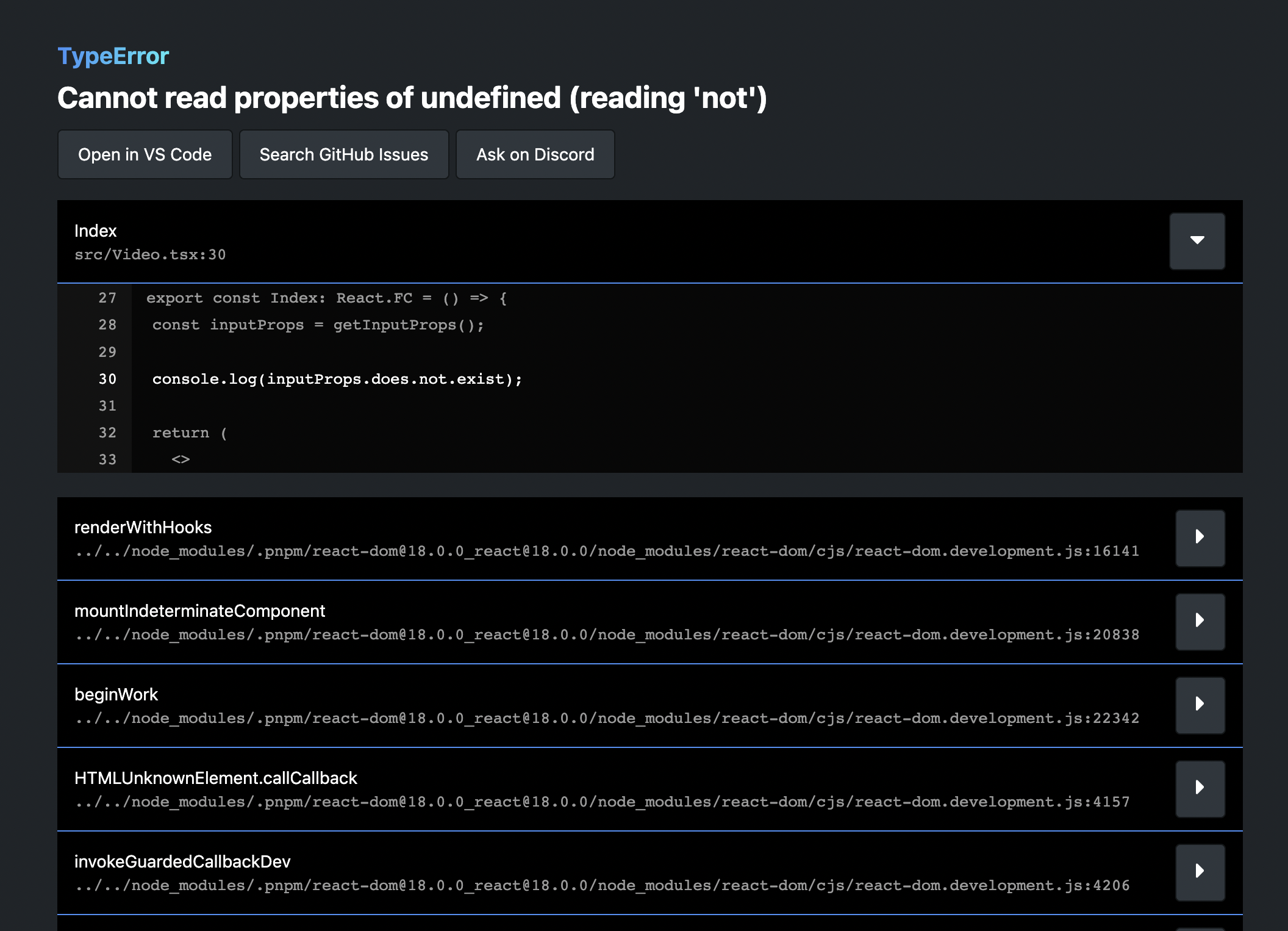
<h2 class="anchor anchorTargetStickyNavbar_zrKg" id="audio-visualization">Audio visualization<a href="https://www.remotion.dev/blog/2-0#audio-visualization" class="hash-link" aria-label="Direct link to Audio visualization" title="Direct link to Audio visualization" translate="no">​</a></h2>
<p>With newly introduced audio visualization APIs, you can make your visuals react to the frequency of the audio.</p>
<p>What you need are the new <a class="" href="https://www.remotion.dev/docs/get-audio-data"><code>getAudioData()</code></a> and <a class="" href="https://www.remotion.dev/docs/visualize-audio"><code>visualizeAudio()</code></a> APIs that have been published <a class="" href="https://www.remotion.dev/docs/media-utils/">in it's own package</a>.</p>
<p>Read more about <a class="" href="https://www.remotion.dev/docs/audio/visualization">audio visualization</a> in the docs or <a href="https://twitter.com/JNYBGR/status/1378444074634592262" target="_blank" rel="noopener noreferrer" class="">watch a sample video</a> (the source can be found <a href="https://github.com/yuta0801/remotion/blob/1103092f4902fb11f41877a05398dab6ce7203e7/packages/example/src/AudioVisualization/index.tsx" target="_blank" rel="noopener noreferrer" class="">here</a>).</p>
<h2 class="anchor anchorTargetStickyNavbar_zrKg" id="export-as-mp3-aac-wav">Export as MP3, AAC, WAV<a href="https://www.remotion.dev/blog/2-0#export-as-mp3-aac-wav" class="hash-link" aria-label="Direct link to Export as MP3, AAC, WAV" title="Direct link to Export as MP3, AAC, WAV" translate="no">​</a></h2>
<p>You can now also completely omit the video from the output and only emit an audio file. Yes, Remotion can also be used as an audio editing program! Pass <code>mp3</code>, <code>aac</code> or <code>wav</code> as a codec <a class="" href="https://www.remotion.dev/docs/cli/render#--jpeg-quality">using the <code>--codec</code> flag</a> or <a class="" href="https://www.remotion.dev/docs/config#setcodec">in your config file</a>.</p>
<h2 class="anchor anchorTargetStickyNavbar_zrKg" id="remotionmedia-utils-package"><code>@remotion/media-utils</code> package<a href="https://www.remotion.dev/blog/2-0#remotionmedia-utils-package" class="hash-link" aria-label="Direct link to remotionmedia-utils-package" title="Direct link to remotionmedia-utils-package" translate="no">​</a></h2>
<div><video width="100%" height="100%" controls="" playsinline="" autoplay="" muted="" loop=""><source src="/img/mediautils.mp4" type="video/mp4"></video></div>
<p>This is a new helper package which includes functions useful for dealing with audio. Besides audio visualization, you can also for example measure the duration of an audio or video source, which is really useful for making a composition duration dynamic. The functions included are <a class="" href="https://www.remotion.dev/docs/get-audio-data"><code>getAudioData()</code></a>, <a class="" href="https://www.remotion.dev/docs/get-audio-duration-in-seconds"><code>getAudioDuration()</code></a>, <a class="" href="https://www.remotion.dev/docs/get-video-metadata"><code>getVideoMetadata()</code></a>, <a class="" href="https://www.remotion.dev/docs/get-waveform-portion"><code>getWaveformPortion()</code></a>, <a class="" href="https://www.remotion.dev/docs/visualize-audio"><code>visualizeAudio()</code></a> and <a class="" href="https://www.remotion.dev/docs/use-audio-data"><code>useAudioData()</code></a>.</p>
<p>All of them except the last one are completely independent from the ideas of Remotion, so they might be a great fit for your other non-Remotion projects as well! This package is MIT-licensed, so you everybody can use it without obtaining a company license.</p>
<h2 class="anchor anchorTargetStickyNavbar_zrKg" id="rich-timeline-experimental">Rich Timeline (experimental)<a href="https://www.remotion.dev/blog/2-0#rich-timeline-experimental" class="hash-link" aria-label="Direct link to Rich Timeline (experimental)" title="Direct link to Rich Timeline (experimental)" translate="no">​</a></h2>
<p>With the normal timeline, you don't see the full picture of all the media that you have placed in your composition. The reason is that the visualization you see is based on what's currently rendered at the position of your playhead.</p>
<p>Introducing a new timeline mode: The <a class="" href="https://www.remotion.dev/docs/studio"><strong>rich timeline</strong></a> will render additional frames other than the current one to gather enough information to visualize a full timeline.
Sequences which are normally not rendered because the playback head is not within the time range of the sequence, will appear because Remotion is doing an additional render at a time where the sequence is visible.</p>
<img src="https://www.remotion.dev/img/timeline.png">
<p>By default the <strong>rich timeline</strong> feature is disabled, but will be enabled by default if the feedback is good. You may switch between the rich timeline and simple timeline by clicking the icon with the three lines. Try it out and let us know what you think!</p>
<img src="https://www.remotion.dev/img/timeline-toggle.png">
<h2 class="anchor anchorTargetStickyNavbar_zrKg" id="esbuild-loader">ESBuild loader<a href="https://www.remotion.dev/blog/2-0#esbuild-loader" class="hash-link" aria-label="Direct link to ESBuild loader" title="Direct link to ESBuild loader" translate="no">​</a></h2>
<div><video width="100%" height="100%" controls="" playsinline="" autoplay="" muted="" loop=""><source src="/img/esbuild.mp4" type="video/mp4"></video></div>
<p>The traditional transpilation of Javascript and Typescript using <code>babel-loader</code> has been replaced by the faster <code>esbuild-loader</code> by default.</p>
<p>This will speed up bundling by a lot - hopefully you won't notice any other differences! If you for some reason need to go back to the previous behavior, you may override the Webpack config - <a class="" href="https://www.remotion.dev/docs/legacy-babel">we are releasing a helper that makes it easy</a>.</p>
<div><video width="100%" height="100%" controls="" playsinline="" autoplay="" muted="" loop=""><source src="/img/esbuild-loader.webm" type="video/webm"></video></div>
<h2 class="anchor anchorTargetStickyNavbar_zrKg" id="webpack-caching">Webpack caching<a href="https://www.remotion.dev/blog/2-0#webpack-caching" class="hash-link" aria-label="Direct link to Webpack caching" title="Direct link to Webpack caching" translate="no">​</a></h2>
<p>Even though transpilation is done using ESBuild now, Webpack is still being used for bundling. We rely on Webpack features such as Hot Module Replacement, asset importing, it's strong loader ecosystem and now it's caching features.</p>
<p>When you run <code>npm run build</code> for the first time, you will get a message that a cache is building. From the second time on, bundling will be much faster, even if you change your code. You shouldn't have to ever do it, but you can <a class="" href="https://www.remotion.dev/docs/config#setcachingenabled">opt out of caching</a>.</p>
<h2 class="anchor anchorTargetStickyNavbar_zrKg" id="partial-video-rendering--stills">Partial video rendering + Stills<a href="https://www.remotion.dev/blog/2-0#partial-video-rendering--stills" class="hash-link" aria-label="Direct link to Partial video rendering + Stills" title="Direct link to Partial video rendering + Stills" translate="no">​</a></h2>
<p>Want to render partial video or a still for thumbnail? You can do that with Remotion 2.0. We introduced a new CLI flag <code>--frames</code> to render a subset or a still of a video.</p>
<p><code>--frames=0-9</code> (To select the first 10 frames) or <code>--frames=50</code> (To render a still of the 51st frame).</p>
<p>Learn more about the <a class="" href="https://www.remotion.dev/docs/config#setframerange"><code>--frames</code></a> CLI option.</p>
<h2 class="anchor anchorTargetStickyNavbar_zrKg" id="remotiongif-component"><code>@remotion/gif</code> component<a href="https://www.remotion.dev/blog/2-0#remotiongif-component" class="hash-link" aria-label="Direct link to remotiongif-component" title="Direct link to remotiongif-component" translate="no">​</a></h2>
<div><video width="100%" height="100%" controls="" playsinline="" autoplay="" muted="" loop=""><source src="https://pub-646d808d9cb240cea53bedc76dd3cd0c.r2.dev/gif.mp4" type="video/mp4"></video></div>
<p>A new GIF component released in the <code>@remotion/gif</code> package is now available. The <code>&lt;Gif /&gt;</code> component allows to load a local or remote GIF and synchronizes it with Remotions <code>useCurrentFrame()</code>. For that it parses the GIF using WebAssembly - basically it's really cool tech! Thanks a lot to <a href="https://github.com/jeetiss" target="_blank" rel="noopener noreferrer" class="">@jeetiss</a> for contributing this new component.</p>
<p><a class="" href="https://www.remotion.dev/docs/gif">Learn more about the GIF component here</a>.</p>
<h2 class="anchor anchorTargetStickyNavbar_zrKg" id="resizable-editor-panels">Resizable editor panels<a href="https://www.remotion.dev/blog/2-0#resizable-editor-panels" class="hash-link" aria-label="Direct link to Resizable editor panels" title="Direct link to Resizable editor panels" translate="no">​</a></h2>
<div><video width="100%" height="100%" controls="" playsinline="" autoplay="" muted="" loop=""><source src="/img/resizeable.mp4" type="video/mp4"></video></div>
<p>In the editor, you can now resize the timeline as well as the left sidebar. Thanks a lot to <a href="https://github.com/arthurdenner" target="_blank" rel="noopener noreferrer" class="">Arthur Denner</a> for this awesome contribution!</p>
<h2 class="anchor anchorTargetStickyNavbar_zrKg" id="interpolate">interpolate()<a href="https://www.remotion.dev/blog/2-0#interpolate" class="hash-link" aria-label="Direct link to interpolate()" title="Direct link to interpolate()" translate="no">​</a></h2>
<p><code>interpolate()</code> now supports arrays with lengths bigger than 2. Really useful for a lot of scenarios - for example you can create a combined fade in/fade out transition with one line.</p>
<div><pre class="shiki github-dark" style="background-color:#24292e;color:#e1e4e8" tabindex="0"><code><span class="line"><span style="color:#F97583">const</span><span style="color:#79B8FF"> opacity</span><span style="color:#F97583"> =</span><span style="color:#B392F0"> interpolate</span><span style="color:#E1E4E8">(frame, [</span><span style="color:#79B8FF">0</span><span style="color:#E1E4E8">, </span><span style="color:#79B8FF">10</span><span style="color:#E1E4E8">, durationInFrames </span><span style="color:#F97583">-</span><span style="color:#79B8FF"> 10</span><span style="color:#E1E4E8">, durationInFrames], [</span><span style="color:#79B8FF">0</span><span style="color:#E1E4E8">, </span><span style="color:#79B8FF">1</span><span style="color:#E1E4E8">, </span><span style="color:#79B8FF">1</span><span style="color:#E1E4E8">, </span><span style="color:#79B8FF">0</span><span style="color:#E1E4E8">]);</span></span></code><button class="copy-button" aria-label="Copy code to clipboard">Copy</button></pre></div>
<h2 class="anchor anchorTargetStickyNavbar_zrKg" id="170-tests-added">170+ tests added<a href="https://www.remotion.dev/blog/2-0#170-tests-added" class="hash-link" aria-label="Direct link to 170+ tests added" title="Direct link to 170+ tests added" translate="no">​</a></h2>
<div><video width="100%" height="100%" controls="" playsinline="" autoplay="" muted="" loop=""><source src="/img/tests.mp4" type="video/mp4"></video></div>
<p>While not strictly a new feature, this is definitely worth mentioning.</p>
<p><a href="https://github.com/calvin-f" target="_blank" rel="noopener noreferrer" class="">Calvin Falter</a>, <a href="https://github.com/j0nezz" target="_blank" rel="noopener noreferrer" class="">Jonas Brunner</a> and <a href="https://github.com/dydent" target="_blank" rel="noopener noreferrer" class="">Tobias Boner</a> took Remotion as their project for their university seminar and contributed over 100 tests, strengthening the code and ironing out edge cases.</p>
<p><a href="https://github.com/cnnrhill" target="_blank" rel="noopener noreferrer" class="">@cnnr</a> contributed a really cool end-to-end test that tests the video seeking of Remotion and makes sure it is frame-accurate by matching the colors in each frame.</p>
<p>The remaining added tests are testing the tricky parts of audio rendering. Thanks to test-driven development, we've been able to catch regressions and ship really solid audio support.</p>
<p>The bottom line: In Remotion 1.5.4 we had total 43 tests, in Remotion 2.0 we added a total of 174 tests to come out at a total of 217.</p>
<h2 class="anchor anchorTargetStickyNavbar_zrKg" id="video-and-audio-have-startfrom-and-endat-props"><code>&lt;Video/&gt;</code> and <code>&lt;Audio/&gt;</code> have <code>startFrom</code> and <code>endAt</code> props<a href="https://www.remotion.dev/blog/2-0#video-and-audio-have-startfrom-and-endat-props" class="hash-link" aria-label="Direct link to video-and-audio-have-startfrom-and-endat-props" title="Direct link to video-and-audio-have-startfrom-and-endat-props" translate="no">​</a></h2>
<p>These new props make it easier to cut the start or the end of the video. This is implemented using sequences, which was also possible before, but this is a convienient shorthand.</p>
<h2 class="anchor anchorTargetStickyNavbar_zrKg" id="fixed-frame-seeking">Fixed: Frame seeking<a href="https://www.remotion.dev/blog/2-0#fixed-frame-seeking" class="hash-link" aria-label="Direct link to Fixed: Frame seeking" title="Direct link to Fixed: Frame seeking" translate="no">​</a></h2>
<p>In Remotion 1.x, a <code>&lt;Video/&gt;</code> would not always perfectly synchronize with Remotions time during render. This is now fixed and validated by tests that scan the color of the output frames - <a href="https://github.com/remotion-dev/remotion/issues/200" target="_blank" rel="noopener noreferrer" class="">however not in the most efficient way</a>. Help on improving it further is still welcome.</p>
<h2 class="anchor anchorTargetStickyNavbar_zrKg" id="fixed-timeouts-while-importing-large-videos">Fixed: Timeouts while importing large videos<a href="https://www.remotion.dev/blog/2-0#fixed-timeouts-while-importing-large-videos" class="hash-link" aria-label="Direct link to Fixed: Timeouts while importing large videos" title="Direct link to Fixed: Timeouts while importing large videos" translate="no">​</a></h2>
<p>Importing files into your webpack bundle that were of significant size (the problems started at around 40MB) led to slow renders and timeouts. This is now fixed by swapping out dependencies and making sure the whole stack supports the HTTP range header well. Now if you seek a video, only the necessary parts will be loaded from the filesystem rather than the whole file being read.</p>
<h2 class="anchor anchorTargetStickyNavbar_zrKg" id="breaking-changes-and-upgrade">Breaking changes and upgrade<a href="https://www.remotion.dev/blog/2-0#breaking-changes-and-upgrade" class="hash-link" aria-label="Direct link to Breaking changes and upgrade" title="Direct link to Breaking changes and upgrade" translate="no">​</a></h2>
<p>We've taken this opportunity of a major release to introduce some breaking changes that we think are beneficial for an awesome future of Remotion. Please take a moment to read through the <a class="" href="https://www.remotion.dev/docs/2-0-migration">2.0 Migration guide</a> and see if you are affected.</p>
<h2 class="anchor anchorTargetStickyNavbar_zrKg" id="the-future">The future<a href="https://www.remotion.dev/blog/2-0#the-future" class="hash-link" aria-label="Direct link to The future" title="Direct link to The future" translate="no">​</a></h2>
<p>Most of the core functionality for making videos in React is now implemented.
This gives us time to focus on improving all the areas around it - we are talking better documentation, developer experience, examples, abstractions on top or Remotion, improving speed and reliability of Remotion.</p>
<p>Furthermore, we want to provide a way to embed Remotion compositions in traditional web apps and to make server-side rendering easier - stay tuned!</p>]]></content>
        <author>
            <name>Jonny Burger</name>
            <uri>https://github.com/JonnyBurger</uri>
        </author>
    </entry>
    <entry>
        <title type="html"><![CDATA[Announcing pricing for company licenses]]></title>
        <id>https://www.remotion.dev/blog/company-licenses</id>
        <link href="https://www.remotion.dev/blog/company-licenses"/>
        <updated>2021-03-15T00:00:00.000Z</updated>
        <summary type="html"><![CDATA[We got rid of the "Contact us for pricing" policy and have announced the pricing for Remotion publicly. Head over to companies.remotion.dev to see it!]]></summary>
        <content type="html"><![CDATA[<p>We got rid of the "Contact us for pricing" policy and have announced the pricing for Remotion publicly. Head over to <a href="https://companies.remotion.dev/" target="_blank" rel="noopener noreferrer" class="">companies.remotion.dev</a> to see it!</p>
<p><img decoding="async" loading="lazy" alt="Remotion Pricing" src="https://www.remotion.dev/assets/images/pricing-beb6e9426b749173dea948248a2b10b6.png" width="932" height="610" class="img_UdAW"></p>
<p>This is a new platform where you can directly buy a Remotion license, get invoices, upgrade/downgrade or cancel without having to get in touch with us.</p>
<p>Needless to say, you can still <a href="mailto:hi@remotion.dev" target="_blank" rel="noopener noreferrer" class="">email us</a> if you like a consultation!</p>]]></content>
        <author>
            <name>Jonny Burger</name>
            <uri>https://github.com/JonnyBurger</uri>
        </author>
    </entry>
    <entry>
        <title type="html"><![CDATA[Remotion 1.5]]></title>
        <id>https://www.remotion.dev/blog/1-5</id>
        <link href="https://www.remotion.dev/blog/1-5"/>
        <updated>2021-03-03T00:00:00.000Z</updated>
        <summary type="html"><![CDATA[This release contains no big new features, but addresses some common problems.]]></summary>
        <content type="html"><![CDATA[<p>This release contains no big new features, but addresses some common problems.</p>
<h2 class="anchor anchorTargetStickyNavbar_zrKg" id="no-chromium-download-necessary">No Chromium download necessary<a href="https://www.remotion.dev/blog/1-5#no-chromium-download-necessary" class="hash-link" aria-label="Direct link to No Chromium download necessary" title="Direct link to No Chromium download necessary" translate="no">​</a></h2>
<p>Until now, every time you ran <code>yarn create video</code>, a binary of Chromium was installed, which was slow and took a lot of space (between 170-280MB depending on the OS). Making matters even worse, these binaries would not include the codec required to play MP4 videos, meaning if you wanted to embed one, you had to convert it to WebM first.</p>
<p>Now Remotion will try to find an existing installation of Chrome on your machine and if it finds one, it will use it and skip the download. If it doesn't find one, you can specify the path using the <a class="" href="https://www.remotion.dev/docs/config#setbrowserexecutable"><code>setBrowserExecutable()</code></a> option or the <a class="" href="https://www.remotion.dev/docs/cli"><code>--browser-executable</code></a> command line flag.</p>
<p>If you are running Remotion on a machine where neither Chrome nor Chromium is installed, Remotion will still download a version from the internet. However, the download only happens when you invoke <code>npm run build</code> for the first time, so you don't have to wait so long before you can start experimenting.</p>
<h2 class="anchor anchorTargetStickyNavbar_zrKg" id="improved-apple-silicon-and-wsl-support">Improved Apple Silicon and WSL support<a href="https://www.remotion.dev/blog/1-5#improved-apple-silicon-and-wsl-support" class="hash-link" aria-label="Direct link to Improved Apple Silicon and WSL support" title="Direct link to Improved Apple Silicon and WSL support" translate="no">​</a></h2>
<p>Apple Silicon support is another nice side-effect of the Puppeteer refactor, since previously the installation would fail because no Chromium binaries were available for the Apple Silicon architecture. Now that Remotion will try to use the local Chrome installation this is way less likely to happen.</p>
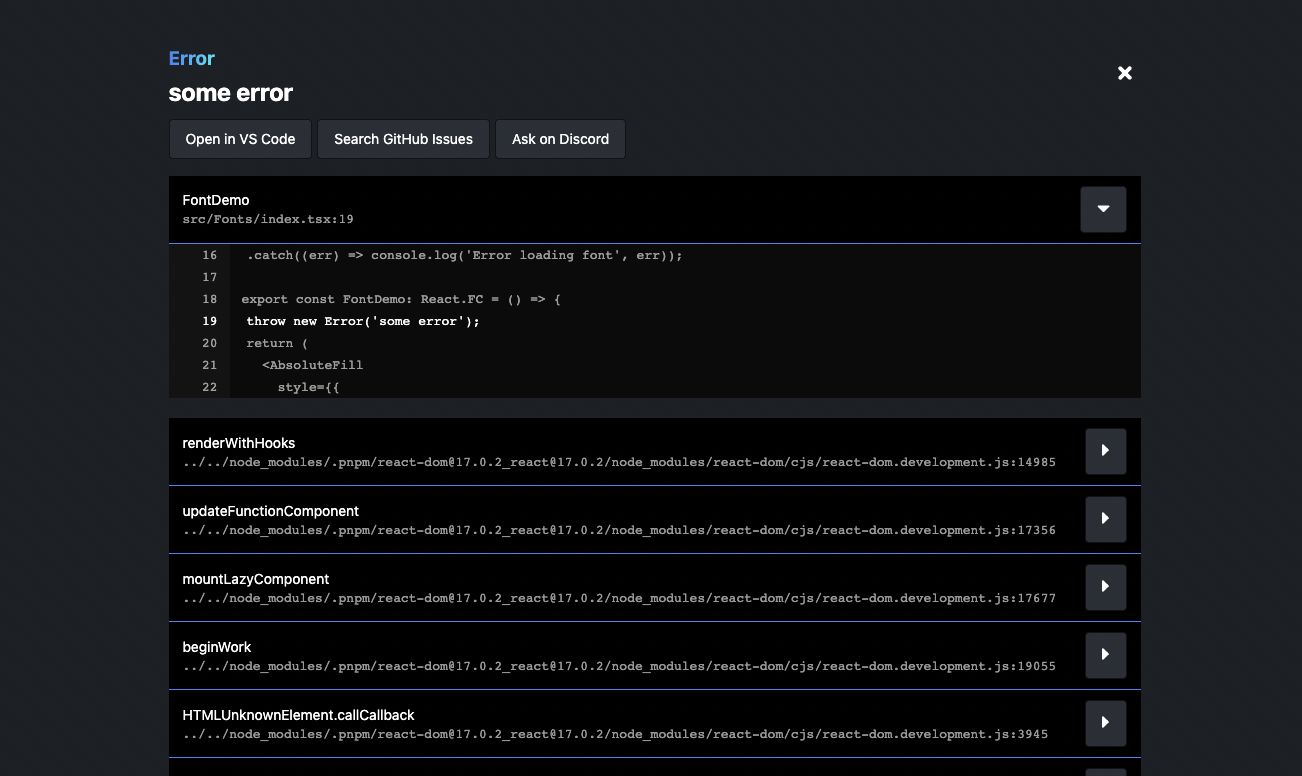
<p>On Windows Subsystem for Linux, a missing flag would lead to Remotion getting stuck during rendering. This is now fixed. Linux users also need to install some additional libraries, <a class="" href="https://www.remotion.dev/docs/miscellaneous/linux-dependencies">which is now documented</a>.</p>
<h2 class="anchor anchorTargetStickyNavbar_zrKg" id="smoother-timeline">Smoother timeline<a href="https://www.remotion.dev/blog/1-5#smoother-timeline" class="hash-link" aria-label="Direct link to Smoother timeline" title="Direct link to Smoother timeline" translate="no">​</a></h2>
<p>Why would the timeline of your 30 FPS only play at 28.7FPS? Turns out it's a bug that was investigated and fixed by <a href="https://github.com/remotion-dev/remotion/pull/148" target="_blank" rel="noopener noreferrer" class="">yuta0801</a>! Now the playback during preview is smoother and the FPS counter is way more likely to display a number matching your desired FPS.</p>
<h2 class="anchor anchorTargetStickyNavbar_zrKg" id="failing-to-render-a-frame-fails-hard">Failing to render a frame fails hard<a href="https://www.remotion.dev/blog/1-5#failing-to-render-a-frame-fails-hard" class="hash-link" aria-label="Direct link to Failing to render a frame fails hard" title="Direct link to Failing to render a frame fails hard" translate="no">​</a></h2>
<p>If a frame fails to render for some reason (such as calling <code>delayRender()</code> and never resolving the lock), this will now stop the rendering process. Previously you would get an error message but Remotion would keep trying and keep failing.</p>
<h2 class="anchor anchorTargetStickyNavbar_zrKg" id="rendering-will-happen-on-a-localhost-server">Rendering will happen on a localhost server<a href="https://www.remotion.dev/blog/1-5#rendering-will-happen-on-a-localhost-server" class="hash-link" aria-label="Direct link to Rendering will happen on a localhost server" title="Direct link to Rendering will happen on a localhost server" translate="no">​</a></h2>
<p>Previously during rendering, frames would be opened via <code>file://</code> protocol and get screenshotted. Now the frames are being served on <code>http://localhost:3000</code> (if port is not available, it will try 3001, 3002, etc.), which is the same behavior as in the preview.</p>
<p>Now APIs can now simply whitelist localhost domains in their CORS configurations, and you can more easily use those APIs to feed data into your video.</p>
<h2 class="anchor anchorTargetStickyNavbar_zrKg" id="new-tutorial-programmatic-instagram-stories">New tutorial: Programmatic Instagram Stories<a href="https://www.remotion.dev/blog/1-5#new-tutorial-programmatic-instagram-stories" class="hash-link" aria-label="Direct link to New tutorial: Programmatic Instagram Stories" title="Direct link to New tutorial: Programmatic Instagram Stories" translate="no">​</a></h2>
<p>In case you missed it, I released a new tutorial showing the workflow of how to programmatically create Instagram Stories with dynamic content. <a href="https://www.youtube.com/channel/UCsBAIv086U4dViuxXJLMJpg" target="_blank" rel="noopener noreferrer" class="">You can watch it here.</a></p>
<h2 class="anchor anchorTargetStickyNavbar_zrKg" id="upgrade">Upgrade<a href="https://www.remotion.dev/blog/1-5#upgrade" class="hash-link" aria-label="Direct link to Upgrade" title="Direct link to Upgrade" translate="no">​</a></h2>
<p>As always, you can upgrade to the newest version by running <code>npm run upgrade</code> in your Remotion project.</p>]]></content>
        <author>
            <name>Jonny Burger</name>
            <uri>https://github.com/JonnyBurger</uri>
        </author>
    </entry>
</feed>